@ZackKorman Cookie cutter decade old disproven cybersecurity concepts bore me.
Constantly repeating the same mistakes over and over again and expecting different results.
Take it leave it, salt it up a bit I don't care.
Just do a quick google search for your motherboard. You get the BIOS update from the manfacturer website, then just have to put/unzip the bios update file maybe CAP file or something on a USB, then go to your bios and use their bios update wizard. Pretty straight forward to be honest.
Google search and youtube videos will help with your specific motherboard on the process related to the BISO navigation.
But it will make a difference for the 9070XT when you are ready to get it.
@KevTechSupport And even if it doesn't work... Send the lower level teams to do all the work for you. -ALL NETWORK ADMINS
Technician's feet is a fickle bitch amirite?
@TheCyberPatron_ None of the above, if they worked already you wouldn't be asking the question to begin with.
NIDS is not an answer either because it only detects after the fact.
Which translates to: "Useless, and too late."
If it is a 6000mhz when you bought it and it runs at 4200. You can use XMP or whatever to up it to 6000mhz. And it can operate at that level normally.
When they sell RAM they tell you what its maximum is under XMP or overclocking profile. AMD may call it something different in the BIOS but it has to be enabled before you can move the 4200 to 6000. Sometimes the motherboard does it automatically once you enable the overclocking profile in the BIOS.
@KanikaBK Nice try Google, but not even close. You have a massive understanding to gain first before you get bragging rights for a crock of marketing bullshit, when llama has been doing this for over a year.
@randrewcworth Someone forgot to tell that person in 2026 that ground Beef alone is up to almost $10/lbs
So that image is a crock of bullshit and everyone knows it.
I think he forgot to include his EBT discount... Fucking idiot.
@fishigaya@METAPCs If you are running 6000 already, you probably won't be able to OC much more. But 6000 is a baseline I would start from for RAM speed. The 9600XT might just beefy enough to get you closer to my numbers.
I also I did some more research, apparently the attack pattern itself is pretty well known I guess. So nothing new to the security industry.
But it is known to bypass security systems, but not all.
So i was mistaken, had to dig real deep to find the characteristics since it is known by different names I guess.
You cannot fathom the difference between your RX480 and the 9070XT
Even with your 9600X and DDR5 16GB (Check what speed your 16GB of RAM is. 6000+ is great, but it might be lower like 4800-5600 range is what I expect.
Either way the 9070xt is a big step up. And if your motherboard can handle it 6000+ Mhz DDR5 is a well invested upgrade to open up the 9070XT more.
@0day_ninja It is a simple concept known as "Whack-a-mole."
Hacker engineers
Security Engineers anti-engineer
Hacker Anti-anti-engineers
Rinse and repeat, while cybersecurity vendors call it progress.
There are a couple:
1. Response times: Microseconds (What they don't tell you is the added 50-200ms on top of it)
2. Throughput Capacity: Measured in bandwidth (What they don't tell you is: We mitigate and absorb DoS/DDoS.)
Neither of these are even statistically worth mentioning at all. And are meaningless numbers to impress idiots who don't know what they are looking at or reading.
It is a step up from the RTX 3080 noticeably so. But the key to waking these cards up is the core of your hardware.
CPU, RAM in particular. 6000+ Mhz DDR5. I use 7800Mhz RAM.
It's funny you don't really realize how strong an RTX 3080 really is until you do the core upgrades. As an example an i9-10900K is a bottleneck for the RTX 3080.
But a 13th / 14th gen+ or a Ryzen 7 7800X3D/9800X3D+ and 6000+ Mhz RAM is HUGE for these cards.
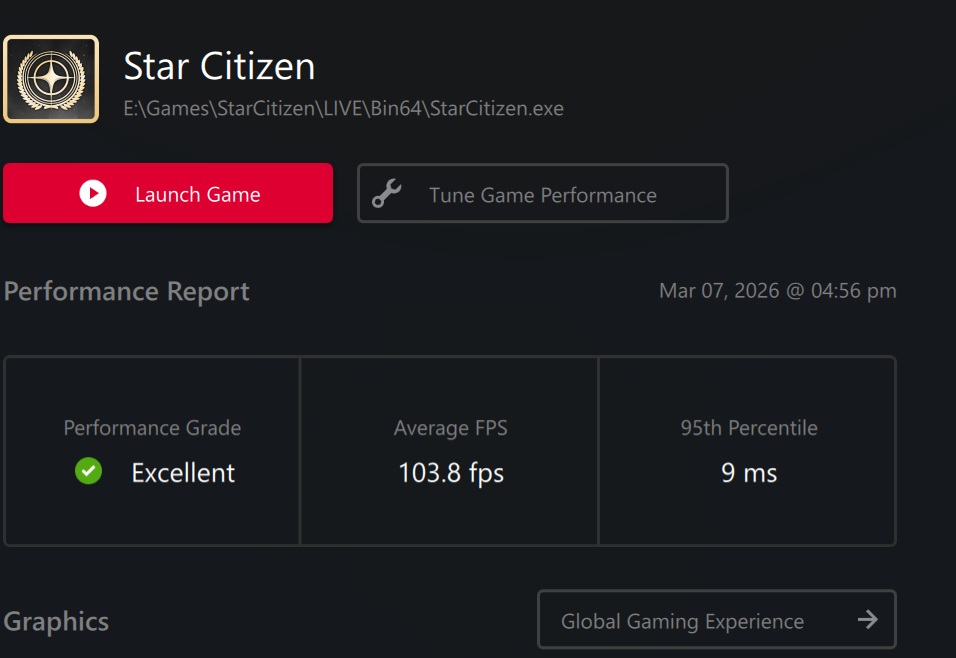
On the RTX 3080 I gained almost 100% FPS by upgrading my core to a 9800X3D and 32GB of DDR5 at 7800Mhz.
The 9070XT shows the same performance at higher resolutions, but is most optimized for 1440p.
And I don't use fake frame generation either. And this was tested in Star Citizen specifically.