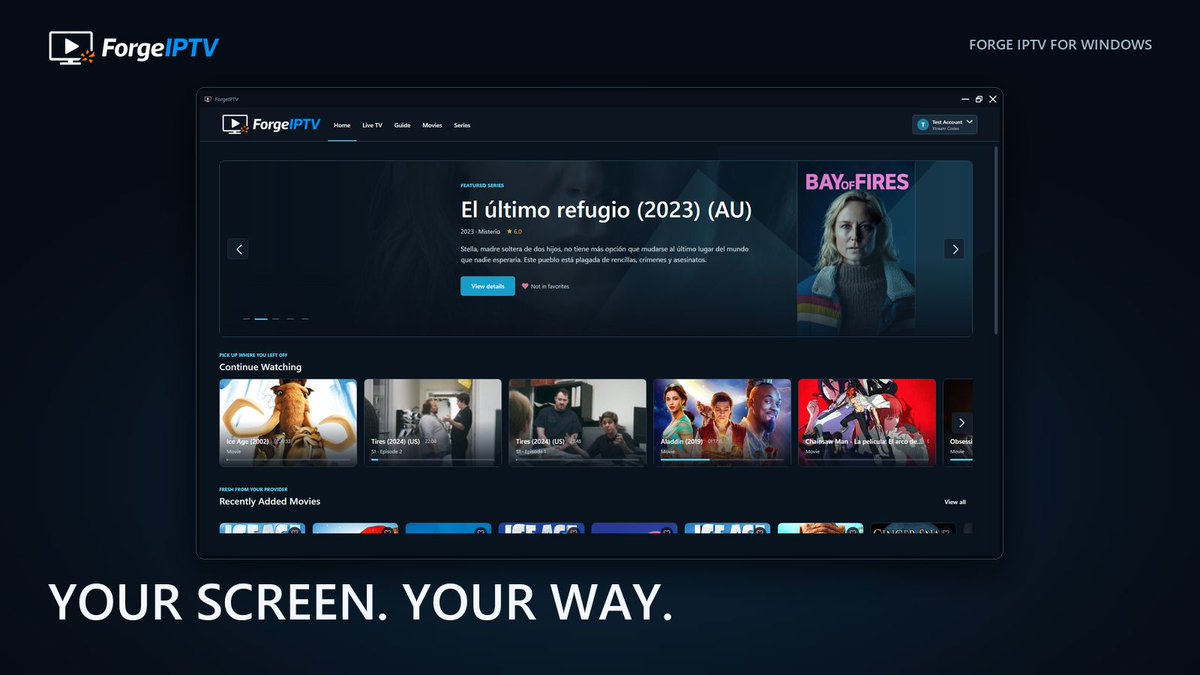
ForgeIPTV is a player, not a service.
You bring your own M3U or Xtream Codes sources.
We give you a clean interface on Windows and a remote-friendly experience on Fire TV / Android TV.
No channels. No playlists. No content included.
One-time purchase.
Windows → https://t.co/E7k1v31g97
TV → https://t.co/0sdJXaWgX7
Remote design keeps teaching me the same lesson: fewer deliberate steps usually beat more features.
An extra screen to reach Favourites or to exit playback doesn’t break anything, but it adds friction every single day.
Most of the work on the TV version has been about removing those small costs rather than adding new ones.
@kksrini89 The two one-line manifest rejections are classic.
It’s surprising how often the Store process trips on small packaging details even when the app itself is fine.
Did the second rejection take longer to figure out than the first?
@coolsoftware_ws The permission rejection is a classic one.
Microsoft is pretty strict about asking only for what you actually need. Dropping the extra ones and getting approved quickly is a good outcome.
How painful was the rest of the Store review process for you?
One small Windows improvement that doesn’t show up in screenshots: being able to keep multiple M3U or Xtream accounts and switch between them without re-entering everything.
It’s the kind of thing you only notice when you actually use more than one source regularly.
A question I still don’t have a single answer for: when someone opens the app on a TV for the first time, where should it land?
Live TV? Last channel? A home screen with Continue Watching? Or a simple menu?
Each choice makes the app feel better for some people and slightly worse for others.
I’ve noticed that a lot of player complaints start the same way: “the channels play but the guide is empty.”
Nine times out of ten the playlist and the EPG source are using different channel identifiers. Matching by name helps sometimes, but it’s never perfect.
It’s one of those problems that looks trivial from the outside and then turns into hours of testing.
The hardest part of series navigation on TV isn’t the posters. It’s what happens after you select one.
Can you see the next episode clearly? Can you jump to a specific season without extra screens? And once you’re done, does Back take you somewhere useful?
Those three things decide whether the library feels comfortable or just functional.
On Windows I’ve been paying more attention to what happens the second time you open the app.
With the playlist cached for up to 12 hours, startup is faster, but you still need an obvious way to force a refresh when you know something has changed upstream.
Small control, big difference in daily use.
A practical EPG frustration I keep seeing: the guide loads, but the times are off by one or two hours.
Usually the streams are fine. The XMLTV source is either in a different timezone or the offset isn’t applied correctly for the user’s location.
It’s the kind of thing that makes people think the whole guide is broken when only the clock is wrong.
Continue Watching is one of those features that sounds simple until you try to make it feel natural on a remote.
On Windows you can just click. On TV you need the right item to be selected when the screen opens, and the path back after finishing an episode has to be short.
Getting that default right changes how often people actually use it.
One thing that still surprises me when testing on a real TV: how much the feeling of speed comes from focus behaviour rather than raw performance.
A channel list can load quickly and still feel slow if the highlight jumps unpredictably or lands in the wrong place after you press Back.
I’ve spent more time fixing those small focus paths in the Fire TV version than I expected.
@biiish0P DST changes are a classic way to make a perfectly working guide suddenly look broken.
Streams keep playing, but the times jump by an hour and everything feels off until the offset is corrected.
It’s one of those small things that ends up eating more time than it should.
ForgeIPTV is built around a simple idea:
You already have your sources (M3U or Xtream Codes).
The player should make them comfortable to use — on Windows and on the big screen.
No bundled channels. No content included. One-time purchase.
Windows → https://t.co/CCPNpngyb4
TV → https://t.co/TLqXIQHCOh
Remote navigation is easy to underestimate until you sit on the couch and use it for real.
Unexpected focus jumps, actions buried one screen too deep, or an extra step to exit playback all add up. They don’t break the app, but they break the feeling that the interface is on your side.
A lot of the work on the TV version of ForgeIPTV has been about reducing those moments.
@letmelogin101@StocksandDares Manual mapping is painful. A lot of the time the streams themselves are fine and the guide is empty or wrong because the channel IDs in the playlist and the XMLTV source don’t match.
It’s one of those problems that feels like it should be simple and then eats an afternoon.
Losing your place is the one that compounds the fastest for me.
Slow channel switching is annoying in the moment, but when you finish an episode and then have to hunt through menus again to get back, it starts to feel like the app is working against you.
That path is one of the things I’ve spent a lot of time trying to make shorter.