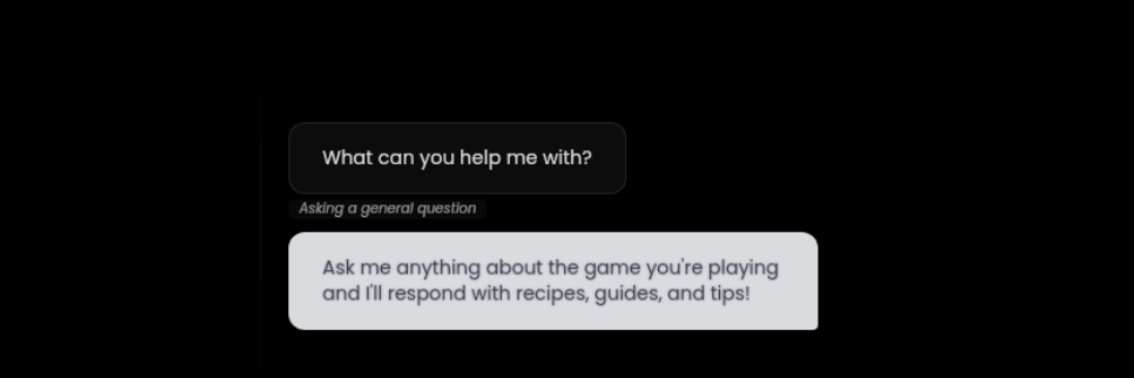
The next generation of gaming companions is here.
After months of beta testing and community feedback, GAMEBORO is officially live.
Stop alt-tabbing to browse slow wikis. GAMEBORO puts a customized assistant right in the corner of your screen, delivering deeper, smarter game info in seconds without breaking your flow.
https://t.co/OqqyP4drOQ
@keean_edward that's why we made GAMEBORO - never use a wiki again, just ask with your voice and get a targeted answer in a few seconds https://t.co/nld5zqgYtj
@itsoksmit Since its meant to be used while playing games, we took memory footprint very seriously with GAMEBORO and it only uses ~10mb of RAM and almost 0 CPU https://t.co/nld5zqgYtj
GAMEBORO v1.1.0 is now live on Steam, here's the patch notes:
It's been great seeing the reaction to GAMEBORO, we've been paying attention to feedback and have made the following changes:
- A lot of you are saying "Thank you" to BORO, we've made it so he responds in a more natural way rather than trying to give you game info about "Thank you"
- Improved mouse detection support, so GAMEBORO takes up less vertical space when an answer is visible
- More flexible application support; you can now manually override what game (or even what non-game program) you are asking questions about. This is useful if you have multiple games running and want to specify what you are asking about.
Added support for the following non-Steam games:
- Final Fantasy XIV
- League of Legends
- Valorant
- World of Warcraft
- Overwatch 2
- Hearthstone
- StarCraft II
- Diablo III
- Genshin Impact
- Honkai: Star Rail
- Zenless Zone Zero
- Escape from Tarkov
- Rocket League
- Grand Theft Auto V
- The Sims 4
- Apex Legends
- Star Citizen
- Warframe
- World of Tanks
- osu!
Since launch many users have gotten answers to hundreds of questions about games they are playing! All without leaving the game 😊
GAMEBORO is free, give it a try: https://t.co/nld5zqgYtj
The next generation of gaming companions is here.
After months of beta testing and community feedback, GAMEBORO is officially live.
Stop alt-tabbing to browse slow wikis. GAMEBORO puts a customized assistant right in the corner of your screen, delivering deeper, smarter game info in seconds without breaking your flow.
https://t.co/OqqyP4drOQ