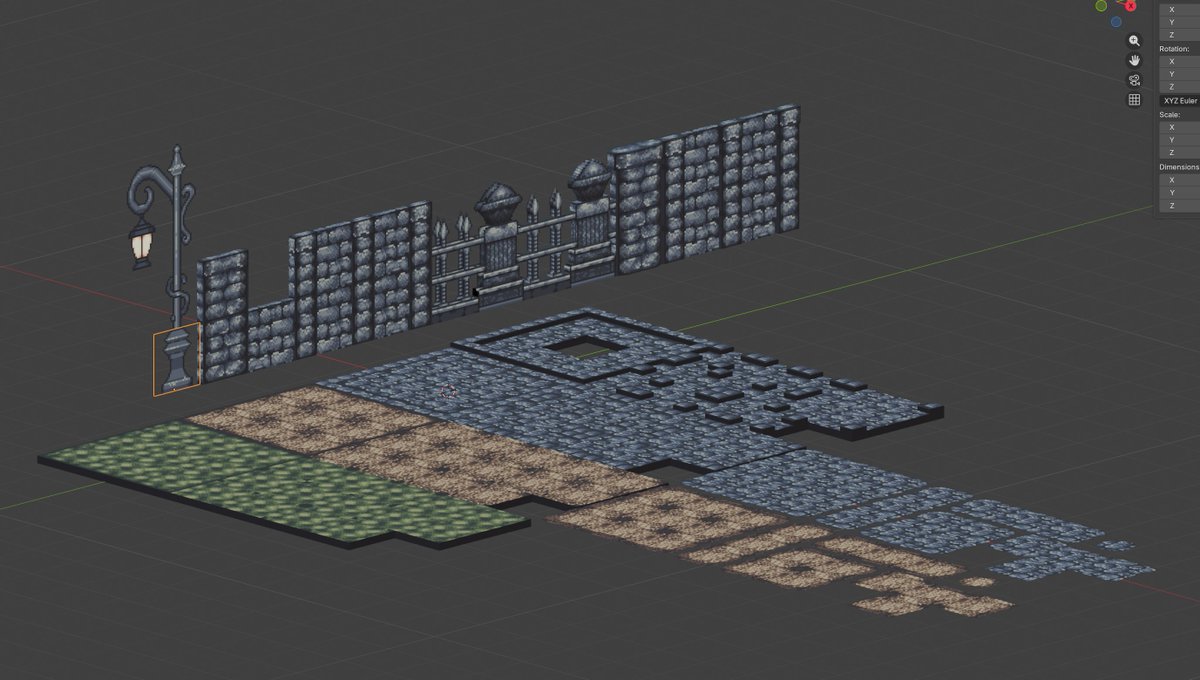
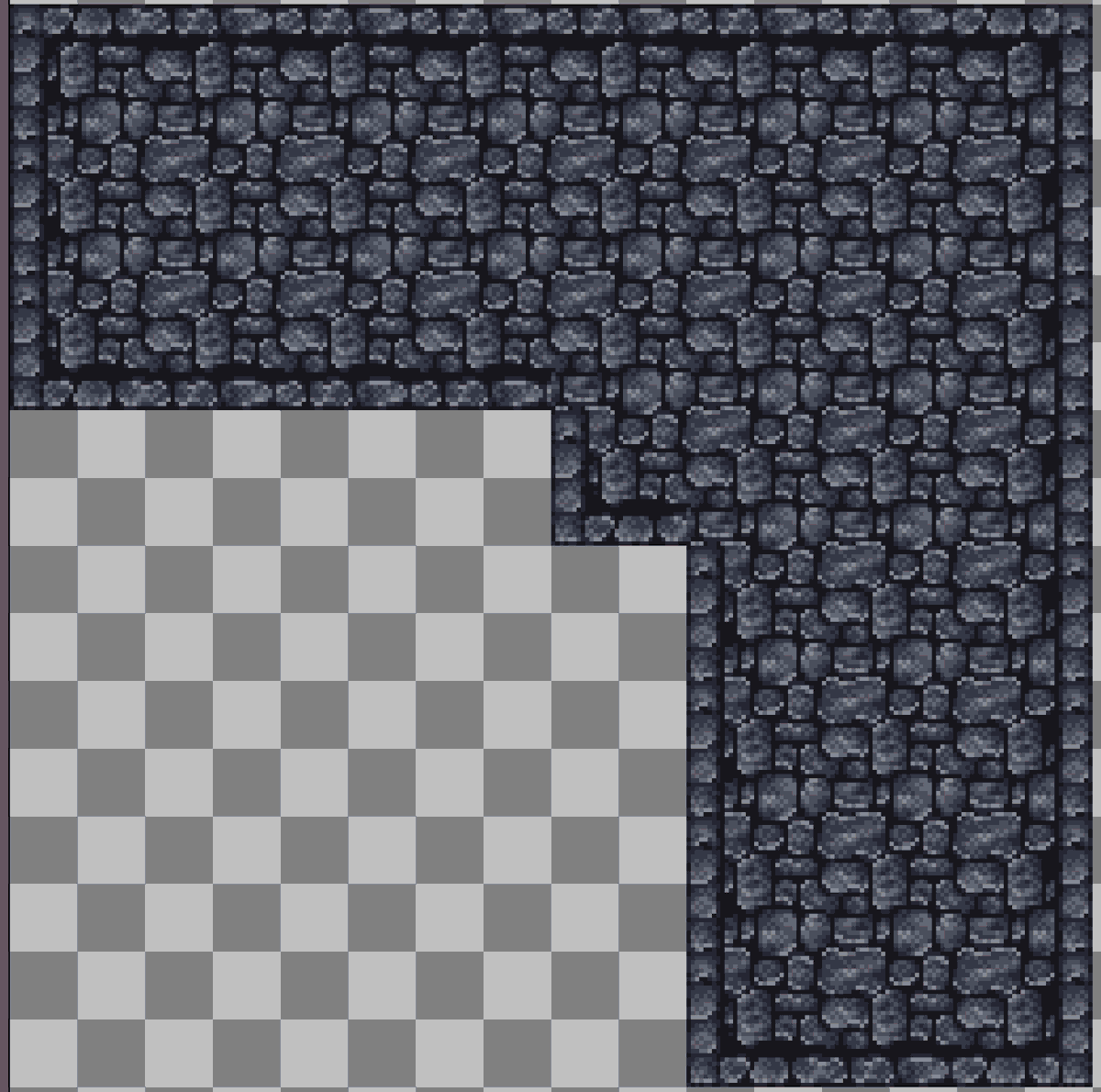
I made my textures in Aseprite. For this one 32 by 32, but any power of 2 should be fine. 16, 32, 64 etc. Also keep your canvas to powers of 2. In this case the canvas is 512 by 512.
Next I set snapping to increment, absolute increment snap on, Move and Scale on.
Scale for floor tiles x: 1 y: 1 z: 0.125 Scale for wall tiles x: 0.125 y: 1 z: 1
Make two materials. One is a solid dark color and the other is your texture. Use the solid dark color for areas the might not be seen or don't need details.
In the Shading tab make sure your image node is set to closest on the top drop down option instead of linear.
in UV Editing tab use your numpad numbers to look at your object from the sides you want to texture. Have the side you want to texture selected and then press U and choose "Project from View". This should gave you a clean UV unwrap of that side to use. Now on the UV side use G and X Y and Z to move your selection to where you need it. Line up one corner. Keep asprite open to find the exact pixel your need to line up with. I find zooming in as I get close to lining up my edge to be the best way to get that pixel perfect look. Now, using edge selection (vert selection if your lines aren't straight) and line up the left over sides.
Some helpful tips for lining things up: You can Project from View multiple sides at once that are lined up. So the back and front of your tile can be taken care of at the same time. You can also select multiple objects in Layout and then edit all of them in UV Editing. This means you can line up the far corner tile and then the others are just bring the edges near each other.
I'll see about making a video on my process later.
@ReturnerReign Depends. This character is not going to deform like a ps1 character. Even some ps2 characters wouldn't be this detailed. You should go on https://t.co/ATQbQUbcsF and download some models for reference.
People figured out how to mod the Vital Bracelet Dim Cards so I made these designs with the plan to fully mod one myself. Eventually I'll come back to this.
#Digimon#VitalBracelet#DimCard#PixelArt#ドット絵