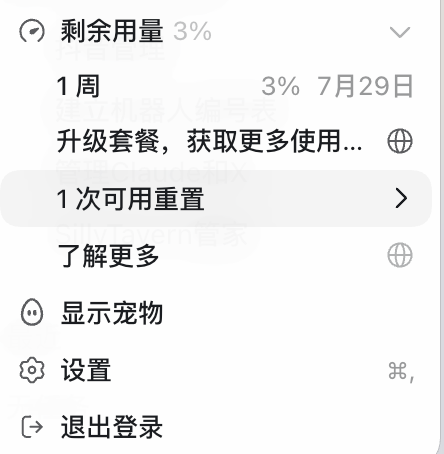
Hello people of Sol! I've reset usage limits for all ChatGPT Work and Codex users. Together with that, a quick update on GPT-5.6 Sol usage limits.
Over the past few weeks, many of you have told us that Sol was using your Codex limits faster than expected. To be clear, we have not reduced usage on any subscription plans.
We’ve been digging into what was happening and have landed several improvements. As a result, we expect your usage to last around 18% longer during typical use of Sol. Some of you should already see significantly larger improvements from today. Tomorrow, we’ll also restore the five-hour limit that we temporarily paused while investigating.
Here’s what we found:
- GPT-5.6 Sol is much more willing to work for longer, make additional tool calls, and coordinate complex workflows across tools and subagents. That makes it better at solving hard problems, but some tasks were using far more than we intended.
- Sol also works harder at the same reasoning effort than previous models. High on Sol can use more tokens than High did on GPT-5.5.
- Programmatic tool calling, also referred to as code mode, gives Sol much more flexibility to run tool calls in parallel or continue working while waiting. But it also led to more responses per turn, more cached input tokens, and higher usage than expected.
- This was particularly noticeable when Sol was waiting for tool calls to finish or running many web searches. We’ve improved how we handle both cases and are continuing to make code mode more efficient.
- The impact was also very uneven. The median user actually found Sol quite token efficient, while some power users working on harder tasks saw their usage drain much faster. We were very focused on average and median usage before launch and missed some cases where the long tail could use significantly more usage.
Sol is a significant step forward in what Codex can do, but capability and efficiency do not always improve at the same pace, and some issues only become clear once people are using the model at real-world scale. We should have recognized this sooner and been more upfront about it.
You keep pushing the frontier and we’ll keep improving efficiency and sharing updates as we go.
I found 7 free Polymarket trading bots on GitHub for 7 different trading situations…
Each of these repos comes with a detailed step by step setup and usage guide in English.
> Beginner Friendly (3-5 min setup)
1. A bot with 118 ready to use trading strategies and tools for prediction markets (Binance-Polymarket latency, Penny Clipper, Smart Routing, DCA bots, Momentum and more).
It was built by a computer science student who later won a hackathon with this bot.
You can also see this bot in action in the video below.
GitHub: https://t.co/2MCzD8iZG7
2. This is a huge trading bot-toolkit that includes Polymarket-Kalshi arbitrage, copy trading, whale tracking, sports trading, spread farming and more.
GitHub: https://t.co/p3obYeQTzO
3. A Smart Money trading bot that finds top traders in selected markets, filters them by PNL, win rate and consistency to create a list for automated copy trading.
GitHub: https://t.co/qbk9l2uxLd
4. A weather bot that analyzes multiple sources in real time, like weather forecasts, airport data and aviation observations (METAR + SPECI), to get the latest temperature data and generate a detailed weather report for a specific city and day.
GitHub: https://t.co/No3sBcqMg1
5. A large collection of 30+ free trading dashboards and services for different prediction market platforms.
GitHub: https://t.co/a2WRRl8PJl
> Advanced Bots
1. This bot analyzes the real trading behavior of any Polymarket trader.
It finds repeated patterns, identifies the strategies he uses and shows how you can adapt them to your own trading.
GitHub: https://t.co/SzdjHtASLt
2. A bot that automatically manages all your Polymarket limit orders to maximize liquidity rewards.
GitHub: https://t.co/nvb96dTIwx
All of these bots also support Dry Run mode (paper trading), so you can test them on real markets but without risking any funds.