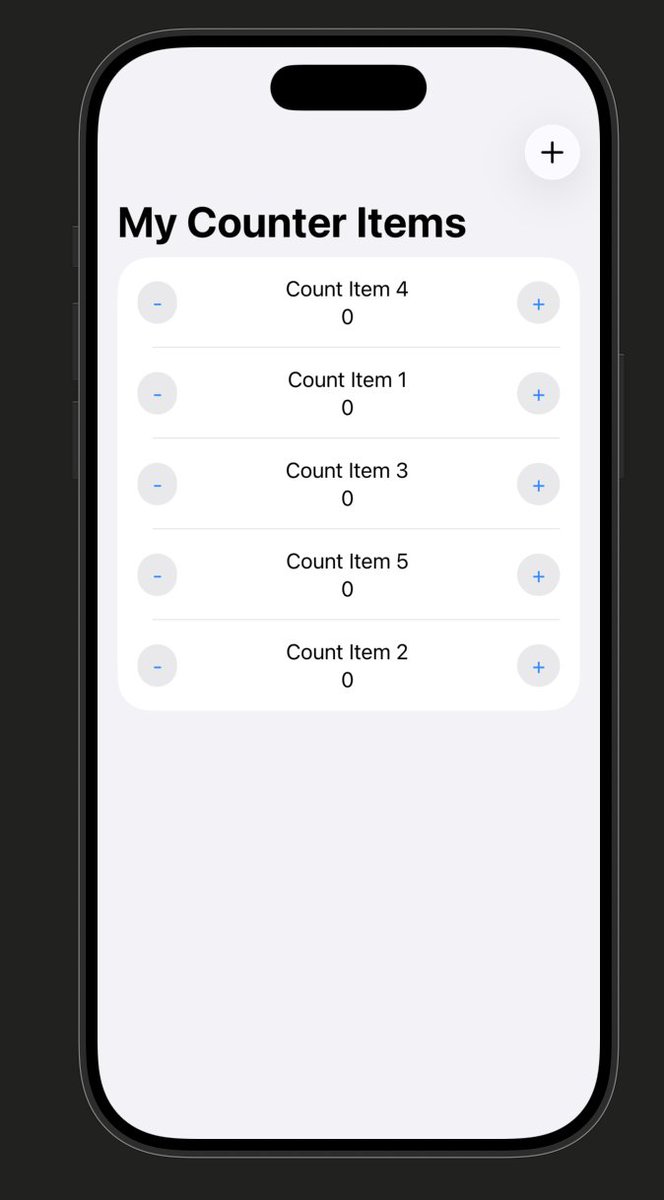
Day 4 of building my productivity app
✅improved UI/UX, improved code readability with graphs and charts
up next is implementing lock screen support and a widget
Day 3 building my productivity app:
✅ Weekly graphs for each counter item
✅ Visual progress over time
This was one of the biggest features for my app, so I’m excited it’s working
Next up:
--Lock screen support
--Widget
--Better UI
Day 2 of building my productivity app
✅ Swipe to delete counters
✅ Cleaner UI + improved code readability
✅ Edit counter name & count value
✅ Reset counts with one tap
Starting a new iOS app today
I’ve been looking for a simple productivity app that does one thing well: counting
How many times you check your phone, workouts per week, drink water—whatever you track. The apps I’ve tried don’t have the functionality I want, so building my own
Just added an AI feature to my iOS app, Practice Pro Volleyball
Now volleyball coaches with a few clicks can create a curated practice plan, with drills from real coaches in our drill library
Day 6 of #100DaysOfSwiftUI
✅Checkpoint 7 complete
Today I learned about classes and inheritance in Swift. Lots of similarities to JavaScript classes so felt easier than the previous days
Day 5 of #100DaysOfSwiftUI
✅Checkpoint 6 completed!
Today was digging into the real interesting parts of Swift, structs and classes, feel like I'm learning the tools to build real software now
Day 4 of #100DaysOfSwiftUI
✅Checkpoint 5 complete!
The hardest part is still the syntax friction, definitely some frustration figuring out the syntax today. In JavaScript this would've taken 30 seconds, but at least an hour in Swift😅