⚠️ Hubspot Trap: Use Smart Properties to Pre-Sort Spam
If you have a company “info@” or “Contact@” email address that is hooked up to service hub, it’s likely that you get a lot of spam tickets.
See the full issue at https://t.co/CnbFEVVp13
✅ Hubspot Tip: Property Change Events
If you’re like me, you have already made workflows that mimic the functionality of this underrated feature. It allows you to create settings-based automations that trigger on a property’s changes.
Full issue at https://t.co/CnbFEVVp13
🔄 Try on Hubspot: Center Column Custom Cards in Record Views
This is one of those UI unlocks that can be a huge gamechanger for admins, especially when you have team views, or complex record view needs.
See the full issue at https://t.co/CnbFEVVp13
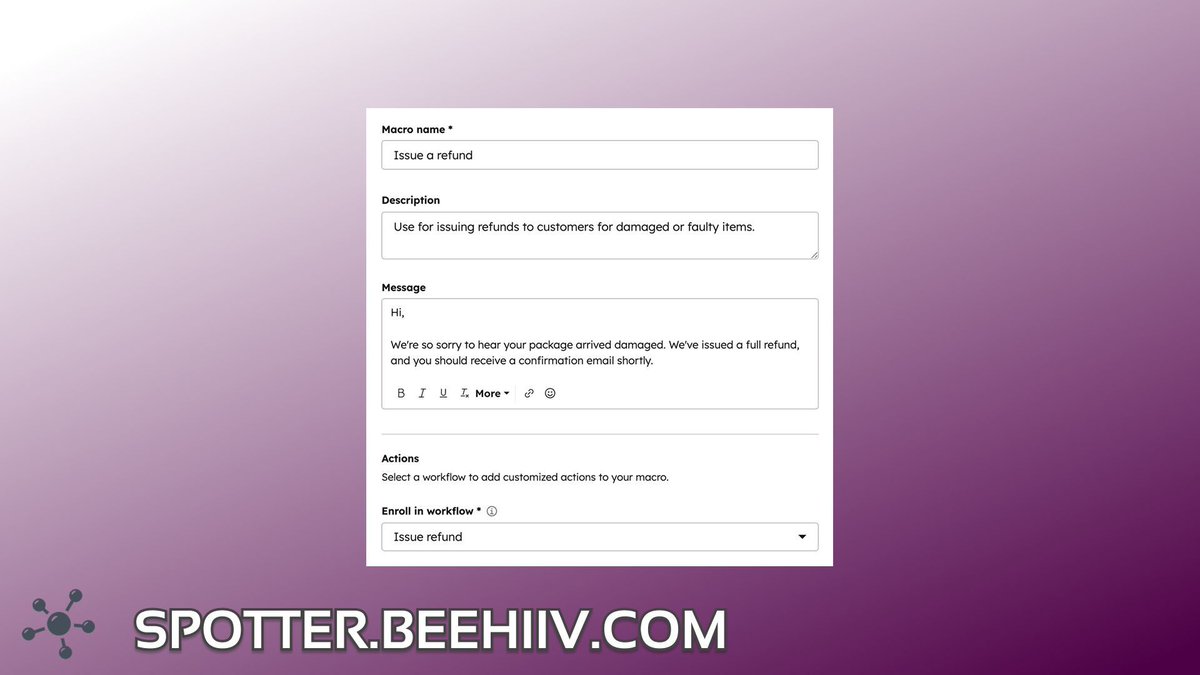
📢 Announcement: Macros Now Available in Help Desk
HubSpot's Help Desk Macros are a powerful new efficiency tool that combines prewritten responses with ticket-based workflows.
Read more at https://t.co/CnbFEVVp13
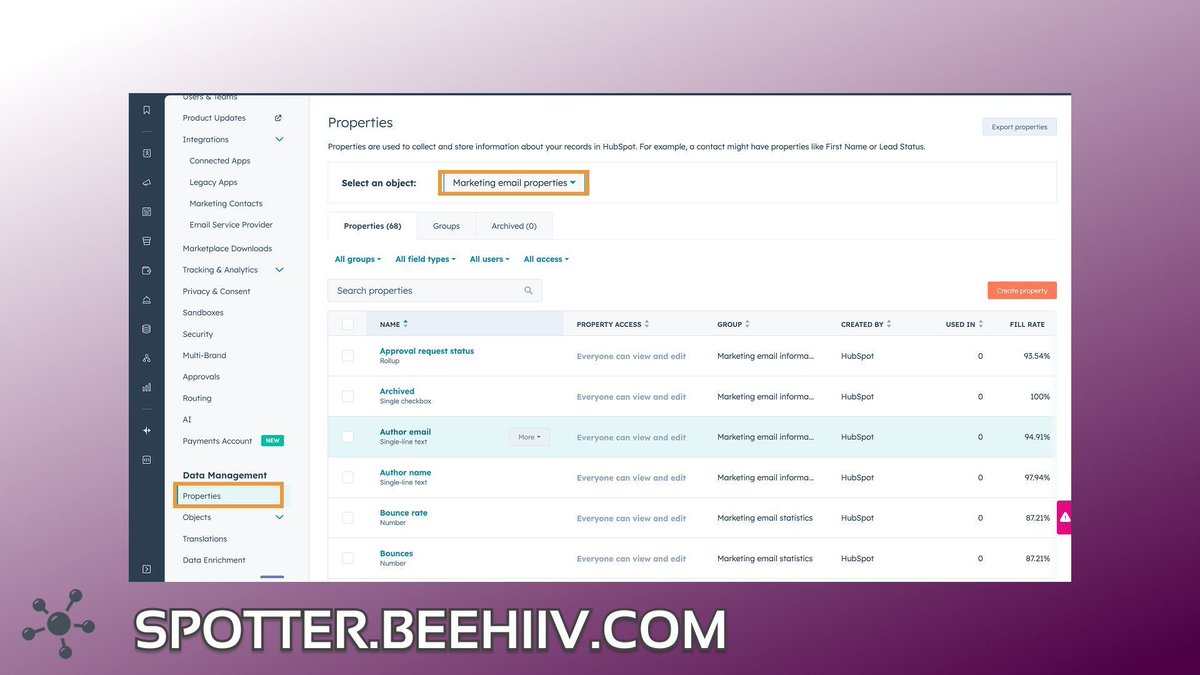
Try on Hubspot: Team Visibility & Email Performance
If multiple people send marketing emails from your HubSpot portal, Email Properties can keep everyone aligned. Set shared tags like Region or Product Line and require them before publishing.
#HubSpotTipsAndTricks
Hubspot Trap: Say No to Spam From Google Ads
Google ads is a popular and powerful way to grow a business. One of the main issues most people have with it is getting more qualified leads without losing volume. HubSpot users have a really convenient way to cut down on spam.
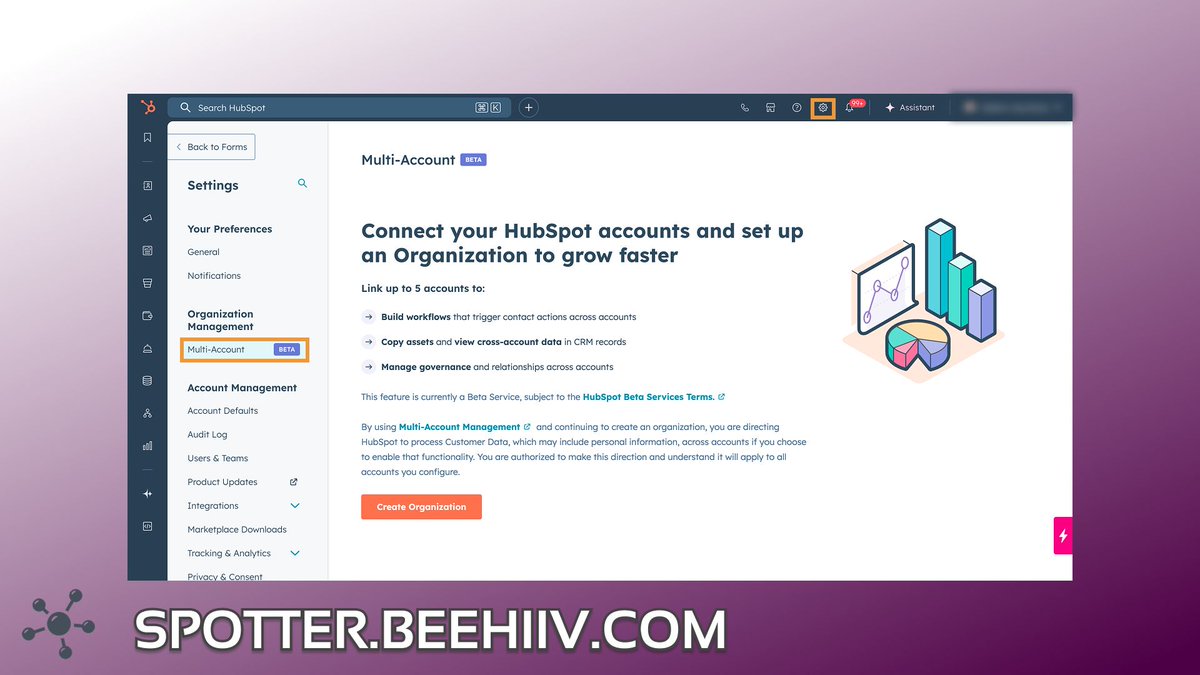
📢 Announcement: Multi Account
This one is huge for larger orgs, holding companies, and private equity. Until now, any larger company that wanted to oversee several smaller brands needed to consolidate into a single HubSpot account and then use the “brands”.
With Multi-account, keep the small accounts, & connect them for executive visibility and even cross-account workflows. Currently in Beta. Not seeing it? opt in under “product updates”.
Automatically Create Tickets from a Form
This may seem like a small tip, but the power of this one little switch is mighty. In the new form builder, under submission settings, you can have the form create tickets.For many admins, this is going to save a lot of time.
✅ HubSpot Tip: Globally Control Activity Associations
If you have ever gone from ticket to deal to contact to find an email that should have been on all 3 records, you’re going to want to check this out.
This allows you to set the behavior of email and note associations for the four main objects (contacts, companies, deals, tickets).
For each one, you can set a behavior that will cross-associate activities to the others and same-object associations.
@Origin_63 Is this real? 55% of marketing and CS teams DON'T use CRM? That seems crazy. At risk of sounding like a total cliche, CRM is like, the whole backbone of every customer facing team (and some non-customer facing teams). Those people are LOST! I'd imagine...
@HubSpotDev@bytesofbree@HubSpot This has been so exciting to see. The deep connector seems much more useful than the early iterations of breeze/copilot. Can't wait to put it to the test