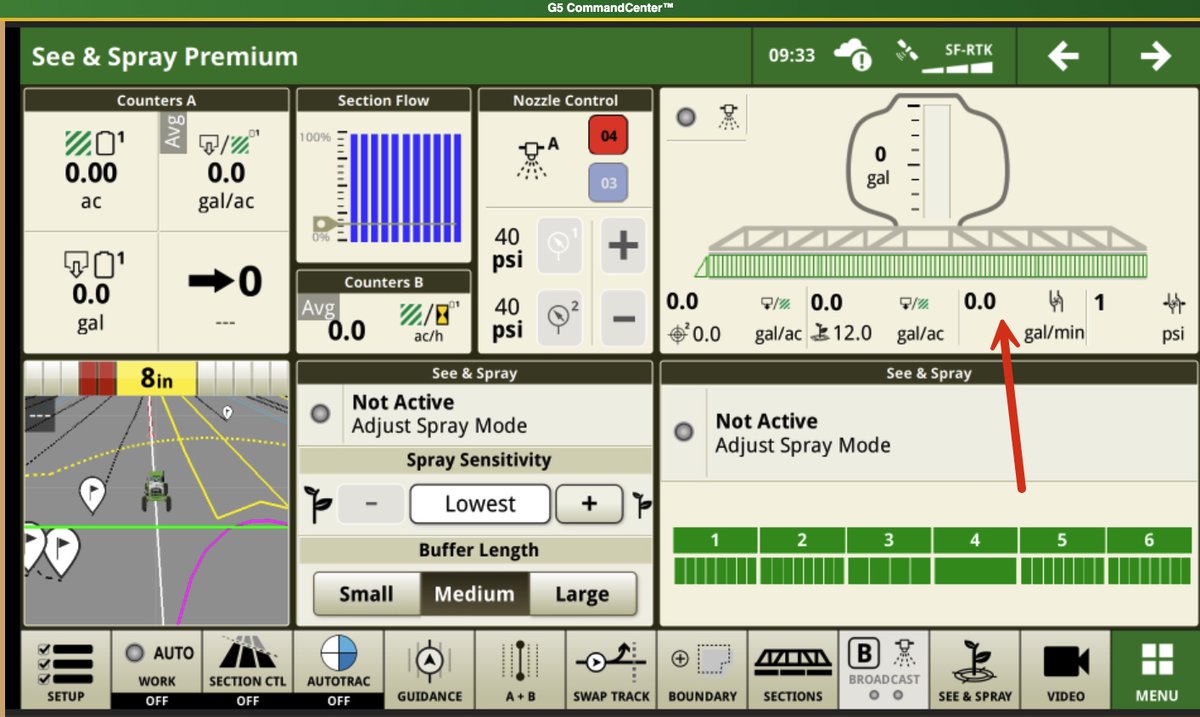
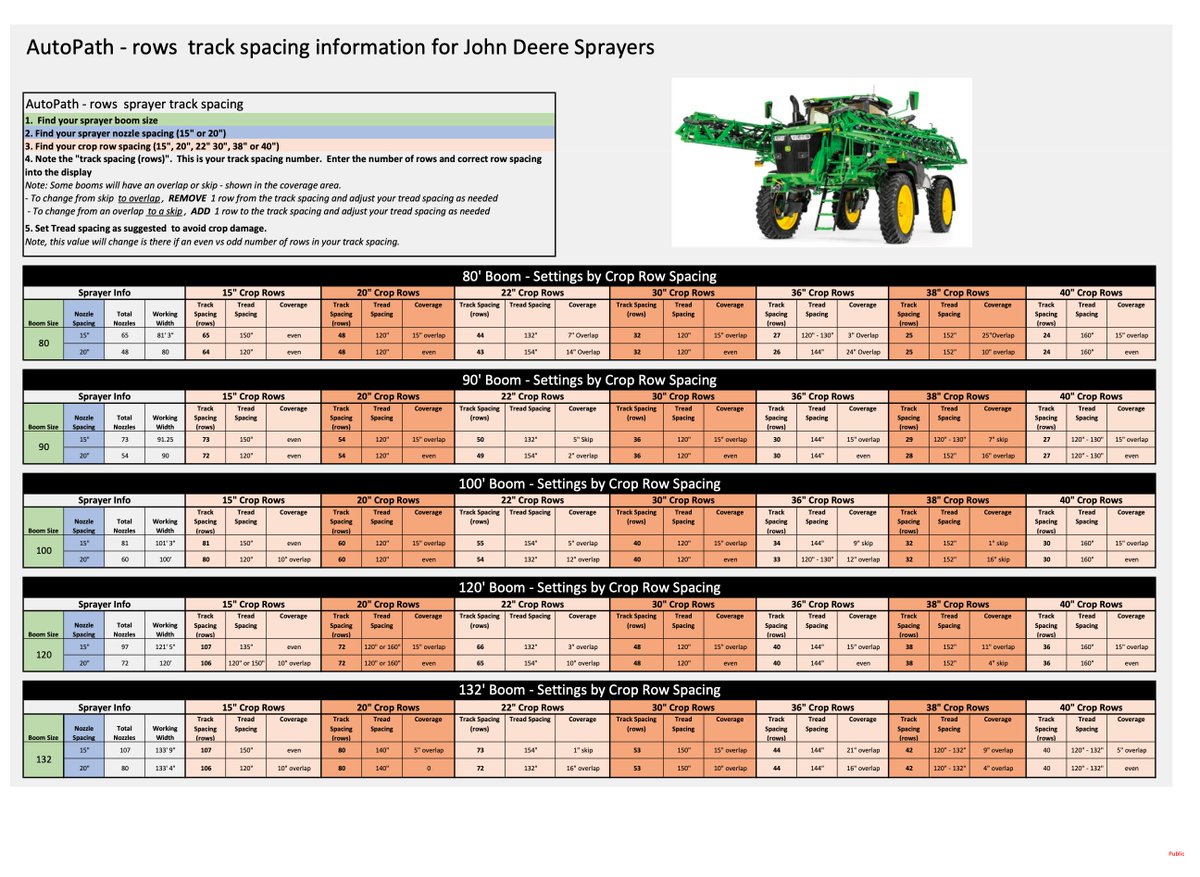
AutoPath Rows track and tread spacing questions for sprayers are common this week. Reference this guide if you are having challenges. #PFM@JohnDeere#apply26
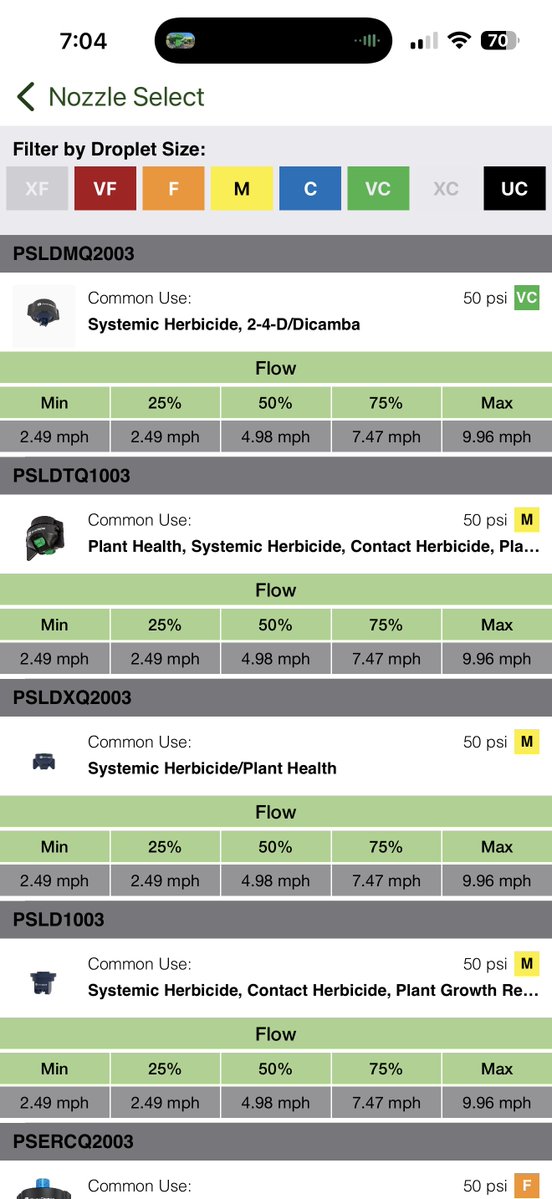
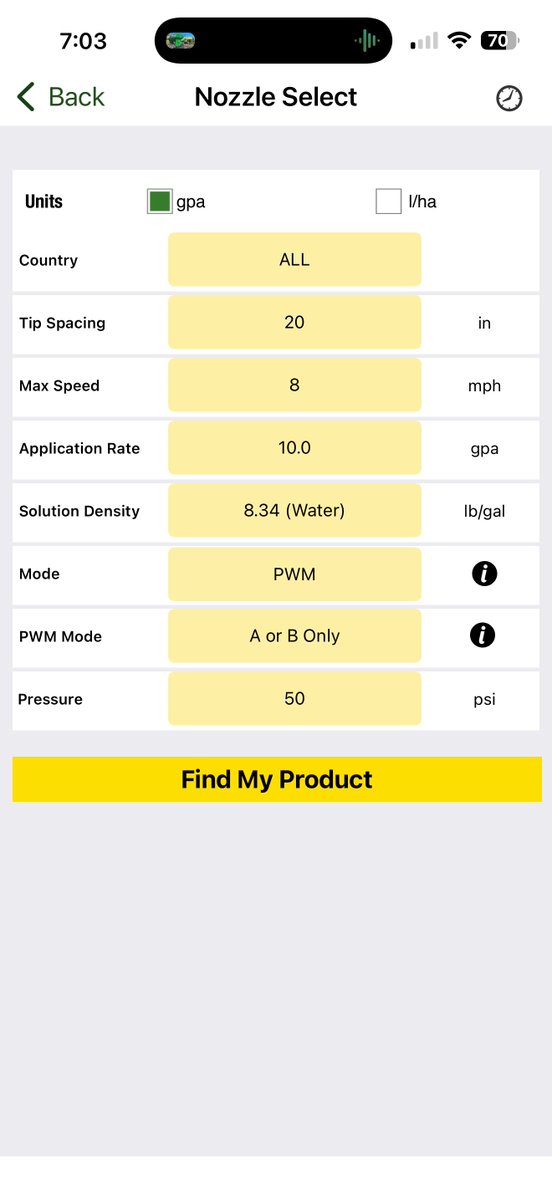
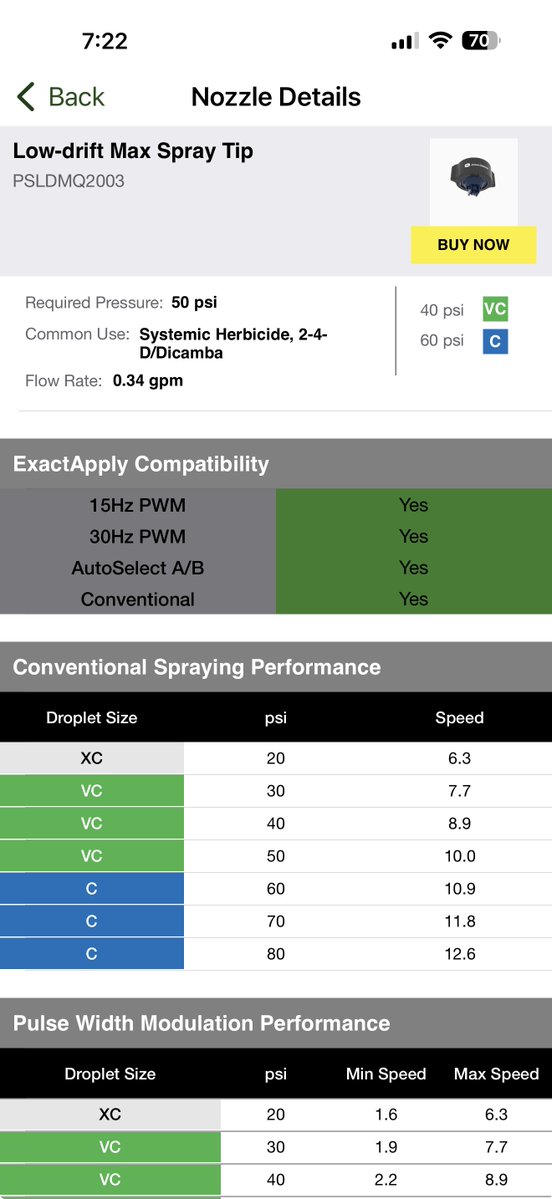
Sprayers are rolling and nozzle selection questions are coming in. It's impossible to remember every nozzle option across ExactApply, See & Spray, and conventional modes.
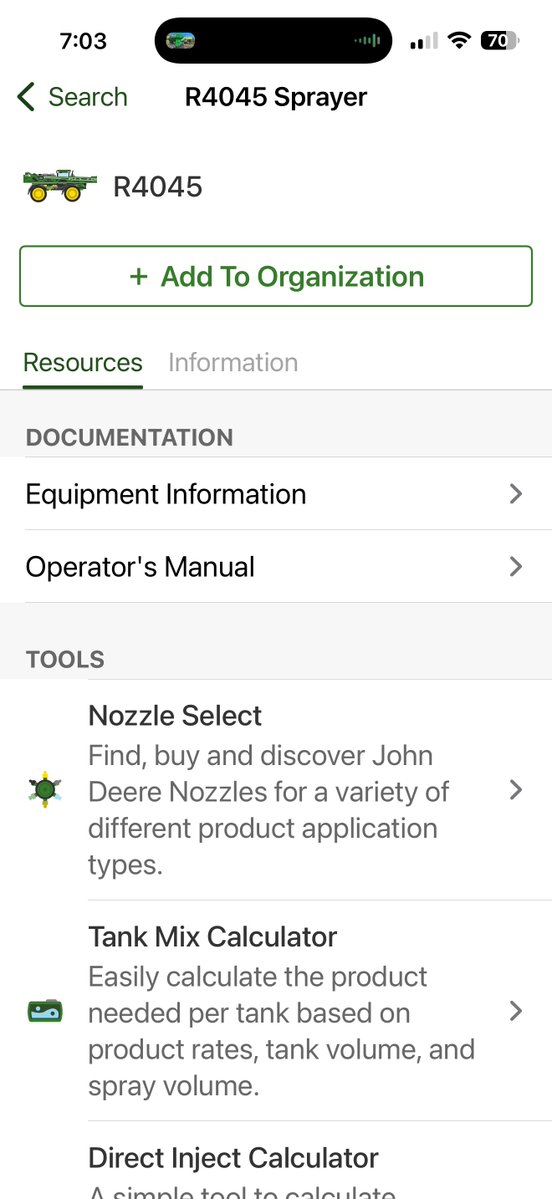
The @JohnDeere Equipment Mobile app's Nozzle Select tool makes finding the correct nozzle easier. #apply26
#apply26 questions are rolling in.
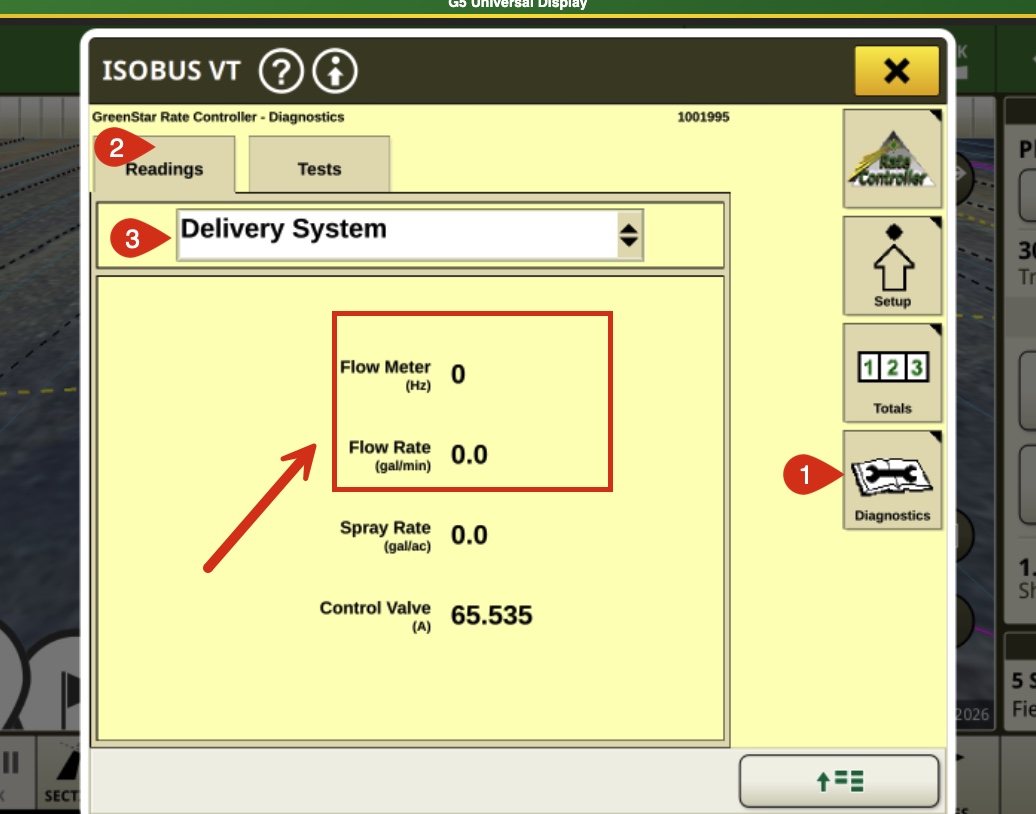
If your #johndeere sprayer or rate controller is actually applying product but not recording coverage, make sure your flow meter is actually reading flow.
Troubleshooting section from 4830 owner's manual applies to most every sprayer.
Google "paperclip flow meter test" for a quick way to validate if it is wiring issue or your flow meter. @KibbleEquipment@PVEQUIP@ValleyPlains
Started my agronomy career in Southern Alberta dryland.
Common practice was to spray gly at 3-5 USG and stretch rates. Guys swore by it. Covered big acres, everything got killed and it saved a couple trips with the water truck. But, some of us were pushing back, telling them they needed more water.
Then in 2011, gly-resistant kochia was found. I could take you out to the exact field. It’s been a beast since.
The 10 USG is there for a reason. For the average operation, it has been found to work best.
When everything else is dialled in and conditions are ideal, low volumes can work, but part of the reason that pesticide resistance is an issue is that those critical pieces of information get lost in the “what works for me” telephone game.
I’m not an equipment expert, but when I get called cause the chem isn’t working, sometimes it’s due to poor nozzle/volume/speed combos on the machine.
A couple customers have these machines, and they are super impressive, but as an agronomist, this low water volume talk, without the necessary provisions, makes me anxious.
If the claim is that this specific machine can do a great job at high wind and low water, make that claim with your whole chest, but be specific.
We’ve been down the path of “my neighbor can get away with only spraying 5 gallons so I can too” and it’s gotten us Group 2,4,9,14 resistant weeds.
Mike, I know I'm being pretty hard on you for this. But it's wrong to think that using finer sprays will solve weed control problems. That approach instead creates more serious issues that affect agriculture as a whole.
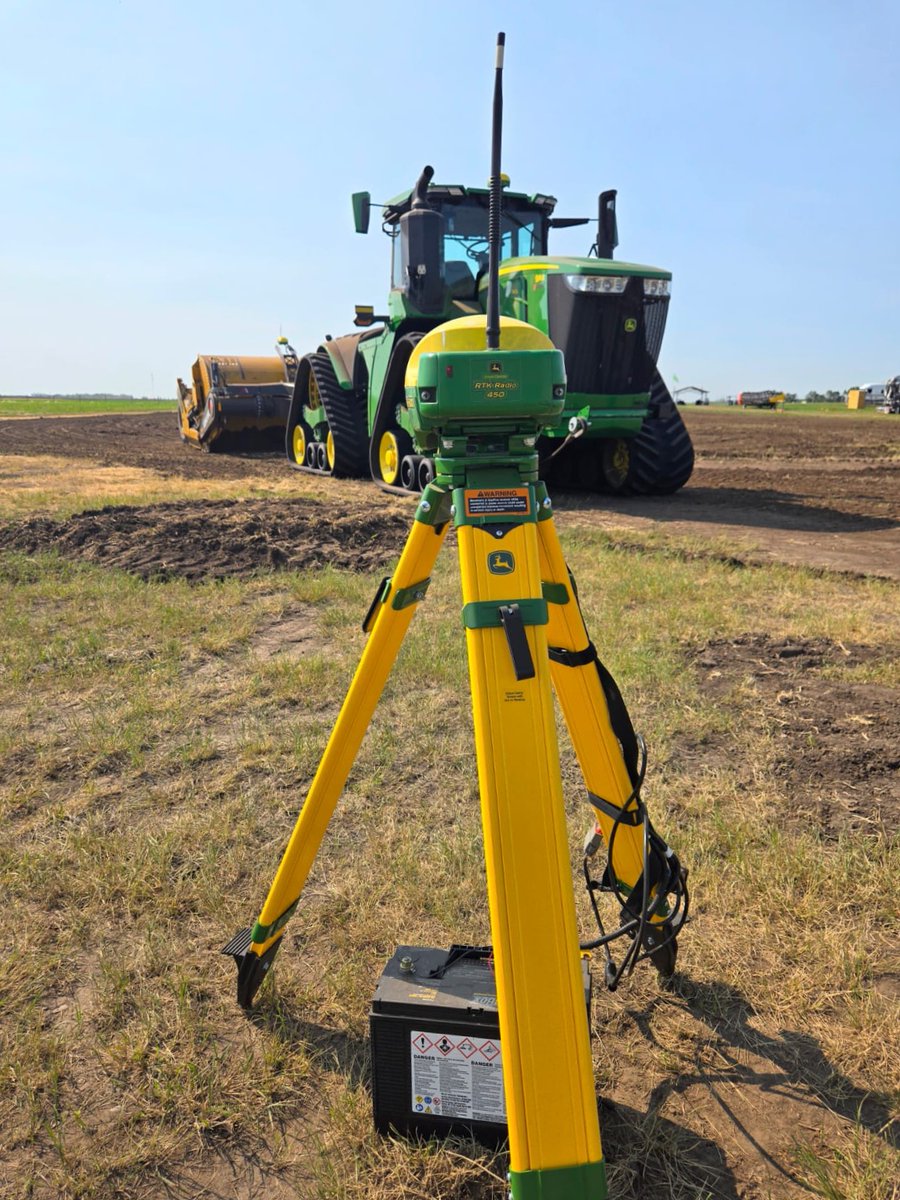
#T3RRA Tip: Ensure that you have your base station set up in an optimal location. Don't set up under trees or power lines due to multipathing issues. Placing them next to center pivots can cause issues as well, especially if they are equipped with GPS. @pts_ag@t3rrausa
Common seeding documentation issue we have had the past few years: an extra virtual operation gets added to your planting layer.
Symptoms:
• Acres doubled in Operations Center
• Two varieties showing; one as "---"
Fix is to remove the duplicate implement/operation.
If you have this issue with data in your Ops Center, contact your dealer. DTAC solution 215027 advises how to have @JohnDeere fix.
Have a safe #plant26
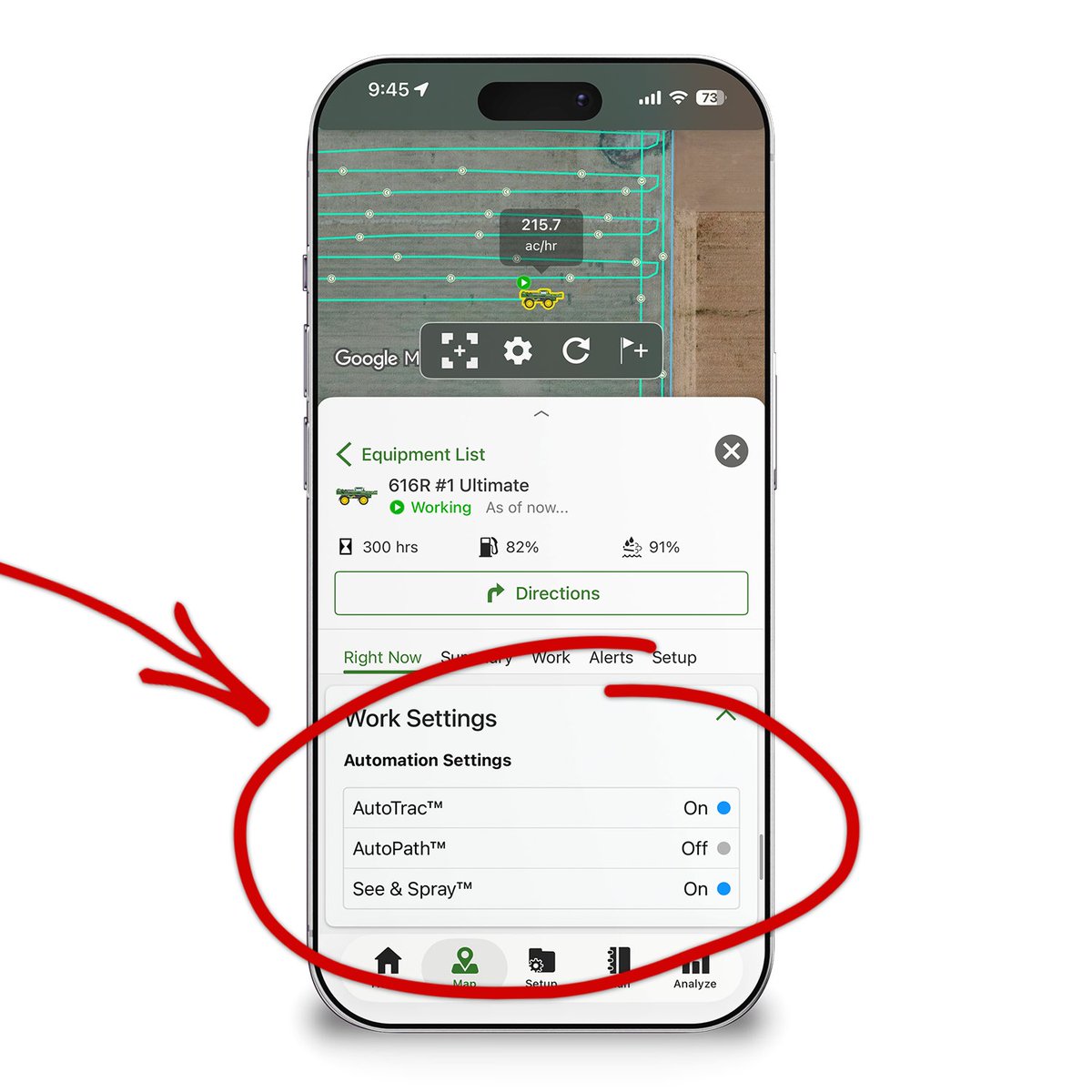
Remotely monitor whether tech, like AutoTrac, AutoPath, and See & Spray, is currently being used on your equipment from anywhere using the latest release of @JohnDeere Operations Center Mobile.
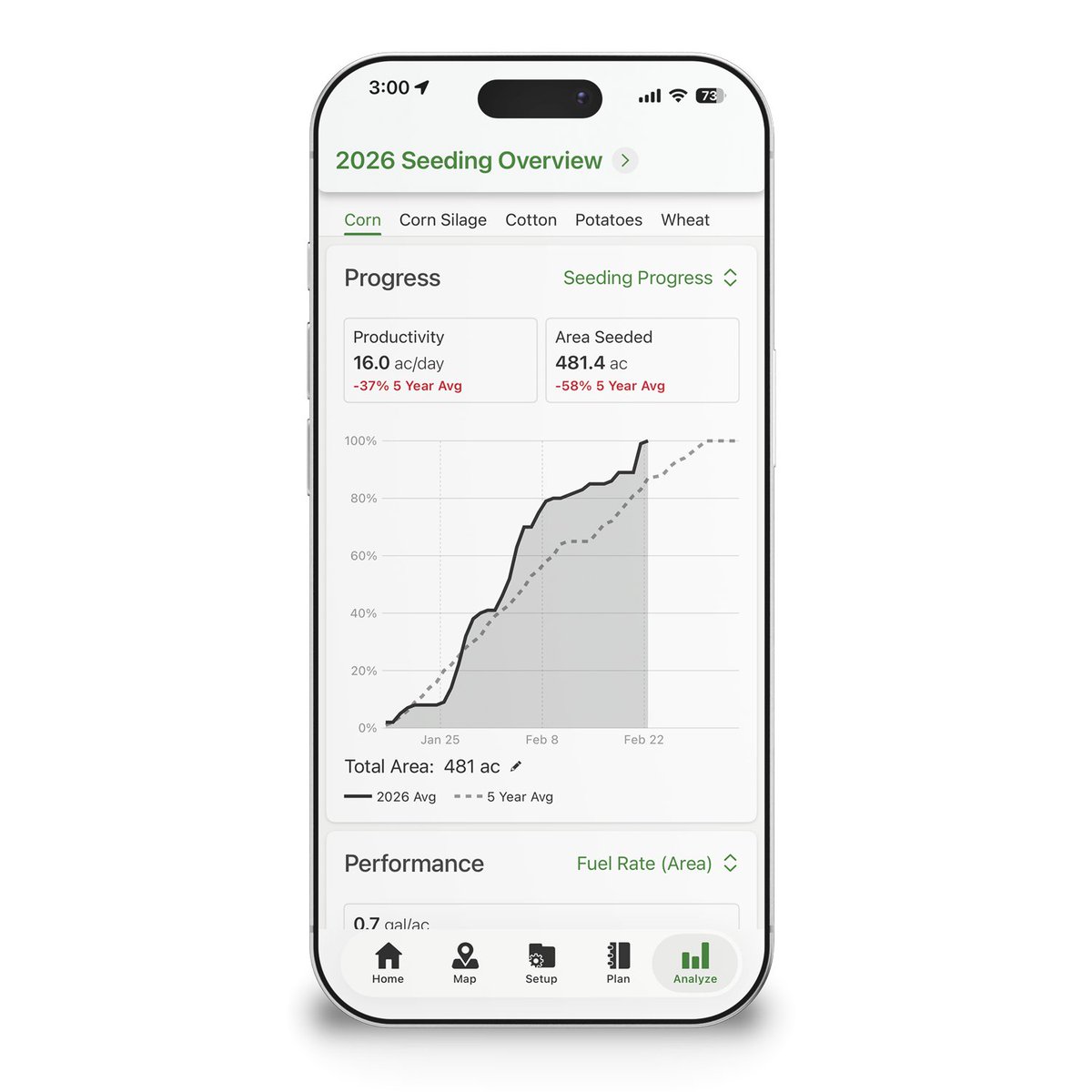
Quickly understand how your season is progressing and how your machines are performing in one simple view. The latest release of @JohnDeere Operations Center Mobile adds the Work Overview to the Analyze tab.
If you're a @JohnDeere Operations Center customer, you can access your data via their API. So you can do with it what you'd like (e.g. build a custom dashboard).
A Fullstack Ag community member ran into an issue. We emailed support, and it was resolved in just 9 minutes. 👏
It's never been easier to monitor the weather in context of your operation! The latest release of @JohnDeere Operations Center Mobile overlays past and forecasted rainfall right alongside your fields and equipment. Tap the cloud icon on the Map tab to try it out.
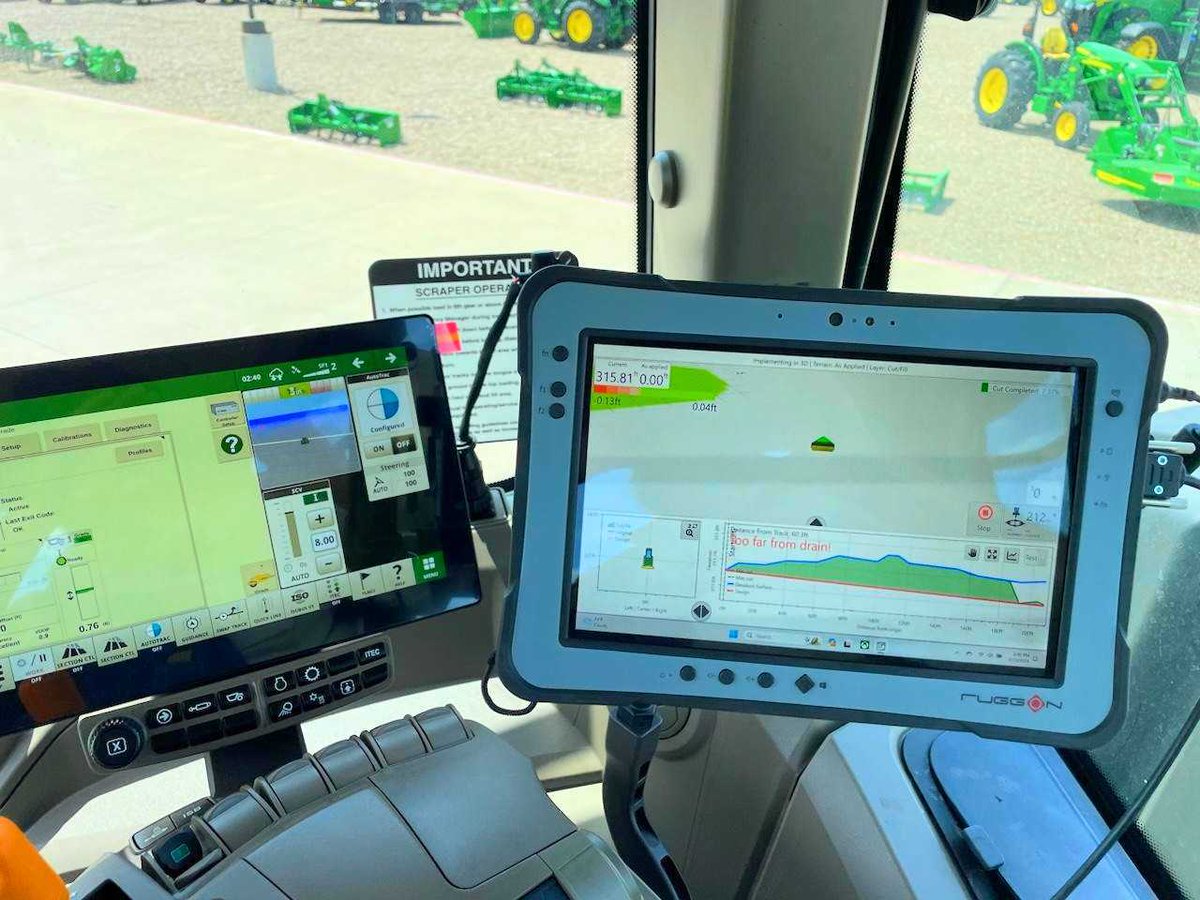
Dirt moving season is coming up quick!! Make sure you are ready to hit the ground running. One thing to check is that your receivers are set up correctly to work with #T3RRA. Ensure the correct NMEA messages are selected at the correct Hz as well as Baud Rate.
@pts_ag@t3rrausa
With dirt moving season quickly approaching be sure that your #T3RRA tablet is ready. When storing the tablet in the off season, it is recommended to charge it periodically and keep it stored in a temperature controlled environment to help the battery health. @t3rrausa@pts_ag
Using the Auto Drains tool in #T3RRA has many benefits. One of those benefits is being able to tweak the lines generated to suit your desired design. The design can also be adjusted using the Stop Line tool that doesn't allow drains to cross where it's placed.@pts_ag@t3rrausa
Are you having GPS issues in #T3RRA while using a serial adapter? Try checking the adapter driver. A driver is required for most new setups with an adapter and may be required after a windows update at times. Check out this video to learn how. @pts_ag@t3rrausa
Whether it's your first time in the cab running #T3RRA or just the first time this year, it is important to power up your tablet and perform all Windows and T3RRA software updates before heading to the field. @pts_ag@t3rrausa
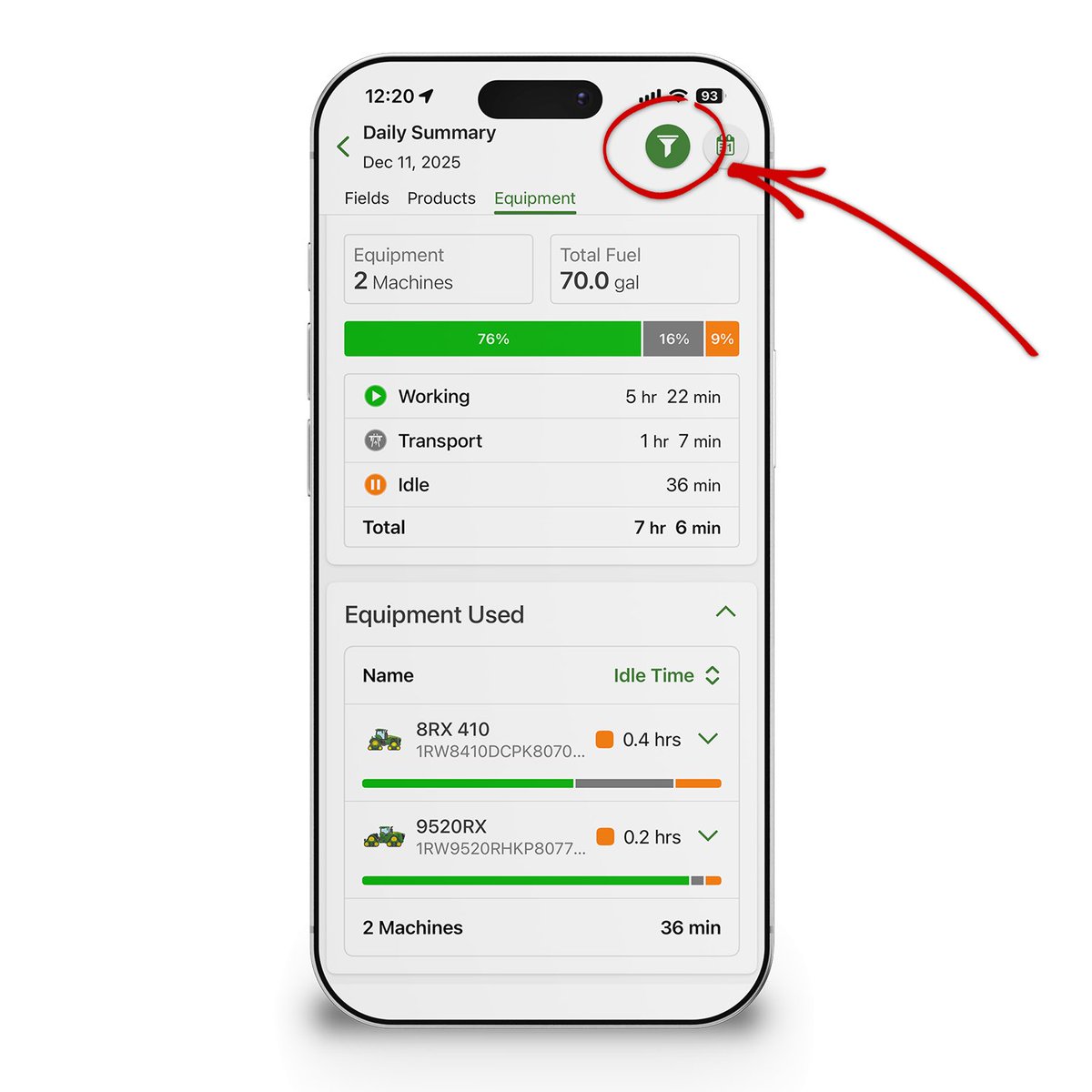
Only want to view the Daily Summary totals for select equipment? The latest release of @JohnDeere Operations Center Mobile adds a equipment filter to the upper right corner of the Daily Summary (available from the Home tab).
The latest release of @JohnDeere Operations Center Mobile makes it easy to get a big picture view of your crop plans for next year. Color the field boundaries in your org by planned crop by tapping on Map Settings (gear icon), then tap Fields, then tap 2026 Planned Crop.