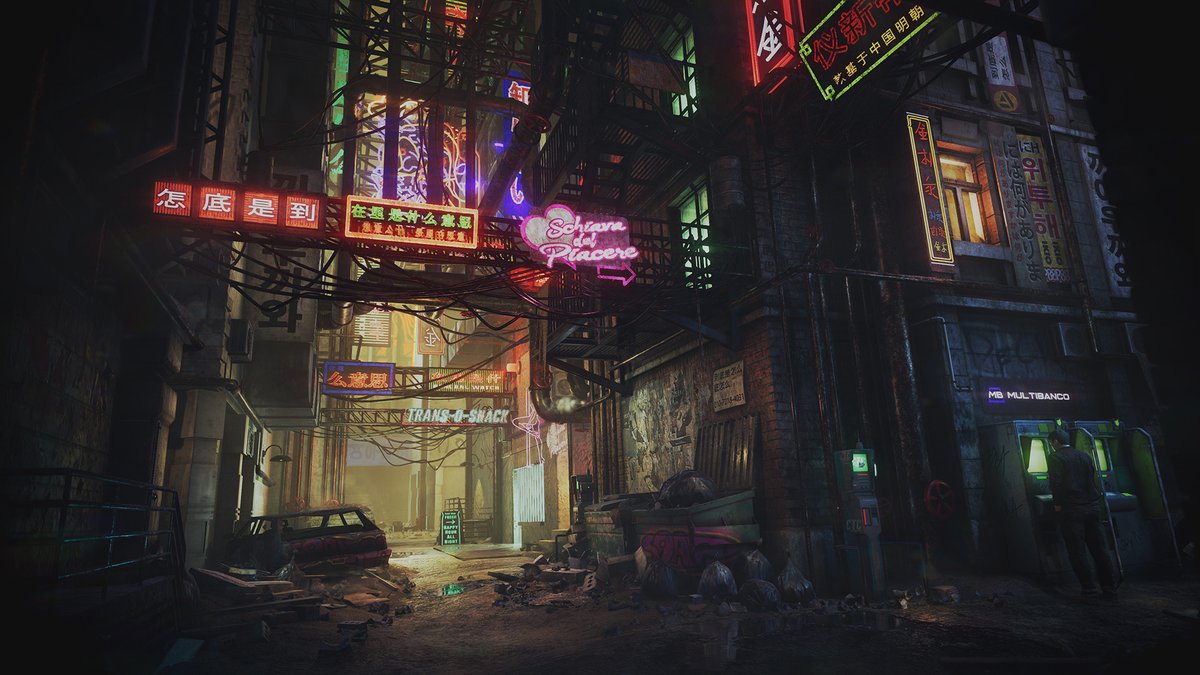
Did you know that you can light your @marmosetco Toolbag scene with direct lights in about a minute?
First off, add a spotlight and select the light controller tool from the toolbar. Now you can click or drag the cursor on your mesh to create a specular highlight at that point.
Following up on some discussion we had yesterday, I wanted to show some examples of different hard-edge and UV layouts, and talk about the pros and cons of different choices we can make. 🧵-->
Here's a texturing technique I use in all my projects.
It’s a universal base layer. I stack several noise textures to create subtle variations in the Color and Roughness channels. I create large and medium shapes using Clouds and Galvanic grunges.
This base layer is the foundation for every material in the project. I use Passthrough blending + Levels and HSL to set the starting point for each material.
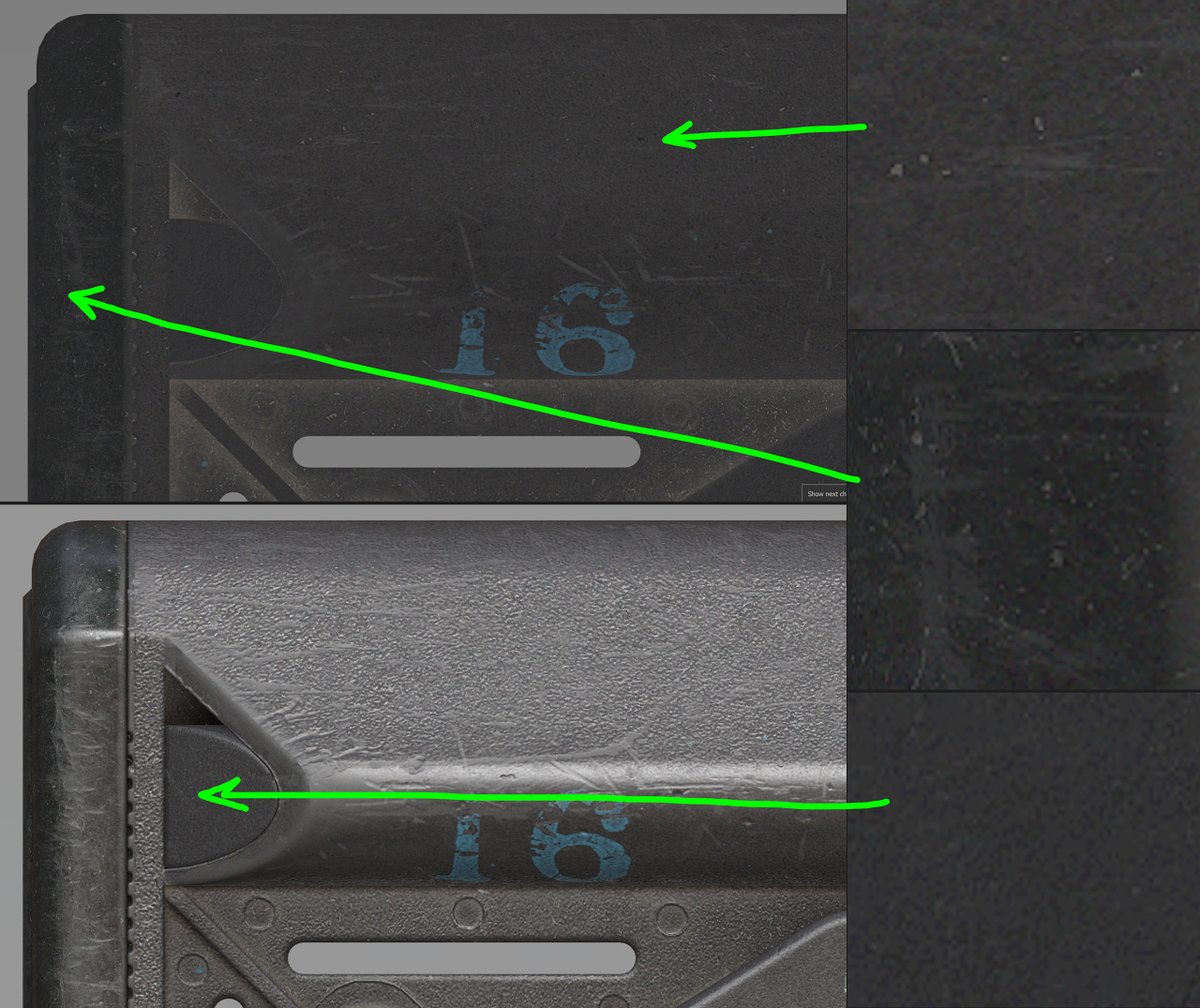
On top of that, I add a reusable set of micro-noise fills. First, they mitigate color banding caused by HSL adjustments. Second, they add a “fractal” quality to the texture, tricking your brain into feeling that there’s more than meets the eye. Without them, the texture feels too “digital” and sterile.
Don't overdo it though. It should be barely perceptible. 2-10 value steps. We don't want the texture to be noisy.
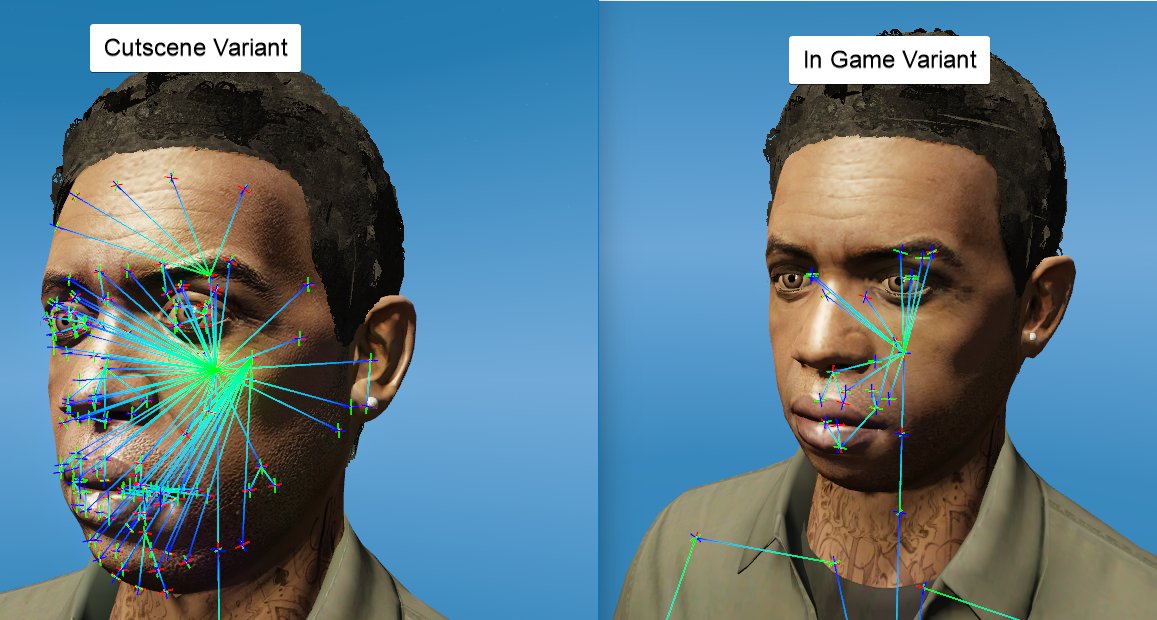
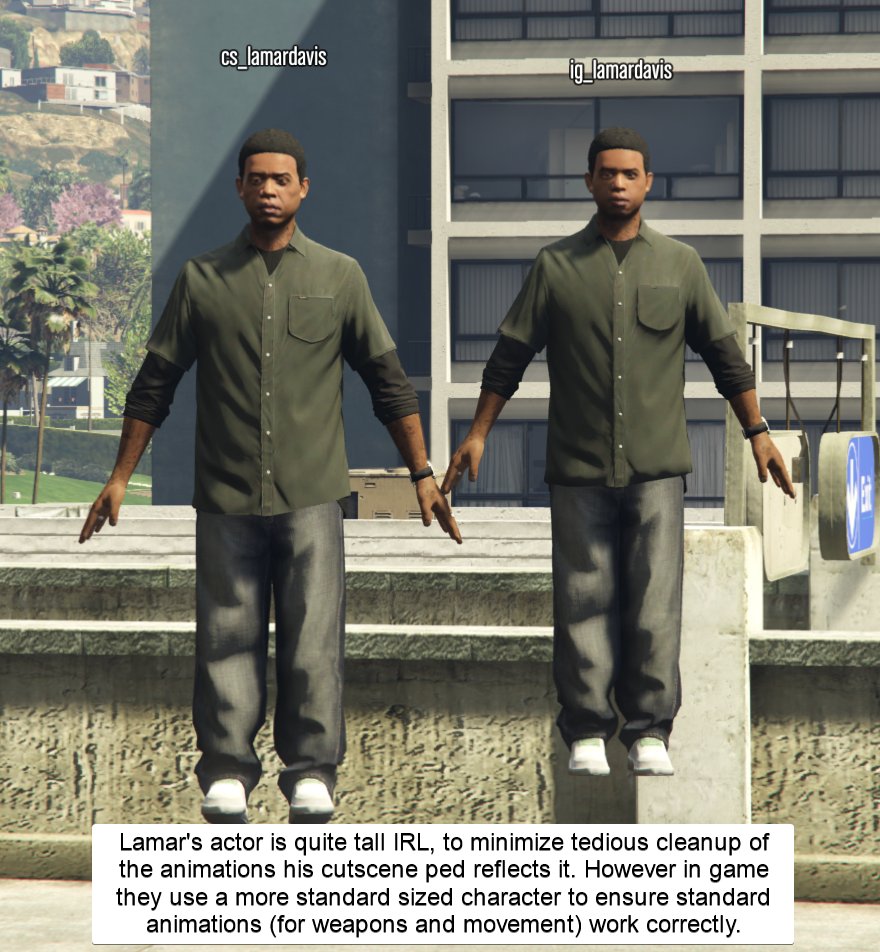
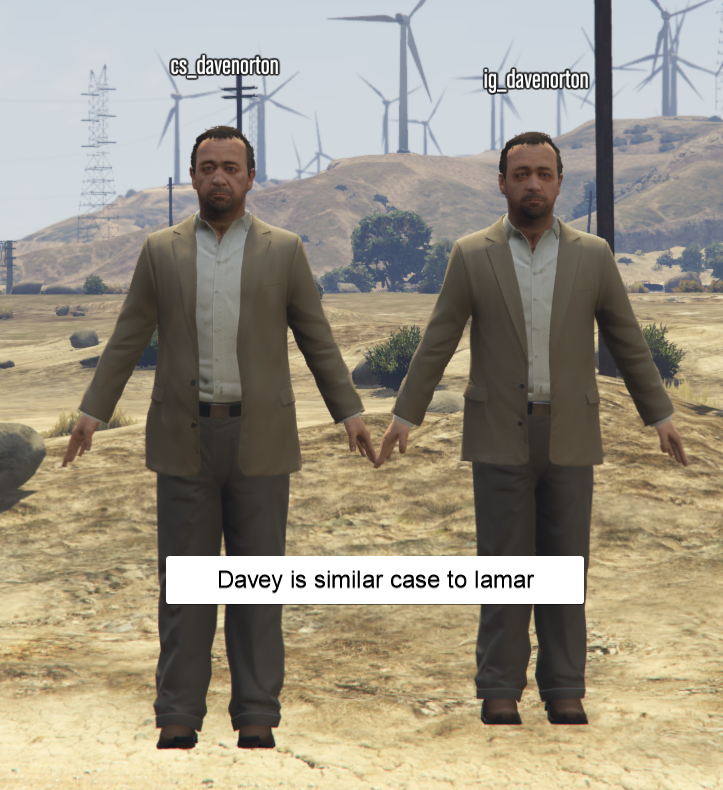
In GTA 5 characters that appear in cutscenes have two versions: a CS (cutscene) version and a IG (ingame) version The cutscene version features significantly higher quality facial rigging for better expressions and adjusted to closer match the actors real life proportions. (1/2)
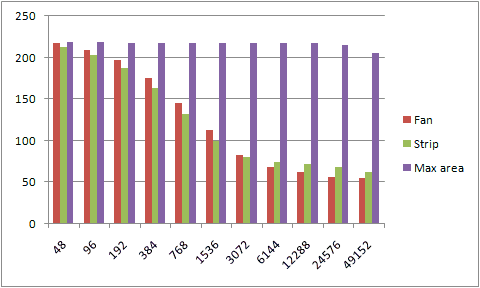
If you’re interested in game art and optimization, you’ve probably seen these images. What you might not realize is that, if you’re a game artist, they may have little relevance to your work. Let’s dive in →
Artist Portfolio template complete. You can find it for free here: https://t.co/eimlzYr2gp
It's pretty straightforward & I've included instructions.
In 2017 I won the Artstation challenge with this environment (made in Unity at the time). This piece also landed me my first job in AAA games. Here are 10 things I learned since I started working in AAA games in no particular order:
A big thing we pushed on our environment art pathway at University was to spend 'A LOT' more time on blockouts.
Blockouts were the most rushed phase, folks want to detail, model, and texture ASAP, but you'll end up suffering later on in production if your blockout is 🥔.
We used the 'Hybrid Blockout' workflow to mitigate against this common pitfall.
👇🧵
Waterfall breakdown time!
Been working on this waterfall material for the last few days, I want to share a few neat things and gotchas I found when working on it. It's not very complex of an effect, really just a few panning textures!
🧵1/n