Mom, wife, gamer, Geek Girl, and ed tech fanatic! I am a K-12 Instructional Technologist (PC Schools) and NBCT who loves Gamification and all things FUN!.
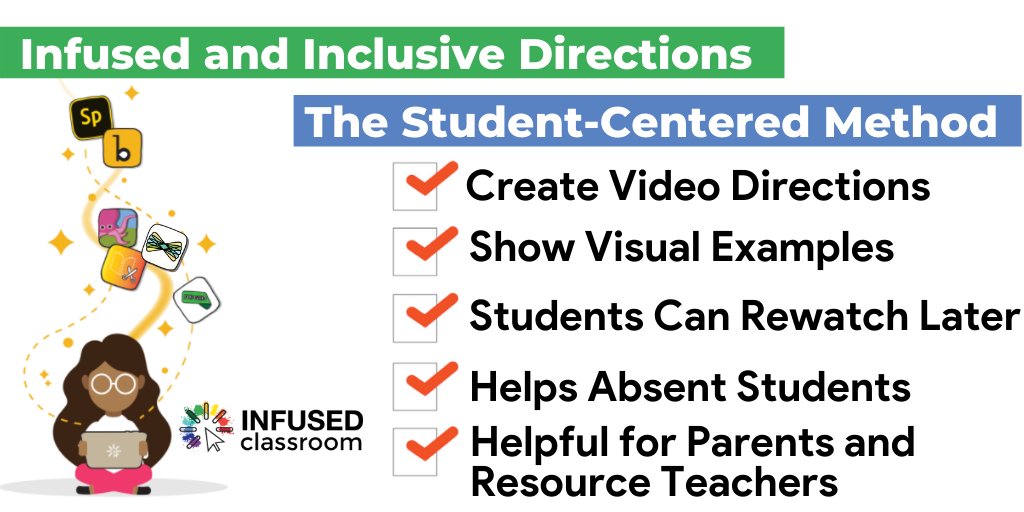
It doesn't matter if you're teaching in class, online, or in a concurrent classroom, audio & video directions are a TIME SAVER ⏰ They reduce questions & confusion so students can successfully navigate tasks. https://t.co/ySpXLZdoYI #onlinelearning#blendedlearning#edchat
In #googleClassroom I reply to Private Comments with my initials. Control F for my initials lights up like a Christmas tree which ones I’ve already replied to.#googleEDU
“...teach through the screen, not to the screen. Find out where your students are, and make your classroom there, in a multiplicity of places.” @slamteacher https://t.co/8Bd5z1Wtun
How do you teach #essaywriting to middle schoolers? 📝
Create a mini-series of Edpuzzle videos of course! 💻
#remotelearningdiaries
https://t.co/UUoXKm6PyO
"Keep direct instruction—things like brief video lectures and readings—in asynchronous form, using checks for understanding like embedded questions or exit slips." 🎥✨
https://t.co/18l1rxS1q8
Teachers everywhere are using Google Forms in the classroom for making self-graded assessments. But Google Forms can be used for so much more!
https://t.co/DSL92rLvWO #edtech#edchat#ntchat@weteacheveryday
It is my opinion that the best best best feature of #googleClassroom is the PRIVATE COMMENTS. It's not just dumping stuff online it's CONVERSATIONS and that is some powerful learning. #googleEDU
Want to make one important change to your teaching next year?
Consider the idea of making more inclusive VIDEO directions with apps like 💚Flipgrid💚
Read more here: https://t.co/h6DLjBiK7G
#infusedclassrom @Flipgrid
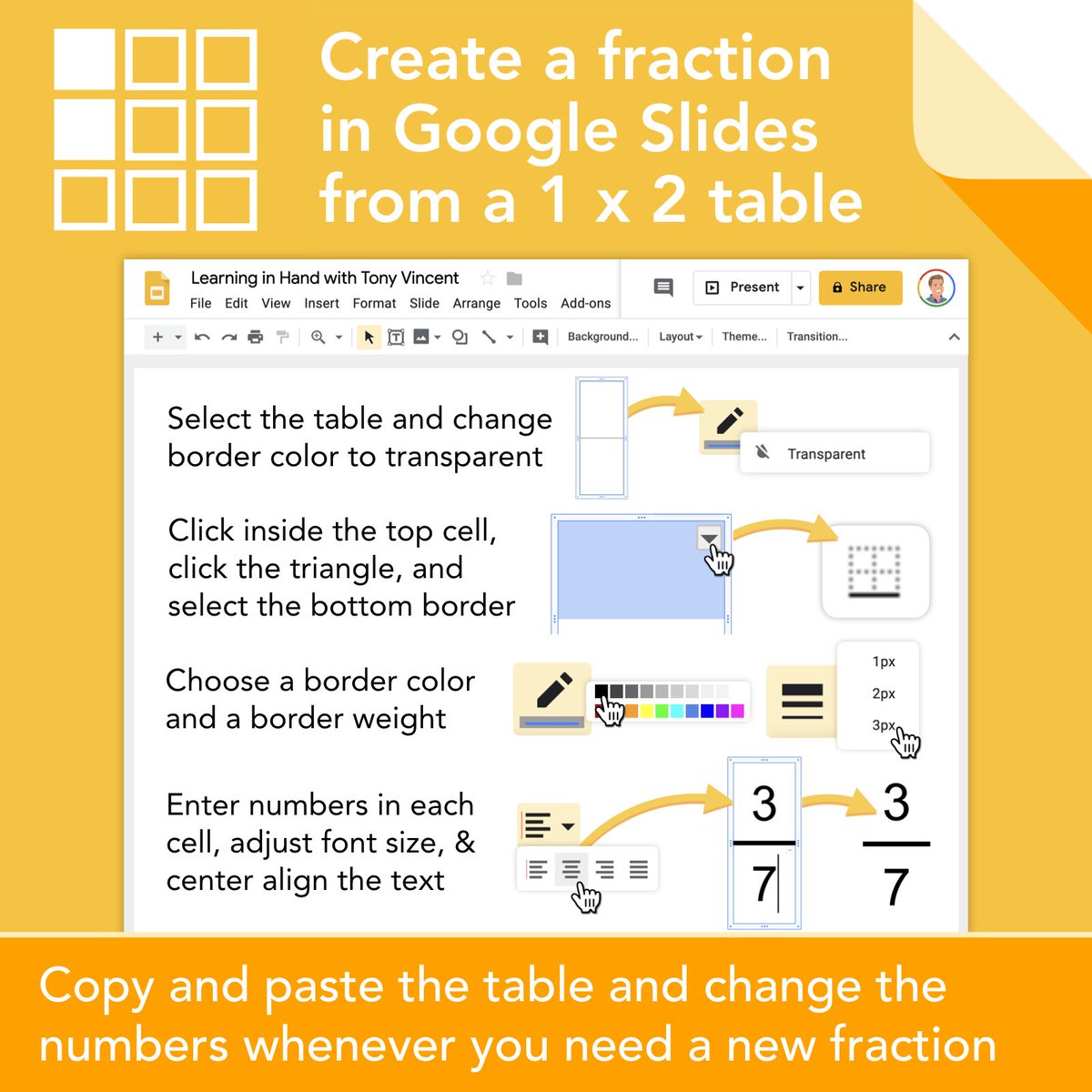
💡 Use a table to build a fraction in Google Slides and Drawings. The numbers and the vinculum (a.k.a. fraction bar) all move together and the numbers are easy to change. (Hat tip to
@ericcurts)
🌟 Nearpod Update! 🌟
🎉 💙 You can now require students to submit responses before moving on to the next slide! 💙 🎉
✅ Ensure students don't forget to submit their work! 📹 Watch this tutorial to learn how: https://t.co/nfYXdXcoKS
#DistanceLearning#RemoteLearning
YOU WANT TO KNOW THIS ONE! It's a hidden feature of #googleClassroom You can find individual student view while you're reviewing an assignment. #googleEDU
https://t.co/Z6celcsgRp
If you're new to #googleClassroom did you know you do NOT have to make the templates? Instead, just ask them to CREATE the document right in Google Classroom. You get INSTANT access. https://t.co/HOJTbmkGAq #googleEDU