MAI-Image keeps climbing!
Now #3 on @arena's image editing leaderboard.
Our latest MAI-Image model is available in Private Preview on Microsoft Foundry.
BREAKING: Kenya Government brings 30M+ academic credentials on chain with Avalanche
Through @KNECKenya, academic records are now verifiable and forgery-resistant, with Avalanche powering the national verification layer.
Let’s go a bit deeper into Frontier Tuning launched at Build and see a live demo!
Frontier Tuning is how we enable you to develop custom AI by building a reinforcement learning environment (RLE) to hill climb on your data, tools, and knowledge. Think of it like a training gym for your AI.
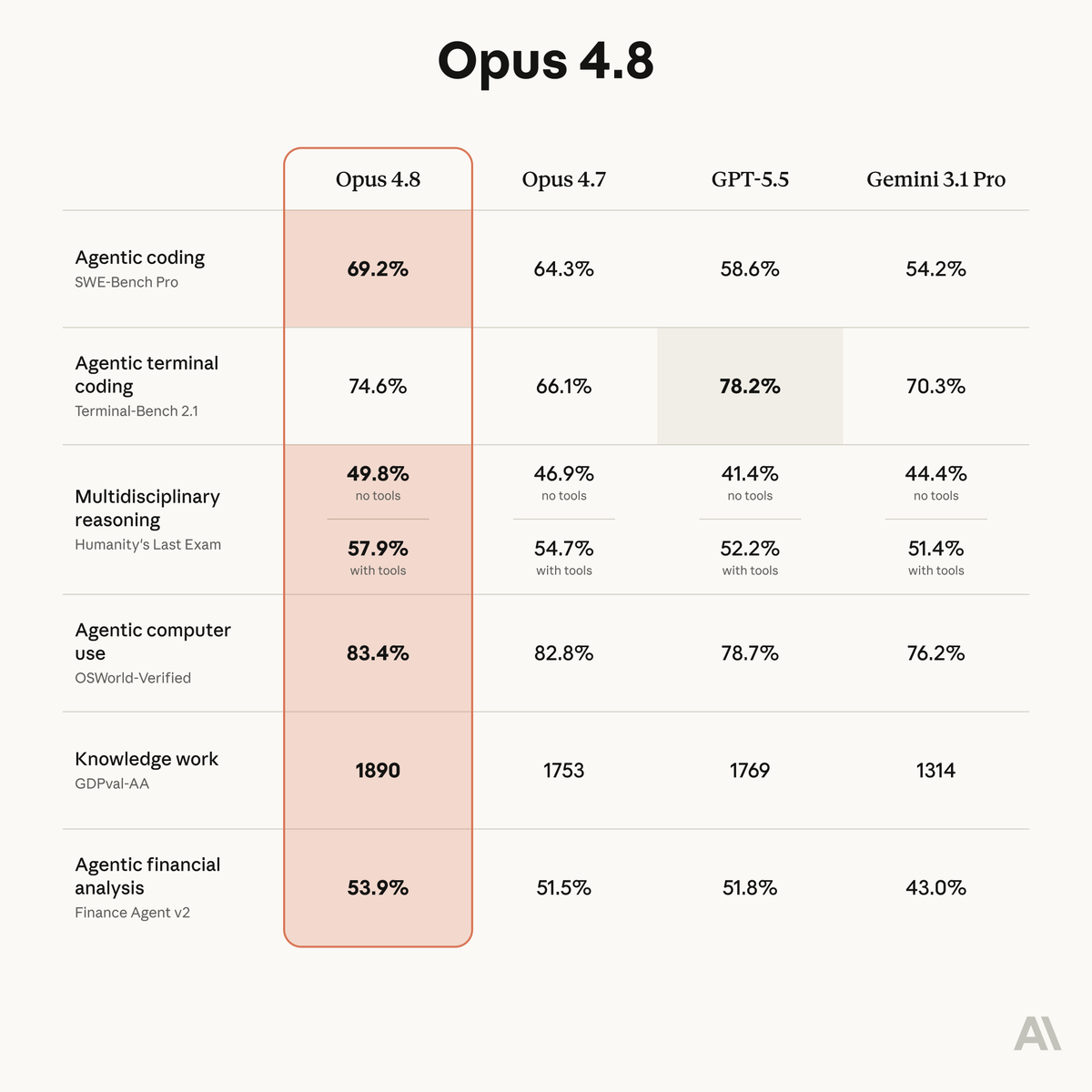
Introducing Claude Opus 4.8: it builds on Opus 4.7 with sharper judgment, more honesty about its own progress, and the ability to work independently for longer than its predecessors.
Available today at the same price.
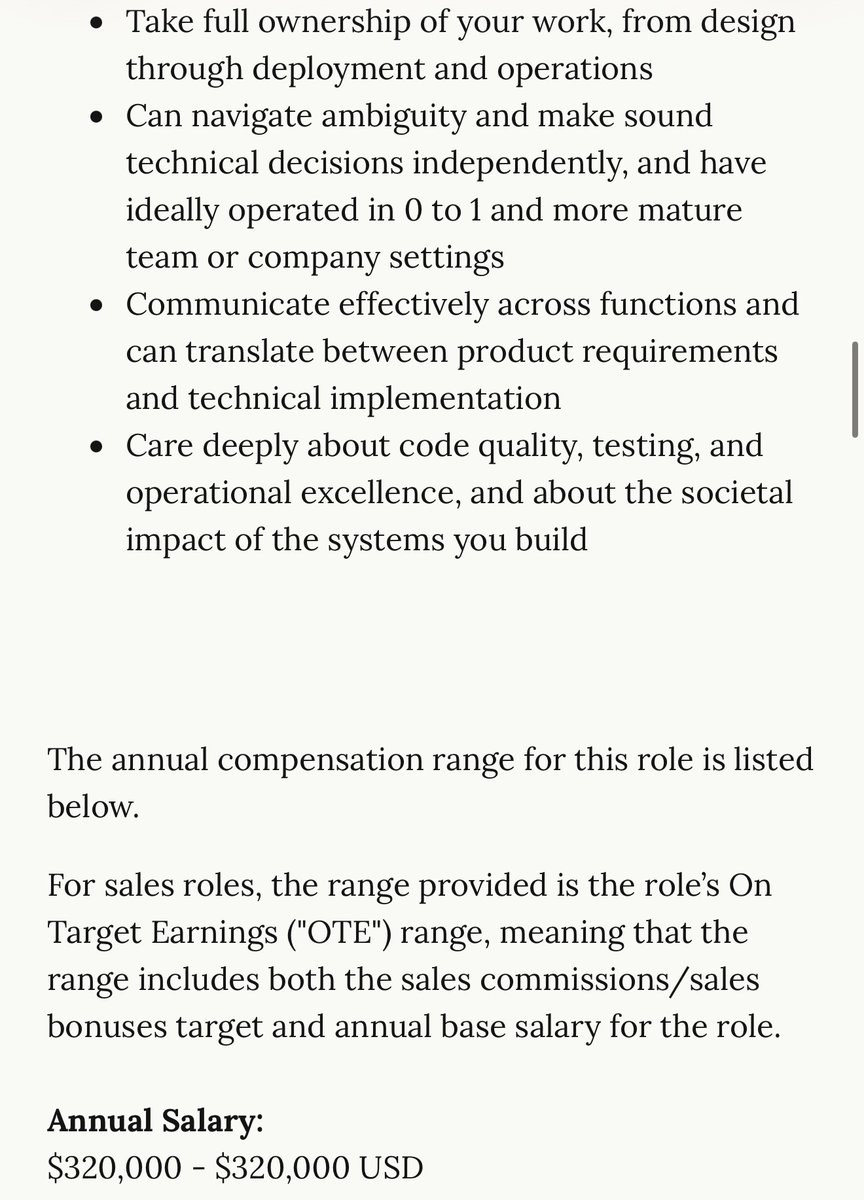
Anthropic has 454 open roles. The company is hiring software engineers at $320K-$405K. Their CEO, Dario, said three months ago that coding is "going away first, then all of software engineering."
The paradox resolves instantly.
Dario's engineers told him they don't write code anymore. They let Claude write it. They edit. They review. They architect. They didn't lose their jobs. They got faster. Anthropic grew from a small research lab to 1,500 employees in four years, adding engineers the entire time.
This has played out five times in computing history. Compilers replaced assembly. Frameworks replaced boilerplate. Cloud replaced server management. Every prediction was the same: most programmers won't be needed. Every result was the same: the number of engineers grew.
The global software engineer pool went from roughly 5 million in 2010 to 28.7 million today. BLS projects 17% growth in US software developer roles through 2033, adding 304,000 positions. The pool is projected to hit 45 million by 2030.
When building software gets cheaper, more problems become worth solving with software. A startup that needed 10 engineers now needs 3. But 50 companies that couldn't afford to build at all now can. The denominator shrinks. The numerator explodes.
Meta's engineering headcount is up 19% from January 2022. Google's is up 16%. Apple, 13%. These companies adopted AI coding tools years ago. They're using Copilot and Claude Code daily. They're hiring more engineers than before those tools existed.
Every generation of "coding is dead" content creates two cohorts: engineers who freeze up, and engineers who build 10x more with the new tools. The second group has won every single time.
Microsoft is quietly taking over the Enterprise AI Agent stack.
And most people have only seen ~10% of it.
Everyone talks about Copilot.
Some know Azure.
A few use GitHub Copilot.
But underneath...
Microsoft has built a full-stack AI ecosystem
—from models → to agents → to governance.
Here’s the full breakdown 👇
📌 1. Models (the brain)
Azure GPT-5.1, Phi-4, MAI-1, KOSMOS-2, Florence 2, MAI-Voice
This is the intelligence layer powering everything.
📌 2. Frameworks (the builder layer)
Semantic Kernel, AutoGen, Task Weaver, Agent Framework
These are what let you actually build AI agents.
📌 3. Responsible AI (the guardrails)
Azure AI Content Safety, Purview, Defender, Entra
Security + governance baked in from day one.
📌 4. Productivity (the distribution)
Excel, Teams, Outlook, PowerPoint
AI is not a feature. It’s embedded in daily workflows.
📌 5. Image & Video (creative layer)
Designer, Clipchamp, Copilot Image
Content creation → fully inside the ecosystem.
📌 6. Coding (developer layer)
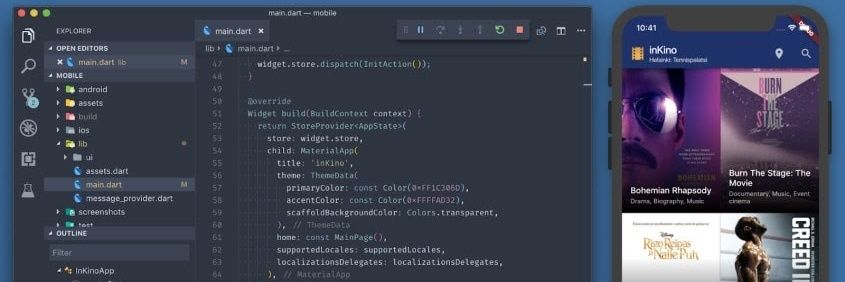
GitHub Copilot, VS Code, Azure AI Toolkit
From writing code → to deploying → AI is everywhere.
📌 7. AI Agents
Microsoft Copilot, SharePoint Knowledge Agents, Copilot Studio, Dynamics 365, Power Platform, Viva Learning Agent, Edge Copilot, Security Copilot , The autonomous layer that ties the entire ecosystem together
And this is just the outer surface of the Microsoft Core offering.
If we start to dive deeper into Azure AI, the layer goes even deeper.
This just shows Microsoft's commitment on helping enterprises adopt agentic AI.
Not only do they make it very easy with no-code tools like Power Platform,
but also allows you to customize it and build custom agents using their agent frameworks and tools.
Save 💾 ➞ React 👍 ➞ Share ♻️
We’re bringing our growing MAI model family to every developer in Foundry, including …
· MAI-Transcribe-1, most accurate transcription model in world across 25 languages
· MAI-Voice-1, natural, expressive speech generation
· MAI-Image-2, our most capable image model yet
Start building: https://t.co/Mls2y7nRQT
Let's talk about what makes Copilot Tasks awesome to use and an impressive technical feat (aka what I mean by best of model capabilities meeting best of Microsoft):
1. Planning & reasoning that fully leverages model intelligence: Copilot has all the right tools to do big tasks - it creates multi-step plans, hands over critical actions back to you for consent, handles steering anytime, manages extremely large context, and uses tools without getting stuck or confused. But what really makes it stand out is its ability to get the task done autonomously and creatively without taking unnecessary steps. It feels like the perfect balance between try-hard and just-get-it-done that you want from an agent.
2. Stateful remote Edge browser: Copilot uses a best-in-class browser for agents to use (this was an insane technical feat!). It's much faster than anything out there, remembers you and your auth (with your permission), gives you ways to takeover, and runs on the cloud. You can ask Copilot to buy things for you without worrying about keeping your laptop open.
3. AI editors: Building presentations, spreadsheets and documents is hard. We have a decade-long expectation for how these artifacts should look: richness, formatting, best use of images, charts, graphs, infographics. Copilot uses a computer to build all these things and provides the UX for you to co-create with it.
4. Cloud compute for executing code: For all hard things, Copilot writes code and executes it in a sandbox to get work done. Giving the power of Microsoft's cloud compute infra to Copilot makes it shine in magical ways.
5. Personal context from connectors & memory: You manage your life using mail, calendar and files but they are hard to use. We've made Copilot use these apps for extracting personal context relevant to your task. Copilot also remembers what you ask it to and uses it intelligently. So when you say book me an uber to get me to the airport on time, it just finds your flight tickets, gets traffic data, books the uber for just the right time.
6. Getting the right UX for agents: You want to be able to delegate tasks and get autonomous execution. You want to be able to do it from anywhere. You want to supervize but not in overloaded 1000s of thoughts, messages and boxes. Tasks are usable by everyone. This is a theme I've deeply cared about since I built Canvas. And we're gonna bring this to every surface you see Copilot on.
Our Research Preview is already being tried by the first batch of users. Can't wait for many more of you to get access to what the team has built!
We've been working on a whole new way to get things done: Copilot Tasks. AI that talks less and does more, no complicated setup or coding skills required. Just ask for what you need and Copilot will take it from there, like:
- Turn a syllabus into a complete study plan, with practice tests created and focus time blocked before each exam
- Track new apartment rental listings nearby every Friday and book showings
- Every evening, surface urgent emails with draft replies ready to send, and automatically unsubscribe from promotional mails I never open
We’ve opened it up as a Research Preview to a small group of testers, and you can join the wait list for access here: https://t.co/l0ymF7s3VW
Announced: Copilot Tasks
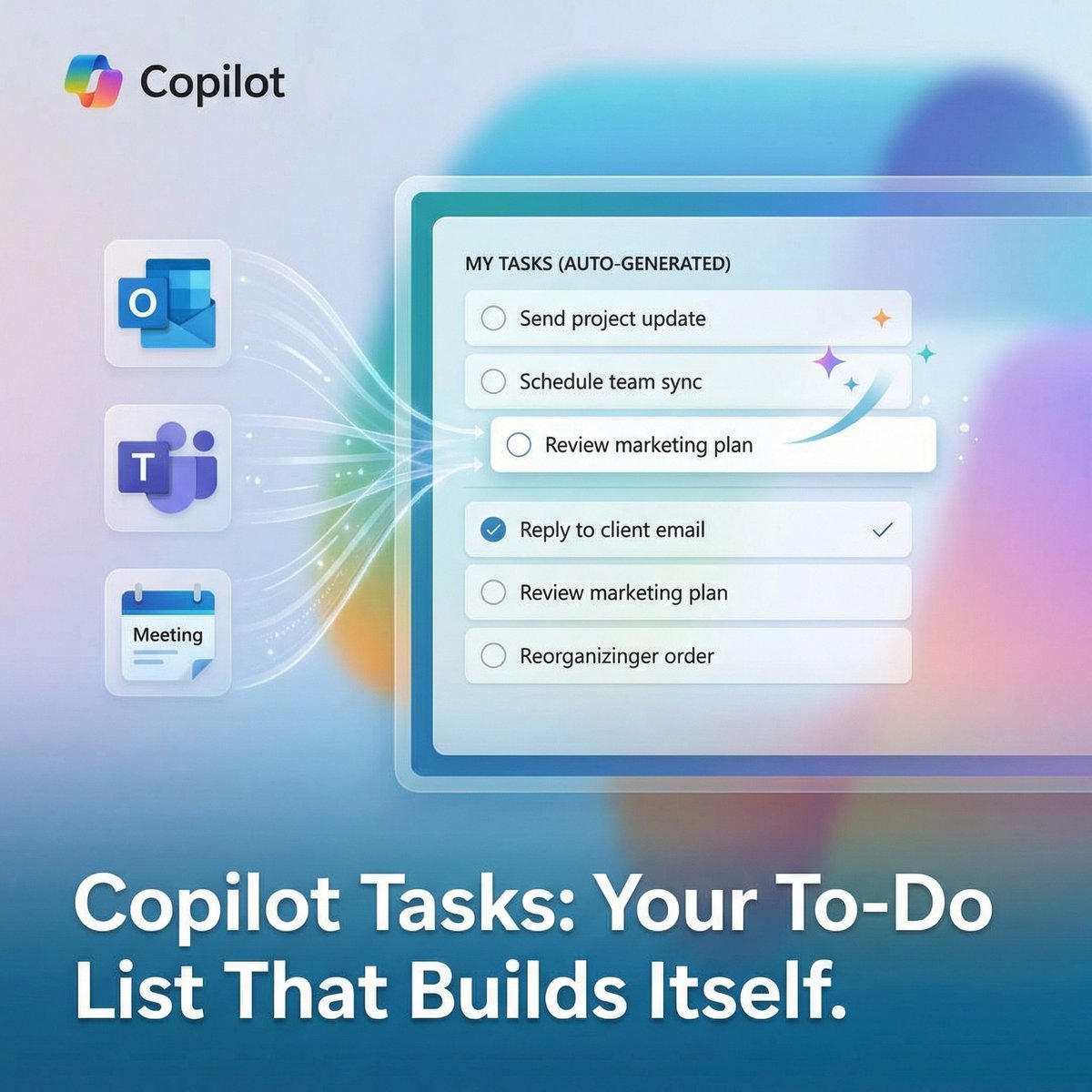
Microsoft just rolled out Copilot Tasks (limited testing), a new AI-powered tool that can build and update your to‑do list automatically, and it’s already one of the more interesting Copilot additions this year.
Copilot can pull action items from your emails, chats, and meetings, turn them into organized tasks, and keep them updated without you having to babysit anything.
It can even generate full task lists from a simple prompt and surface what needs attention based on urgency and context.
It’s meant to cut down on the repetitive work of typing, sorting, and tracking tasks so you can actually focus on getting things done. (1/2)