🚨 AI-generated frontend code is only as good as the structure of your design files.
A lot of Figma files are designed visually, but not structurally:
• layers are absolutely positioned
• related elements aren’t grouped properly
• text alignment is inconsistent
• layouts don’t follow responsive patterns
• reusable structures aren’t clearly defined
Humans can still visually understand these relationships.
AI models can’t always infer them correctly.
For example:
If a card title, description, and CTA button aren’t grouped together properly, the AI may not understand they belong to the same reusable component.
That’s why design optimization matters so much for AI frontend workflows.
Locofy’s Design Optimizer helps clean and optimize design structures before generation by improving:
🎨 grouping and hierarchy
📱 responsive layout behavior
🧩 reusable structure patterns
⚙️ alignment consistency
This gives AI models much clearer structural relationships to work with, resulting in cleaner, more maintainable frontend code 🚀
In the video below, we’ll walk through how to use Locofy’s Design Optimizer feature in Figma
https://t.co/cj0EZbKdzO
One of the biggest challenges with AI-generated frontend code is preserving design system consistency at scale.
Designers and developers need to stay in sync as products evolve, and this is where many AI-generated frontend workflows break down.
For example, a button in Figma may visually look correct, but:
- the generated component may not reuse the existing Button component already used in production
- global CSS classes and shared styling patterns may not get reused correctly
- Figma layer naming is often inconsistent, leading to poor class names and component names in generated code
- the generated code may not follow the same coding patterns used across the rest of the codebase
This creates a huge amount of manual cleanup after generation.
That’s why design system support is a core part of how Locofy approaches frontend generation.
Locofy is built to better understand:
🎨 Figma components
⚙️ variables and design tokens
🧩 reusable UI patterns
📱 responsive layouts and structures
The goal isn’t just visually accurate output.
It’s generating frontend code that aligns more closely with how real engineering teams structure, reuse, and scale frontend systems 🚀
For the longest time, Locofy was primarily built around larger teams and enterprise workflows. But over the past year, we kept hearing the same thing from startups, freelancers, indie hackers, and smaller product teams:
“We need a simpler and more flexible way to get started.”
So we listened.
Today, we’re introducing: Scalable Pricing for Individuals, Startups & Small Teams
The goal is simple: to make Locofy significantly more accessible for builders at every stage — whether you're prototyping your first idea, shipping client projects, or scaling a growing startup.
Same powerful platform. More flexible ways to use it.
This is just the beginning, and we’ll continue evolving the plans based on your feedback.
Thank you to everyone who pushed us to make this happen 🙌
🚨 One limitation with using AI tools like Cursor directly on frontend codebases:
The AI only sees the code that already exists locally.
It doesn’t understand:
- The original design intent
- Figma structure
- Design system relationships
- What changed in the latest design iteration
So developers often end up manually translating design changes into prompts and code edits.
That’s where Locofy CLI changes the workflow.
Locofy converts your Figma designs into pixel-perfect frontend code while preserving important design context like components, variables, responsiveness, and layout structure 🎨
Then, instead of downloading ZIPs or manually prompting design updates, you can pull that generated code directly into your existing local project using the Locofy CLI 💻
Because the Locofy CLI has context of both:
🎨 the generated design output
⚙️ your local codebase
…it can intelligently update the project while preserving existing structure and components.
After pulling, you can continue refining the code using natural language prompts directly from the terminal ⚡
This makes the workflow much more practical for real frontend teams.
You can read more about it here: https://t.co/Zq7QQWDiz4
🚀 Big news for the open-source design community!
https://t.co/OvrQKi3yj4 is now available on Penpot, bringing blazing-fast design-to-code capabilities to your favorite open-source design tool. Go from Penpot to React, Next.js, Angular, Vue, or HTML-CSS in a flash with Locofy Lightning – no need to change your workflow.
And guess what? We also support self-hosting https://t.co/OvrQKi3yj4 together with Penpot!
Highlights:
✅ Auto-tagging of Elements – Instantly convert static layers into functional elements such as buttons, inputs, & more.
✅ Smarter Styling & Responsiveness – Easily make your apps responsiveness on any screen size with LocoAI.
✅ Clean, Modular Code – LocoAI generates semantic, modular, and developer-friendly code that’s built for the real world, not just the sandbox.
✅ Export Code Your Way – Push to GitHub, extend with Locofy MCP (Gemini CLI/ Cursor/Windsurf), or deploy directly.
✅ Self-host the end to end stack!
Find the plugin here : https://t.co/u1CkTIMOj8
Build faster. Stay in flow.
hashtag#PenpotToCode hashtag#DesignToCode hashtag#OpenSourceDesign hashtag#ReactJS hashtag#Locofy
We're thrilled to announce the launch of Locofy MCP for @cursor_ai – a game-changer for teams looking to convert their @figma designs into code for Reactjs, Nextjs, Vue, Angular, html-css and React Native!
Simple use Locofy plugin to get clean code directly within Figma, and then use Locofy MCP to seamlessly pull, refine & extend the code in Cursor using prompts. From adding custom scripting, motion, to adding accessibility, API integrations, localisation and cleaning up code, the possibilities are endless!
With this update you can:
✅Code Cleanup - Easily cleanup and finetune https://t.co/OvrQKi3yj4 generated code.
✅ Enhanced Interactivity – Effortlessly add motion to components like carousels, tab galleries, and more.
✅ Extend Code Beyond UI – Add logic, accessibility, and more.
Go from design to deployment in record time with Locofy.
Get started here: https://t.co/0KjhyW7LRn
#FigmaToCode #React #Cursor #DesignToCode
Korean development agency Blast built a meeting recording app with over 40 pages and multiple components in just 1.5 weeks using Locofy, saving 70% of frontend development time.
Watch the full conversation with their CEO Peter Bae here: https://t.co/ey3qvKP46Y
HUGE ANNOUNCEMENT: Locofy is officially out of beta and we're introducing paid plans 🥳
Whether you’re an enterprise, agency, startup, freelancer, or student, we’ve got a plan tailored just for you. https://t.co/zuG2TjlbIp
See the next post for a special offer 👇
MASSIVE update: We’ve launched 5 features & improvements that will accelerate teams and workflows!
The Locofy team has been heads down building, here’s a quick overview on everything that we’ve recently launched 🧵1/5
I made this site entirely in Figma using @locofy_ai
Responsive layout, breakpoints, pages, animations. The code is near perfect and exportable to React w/ styles, components and variables.
For simple sites like portfolios and landing pages, you can do everything in Figma.
Happy to announce that we are now part of Google's accelerator program for AI first startups. With this collaboration we plan to take our foundational design models to next level and further enhance the code quality on our 1-click design to code platform.
We’re proud to be a part of the Google for Startups Accelerator: AI First cohort program. Over the next few months, we plan to supercharge our foundational design models and 1-click design to code experience, together with Google. #AcceleratedWithGoogle
Here's a cool way to use AI to help speed up your web development process:
Use it to turn your Figma designs into working code.
In this course, @ania_kubow shows you how to use Locofy to convert an Airbnb-style website design into a deployed app.
https://t.co/Y2XPUDbKku
Streamline your design to code workflows with these top tips from @figma ! Learn how to use https://t.co/3FDghUi1bR and go from Figma to code faster: https://t.co/lAieWnvSlN
🚀 Exciting News! 🎨👩💻 @Locofy_ai & @BuildshipApp are teaming up for a live coding extravaganza! Watch us transform a sleek design into a fully functional web app - featuring real-time distance & cost calculations. Don't miss the magic unfold. 🌟 Tomorrow at 12pm PST
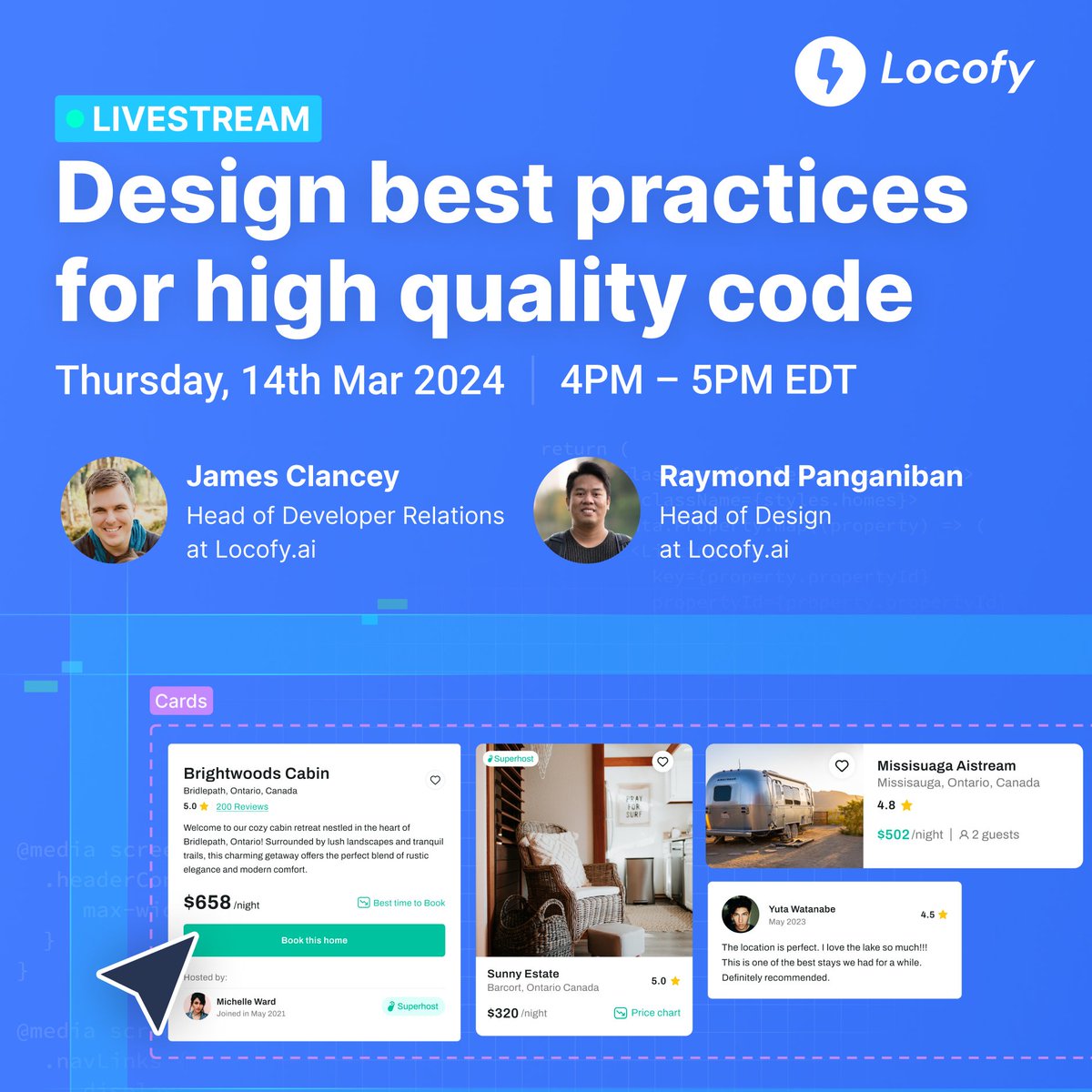
Set your reminder for our upcoming Livestream: Design best practices for high-quality code👇🏻
https://t.co/1RADsqRcTF
🗓 Mar 14 (Thu), 4 PM - 5 PM EDT
Hosted by @jtclancey & Raymond Panganiban⚡️
#devtools#uiux#ai#designtocode#figma#livestreaming
"Using Locofy is a no-brainer for any tech startup. Locofy is truly democratizing product building & helping us focus on solving customer challenges rather than worrying about technology" - Agustin Rodríguez, Co-Founder at Zicofy.
Read the success story👉🏼 https://t.co/5aS0J3QoN5
Learn how to easily make your inputs interactive in 1-click with Locofy Lightning and add responsiveness with our review & edit feature👇
https://t.co/6FNVTe3RAD
#devtools#webdevelopment#uiux#ai#figma