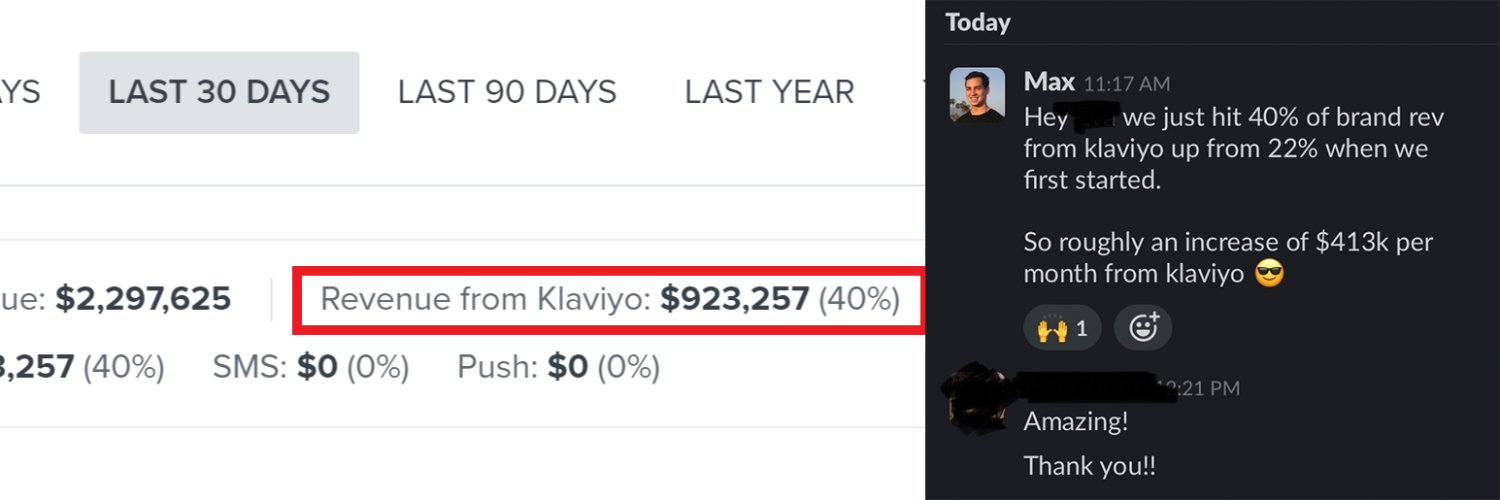
Trusted by Ancestral Supplements, Primal Queen, Marcella NYC // We'll add an extra $50k in 45 days or you don't pay // Book a call for a free Klaviyo audit👇
Most ecom brands don't have an email campaign calendar.
They’re just sending out emails randomly with no clear goal in mind.
That's a recipe for disaster…
Let me walk you through my process for creating a campaign calendar that:
1. Build a relationship with your subscribers
2. Gets you the most conversions
First you need to plan your content categories.
You need to include content outside of just sales & products, otherwise your engagement will be lower than it should be & people will unsubscribe prematurely.
A few good angles that generally work for every brand are these:
- How the product is made
- How to solve X problem
- Us vs competitors
- Press mentions
- Blog content
- Ingredients
- Gift guide
- IG UGC
- Reviews
- Myth
Then you want to plan out the standard sales & product emails. These include:
- Product highlight
- Product launch
- Holiday sale
- Flash sale
- VIP offer
You want to send a good balance of content vs product/sales emails.
Once you have your content buckets, you’re then going to want to place them on the calendar on random days of the week.
The idea is that over time you’ll start to see a pattern for which days people are most engaged with your emails.
You’ll also start to see which content categories get the highest engagement. At the end of each month, analyze the top performing 2-3 campaigns based on sales & engagement, and the 2-3 worse-performing campaigns.
As you start seeing a pattern of certain content types consistently doing well or poorly, you’ll then adjust the content calendar to include more of the high-performing content and phase out the poor-performing content.
It’s really that simple but I’ve seen almost no brands or agencies actually optimizing their content this way (less than 5%).
You can analyze your Klaviyo campaign stats to find the optimal send days, which can make a big difference in performance.
But barely anyone does this, and most just send them on random days instead.
You can analyze your Klaviyo campaign stats to find the optimal send days, which can make a big difference in performance.
But barely anyone does this, and most just send them on random days instead.
Most ecom brands don't have an email campaign calendar.
They’re just sending out emails randomly with no clear goal in mind.
That's a recipe for disaster…
Let me walk you through my process for creating a campaign calendar that:
1. Build a relationship with your subscribers
2. Gets you the most conversions
First you need to plan your content categories.
You need to include content outside of just sales & products, otherwise your engagement will be lower than it should be & people will unsubscribe prematurely.
A few good angles that generally work for every brand are these:
- How the product is made
- How to solve X problem
- Us vs competitors
- Press mentions
- Blog content
- Ingredients
- Gift guide
- IG UGC
- Reviews
- Myth
Then you want to plan out the standard sales & product emails. These include:
- Product highlight
- Product launch
- Holiday sale
- Flash sale
- VIP offer
You want to send a good balance of content vs product/sales emails.
Once you have your content buckets, you’re then going to want to place them on the calendar on random days of the week.
The idea is that over time you’ll start to see a pattern for which days people are most engaged with your emails.
You’ll also start to see which content categories get the highest engagement. At the end of each month, analyze the top performing 2-3 campaigns based on sales & engagement, and the 2-3 worse-performing campaigns.
As you start seeing a pattern of certain content types consistently doing well or poorly, you’ll then adjust the content calendar to include more of the high-performing content and phase out the poor-performing content.
It’s really that simple but I’ve seen almost no brands or agencies actually optimizing their content this way (less than 5%).
Some of the campaign angles that we are using for BFCM:
> VIP early access
> BF sale announcement
> BF sale reminder 1 - customer reviews
> BF sale reminder 2 - best sellers
> BF sale reminder 3 - stock is running low
> Gift guide
> Gift guide follow up
> Shipping deadline campaign
> Sale extended
> Last chance / sale ends tonight
If you want to make a DISGUSTING amount of money with email marketing,
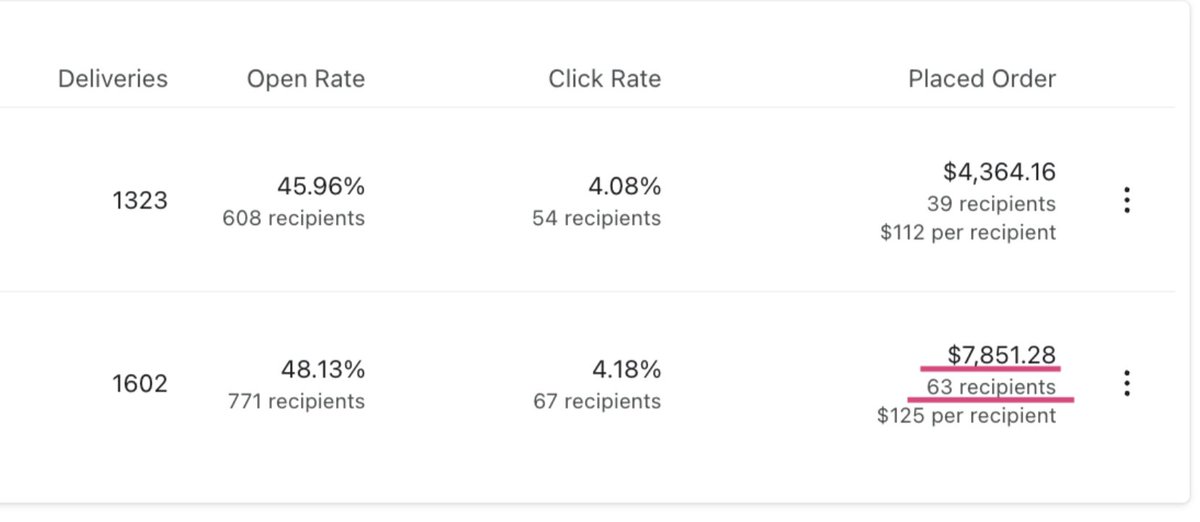
You need to be running A/B tests
I've seen the tiniest tweaks unlock THOUSANDS of dollars in extra revenue
Let me show you our 2 most profitable A/B tests for DTC brands:
Welcome Email 1 Offer
- This one takes more effort but is generally the highest ROI variable you can test in the entire account
- This also goes hand-in-hand with the popup form AB testing, since you need to test it on there & consider how it affects the form submission rates
- % off is the default offer for most stores but it’s worth testing uncommon % amounts. For example, if the client says we can test up to 15% off, we can potentially test offering 12% off. If the lower % off doesn’t decrease conversion rate or submission rate vs 15% off, then it’s an improvement over 15% off because it’s saving the brand’s margins (money given away to acquire a new customer from this flow).
- Another easy test you can do is $ off. Essentially we’re testing the $ off equivalent to whatever % off we’re running. The variables that we can control are the $ off amount and the order threshold where they can use the code. For example, if we’re already running 10% off, then we’ll set up a test for $10 off orders of $100 (because it’s the equivalent of 10% off). Another test you can run is $12 off orders of $120 (which is also equal to 10% off but might be perceived better by the customer).
- An important factor to consider when coming up with order thresholds is the AOV. So if the store’s AOV is $80, then it’s a good idea to choose somewhere around $80 for the order threshold since we know people are likely to buy in that range for order value.
- We’ve found that it’s best to not mention the order threshold in the popup form, only in the welcome email.
- Free gift with purchase is a lot more circumstantial but can work really well if a store has a product with these factors:
- Low COGS
- Highly valuable to the customer
- Doesn’t go out of stock often
CTA link
- This is basically testing where we link people to when they click the CTAs in the email (hero image, CTA button etc.)
- Some common links are the homepage, best sellers page, collections page etc.
- Using Kylie Cosmetics as an example, these pages would make sense to test as CTA links:
- Homepage: https://kyliecosmetics .com/
- Best sellers page: https://kyliecosmetics .com/collections/kylie-cosmetics-best-sellers
- Some stores also have a product filter that is worth testing. Basically just set the filter to “best sellers” and test the new URL that it makes.
- Here’s the URL from the best sellers page filtered for best sellers: https://kyliecosmetics .com//collections/kylie-skin-best-sellers?sort_by=recently_ordered_count_desc&limit=undefined
If you want to make a DISGUSTING amount of money with email marketing,
You need to be running A/B tests
I've seen the tiniest tweaks unlock THOUSANDS of dollars in extra revenue
Let me show you our 2 most profitable A/B tests for DTC brands:
Welcome Email 1 Offer
- This one takes more effort but is generally the highest ROI variable you can test in the entire account
- This also goes hand-in-hand with the popup form AB testing, since you need to test it on there & consider how it affects the form submission rates
- % off is the default offer for most stores but it’s worth testing uncommon % amounts. For example, if the client says we can test up to 15% off, we can potentially test offering 12% off. If the lower % off doesn’t decrease conversion rate or submission rate vs 15% off, then it’s an improvement over 15% off because it’s saving the brand’s margins (money given away to acquire a new customer from this flow).
- Another easy test you can do is $ off. Essentially we’re testing the $ off equivalent to whatever % off we’re running. The variables that we can control are the $ off amount and the order threshold where they can use the code. For example, if we’re already running 10% off, then we’ll set up a test for $10 off orders of $100 (because it’s the equivalent of 10% off). Another test you can run is $12 off orders of $120 (which is also equal to 10% off but might be perceived better by the customer).
- An important factor to consider when coming up with order thresholds is the AOV. So if the store’s AOV is $80, then it’s a good idea to choose somewhere around $80 for the order threshold since we know people are likely to buy in that range for order value.
- We’ve found that it’s best to not mention the order threshold in the popup form, only in the welcome email.
- Free gift with purchase is a lot more circumstantial but can work really well if a store has a product with these factors:
- Low COGS
- Highly valuable to the customer
- Doesn’t go out of stock often
CTA link
- This is basically testing where we link people to when they click the CTAs in the email (hero image, CTA button etc.)
- Some common links are the homepage, best sellers page, collections page etc.
- Using Kylie Cosmetics as an example, these pages would make sense to test as CTA links:
- Homepage: https://kyliecosmetics .com/
- Best sellers page: https://kyliecosmetics .com/collections/kylie-cosmetics-best-sellers
- Some stores also have a product filter that is worth testing. Basically just set the filter to “best sellers” and test the new URL that it makes.
- Here’s the URL from the best sellers page filtered for best sellers: https://kyliecosmetics .com//collections/kylie-skin-best-sellers?sort_by=recently_ordered_count_desc&limit=undefined
Here is the best abandoned cart flow structure that we've found to consistently convert the most recipients into customers:
Email 1
> No discount, just a reminder
> Time delay: 30 min - 2 hours
Email 2
> Small discount (i.e. 10% off or free shipping)
> Time delay (24 hours minus the time delay from Email 1, e.g. 23 hours 30 mins)
Email 3
> Larger discount (i.e. 15% off)
> Time delay: 24 hours
Email 4
> Same discount as Email 3
> Urgency (i.e. offer is expiring in 24 hours)
> Time delay: 24 hours