We are continuing to receive reports of email phishing campaigns asking users to "verify" their wallet to comply with KYC regulations, along with other types of "verification mandates". These emails are SCAMS! MetaMask wallets are NOT ASSOCIATED with user email addresses!
@daddyysmiley We're sorry to hear this. Please reach us at https://t.co/FbOqu5HgBA through 'Contact Support' with your transaction hash.
Until you hear back, don't enter your SRP anywhere, don't send more funds to this wallet, and avoid connecting to or signing anything on unfamiliar sites.
@emeka07039 Sorry to hear this! Please reach out to us at https://t.co/FbOqu5HgBA through 'Contact Support' where we'll be able to collect more details.
We will never DM you to initiate support -- anybody who DMs you claiming to be MetaMask Support is trying to scam you.
Markets move fast, and scammers move with them.
Review this MetaMask security checklist 🦊
- Read before you sign. Never rush to sign a transaction.
- Revoke approvals you no longer use.
- Never share your Secret Recovery Phrase.
- Only use and bookmark official links.
@byhnkk Ensure 0.1 TRX balance, required for activation.
If trying to send the full balance, leave some TRX for fees. Tron uses bandwidth for transactions, and if you don't have enough, TRX is burnt to cover the cost.
If you're still having an issue, reach us at https://t.co/FbOqu5HOr8
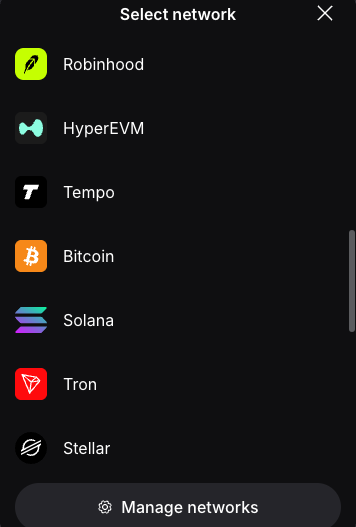
@0xDesigner With MetaMask, you can access Tempo, Solana, Base, and many other EVM and non-EVM networks, all in the same place!
Just go to 'All default networks' > 'Manage networks' > then add your desired network!
Visit our support site for the latest: https://t.co/frXtcUGCK6
@riyadkishi Really sorry to hear this. Please refrain from using this wallet & ignore any DMs from people claiming to be support - MetaMask will never DM you to initiate support.
Reach out to us at https://t.co/FbOqu5HOr8 and we'd be happy to take a closer look into what happened.
Please ensure you have the network added to your MetaMask wallet (https://t.co/AbECz6Hppc) & enhanced token detection on (https://t.co/SpH5UnnZi3).
If your tokens still do not appear, please reach out to our support team. Go to https://t.co/iJVx8dFePT, scroll down to Contact Support, connect your wallet using the address that received the tokens, and you will receive assistance.
We are continuing to receive reports of email phishing campaigns asking users to "verify" their wallet to comply with KYC regulations, along with other types of "verification mandates". These emails are SCAMS! MetaMask wallets are NOT ASSOCIATED with user email addresses!
@SecJack96 For MetaMask Card help, please use Contact Support on your Card homepage within MetaMask. Card Support will never DM you first or ask for your Secret Recovery Phrase. 🔒
A few extra seconds before you sign can protect years of work, and scam tactics keep evolving.
Not sure what you’ve already approved? Here’s how to review and revoke: https://t.co/1yYmS87gXc
@BaltikaFortRos Hey there! We officially moved to https://t.co/SptBlGmeCT and https://t.co/XaDDGqEFTV on October 27th.
https://t.co/TDBTgMlhna and https://t.co/FbOqu5HOr8 remain unchanged for now.
@Mazrael_shib@MetaMask Thank you for flagging and contacting our Support Team about this issue. We have raised it to the engineers who are working to resolve it.
@RokBoogas@bearish_af Make sure you turn on enhanced token detection and the token should appear. You can find steps to do so here: https://t.co/zSIA2zMh21
Is your tx showing as pending? It may be that the gas is too low. Try increasing your gas fee. If the tx still will not confirm, reach out to our support team for assistance. Go to https://t.co/iJVx8dFePT, scroll down to "Contact Support," connect your wallet, and you will receive assistance.
@blankbraindead Please reach out to our Support Team so we can assist you. Go to https://t.co/CjhpJGcLbf, scroll down to "Contact Support," connect your wallet, and you will receive support.
Keep your MetaMask up to date.
🦊 The latest version has the newest features, improvements, and security updates.
Here’s how to check and update: https://t.co/aMp5TaQrWf
@xiaogui_real@MetaMask Hi! Could you share your MetaMask version (Settings > About)? Please also make sure you’re on the latest version - thanks!
https://t.co/aMp5TaQrWf