People are using AI agents to make money 24/7 on Solana.
And YOU can do it too 🫵
Here are 3 easy ways to get you started 👇
1️⃣ Easiest no-code setup
→ Go to " griffain .com "
→ Connect your wallet
→ Create your personal AI agent
→ Fund it SOL
→ Give it instructions in plain English
✅ Example:
→ “Copy-trade the top profitable wallets on Jupiter”
2️⃣ Customizable Trading Agent
→ Go to website " docs.elizaos .ai "
→ Run the 3-minute CLI quickstart (just 3 commands)
→ Add the Solana + Jupiter plugins
→ Define your strategy in one clear prompt
→ Fund the wallet → deploy the agent
✅ Examples:
→ “Momentum trade high-volume tokens with hype”
→ “Scan and execute arbitrage between DEXes”
3️⃣ No-code AI Agent Marketplace
→ Go to website " tars .pro "
→ Connect your wallet
→ Use the no-code console or marketplace to deploy an AI agent
→ Choose or build one focused on yield optimization, liquidity, or trading
→ Fund it & let the agent run autonomously 24/7
✅ Goal:
→ Maximize fees/yield
→ While managing risk on protocols like Meteora
→ Set it once → watch it work on-chain
4️⃣ Important Reality Check
→ AI agents won’t magically print you money
→ If used poorly, you can lose capital fast
→ Always start small & test thoroughly
→ Be smart: take time to understand how they work
✅ They just do one thing very well:
→ Execute consistently
→ Stay active 24/7
→ Remove emotions
If you’re already trading manually - these worth your time exploring!
Which one are you trying first?
Most airdrops lately have been disappointing - $SKR has been one of the few exceptions 📱🪂
And right now, you should be focused on your SKR Season 2 airdrop
Remember: only real, organic usage counts
Here’s a quick 20-minute daily routine to help you with your S2 allocation 👇
✅ Category - Onchain Activity
→ Stake a small amount of SOL or SKR each day
→ Do 3–5 small onchain actions
→ Quick swaps, trades, or dApp interactions
✅ Category - New Things
→ Explore the dApp Store
→ Try 1 new dApp each day
→ Connect wallet & quickly test it
✅ Category - Daily Use
→ Use your Seeker normally
→ A few minutes of real usage
→ Use dApps, twitter, browsing, youtube, etc
Vary the apps & transactions slightly each day so it feels natural.
Consistency > Volume
This hits the main S2 categories without feeling like a chore.
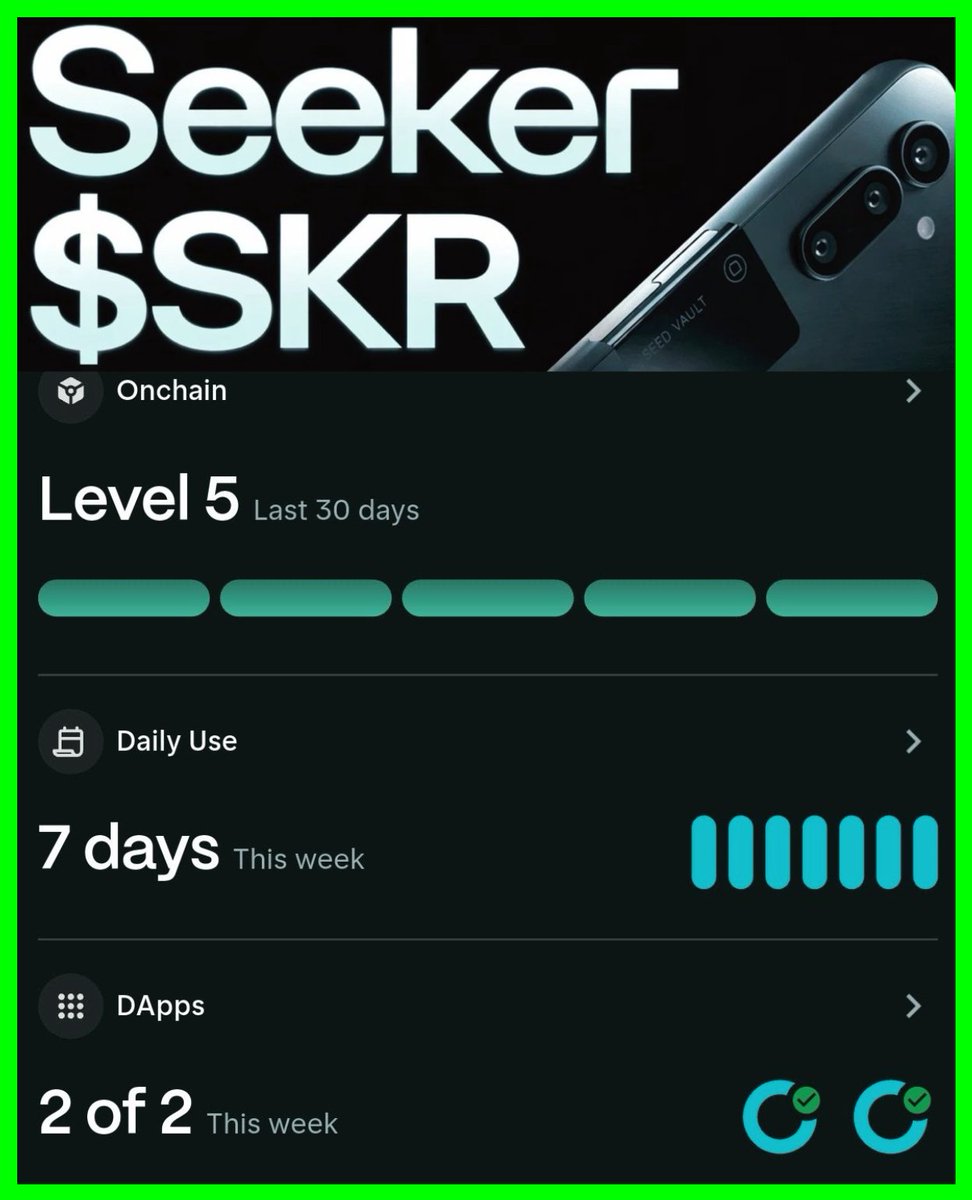
Seeker keeps shipping. They recently added a banger update where you can track your Seeker activity inside your seed vault.
I strongly suggest becoming active with your Seeker in three ways:
1. On-chain activity - swap, stake, and sign transactions on your Seeker.
2. Casual daily use - integrate Solana into your everyday routine.
3. dApps - explore the Solana dApp Store, download apps, and play around.
I feel something really BIG is coming.
(Remember that SKR isn’t live yet)