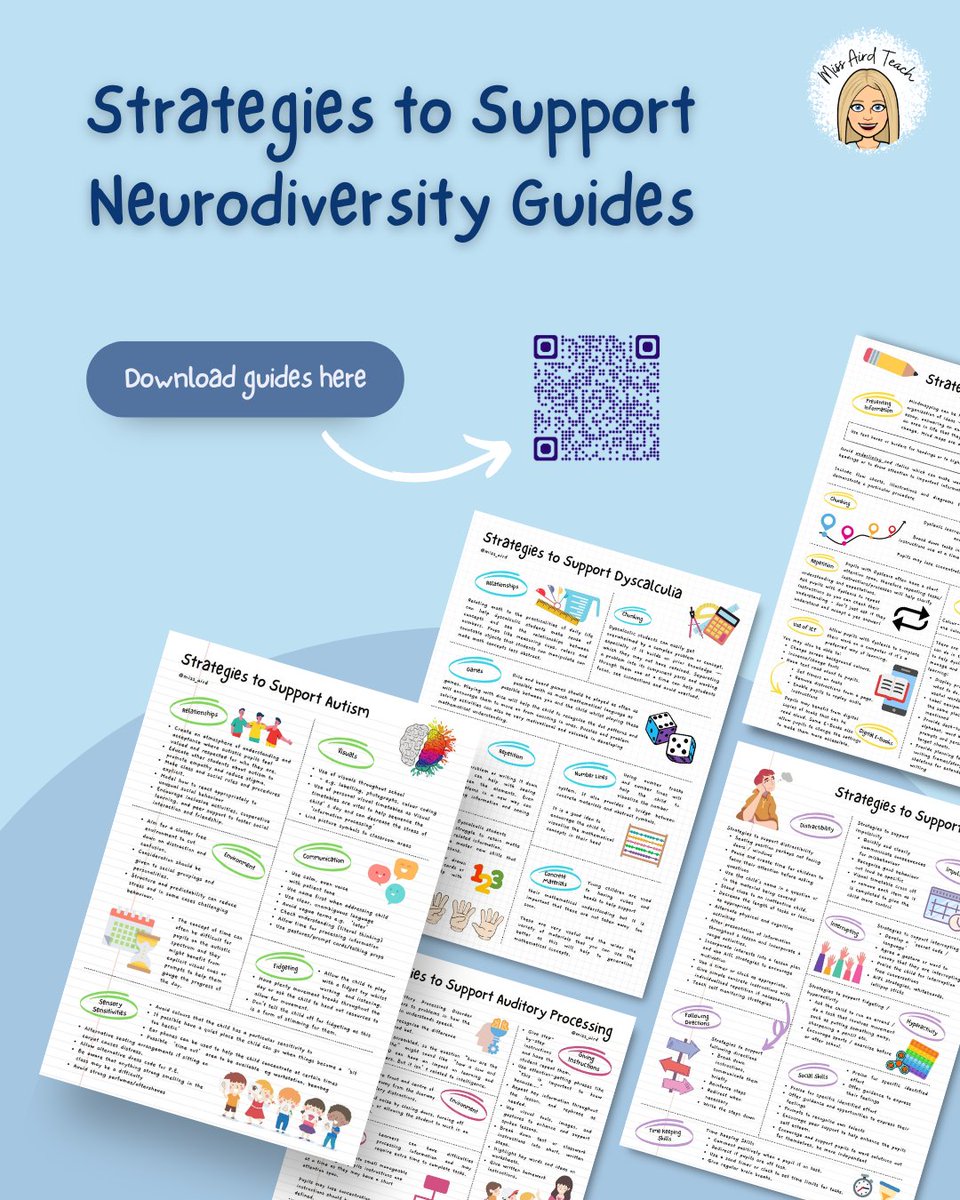
So... I have been collating my resources and have put there together for you to look at and download. This includes digital resources, ASN resources, Differentation resources and much more...
https://t.co/p1Lq5XHU1P
I was recently asked what my top tips/features for using Canva was. There's so many that I couldn't name them all, but check out the video below with 4 of my favourite tools for teachers.
What's your favourite tool on Canva?
@drsarahmoseley@CanvaEdu
https://t.co/lwZkUb9Z1p
Want to turn a simple drawing into an engaging animated explainer video?
@CanvaEdu's Video Editor and Match & Move feature make it easy to create animations that visually demonstrate processes, concepts, and step-by-step learning.
#Canva#CanvaTips#AnimatedLearning#EdTech
💙 Help bring the official Dyslexia-Friendly Scotland tartan to life 💙
If you believe in a more inclusive world where people with dyslexia are accepted, respected, and empowered, please consider donating or sharing this campaign.
https://t.co/lCy0K65ZRY
@DyslexiaScotlan
The crowdfunder for the Dyslexia-Friendly Scotland tartan is now live! Help raise £5,000 so @lochcarronscot can weave this symbolic fabric.
https://t.co/d4RZZUT88f
Deep Dive: Run and Guide Lessons Live in Canva
From lesson delivery to live collaboration, explore practical ways to manage learning in real time with Canva’s teaching tools.
https://t.co/ANO0aUeeGM
Canva is one of my daily go-to tools!
This beginner-friendly guide is all about the Canva toolbar — where everything is, what the main tools do, and how to navigate it without feeling overwhelmed 👌
#Canva#CanvaTips#Canvaedu#ContentCreation@CanvaEdu@canva
Cost shouldn't be a barrier to teacher training on dyslexia. That's why @ScotGov is funding 100 places on our innovative programme. Please share with teachers and lecturers in Scotland. The deadline for applications is 25 May. @EducationScot
https://t.co/AICdUXSNeR
We've heard you — Teach users write in an English variant other than US English, and localized content matters. Starting today, Teach supports three new English locales: English (United Kingdom), English (Canada), and English (Australia).
How it works:
If you're using Teach for the first time, the language is automatically selected based on your browser language settings. So if your browser is set to en-GB, Teach will default to English (United Kingdom).
If you've used Teach before, it will default to your previously used language. You can switch anytime from the Language dropdown when creating content.
We've also updated the age/year selection to match what's appropriate for each locale — so you'll see "Year 9" instead of "Grade 9" when using English (UK), for example.
This is available to everyone right now. Give it a try and let us know how the generated content works for your locale!
How great is this Canva Revision Toolkit 🤩
This toolkit focuses on active revision, helping students move beyond simply reviewing content to actually creating, explaining and applying what they know.
👇Download it here
https://t.co/53BWS0XAfD
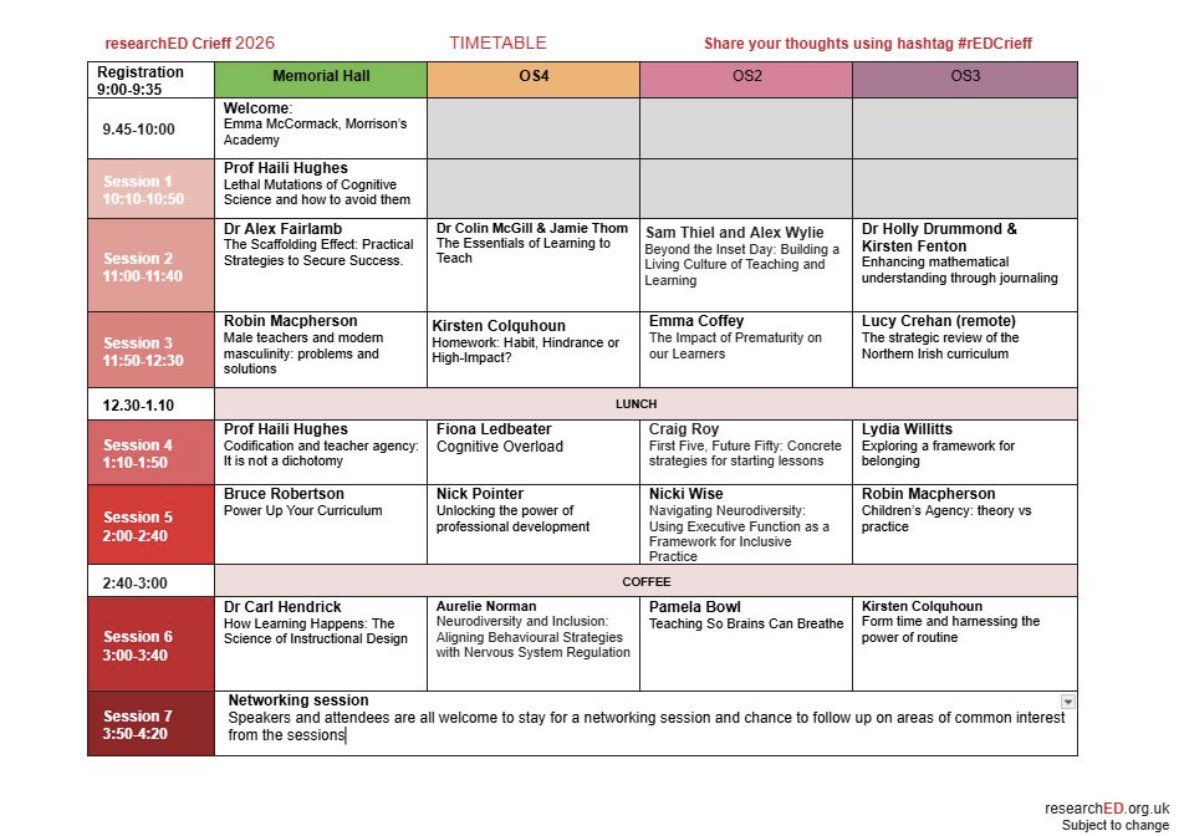
The programme for #rEDCrieff is live!!! Lots of fabulous speakers at a beautiful Perthshire venue, so get your tickets to join us for a brilliant day of CLPL 🙌 https://t.co/L4t873PzU1 @tombennett71@robin_macp@kirstcolquhoun
Dyslexic candidates in Scotland are entitled to reasonable adjustments to meet their individual needs in exams. This guide outlines how to arrange appropriate exam support for learners.
https://t.co/AP55HBP9gp
What better way to end the holidays than tuning into the #canvacreate keynote .
Can't wait to hear what's coming while tucking into the goodies thanks to @jadecanvaedu,
@CanvaEdu
Looking for a faster way to plan, organise, and reuse teaching materials with AI? My new quick guide about Copilot Notebooks shows how to create AI‑powered workspaces for study guides, mind maps, summaries, and more — all in one place. 📘✨
@MicrosoftEDU@mtholfsen
🛠️ The Autism Toolbox includes tailored guidance for ELC settings – from understanding early communication differences to creating supportive, predictable environments.
Begin with the ELC pages, then explore the wider toolkit as needed.
🔗 https://t.co/q6FtPepIIz
Teachers and lecturers are now invited to apply for the next GTCS Dyslexia and Inclusive Practice programme. The aim of the programme is to develop accomplished expert teachers, well equipped to identify and support learners with dyslexia in Scotland.
https://t.co/xFnmPiGfA7
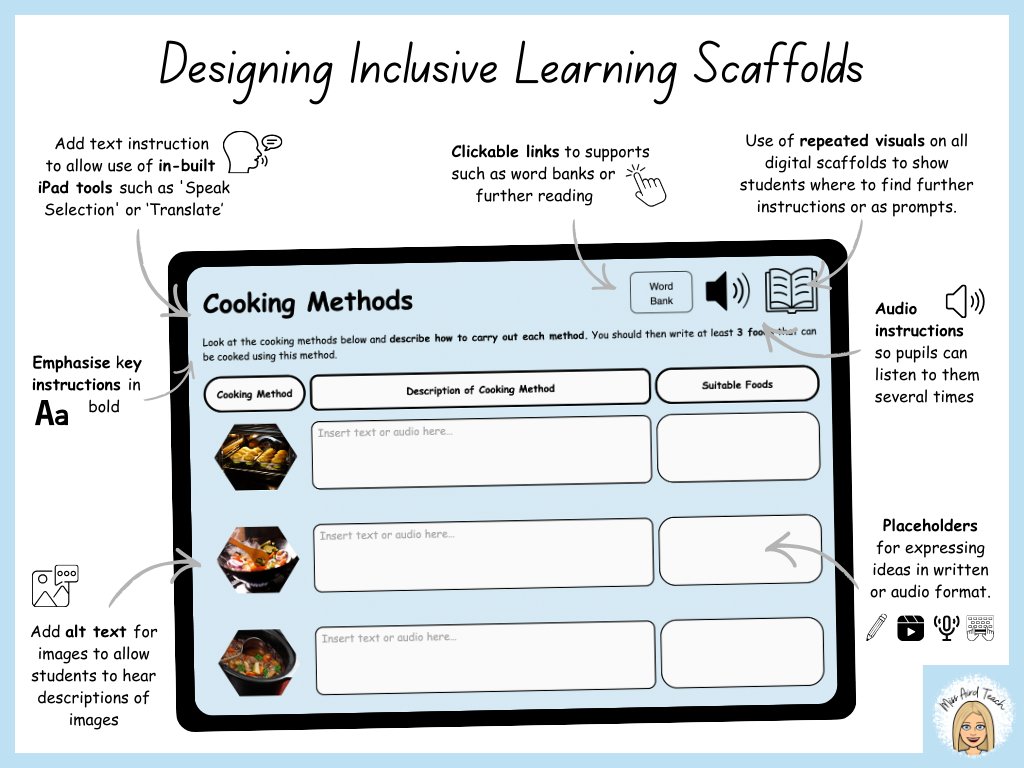
Designing inclusive learning scaffolds with digital tools isn’t an add-on — it’s essential. When aligned with UDL, digital scaffolds can remove barriers & give every learner meaningful access to content.
#UDL#InclusiveEducation#EdTech#Accessibility
When creating digital scaffolds, try to:
✨ Add text instructions that remind students they can use built-in iPad tools like Speak Selection or Translate
✨ Provide audio directions so pupils can replay instructions
✨ Include clickable word banks or further reading links
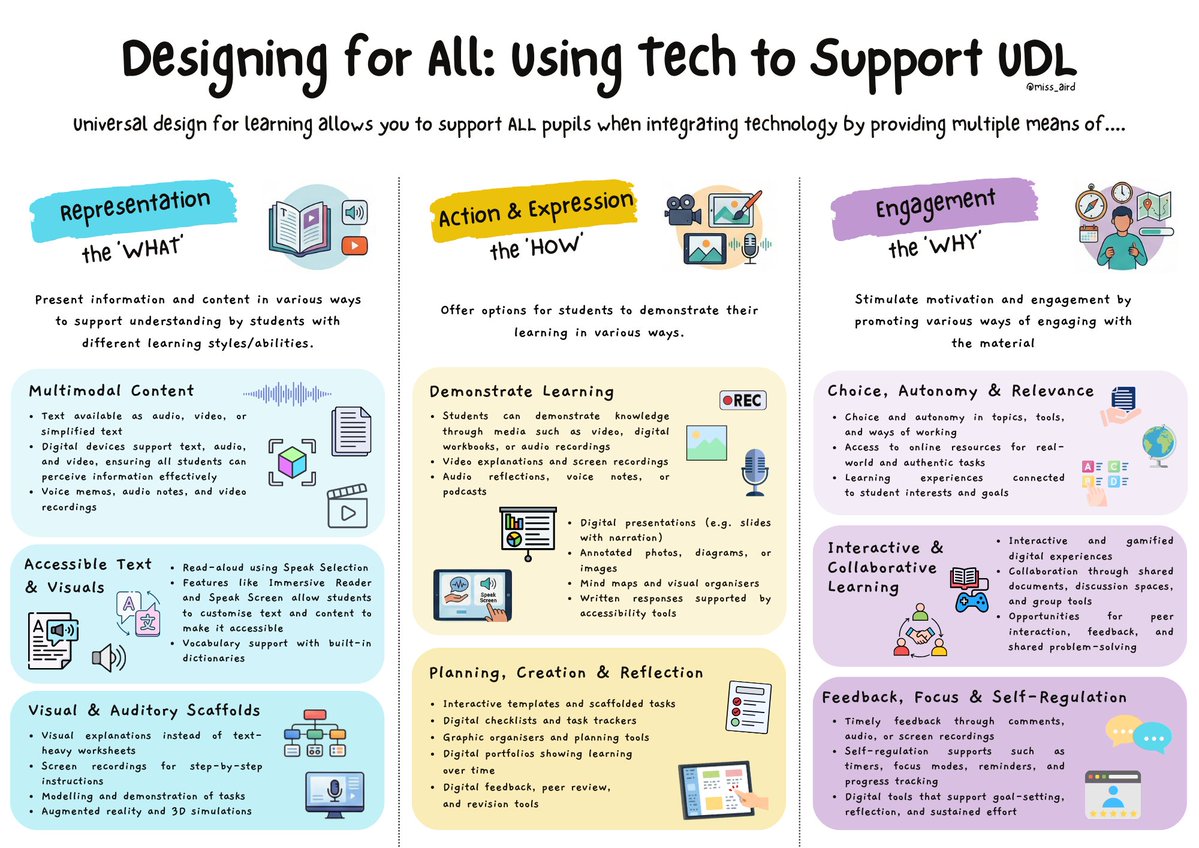
UDL encourages us to design learning with flexibility from the start — offering multiple ways to access content, show understanding & stay engaged.
With the use of technology we can remove barriers & create classrooms where neurodiverse learners can thrive.
I’ve created a series of quick guides for educators on supporting neurodiverse pupils in the classroom.
Small adjustments can make a big difference—when classrooms support different ways of learning, everyone benefits.
#neurodiversitycelebrationweek