After years in #dataengineering, I've noticed we focus too much on tools & tech, missing the fundamental challenges. It's not about picking the right stack—it's about mastering the complete data lifecycle.
The reality: We can't control source systems and their upstream data yet.
@teej_m Would a Mermaid JS flow chart work for you?
I have not taken it out to 1k+ nodes, but Github renders the charts with zoom and pan abilities for better readability.
@_jhannan I leaned on `show dynamic tables` to check the refresh mode and the reason for that mode
Then I refactored as needed to get the table incrementally refreshing before shortening the target lag
Masking policies prevent incremental refreshes, which ruined a use case
Overall 👍
@jay_henderson It’s a good question!
I’ve seen annotations
- added to screenshots in PowerPoints
- as footnotes in write ups
- even occasionally as a “constant line” in a BI tool
Yet all approaches rely on tribal knowledge within the data team - and that knowledge fades with time
I'm bringing back Sanity Check - my newsletter about being a data practitioner, given our modern data experience.
When you follow along, you can expect:
Analytics & Data Engineering Commentary
A bit of curation and a bit of conjecture. I'll share helpful resources and personal opinions on where the profession is going.
Actionable Tips
I'll share what's working, what's fun, and what challenges must be overcome along the way. These crunchy tactics will prove useful at some point in your own projects.
Applied Analytics
It can be difficult to take action without context. I'll take best practices to the proving ground by applying them to my dad's burgeoning puzzle venture.
I've been writing behind the scenes for the last 10 weeks. So there is a backlog of goodies already waiting for you here:
https://t.co/csX9DHmkg0
H/T @kadlac and his article “Discover your visual style using one word in Midjourney.” It was an inspiration to try this approach with ChatGPT.
https://t.co/32CRo1xN93
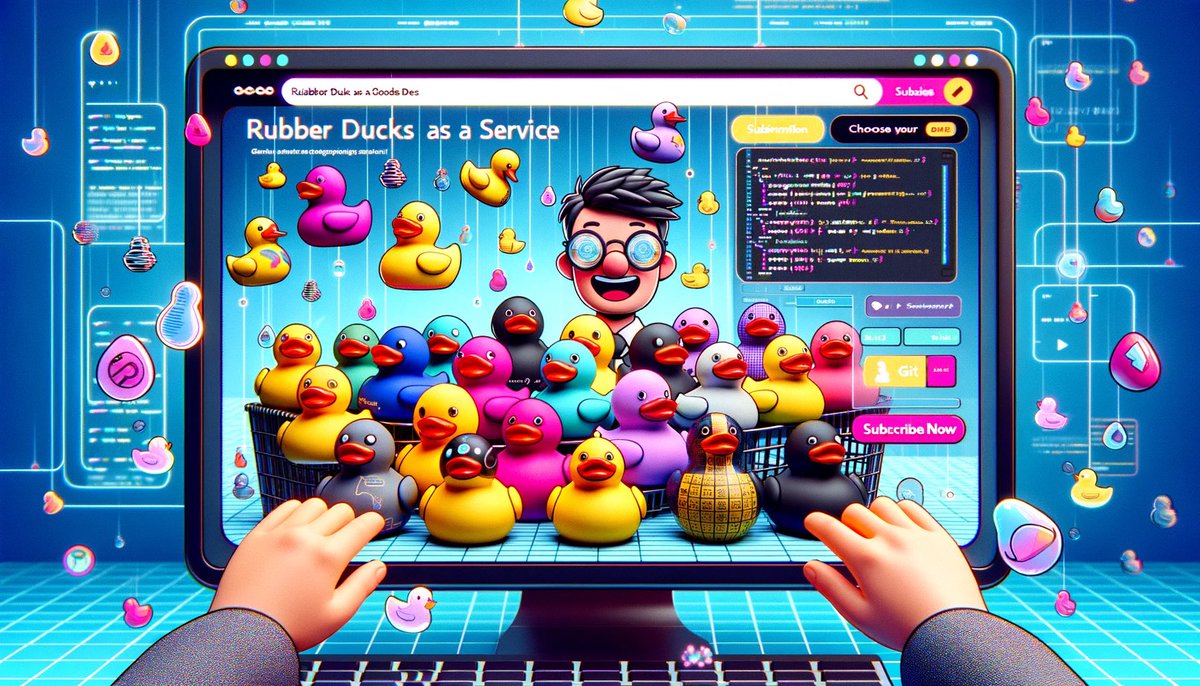
ChatGPT Vision + DALL·E 3 is a creative unlock for doodles
I got my first iPad for my birthday in 2020. Since then, I’ve been drawing data diagrams and blog post artwork. Three years later, I have made over 300 doodles and settled into a personal style.
These doodles take more time than I care to admit, but they help my writing stand out. The desire to have a doodle to accompany each piece of content has constrained my publishing volume.
That constraint is coming to an end. Recently, I gained access to ChatGPT’s Vision and DALL·E 3 modules.
First, I used vision to have ChatGPT describe my drawing style.
Then I asked Chat to summarize the style as a prompt for DALL·E 3.
I used that summary in a new chat to generate images. I passed it in as the “Artist’s Style,” and provided a second input for the image I wanted.
They are not exactly my style. Much cleaner and professional than what I would be able to do. However, the images are usable - and that is a big speed unlock!
I encourage you to try this out yourself. Whether you feed in your work or gather inspiration from other compelling visuals, you can quickly make new images in your style.
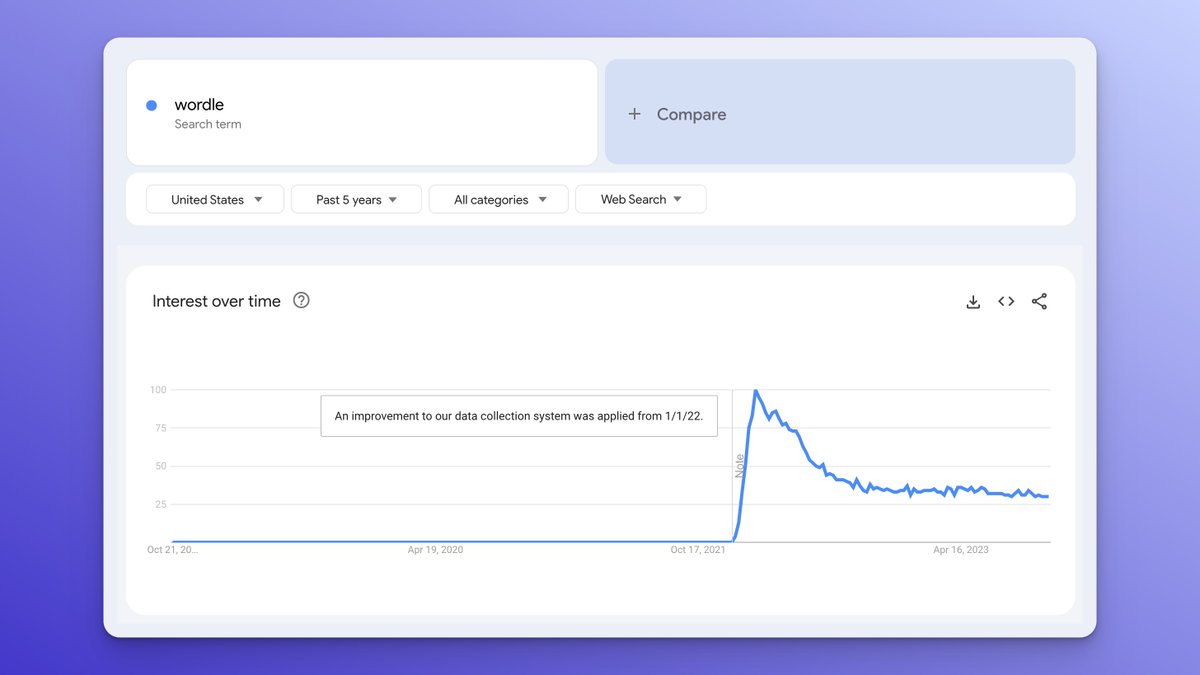
How do you track significant events for analysts down the road?
Some events break the trend. These could be
- a change in methodology
- a product launch
- a viral post
These changes are not self-evident to analysts coming in with fresh eyes. Keeping a record of notable events helps others quickly gain context.
Personally, I keep a markdown file with a running list of notable changes.
It's even better to add that context to charts, like how Google Trends notes their releases.
These approaches are better than no context, but I'm genuinely curious - what works for you?
2023 is the year data streaming became easy. Snowflake Dynamic Tables abstract away the complexity and provide continuously refreshing data.
There are 5 quick steps to get started:
1) Upgrade to dbt 1.6
It's a healthy practice to keep your dbt project up to date with the latest version - and the release of 1.7 is right around the corner.
The Dynamic Table materialization was added in 1.6 and that alone is worth the upgrade.
2) Configure Models for Dynamic Tables
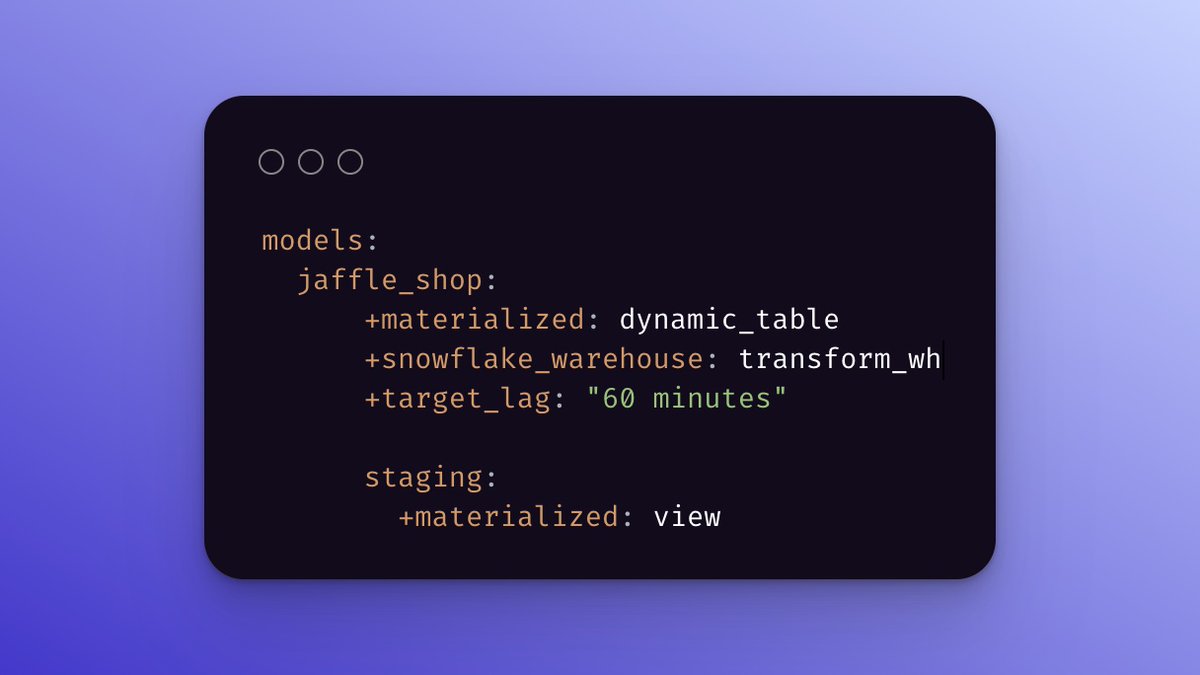
All model configs can be set within the `config` function at the top of a model or more globally within the `dbt_project.yml`.
There are three parameters specific to Dynamic Tables.
- materialized - instead of "table" or "view" set this to "dynamic_table"
- snowflake_warehouse - this is the warehouse that will be used to keep the Dynamic Table data set up to date
- target_lag - think of this as Snowflake's SLA. Behind the scenes, they are working hard to ensure the latest data is available within the lag.
3) Drop Any Existing Materializations
It's the early days of this new materialization type. There are some rough edges. One rough edge happens when swapping a table/view materialization for a dynamic table or vice versa. The materialization will fail if there is already an object by the same name.
There are two quick workarounds:
- Use the `alias` config option to add a "_dt" suffix to the model name
- Drop the database objects that will be rematerialized as a dynamic table
4) Set Snowflake Permissions
Dynamic Tables are their own object type, so new permission grants are needed. If the role is the owner of the database. Otherwise, the security admin will need to run something similar to the following:
5) dbt run
Finally, put those magical six letters - `dbt run` - in the console and hit return. Transformations will be streaming through the warehouse like lightcyles on the grid.
dbt Labs @coalesceconf is underway. While I couldn't attend in person this year, I still feel the excitement!
These are the three feature announcements I cannot wait to put into practice.
dbt's Semantic Layer + Google Sheets + Tableau
An Excel pivot table attached to a SQL Server cube through Power Query has been one of the most impactful ways I have ever delivered a data set. It was an added bonus that the Power Query part could be easily ported over to Power BI.
dbt's Semantic Layer integrations with Google Sheets and Tableau have a similar feel.
Auto-cancellation of stale in-flight CI jobs
Multiple AEs trying to deploy their own PRs simultaneously is a recipe for frustration.
You go to merge only to find you need to pull in the latest from main. By the time your CI build completes, you find out you need to sync changes from main again. Your teammates are merging their work in the time it takes for your GitHub checks to pass. All the time burning time and credits...
Auto-cancellation of stale in-flight CI jobs fixes this frustration.
It was technically possible to set up this behavior with a GitHub action, but it makes so much more sense as a feature baked into the product.
dbt Cloud CLI
I will not give up VS Code in favor of the dbt Cloud IDE. So I was happy to dbt Cloud come to my dev environment.
There are a few interesting angles to this feature.
- It is smart that it mirrors the commands of the original dbt CLI
- It is nifty that it enables other new features, like multi-project support
- It is smooth that version upgrades happen in one central location
--
@getdbt is investing in the developer experience - saving time, reducing friction, and adding leverage. Good stuff!