This sounds exaggerated, but it’s not:
Lovable is now good enough at design that I stopped fixing its UI.
If you’ve been building with Lovable, you know how big this is.
Does @Lovable even realize what they’ve done?
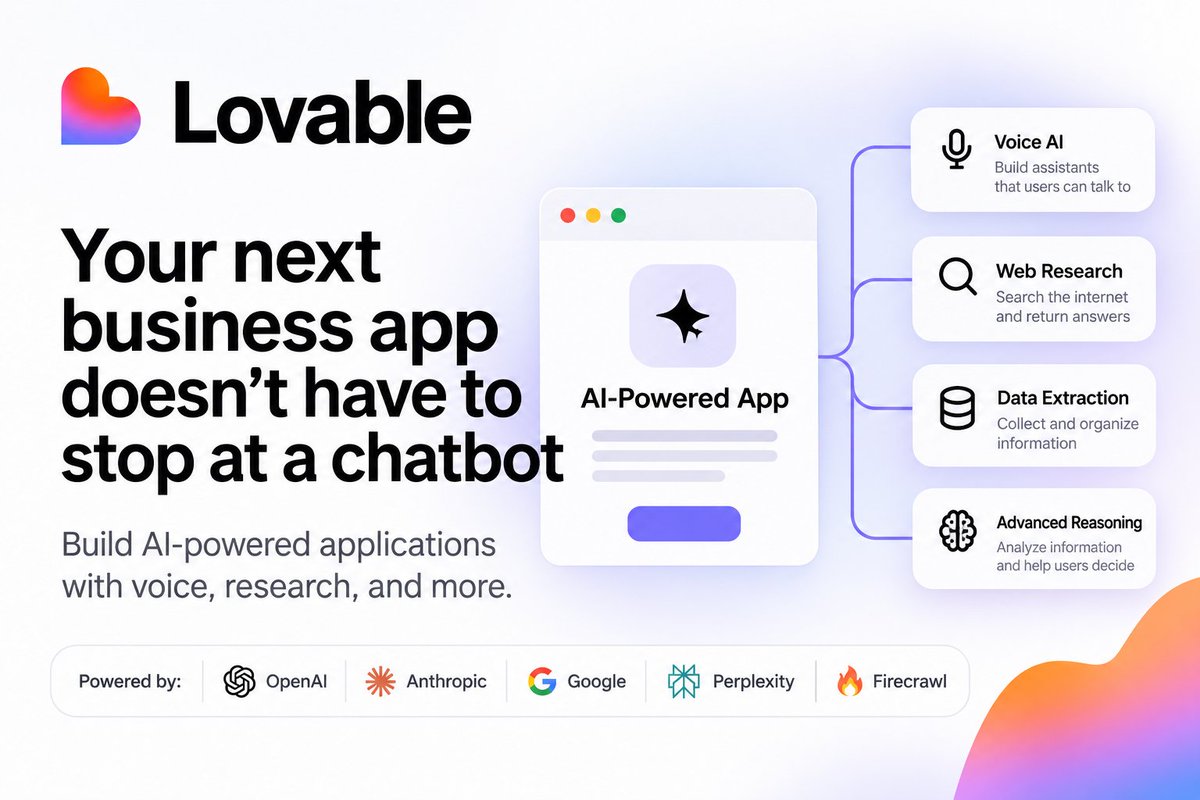
AI inside an app used to mean adding a chatbot.
That's changing.
Lovable is bringing more AI capabilities directly into the apps you build.
Think about what this means for real business applications:
→ Voice AI: Build assistants that users can talk to naturally.
→ Web research: Create tools that search the internet and return answers with sources.
→ Data extraction: Build applications that collect and organize information from websites.
→ Advanced reasoning: Create tools that analyze information and help users make decisions.
Lovable now supports models and tools from OpenAI, Anthropic, Google, Perplexity, and Firecrawl.
Here's an example:
Imagine a customer support application that can:
Read incoming support requests.
- Research relevant information.
- Categorize each request.
- Draft a response for review.
- Let an employee interact with it using voice.
That's much more than a chatbot.
It's a business workflow powered by AI.
And you can build these kinds of applications directly in Lovable.
The interesting question is no longer just what AI chatbot you can build.
It's which parts of your business could work differently with AI?
What would you build?
One of the biggest risks when improving a live application is changing something that already works.
Lovable has a feature that makes experimenting much safer.
It's called Drafts.
You can create a complete copy of your existing app, including its design and database, and explore new ideas without touching the live version.
Here are a few practical ways I'd use it:
→ Test a new dashboard: Explore a completely different layout using realistic sample data.
→ Experiment with new features: Try a new booking flow, signup form, or members-only area without affecting existing users.
→ Compare different designs: Create multiple versions and see which experience works best before making a decision.
→ Involve clients in the process: Let them explore proposed changes in their own draft without accidentally modifying the production application.
Once you're happy with a version, accept the changes and publish when you're ready.
What I particularly like about this is the freedom to experiment.
You no longer have to choose between leaving an application as it is and risking changes directly in production.
You can explore, compare, and decide first.
That's a much better way to build and improve production applications.
Your Lovable app can look perfect and still have a security problem.
That's something worth remembering before publishing your next project.
Lovable has been improving its built-in security capabilities, and its latest update makes the process even more practical.
Here's what you can now do:
1. Scan before publishing
Lovable checks your code, application logic, database schemas, and Row Level Security (RLS) policies whenever you publish.
2. Fix security issues with AI
When an issue is detected, you can select "Fix" and let Lovable's agent work on resolving it.
3. Automate security fixes
Enable "Auto-fix security issues" in your project settings to let Lovable automatically resolve many findings as you continue building.
But there's one important thing:
Don't blindly trust the fixes.
A security warning isn't always a mistake, and not every automated fix should be accepted without understanding its impact.
You still need to review the findings and make sure your users' data is properly protected.
I think this is an important shift in AI-powered development.
We're moving beyond simply generating applications. We're getting better tools to help make those applications safer to run in production.
If you're building with Lovable, make security checks part of your publishing routine, not something you think about after launch.
Did you know you can build with Lovable using just a URL?
There's a feature in Lovable that you might have overlooked: Build with URL.
It lets you create a link that opens Lovable with everything already prepared.
You can include:
- A prompt describing what you want to build.
- Reference images to guide the design.
- Existing website URLs for Lovable to use as inspiration.
But here's what makes it interesting.
You can use it to:
- Add a "Build with Lovable" button to your own website.
- Share ready-to-use prompts with your audience.
- Let people recreate a website using its URL as a reference.
- Send suggested changes directly into an existing project's chat.
You don't even need an API key.
Just create the URL, share it, and let people open Lovable with your prompt already filled in.
There's also an official Link Generator that makes the whole process easier.
A small feature, but with some interesting possibilities.
I've shared a guide in the comments showing how to use it.
Lovable apps can now do more than work with static information.
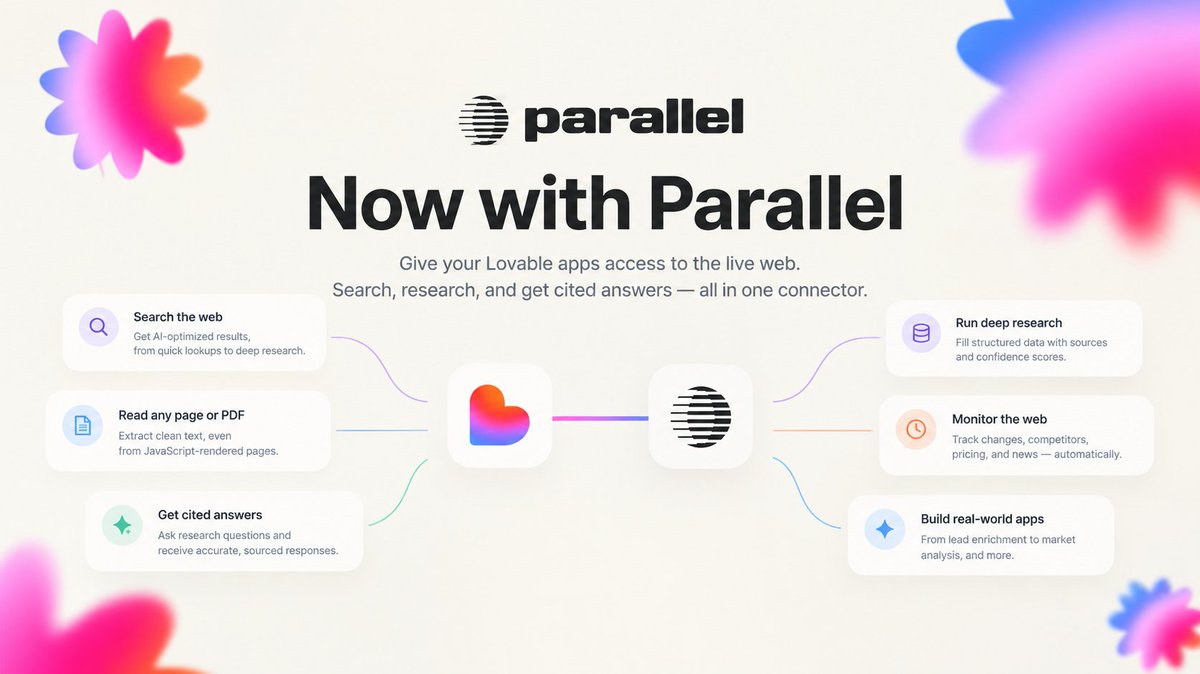
You can connect Parallel to Lovable and give your apps access to the live web.
That means you can build apps that:
→ Research companies and competitors
→ Enrich leads with current information
→ Answer questions with cited sources
→ Analyze markets and recent developments
→ Read public web pages and PDFs
→ Track changes in competitors, pricing, or news
And with Parallel’s monitoring capabilities, you can even build apps that watch the web for changes and react automatically.
This is the kind of integration that makes Lovable even more interesting for building real applications that need current information, not just polished interfaces.
The setup is straightforward: connect Parallel through Lovable's Connectors, then tell Lovable what you want to build.
I’ve also put everything together in one practical guide.
Guide in the comments 👇
A business shouldn't depend on one person remembering everything.
Think about it.
Who knows which clients need follow-ups?
Who remembers which projects are waiting for approval?
Who knows what happens when a customer submits a request?
Who remembers the exact steps to onboard a new client?
In many businesses, this knowledge lives in people's heads.
It gets passed around through conversations, messages, emails, and documents.
And that's a problem.
Because when someone is unavailable, something gets missed.
When the business grows, things become harder to manage.
And when a key employee leaves, valuable knowledge can leave with them.
This is where custom business software makes a difference.
You can turn the way your business operates into actual systems:
Automated client onboarding
Structured approval workflows
Centralized project and client records
Automated follow-up processes
Dashboards that show what's happening across your business
The goal isn't to add more software.
It's to make sure your business doesn't rely on someone's memory to keep running.
If there's a process in your business that only one person knows how to manage, that's probably a good place to start.
Your business documents might be hiding hours of manual work.
Think about what happens when someone uploads a contract, invoice, or 50-page report to your business.
Someone has to read it.
Find the important information.
Copy the data into a spreadsheet.
And repeat the process for the next document.
What if your software could do that for you?
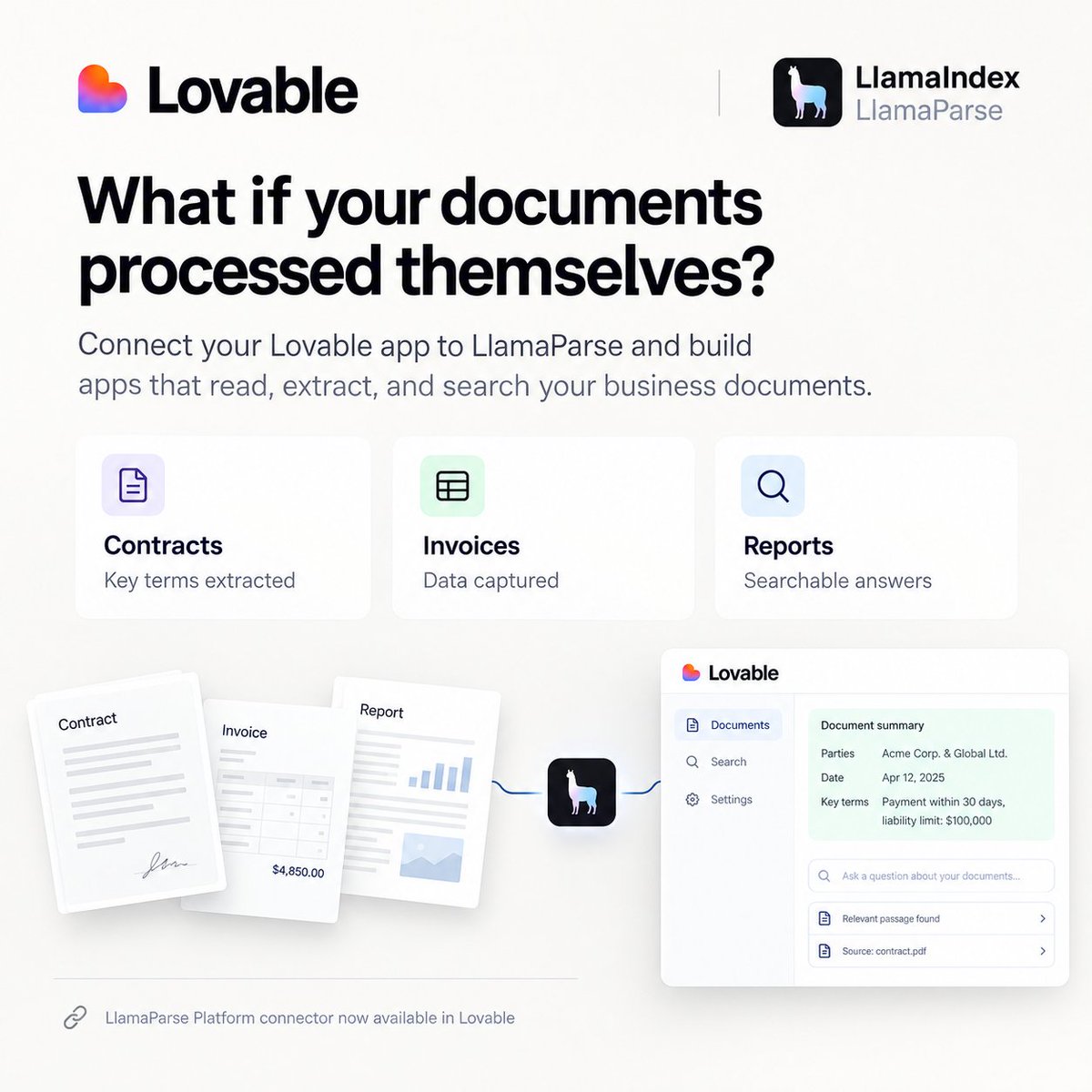
With LlamaParse now available as a connector in Lovable, you can build apps that:
→ Extract names, dates, and key terms from contracts
→ Read invoices and automatically capture amounts and due dates
→ Turn uploaded resumes into structured candidate profiles
→ Let users ask questions and find answers across your business documents
→ Build searchable knowledge bases from PDFs, reports, and other files
And you don't have to build the entire document-processing system from scratch.
Lovable can connect your app to LlamaParse to handle document parsing and data extraction, with options for searching indexed documents using your own credentials.
Imagine replacing hours of reading, copying, and searching with a tool that does the heavy lifting for you.
That's the kind of business software I'm excited about building with Lovable.
I've put together a practical guide on how to connect LlamaParse to your Lovable app and start building with it.
Guide in the comments 👇
This is one of the Lovable features I've been waiting for. 👀
You can now bring an existing website or project into Lovable and keep building from there.
Think about what this means.
You no longer have to start from scratch just because your website was built somewhere else.
You can:
→ Import an existing website using its URL.
→ Bring projects from tools like Replit, Bolt, Base44, and v0.
→ Continue building and improving your project in Lovable.
→ Work on your website and create marketing content in the same project.
→ Manage hosting, SEO, analytics, payments, and email from one place.
And if you're a freelancer or agency, this opens up some interesting possibilities.
Imagine importing a client's existing website, making the requested changes, reviewing everything together, and preparing their launch content, all within the same project.
Your existing work becomes the starting point, not something you have to leave behind.
One important thing to know: importing a website doesn't automatically transfer its backend, authentication, forms, or database. Those may need to be set up separately.
Still, this is a big step toward making Lovable a place where you can build, improve, and grow an entire online business.
Your business might not need another software subscription.
It might need a better system.
Think about all the things you still manage manually:
- Tracking clients in spreadsheets
- Following up with people who haven't paid
- Checking project updates through WhatsApp
- Copying information between different tools
- Asking employees for updates you should already have access to
You just need a simple internal tool built around how your business actually works.
A dashboard. A client portal. An approval system. A place where everything finally makes sense.
That's the kind of thing I'm building with Lovable.
And honestly, seeing how much of this can now be built without a traditional development process is exciting.
I'm curious: What's one task in your business you wish you could stop doing manually?
Your Lovable apps can do more than just display information. They can notify users when something important happens.
With Firebase Cloud Messaging (FCM), you can build apps that send push notifications to devices and browsers, even when users aren't actively using your app.
Here are a few things you can build with it:
- Order tracking: Notify customers when their orders ship.
- Appointment reminders: Remind customers about upcoming bookings and help reduce no-shows.
- Internal alerts: Notify staff when a critical incident needs attention.
- Announcements: Broadcast updates to users subscribed to a topic.
- Browser notifications: Let users opt in to receive updates directly through your web app.
You can connect your own Firebase project to Lovable and use the connector to send notifications from your app.
You'll still need to handle device registration and store notification tokens, but Lovable can help wire up the sending logic.
It's a useful way to make your apps more interactive and keep users informed, even when they're not actively using them.
I’ve put together a practical guide on how to connect Firebase Cloud Messaging to Lovable and set it up.
Guide link in the comments. 👇
Lovable is becoming much more than a tool for building apps.
You can now build apps that talk, research, analyze, create content, and make decisions, all without leaving Lovable.
Here are some possibilities that caught my attention:
- GPT-Live: Build voice assistants, interactive tutors, and customer support agents.
- Claude: Turn client briefs into proposals or build inbox assistants that prioritize messages and draft replies.
- Gemini: Turn product photos into promotional videos with original music.
- Perplexity: Build research tools that search the live web and provide cited answers.
- Firecrawl: Turn website content and documentation into AI-powered knowledge assistants.
- Parallel: Build competitive intelligence tools, lead enrichment systems, and research platforms.
- Jev: Automatically categorize, score, and route incoming requests.
What stands out to me is how these capabilities can work together.
Imagine an AI support system that categorizes incoming tickets, identifies urgent requests, researches answers from your documentation, and drafts personalized replies.
Or a business tool that researches competitors and turns its findings into actionable reports.
These aren't just AI demos. They're features you can build into real business applications.
The interesting question is no longer just what AI can do. It's what you can build with it.
What would you build first?
Your customers are already on WhatsApp.
Now your Lovable app can be there too.
Lovable’s new WhatsApp Business connector lets you build apps that can:
→ Receive customer messages
→ Reply directly from your app
→ Send appointment reminders
→ Send order updates
→ Turn WhatsApp inquiries into leads
→ Track sent, delivered, read, and failed messages
→ Manage approved message templates
That opens up some interesting products.
Imagine building:
𝗔 𝗰𝘂𝘀𝘁𝗼𝗺𝗲𝗿 𝘀𝘂𝗽𝗽𝗼𝗿𝘁 𝗶𝗻𝗯𝗼𝘅
Your team handles WhatsApp conversations from one internal dashboard.
𝗔𝗻 𝗮𝗽𝗽𝗼𝗶𝗻𝘁𝗺𝗲𝗻𝘁 𝘀𝘆𝘀𝘁𝗲𝗺
A customer books an appointment → your app sends a WhatsApp reminder automatically.
𝗔 𝗹𝗲𝗮𝗱 𝗺𝗮𝗻𝗮𝗴𝗲𝗺𝗲𝗻𝘁 𝘀𝘆𝘀𝘁𝗲𝗺
A prospect messages your business → the conversation becomes a lead your sales team can track and follow up with.
𝗔𝗻 𝗼𝗿𝗱𝗲𝗿 𝗮𝘀𝘀𝗶𝘀𝘁𝗮𝗻𝘁
A customer asks, “Where is my order?”
Your app checks the order database and replies with the latest status.
And the setup is much simpler than you might expect.
You connect your WhatsApp Business account through Meta’s guided signup. No need to create a Meta developer app or manually copy an API key.
This is one of those integrations that makes Lovable more interesting for building 𝗿𝗲𝗮𝗹 𝗯𝘂𝘀𝗶𝗻𝗲𝘀𝘀 𝘀𝗼𝗳𝘁𝘄𝗮𝗿𝗲, not just websites.
The important shift is:
𝗪𝗵𝗮𝘁𝘀𝗔𝗽𝗽 𝗰𝗼𝗻𝘃𝗲𝗿𝘀𝗮𝘁𝗶𝗼𝗻 → 𝗮𝗽𝗽𝗹𝗶𝗰𝗮𝘁𝗶𝗼𝗻 𝘄𝗼𝗿𝗸𝗳𝗹𝗼𝘄 → 𝗯𝘂𝘀𝗶𝗻𝗲𝘀𝘀 𝗮𝗰𝘁𝗶𝗼𝗻.
If you’re planning to add WhatsApp to a Lovable app, I’ve put everything together in one practical guide.
Guide in the comments 👇
Building an app is getting easier. Getting customers? That's the real challenge.
Lovable is now tackling both.
You can now use Lovable to go beyond building your app and start growing it, all from the same chat.
Here's what you can do:
- Create growth plans tailored to your app, audience, and goals.
- Improve SEO and AI search visibility so people can discover your product.
- Launch ad campaigns across Google, YouTube, Facebook, and Instagram.
- Generate marketing content including images, videos, landing pages, and social media posts.
- Track campaign performance and optimize your ads based on results.
What makes this interesting is that Lovable can use the context of your existing app to help you figure out what to do next, instead of giving you generic marketing advice.
You also review and approve campaign details before anything goes live or spends your money.
We're moving from AI that helps you build products to AI that helps you get those products in front of customers.
Lovable is starting to feel like a one-stop shop for building and growing a business.
What's next?
If you design in Figma and build with Lovable, you don't have to start from scratch anymore.
You can bring your actual Figma designs into Lovable in 3 ways:
→ Figma plugin: Export specific frames, components, or entire designs directly into Lovable.
→ Figma MCP: Let Lovable access your Figma files in real time and use your components, layouts, and styles while building.
→ Upload a .fig file: Give Lovable your design tokens, colors, typography, and frame structure.
But here's the important difference:
Uploading a `.fig` file doesn't recreate your designs or import your components. Use the plugin or MCP when you want Lovable to work from your actual screen designs.
Which method should you use?
If you want a straightforward design handoff, start with the Figma plugin.
If you want Lovable to inspect your designs live while you build, use Figma MCP through the Lovable desktop app.
The goal is simple: spend less time explaining layouts and fixing design mismatches, and more time turning your designs into working applications.
I've also put together a step-by-step guide on how to set up and use these methods.
Guide link in the comments. 👇