How it works: WPVibe is a free plugin that connects Claude (or any AI assistant) to your WordPress site. Approve once, then just ask.
https://t.co/vMVZPc19bR
I built this hero section with one sentence.
Found a design I liked → pasted the link into Claude → WPVibe built it live on my WordPress site.
No code. No page builder.
Watch 👇
Connect in one click:
Install the free WPVibe plugin
Add it to Claude, ChatGPT or any MCP client
Approve once in WordPress
Full list: https://t.co/xZA8ni0xWQ
Your WordPress plugins now speak AI.
WPVibe has Verified AI Support for 9 plugins: WPForms, WPCode, AIOSEO, Duplicator, EDD, Charitable, LifterLMS, PushEngage and MemberPress.
Many cool abilities. One chat. Just ask.
I opened my inbox with 800 new emails. Not one of them was from a real person because it's a test site.
Every single one was a form entry notification. Bots had found my contact form and were hammering it around the clock, and because I have email notifications turned on for every new entry, my inbox took the full hit.
If you run a WordPress site, you already know this feeling. You check your email hoping for a lead and instead you get a wall of junk.
So I sat down and fixed it properly. In this video I set up @ActiveLayerAPI, an AI anti spam tool. The whole thing is about a minute of actual work.
No CAPTCHA. Your visitors never have to click traffic lights or squint at warped letters to prove they are human. 😁
The free plan gives you 200 checks a month, which is plenty for a small site, and you can upgrade API usage when you outgrow it.
I have been rebuilding my personal site in public and sharing every step. This is the one I should have done first.
If your inbox looks like mine did, watch this one.
What is your current spam setup? Still on a CAPTCHA, or have you moved past it?
I'll also add a link in the comments for you to check out.
Same job, two ways.
Change a background + button color across 3 pages: blue → dark green.
By hand: 4:15, still going.
WPVibe: 0:38.
It also noticed Duplicator running on my site and backed everything up before touching anything. I never asked it to.
That's the part that got me
You've probably scrolled past a dozen posts about Jev this week without anyone telling you what it actually is.
It's the first model from TypeSafe, a lab started by one of the researchers behind ChatGPT. It's a decision engine: you give it options, it picks one and tells you how sure it is. It cannot write a single word, and that is the interesting part.
Every other AI you use writes. That is the whole interface. So when software needs a plain yes or no, we make a model write a paragraph and then dig the answer back out of it. Fine in a chat window where a human reads it. Bad inside software, where code has to act on it.
The bet is that the valuable half was never the writing. It was the deciding.
That problem showed up in WordPress years ago, and it is the reason WPVibe works the way it does. The AI does the work. Anything permanent stops and waits, because a delete that skips the trash is not something software should decide on its own.
Connecting a WordPress site to Claude or ChatGPT just got a lot less painful 🙌
The new #WPVibe connection page checks the whole path, names whatever's blocking it, and waits until your AI has actually read your site before it says connected.
https://t.co/3BCWzWKMVN
Ever had a QR code stop working and assumed it just expired?
The code itself never does. What breaks is a redirect service or the page it points to. That's exactly why @easywpforms points a QR code straight at your form, no middleman to expire.
More details below 👇
Notifications land in your inbox with the full submission the moment it comes in, and you can approve straight from the WPForms Entries screen.
https://t.co/Zh3Q6OkABz
A site admin may not want user posts to be published automatically. Better to catch inappropriate text or terms before anything's live.
The Post Submissions addon in @easywpforms can hold every submission as Pending Review until approved.
More details below 👇
The full write-up on WPVibe 1.16: running updates across all your client sites from a chat in Claude or ChatGPT, checked before and after each site, plus the long search-replace and bulk-delete jobs that used to time out on your host. How it works and how to run your first one:
https://t.co/SJFhcsIAWm
The scariest button in WordPress is "Update All" across client sites. Not because it fails. Because it says "done" and you still open every site to find out.
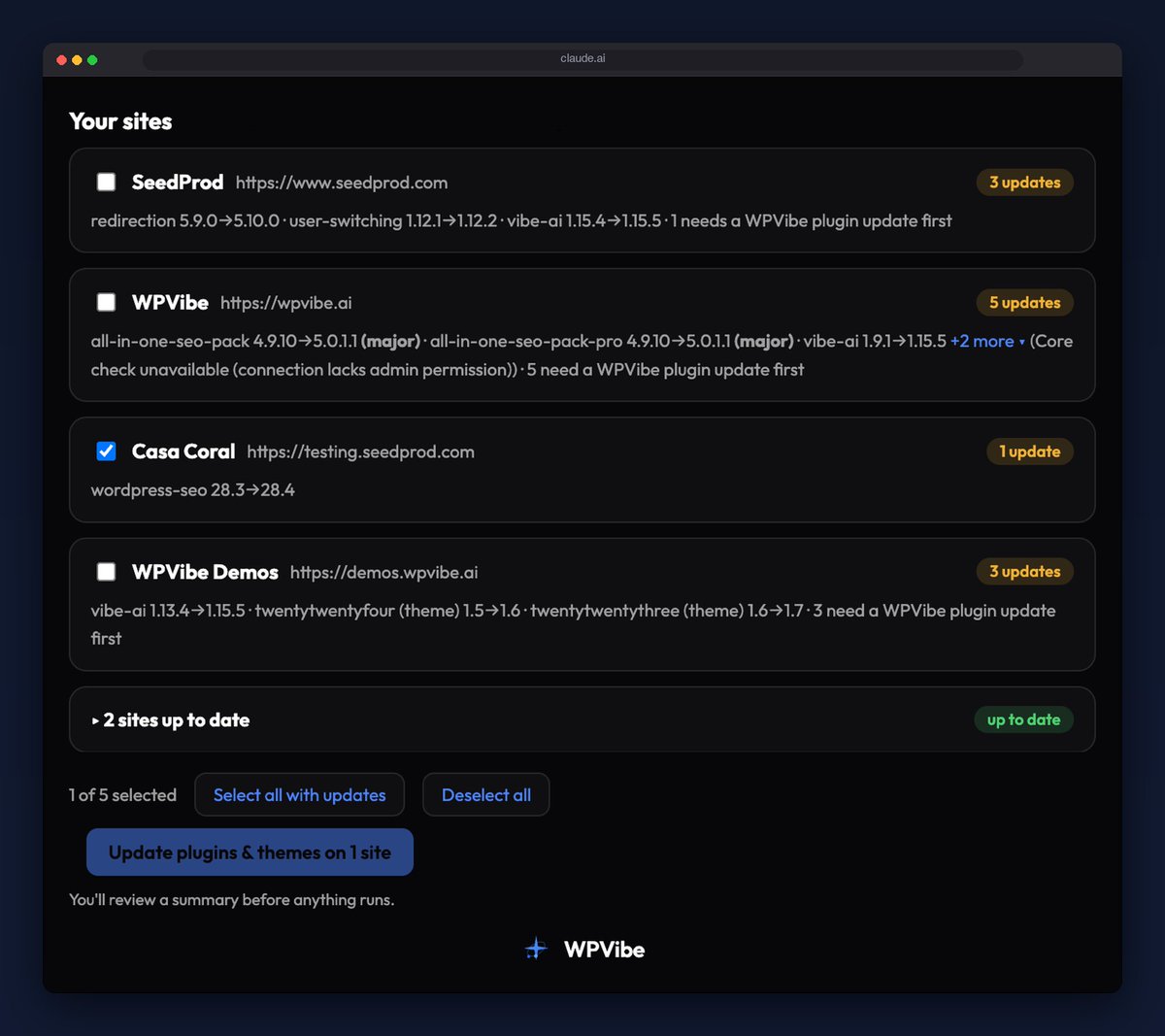
Here is how I run updates now, from Claude or ChatGPT, with WPVibe 1.16.
Ask "what needs updating across my sites." A list of every connected site renders in the chat: pending plugin, theme and core updates, with version numbers. Tick the sites you want. Confirm the plan and what it will cost you in calls. It runs in the background.
Per site, in order:
1. Recheck what's pending right before touching it, in case something changed since the list rendered.
2. Update.
3. Verify the new version number actually landed.
4. If a site fails, that site stops. The rest keep going.
WordPress core is off by default. Turn it on and it pauses for a browser approval, because core can't be rolled back from WPVibe and I'd rather you click than regret.
Close the tab. It keeps running.
The same background job handles the work your host used to kill at its execution timeout: a search-replace across a big database, hundreds of spam comments, a few hundred trashed posts, stale users. Each one finishes and leaves a record of exactly what it did.
What it doesn't do: backups or uptime monitoring (not yet 😉). It checks version numbers, not your checkout page, so back up first, same as always.
Link below 👇
The new @easywpforms Mercado Pago addon covers seven Latin American currencies, with installments built into the payment field.
In Brazil, paying in installments isn't a nice extra, it's just how people buy. Really happy to see this supported natively.
https://t.co/Pej5ZVZC28
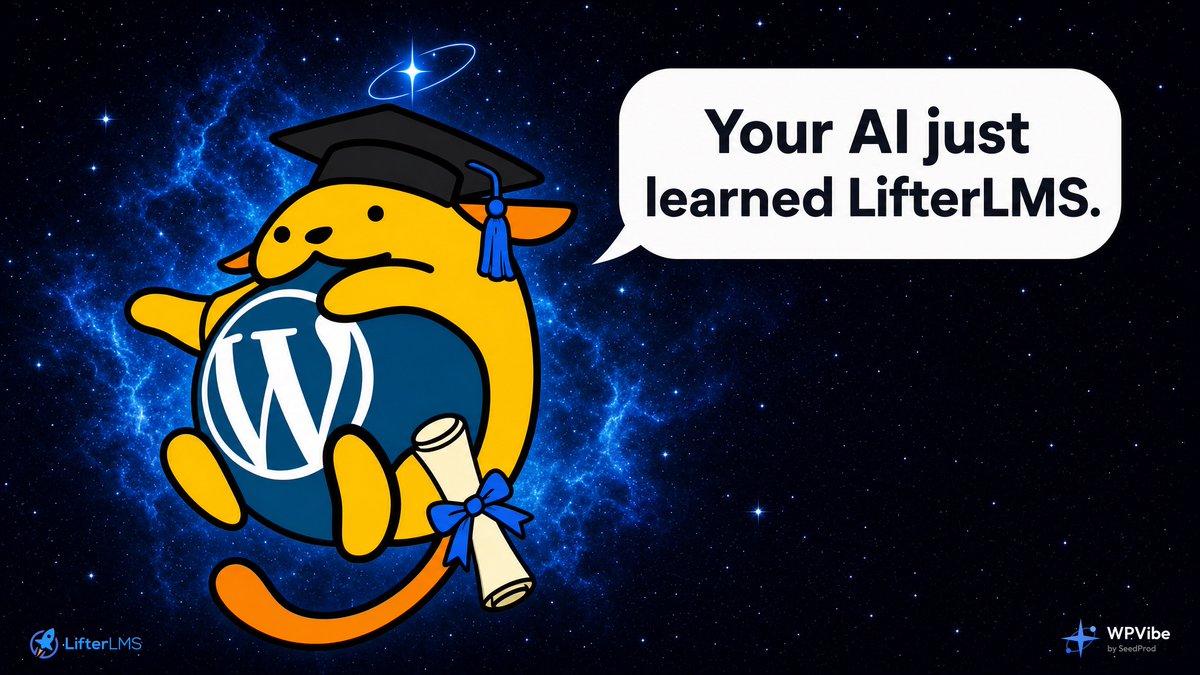
We are kicking off the "Works with AI" partner program with @lifterlms.
LifterLMS 10.1 exposes its courses, lessons, enrollments, memberships, pricing, and progress to AI assistants through the WordPress Abilities API.
We built eight WPVibe recipes on top of it, then gave every one to a fresh AI that knew nothing about LifterLMS beyond what the plugin describes.
Every recipe failed somewhere. Three would have failed silently. One would have created duplicate accounts. One would have reported that nobody was falling behind, forever.
We fixed them, then re-ran the tests with different assistants.
That is what "Works with AI" should mean: not just technically possible, but tested and supported.
Link below 👇
What’s your WPVibe moment with WordPress?
Not “AI helped me think about my site.”
The aha: you were halfway through doing it yourself… then realized you could just ask Claude or ChatGPT to do it on the live site.
One I keep hearing: someone was fixing pages one by one. Midway through they stopped and had the AI make the changes through the connector. Month-of-work feeling → under a week.
If you’ve had that click, reply below.
What were you stuck on?
What did you ask?
What changed?
I’ll share the best ones with credit.
Every agency I've talked to that uses AI on client WordPress sites says some version of the same thing: "this feels like cheating".
Same maintenance work, same builds, a fraction of the time. Their competitors are quoting days for work they finish before lunch.
The advantage is real, but it's temporary. It exists because most agencies and freelancers haven't wired AI into WordPress yet. The ones who do it now get a head start that compounds with every client site they add.
So today we turned that advantage into something you can package. Agency and Scale: every client gets their own WPVibe access under your brand, you set each client's allowance, and white label mode keeps our name out of their dashboard entirely.
Your clients just see your agency shipping faster than anyone they've worked with. How you do it stays your business.
Link below 👇
We just shipped a big WPVibe update, and what I care about most is that it does more without getting more dangerous.
The secret to letting AI touch a live WordPress site isn't blocking "dangerous" commands. It's gating on one question: "can this be undone?" Reversible edits just run. Anything you can't take back stops and asks you (the human in the loop) first.
What's new in this update:
- Bulk WP-CLI and raw SQL, now safe behind that gate
- Direct image uploads: hand the AI your own images and it puts them straight into your media library
- Surgical edits: the AI changes one exact line in a long post instead of rewriting the whole thing (my writer's favorite)
Full breakdown:
https://t.co/Q5oE2sOe52
SiteGround users - WPVibe now works on your sites. 🎉 SiteGround's anti-bot was challenging our Cloudflare relay, so connections failed.
That's fixed :) Connect (or reconnect) and it just works, nothing to configure.