hi everyone use coupon : dec2023
to get 20% discount all the plugin until end of this year wish to all Happy Holidays !
https://t.co/uN08es1URn
thank you very much
@amirazizy thank you so much for your kind words and well wishes! I greatly appreciate it. I'm doing well and appreciate your support. Wishing you the very best as well!
Hi everyone, I apologize for the delay in posting something new. I've been dealing with some personal challenges in my life and health. I hope all of you are doing well. thank you for the support all this years
I have some exciting news . a free AI plugin https://t.co/mbgvl9JDkc
@DavidArtzRBLX cool thank you
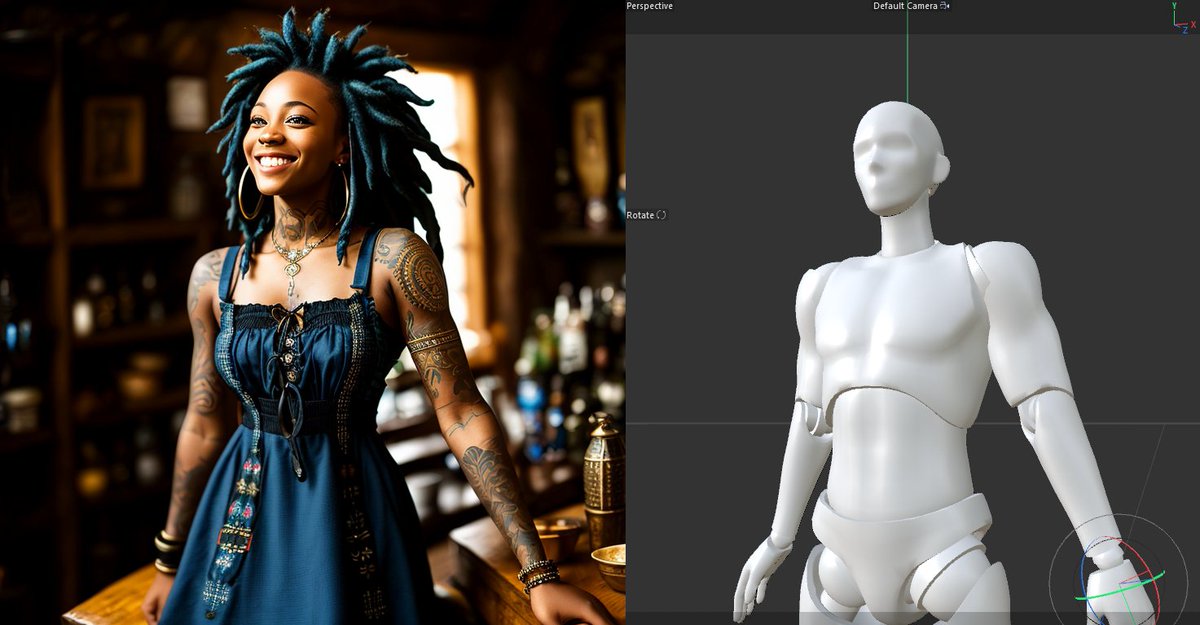
Thank you for sharing this cool example. Here's another example of creating an image with a simple shape using the Control Net Linear Standard. I'm also planning to create more in-depth tutorials for this plugin, as it offers many cool features .
@Chiddo2013 There seem to be some issues with older versions of Python that need to be checked. I'm currently working on finding a solution and exploring what can be done. to make working to all cinema4d for r15 +
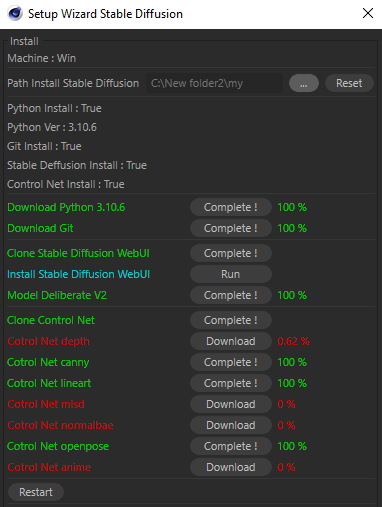
Hello everyone, I am pleased to announce the release of a new update for NitroAIGen (version 1.02). This update addresses several issues in the installation wizard and provides helpful feedback to identify any installation problems you may encounter.
https://t.co/mbgvl9JDkc
Here, you can see how the new interface looks. The color green indicates completion for (download,install ,clone,already install in system). The color red indicates the need for installation, cloning, or downloading. The color cyan is specifically for running the program.
@tsao_tony Please download version 1.01 for more detailed error information. It provides helpful error messages to identify potential issues.
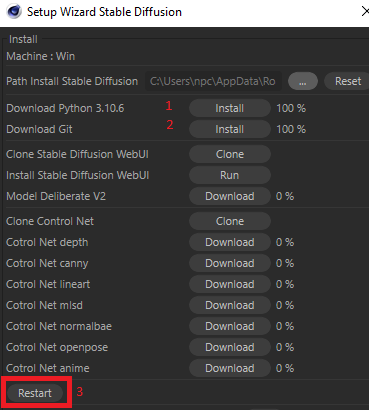
1 .Check if the plugin is installed in the preferences folder, not the programs file.
2 .Make sure you have installed Python and Git.