What even is OpenBot?
It’s a free, open-source Grok Bot alternative that runs locally on your machine.
Create AI teammates, give them jobs, and let them work for you.
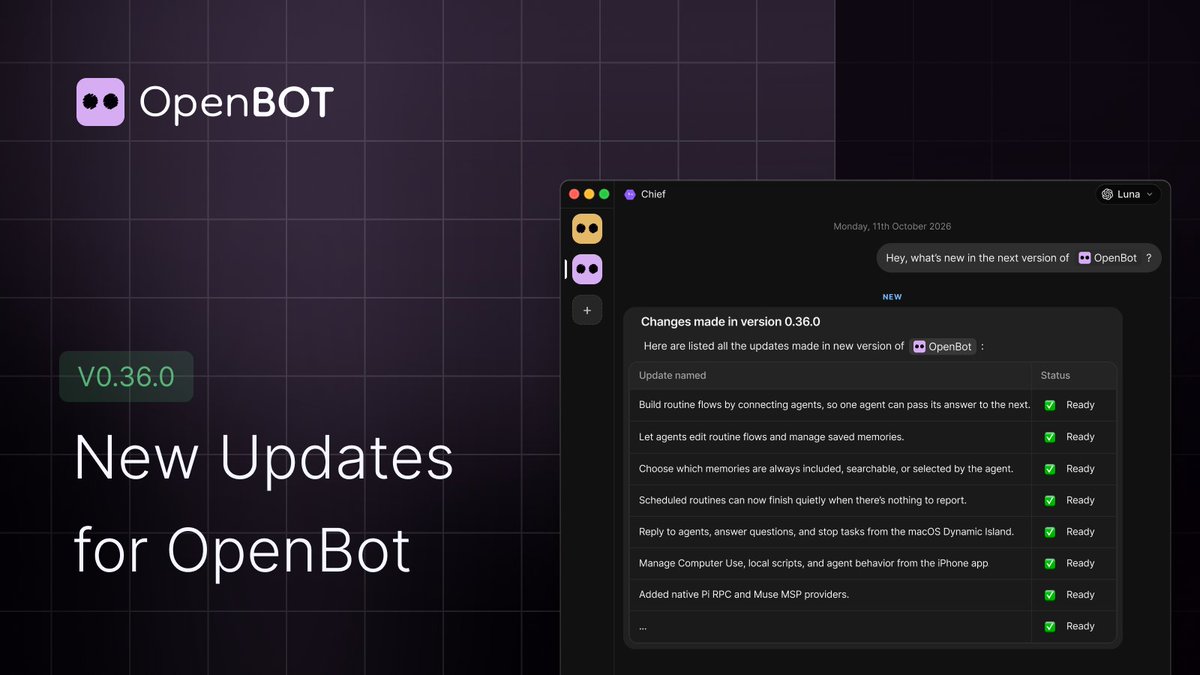
OpenBot v0.35.0–v0.36.0 are out 🚀
These releases bring new providers, smarter routines, better mobile controls, and a smoother setup experience.
Agent workflows and memory
- Build routine flows by connecting agents, so one agent can pass its answer to the next.
- Let agents edit routine flows and manage saved memories.
- Choose which memories are always included, searchable, or selected by the agent.
- Scheduled routines can now finish quietly when there’s nothing to report.
More control from mobile
- Reply to agents, answer questions, and stop tasks from the macOS Dynamic Island.
- Manage Computer Use, local scripts, and agent behavior from the iPhone app.
- Use Telegram to send requests to the right agent and get replies, approvals, and files in the chat.
New providers and tools
- Added native Pi RPC and Muse MSP providers.
- Connect Cobrain to search and save shared agent notes.
- Sign in to OAuth-enabled MCP servers on a joined server.
- Provider settings now let you manage ACP agents and their runtimes.
Voice and chat improvements
- Live voice dictation now shows your words as you speak.
- Choose how many memories each agent can keep.
- See how much context an agent is using and when it compacts.
- Copy and wrap long files directly in the preview panel.
- Release notes now appear after selected desktop updates.
Easier setup and server management
- Start free with OpenCode models, without a subscription or sign-in.
- Added Polish, Russian, Spanish, and German interface translations.
- Update hosted and Linux servers from Server Settings.
- Improved mobile setup for iPhone and Android.
Read the full changelog: https://t.co/uzJSIZDu2v
OpenBot v0.34.0 and v0.34.1 are out 🚀
These releases bring a new way to build agent workflows, more integrations, and improvements across servers, mobile, and setup.
Build routines visually
- Connect agents on a canvas to pass one agent’s answer to the next.
- Add and edit routines from the canvas, or ask an agent to make changes for you.
- Trigger routines with webhooks and test them directly.
- Keep routine runs quiet when there’s nothing to report.
More ways to work with agents
- Connect Telegram and let the Telegram Orchestrator route requests to the right agent.
- Sign in to OAuth-enabled MCP servers in the browser.
- Turn built-in providers on or off for each computer.
- Set a default provider for new local agents.
More languages and mobile support
- Added Russian, Spanish, and German interface translations.
- OpenBot Mobile is now available for Android, with clearer setup instructions for both Android and iPhone.
- The mobile app card now explains how to install OpenBot on either platform.
Easier server management
- Check for releases and request updates for supported servers.
- Update hosted and Linux servers from Server Settings.
- Remove offline servers you own from the web client.
- Faster connections to joined servers when OpenBot starts.
A smoother first run
- Choose “Start free” to begin with OpenCode’s free models, without a subscription or sign-in.
- Setup now has fewer steps and clearer provider options.
- Improved browser controls on mobile, including right-click and live cursor support.
Full changelog: https://t.co/uzJSIZCWcX
@b4391co Could you share which model and provider you’re using, and whether OpenBot feels slow on every prompt or only in certain cases? Are you using the same model and settings in Hermes Bot?
OpenBot just added #Cobrain to its Apps catalog. Any agent you run there can now load, search and save notes in your Cobrain memory.
I've been working this way for a few days. Four agents are on the Cobrain launch: one plans it, one writes my X drafts, one does LinkedIn, one Reddit.
They all read the same notes before they start, and they write back what they decided. When I approve something with one of them, the others find it in the notes.
Before this, every agent started from zero and I was the one copying context around.
The notes are plain Markdown, and Claude and ChatGPT read the same ones.
If you run more than one agent, where do they keep what they've agreed on?
@OpenBot_
OpenBot v0.34.0 and v0.34.1 are out 🚀
These releases bring a new way to build agent workflows, more integrations, and improvements across servers, mobile, and setup.
Build routines visually
- Connect agents on a canvas to pass one agent’s answer to the next.
- Add and edit routines from the canvas, or ask an agent to make changes for you.
- Trigger routines with webhooks and test them directly.
- Keep routine runs quiet when there’s nothing to report.
More ways to work with agents
- Connect Telegram and let the Telegram Orchestrator route requests to the right agent.
- Sign in to OAuth-enabled MCP servers in the browser.
- Turn built-in providers on or off for each computer.
- Set a default provider for new local agents.
More languages and mobile support
- Added Russian, Spanish, and German interface translations.
- OpenBot Mobile is now available for Android, with clearer setup instructions for both Android and iPhone.
- The mobile app card now explains how to install OpenBot on either platform.
Easier server management
- Check for releases and request updates for supported servers.
- Update hosted and Linux servers from Server Settings.
- Remove offline servers you own from the web client.
- Faster connections to joined servers when OpenBot starts.
A smoother first run
- Choose “Start free” to begin with OpenCode’s free models, without a subscription or sign-in.
- Setup now has fewer steps and clearer provider options.
- Improved browser controls on mobile, including right-click and live cursor support.
Full changelog: https://t.co/uzJSIZCWcX