I updated the auto-animate component with new animations and added many easing CSS variables, including springy and bounce, which was possible only with Javascript and libraries like Motion. 🎥
Thanks to modern browsers and @openprops! 🙌
Realized how good @openprops spring easings are. I love motion’s (previously framer motion) spring animations but in project where I don’t use react this has become my go to.
https://t.co/r9p71dGrSm
👉 Advanced styles
- Pointer events none so you can hover over the globe and it registers as hovering over the stats
- Calcs to use a consistent offset and move things around
- Using --ease-squish-3 from @openprops
- The only custom CSS was keyframes for the live indicator
Props Color Finder Updates:
- Enhanced contrast for picked colors
- Added option to pick the closest named CSS colors
- Introduced OKLCH color picking
- Enabled LAB Mode for perceptual color matching
- Added Quick Pick button
https://t.co/9bSTSYvE3w
#CSS@openprops
Check out this AI chat hero section example with a cool backdrop. It creates a futuristic feel that influences user behavior. It's a fusion of aesthetics and functionality. Built with @openprops
Check the reply for the @CodePen link
#CSS#AI#WebDevelopment
Check out how you can enhance focus by applying visual effects to the snapped element using Scroll Snap Events in this slider demo!
Built with @openprops 🔥
CodePen: https://t.co/TrmKLyQqst
#CSS#webdev@CodePen
It’s a UI built on top of CSS vars… no abstractions so you can use existing CSS variable libraries like @openprops (the recommended starting point in Webstudio).
Headless, boneless, skinless & lifeless UI
This blog post is interested in the layered abstractions the front-end community is using so they can compose the layers themselves
#CSS #UI#components
⤷ https://t.co/T0V7QVKU5m
CSS variables are live and they are POWERFUL.
Now Live on Product Hunt 🚀
https://t.co/2mmjOcRDaY
➡️ Create a design system
"So you can stay consistent and build much quicker."
Define global styles like colors, gradients, sizes, and box shadows.
➡️ Use your variables everywhere
"So you never have to manually enter a border color again."
You're not limited to just sizes, colors, and font families. Use variables in gradients, box shadows, transforms, and more!
➡️ Start with libraries like Open Props, expertly crafted CSS variables
"So you can use a tried and true system, and so we can standardize our Projects."
Because there are no abstractions, you can use existing CSS variable libraries like Open Props, an expertly crafted library of CSS variables, and the recommended starting point in Webstudio.
➡️ Create complex micro-interactions
"So when you hover a link, you can change any children's styles."
CSS variables go beyond reusability! You can define variables anywhere in the navigator, such as on a link, and modify the variables on hover. Then, you can use those variables on the children to create complex micro-interactions!
➡️ Design and build simultaneously
"So when deciding that perfect border color, you can arrow through all your options."
Experimenting on the canvas just got a whole lot better. Now, you can arrow through your variables and see them rendered on the canvas to see which works best.
➡️ Change variable by breakpoint
"So you can make the variables look great, no matter the screen size."
CSS variables in Webstudio use the same UI as the rest of your styles, enabling breakpoints to work the same way.
✨ Building with design systems gives a HUGE boost in speed, consistency, and maintainability.
Got inspired by the "Mini Web Machines" series by @argyleink to build this tabbed interface!
Using :has to manage the visual state and transition-behavior for smooth transitions.
Built with @openprops.
Check it out on CodePen: https://t.co/OhFvPKO001
#CSS@CodePen#webdev
"We read the CSS spec so you didn't have to"
On this new @badatcss episode: Eric Meyer and Estelle Weyl wrote the (1,126 page) book on CSS and they answer our questions.
Here is the technology stack I used in the creation of TileDocs (https://t.co/5QBwODVISb):
Vite - Leveraged this blazing-fast build tool to power my Progressive Web App
React Router v6 - Implemented seamless page routing functionality
@shoelace_style - Incorporated these high-quality UI components (dialogs, buttons, menus, etc.)
@openprops - Employed a selection of useful utility functions
Shiki - Utilized this excellent syntax highlighting library
Lunr - Integrated a robust full-text search solution
Zod - Integrated a streamlined form validation library
Slugify - Employed this tool to handle slug generation
@dndkit - Integrated a smooth and intuitive drag-and-drop implementation
idb - Utilized this wrapper for the IndexedDB API
@lexicaljs - Integrated this powerful editor framework, including advanced block and plugin capabilities
Check out this storefront demo using the latest web APIs: Scroll-Driven Animations, Container Queries, CSS Nesting, and Popovers for nested sidebars.
Built with @astrodotbuild & @openprops.
Live demo link in the reply!
#CSS#WebDevelopment#WebDev
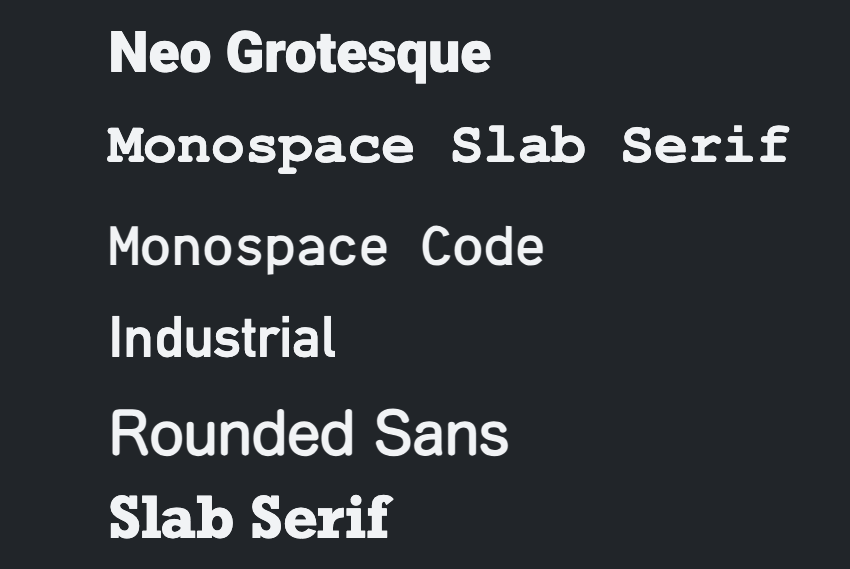
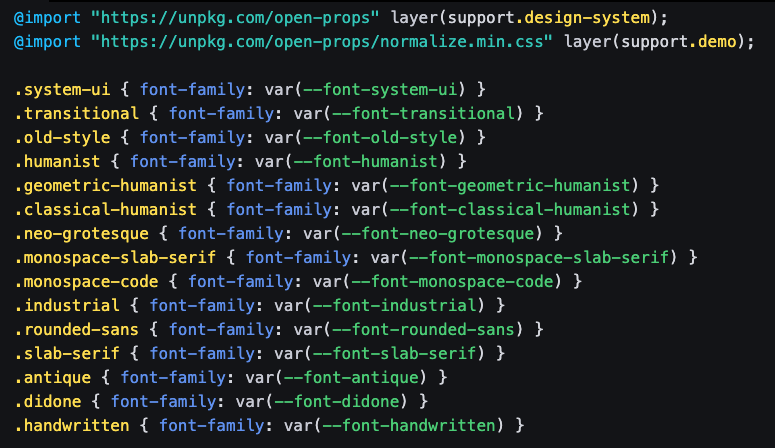
🆕 font props in @openprops courtesy of https://t.co/kF3eKE0XIu and https://t.co/NA8tT2wKfY
- nothing to load
- cross OS stack of fallbacks
- lots of variety
See them for yourself here!
https://t.co/cdfZnGql3R