📊 ❓ We're gearing up for the biggest update to Screencastify ever!
Wondering what's in store for next month? Sign up to learn more: https://t.co/ABEHBALgdJ
ScreencastiFANs and #ISTELive2021 attendees:
Something BIG is coming to Screencastify Record in Fall 2021...
🔍 Viewer Analytics
AND
💯 Video Quizzes
Learn more about these upcoming features >> https://t.co/TjkhUP5Grm
#ISTE#notatISTE#edtech
It's official...Screencastify Edit now includes a blur tool!
🙈 Obscure Information
👨💻 Create easy to follow tech tutorials
🤔 Get students to guess what comes next
Try it out: https://t.co/IFIFOdinuX
We’re rolling out new features in #GoogleMeet designed to help educators keep classes safe and better engage students, including a few call-outs below:
1️⃣End meeting for all
2️⃣Mute all participants
3️⃣Emoji reactions
4️⃣Multiple moderators
Learn more: https://t.co/cJB76xCZKn
Fantastic PD today with @seneca_k12 and @flaviabelhamphd! Seneca is a great tool to have in your teacher toolkit for remote/hybrid teaching and beyond!
Students are more likely to engage and take risks if they feel connected to their peers online. Nurturing a learning community must be ongoing.
3 Tips for Building Community Online https://t.co/AAmjMzGhEo #onlinelearning#blendedlearning#education#edchat
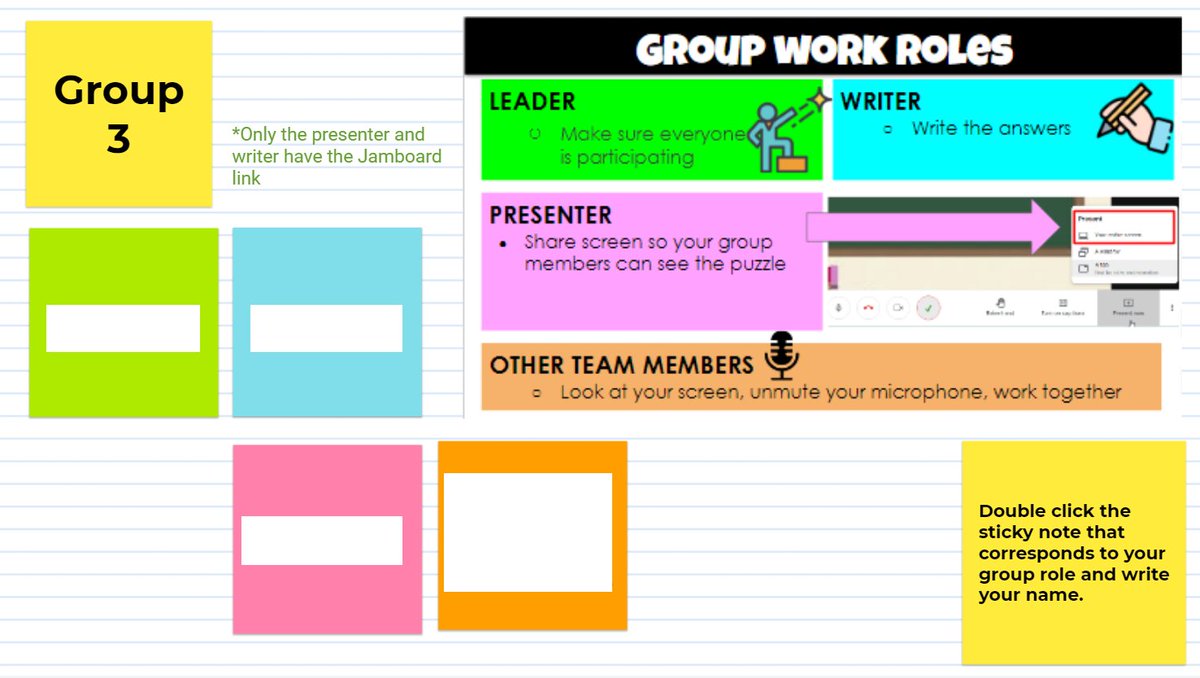
Are your students still silent in breakout rooms?
🎙️Breakout Room Tip🎙️
📌assign specific roles
📌use colors to identify roles
📌give the shared link to only select students
📌one speaks & tells the others to write
Human connection and the feeling of being seen and supported are most likely to motivate students to lean into learning.
4Ps Framework: A Conferencing Strategy for Online, Blended, or Concurrent Classes https://t.co/f6Fvy2JPT4 #UKedchat#EdchatEU#AfricaED#edchatNZ#AussieED
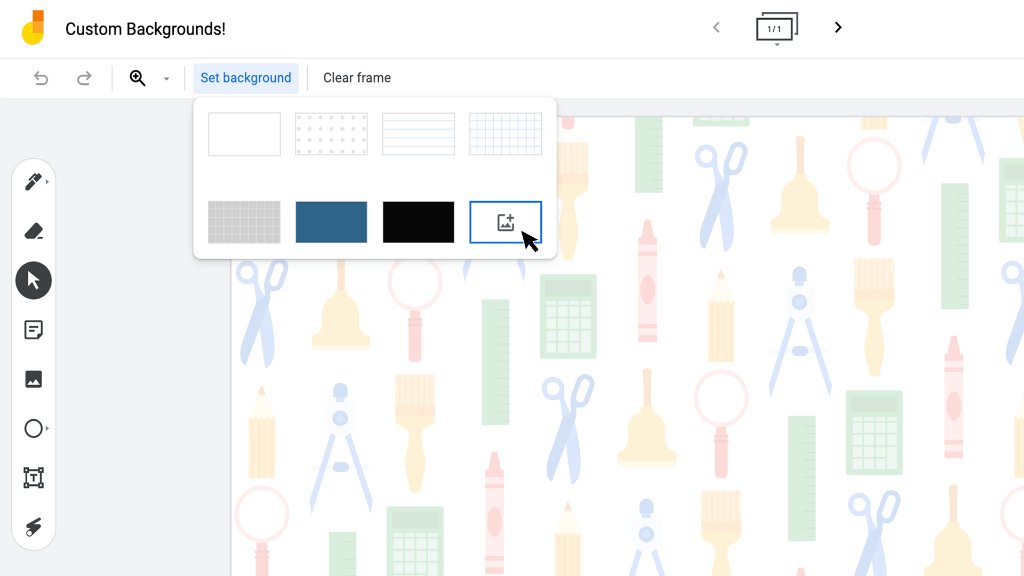
Exciting #Jamboard update 📣: in the coming days, you’ll be able to select a custom background in Jamboard! Share your ideas, templates, and lesson plans using custom backgrounds below ↓
@haug_jamie Yes that works but it’s a little overwhelming since it gives all activity from students for anything shared in Google Classroom. I can access priority files too.
Alrighty. Let's pool some ideas for Ts trying to teach face-to-face AND broadcast to kids at home at the same time. What have you learned? Let's skip the comments about how impossible it is. We know that. Do you have any lessons learned or ideas to share?
Later this year we’re rolling out these new teacher-requested features in #GoogleMeet:
✋Hand raising
🔇Mute all
🖍️Digital whiteboard
🏝️Custom backgrounds
😄Larger tiled-view
🔑New knocking and access controls
🔒Lock presentation screen & chat
➕more!
https://t.co/HcJp4sB2aa
Later this year we’re rolling out these new teacher-requested features in #GoogleMeet:
✋Hand raising
🔇Mute all
🖍️Digital whiteboard
🏝️Custom backgrounds
😄Larger tiled-view
🔑New knocking and access controls
🔒Lock presentation screen & chat
➕more!
https://t.co/HcJp4sB2aa