I've started a new personal blog site.
If you are new to Active Directory, these blogs will help you to understand fundamentals of Active Directory, its different components, several AD attacks, concepts behind them & their detections.
https://t.co/QvK69gLUJS
🚀 Excited to announce the launch of ExtensionHound! My new Open-Source Tool for Chrome Extension DNS Forensics
Chrome extensions often operate as black boxes, making network activity attribution nearly impossible. Traditional monitoring tools only show traffic originating from the chrome process, leaving security teams guessing which extension is behind a suspicious DNS query.
ExtensionHound addresses this challenge by analyzing Chrome’s internal network state and correlating DNS activity with specific extensions. It’s a purpose-built solution for investigating potentially malicious or unexpected extension behavior.
Key Features:
🔍 Visibility into DNS requests linked to individual Chrome extensions.
🔍 Optional VirusTotal integration for domain reputation analysis.
🔍 Flexible output formats to fit into your workflows.
🔍 Cross-platform support for Windows, macOS, and Linux.
ExtensionHound is designed for incident responders seeking better visibility into browser extension behavior, enabling faster and more precise investigations.
Explore the project on GitHub: https://t.co/ZTOl5zpZzb
Looking forward to your feedback and contributions!
I am happy to announce JonMon2.0 has been published.
2.0 offers a lot of feature updates, as well as stability. More features still to come as time goes on. Enjoy and let me know if you have any issues or questions.
Link: https://t.co/LA77K2FGH9
This new article from @dez_ reveals 4 attack techniques linked to SmartScreen and SmartAppControl. Check it out: https://t.co/73Src39xie
Will you be at #BHUSA? Stop by @elastic booth #2350 to chat with Joe or catch his lightning talk!
#ElasticSecurityLabs#threattechnique
We are proud to announce our very first technical blog post. An analysis of CVE-2024-21338, a Windows Kernel Elevation of Privileges vulnerability, its root cause, exploitation challenges and POC
https://t.co/cz0HxE2zuE
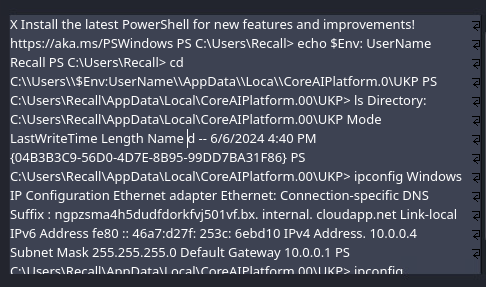
This strange tweet got >25k retweets. The author sounds confident, and he uses lots of hex and jargon. There are red flags though... like what's up with the DEI stuff, and who says "stack trace dump"? Let's take a closer look... 🧵1/n
Super excited to finally release a project I have been working on for the last few months!
🎊🎊 Introducing the REx: Rule Explorer project and Detection Engineering Threat Report (DETR) 🎉🎉
https://t.co/kR0KBSWH3M
If you found LoFP from https://t.co/BDnfDwOikI useful, this provides significantly more insights via a much more powerful platform (built on the @elastic stack!)
Happy hunting!
#DetectionEngineering #Security #ThreatHunting
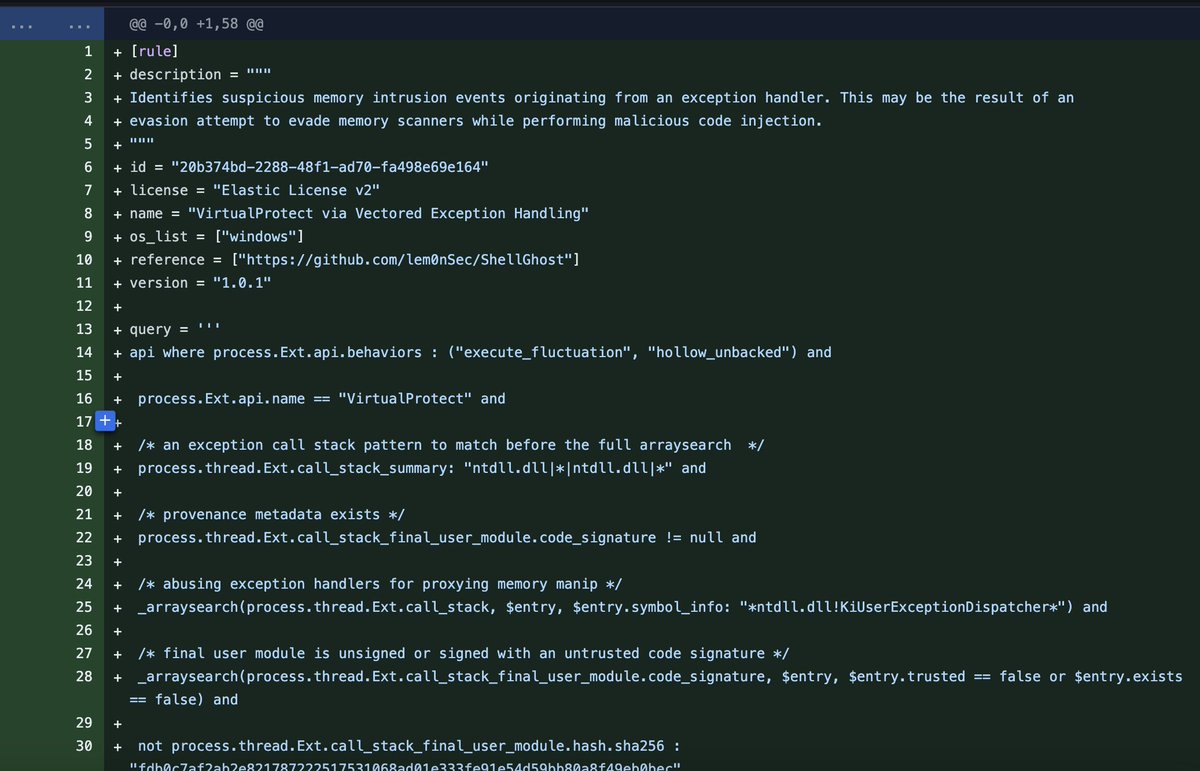
23 new Windows endpoint behavior detections/protections added - covering a variety of TTPs (including #grimresource shellghost and more)
https://t.co/X6YHuNZeP5
I’m excited to announce that I have partnered with @zeropointsecltd to release my first educational course, BOF Development and Tradecraft. Learn how to write BOFs by following step-by-step instructions to create three operation-ready tools!
Link: https://t.co/utOsPIwu6a
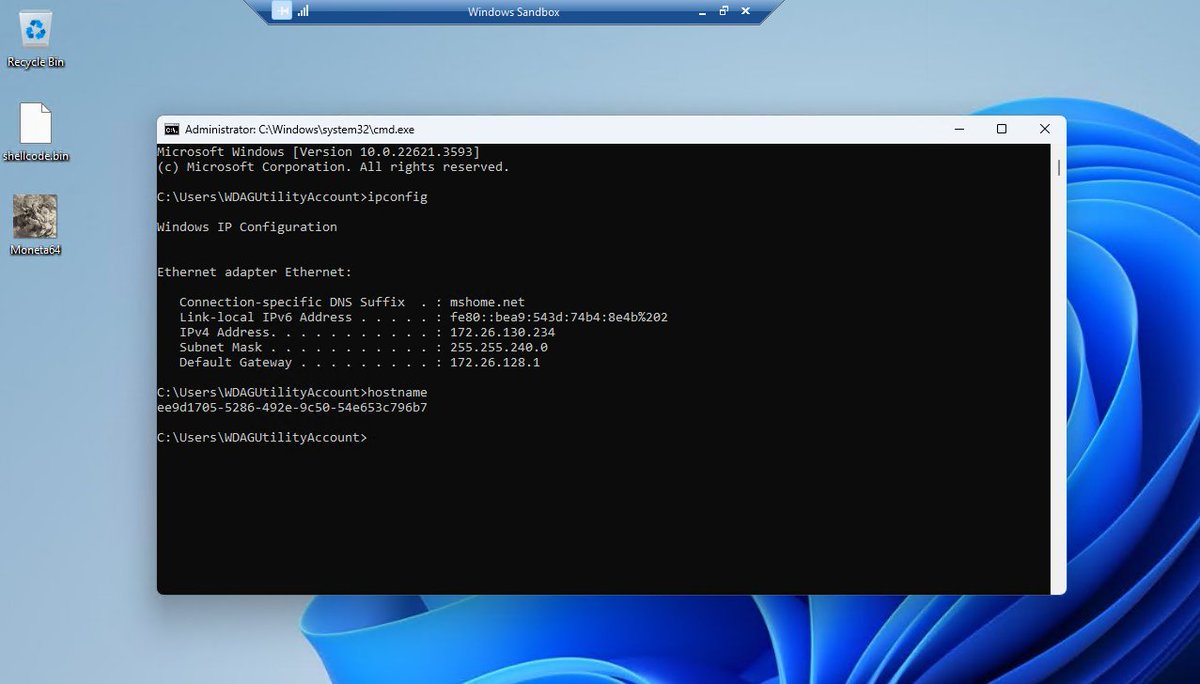
#ProTip: For anyone looking for a temporary virtualized environment for testing malwares or other softwares or even to browse web, Windows Sandbox is a good built-in feature. It is very lightweight, throwaway kind of virtualized environment that provides a secure and isolated space to run potentially unsafe applications or to perform testing without affecting the main system. Software installed inside the Windows Sandbox environment remains "sandboxed" and runs separately from the host machine.
Works on Windows 10/11 Pro and Enterprise editions.
To enable it, go to "Turn on Windows features"> Windows Sandbox
Everything required for this feature is already included in Windows. There's no need to download anything additional.
Close the sandbox and all the software and files and the state are gone. Open the sandbox, and it is ready with a brand new temp environment.
The sandbox can be configured using a .wsb configuration file where you can enable or disable network, add some logon commands and much more.
#malwareanalysis #cybersecurity #DFIR
https://t.co/n0N9whEqM1 via @LinkedIn
Wrote a detection tool which analyzes stack and thread metadata to find anomalies and hunt beacons from various C2 frameworks irrespective of sleep masking mechanisms such as Ekko, foliage or timers etc. Detects every c2 framework except ofcourse BRc4. Will publish this post a little polishing. Heres a quick video on it.
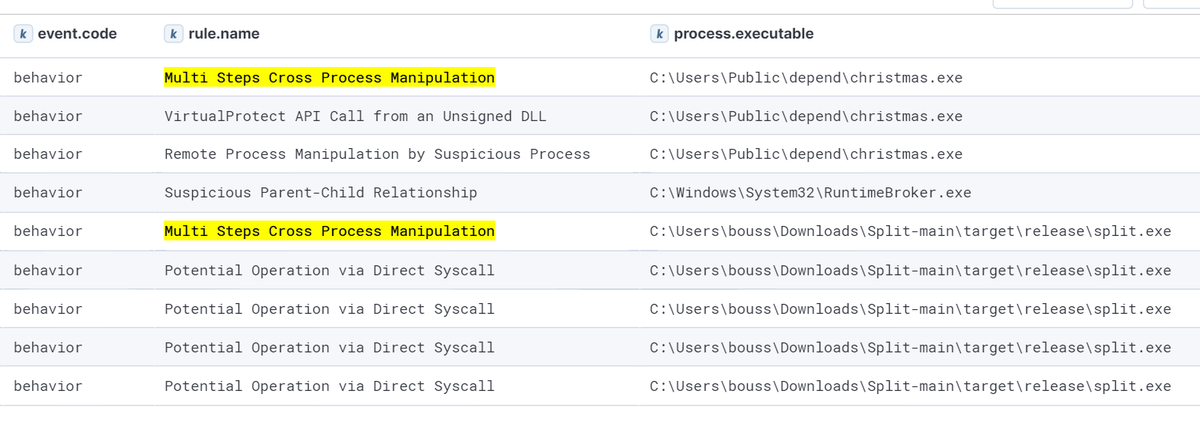
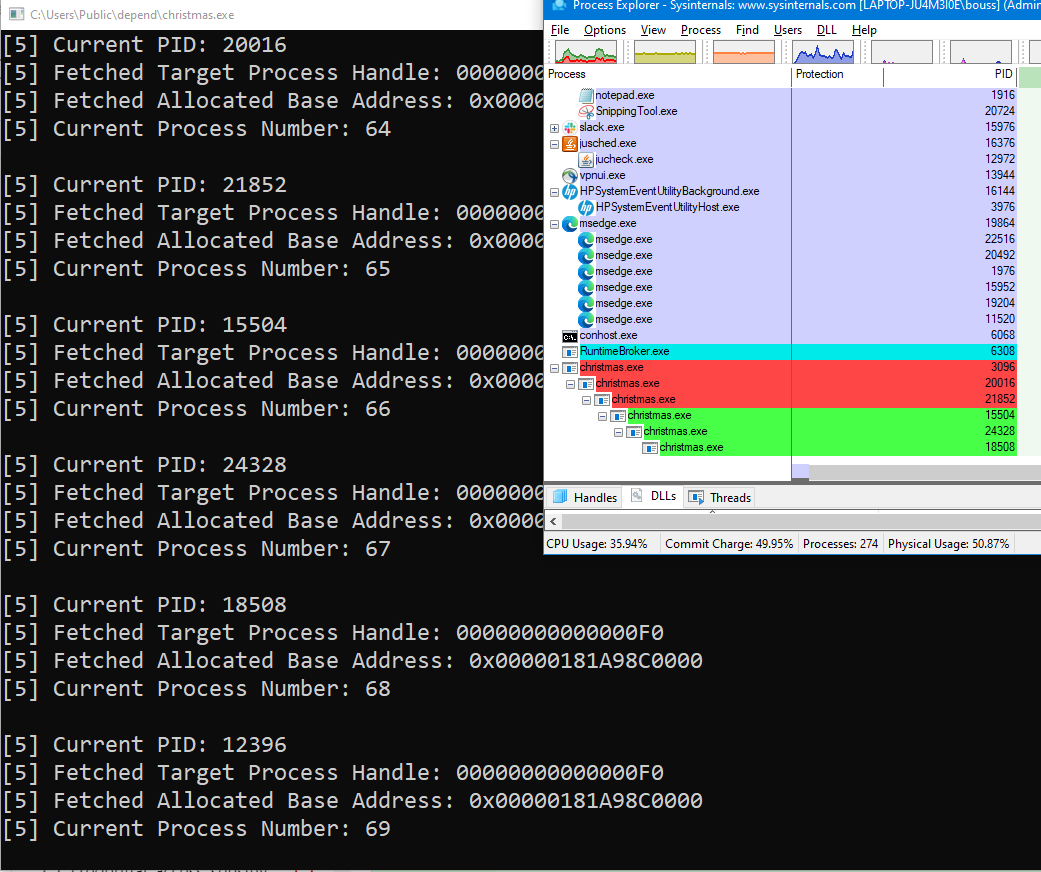
new detection for multi-steps/split process injection pushed out
Example of PoCs:
https://t.co/wl1mWzc38K https://t.co/PD3qRIiYmn
Detection:
https://t.co/dZc2kZh0Ti
I published a step by step guide on using Windows event logs to hunt for malware trying to steal sensitive data from browsers e.g. cookies, passwords etc. https://t.co/9a3l56dDJo #DFIR Hope it's useful!
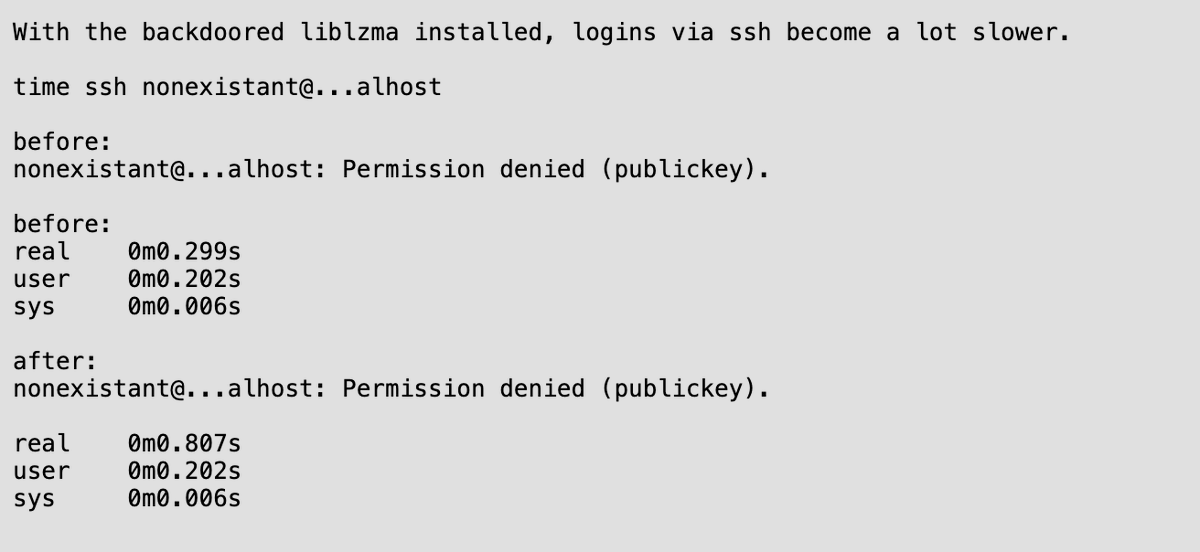
The xz backdoor was initially caught by a software engineer at Microsoft. He noticed 500ms lag and thought something was suspicious.
This is the Silver Back Gorilla of nerds. The internet final boss.
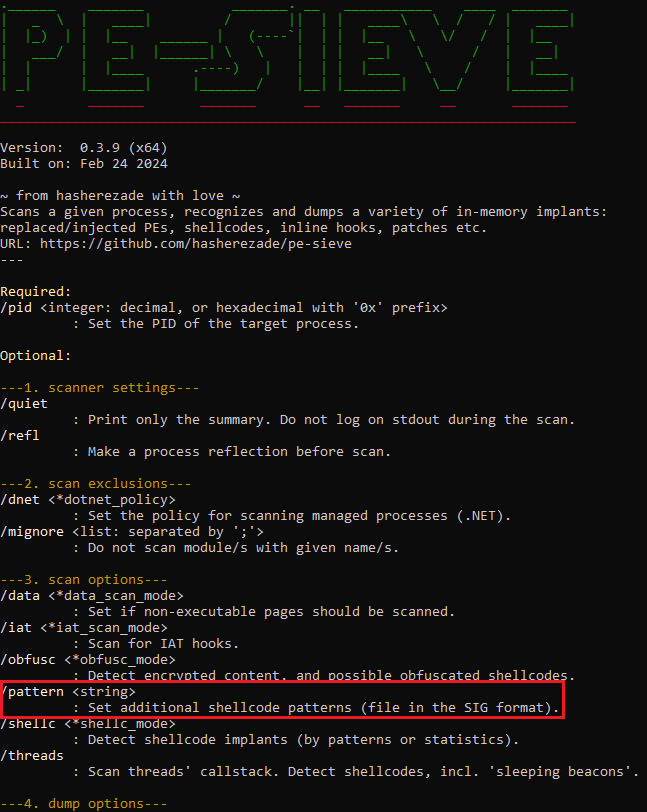
New #PEsieve/#HollowsHunter (v0.3.9): https://t.co/12PiCkKVpA & https://t.co/FBWjtKoAp1 - now you can search for your own signatures in memory. Details: https://t.co/ZWnmc5Mc33. Check it out!
Mandiant researchers present the evolution of UNC4990, an actor that makes heavy use of USB devices for initial infection. UNC4990 primarily targets users based in Italy and is likely motivated by financial gain. https://t.co/B4bWYhyxoI


![dez_'s tweet photo. MSI Leading to PlugX https://t.co/PMJLAmJr1J
- Zoom Meeting Theme
- DLL Side Load (File Master LLC)
- C2: buyinginfo[.]org
Yara: {4508ffb060030000e8a80c000083c4248d450889}
Elastic Detonate Results Below https://t.co/fNWCv5sGOQ](https://pbs.twimg.com/media/GPVquZtXsAARvLl.png)






![dez_'s tweet photo. MSI Leading to PlugX https://t.co/PMJLAmJr1J
- Zoom Meeting Theme
- DLL Side Load (File Master LLC)
- C2: buyinginfo[.]org
Yara: {4508ffb060030000e8a80c000083c4248d450889}
Elastic Detonate Results Below https://t.co/fNWCv5sGOQ](https://pbs.twimg.com/media/GPVqxJjWoAANkAN.png)