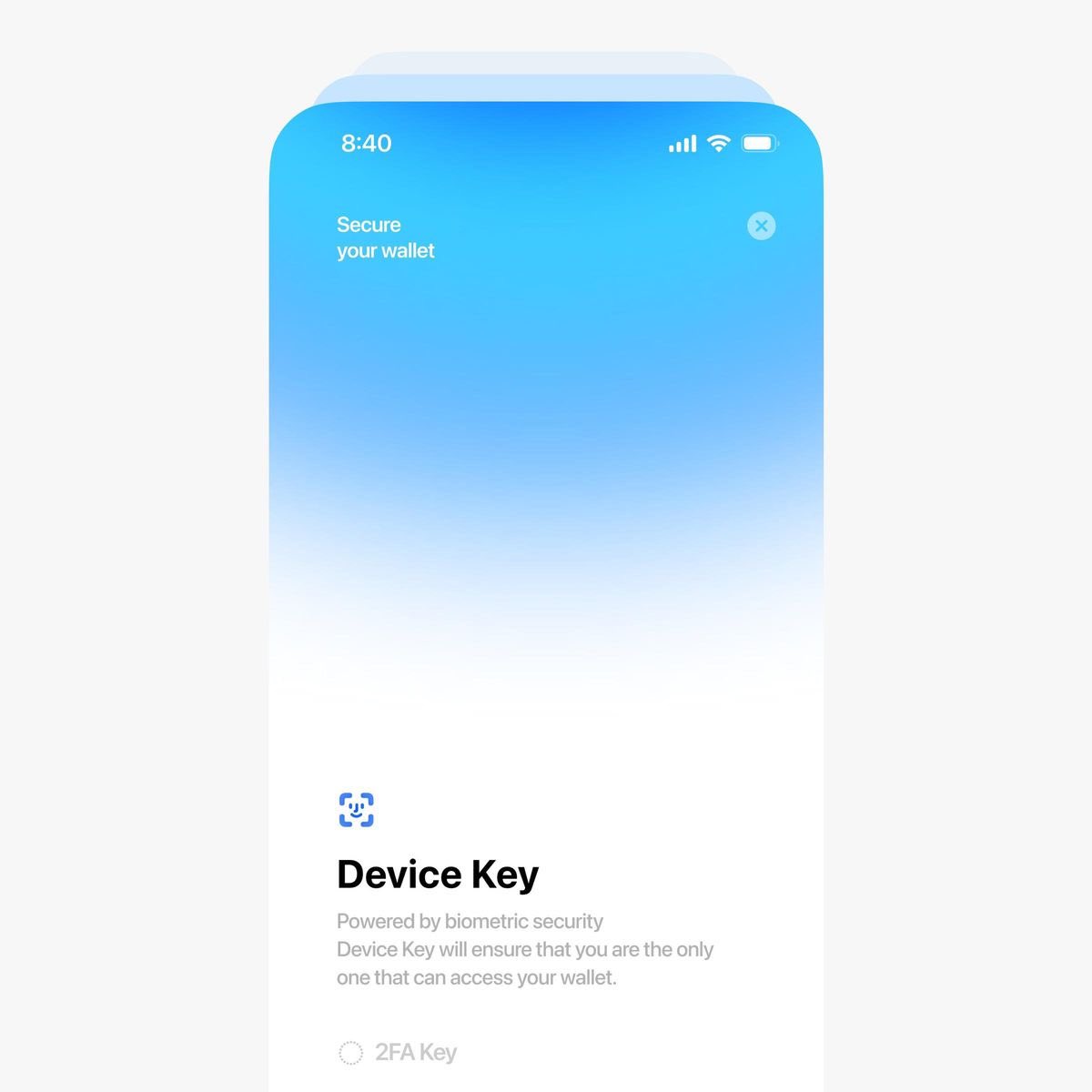
𝐑𝐞𝐝𝐞𝐬𝐢𝐠𝐧𝐞𝐝 𝐭𝐡𝐞 “𝐎𝐫𝐝𝐞𝐫 𝐂𝐨𝐦𝐩𝐥𝐞𝐭𝐞𝐝” 𝐬𝐜𝐫𝐞𝐞𝐧 in Bulk Bite. Original had generic stock art with no connection to the meal. Replaced it with real ordered meal cards fanned out. Now it feels personal, visual & memorable.
#UIUX#ProductDesign
I went into Google Stitch and looked around.
This is NOT replacing designers. It's like saying downloading a figma UI kit will replace designers.
You can already prompt AI to do stuff in regular design tools.
But if you don't have taste, you end up with the inflated median, not quality product. It's an average of an average of an average. Safe, but boring and predictable.
And to make anything good here it's waiting for your input. If you don't have the eye for design, your input won't help.
AI won't be able to make anything beyond a template.
We had those since 2005 on TemplateMonster.
This is the same recycling of average ideas, now with a prompt box as input.
But this is meaningful for another reason. It's making non-skilled people believe they have skills, which will mean that the median will get even more inflated.
We won't get as many utterly horrible sites, but also not many actually great ones.
So bottom line: designers are not cooked.
If you have no idea what you're doing no AI will make your work great.
It will just help you reach mediocrity faster.
I have seen what separates people who learn design from people who get hired as designers.
Most people waste months learning the wrong things.
Use this roadmap to get in faster.
Month 1: Understand UX properly (not just UI)
Before touching Figma, understand how products actually work.
Most beginners jump straight into UI screens.
Your focus this month should be:
1. UX fundamentals: User flows, Information architecture, Problem framing, Design thinking, Product thinking
2. Learn how real products are built
Pick 5 apps you use every day.
Examples: Uber, Airbnb, Spotify, WhatsApp, Amazon
Break them down: 👇
👉 Why is the onboarding like this?
👉 Why is the checkout flow simple?
👉 Why is the navigation structured that way?
This will help you build product thinking, which hiring managers actually look for.
Tools to start learning:
- Figma
- FigJam
- Notion (for documenting your thinking)
Spend this month observing and documenting UX decisions.
Month 2: Learn the tools (fast) don’t sleep on it for long.
Focus mainly on Figma.
You don’t need 10 tools.
Most companies use Figma.
Learn these properly:
Core Figma skills
- Frames
- Auto layout
- Components
- Variants
- Constraints
- Prototyping ( would recommend my YouTube channel )
Also learn:
- Basic design systems
- Layout grids
- Typography hierarchy
- Spacing systems
Practice by recreating existing apps.
Examples:
- Recreate a Spotify playlist screen
- Recreate Airbnb search results
- Recreate Uber ride request flow
It will help you learn how real interfaces are structured.
By the end of Month 2 you should be able to design clean mobile screens confidently.
Month 3: Start your first real case study
Now you need to stop doing random UI screens.
You start solving real product problems.
Pick one product and redesign a small part of it. Don’t try to do much.
Examples:
- Improve Uber driver onboarding
- Redesign Airbnb wishlists
- Improve Amazon checkout
- Fix WhatsApp message search
Your case study should include:
👉 The problem
👉 Research (even if it’s lightweight)
👉 User journey
👉 Wireframes
👉 UI design
👉 Prototype
👉 Key improvements
This shows how you think, not just what you designed.
Most beginners skip the thinking part.
That’s why most portfolios on Behance feel empty.
Month 4: Build a portfolio that looks like a product designer
You don’t need 10 projects.
You need 3 strong case studies.
Structure them like this assuming you don’t have prior experience:
Case Study 1
Product redesign
Case Study 2
Mobile app concept
Case Study 3
Feature improvement
Each case study should show:
- the problem
- your thinking
- the process
- the final design
Use tools like:
- Notion
- Framer or
- Behance
Recruiters spend less than 1 minute scanning portfolios.
Make it easy to read.
Month 5: Start acting like a designer, not a student
This is where most people fail.
They keep learning but never enter the industry conversation.
Start doing these things 👇:
1. Post your work
Share your case studies on:
👉 LinkedIn
👉 X (Twitter)
👉 Dribbble
2. Document your thinking
Write short breakdowns like:
❤️ “Why Uber’s onboarding works”
❤️ “3 UX mistakes I noticed in this app”
❤️ “How I redesigned this feature”
This will help you build credibility.
3. Network intentionally on LinkedIn. Here is my handle: https://t.co/DUq2WxYFUY
Connect with other:
👉 Product designers
👉 UX leads
👉 Startup founders
Send simple messages like:
“Hey, I’m learning product design and would love your feedback on this case study.”
You’ll be surprised how many people respond. Don’t just go asking people for mentorship people are busy.
Month 6: Start applying strategically
Now you start applying for roles.
But not randomly.
Focus on:
Startups
They hire junior designers faster.
Look for jobs on: Wellfound, Y Combinator jobs, LinkedIn, Otta, Remote design job boards
Also apply for internships (if there is still any) and freelance work. Continue 👇
These eyes are meant to last me a lifetime, yet I spend 19+ hours a day staring at screens.
My books are ebooks. My courses are online. My practice lives on a screen.
Growth is digital… but sometimes the fatigue is real 👀