Train your own LLM from scratch.
This repo builds a GPT-style transformer from the ground up, without using any high-level libraries.
You see exactly how attention, multi-head attention, the feed-forward block, embeddings, residuals, and layer norm fit together.
And it doesn't stop at the model. It walks the whole path from raw data to generated text.
↳ Data download, preprocessing, training, and generation
↳ Training data from The Pile (825GB across 22 sources)
↳ Tokenized with tiktoken (r50k_base) and stored in HDF5
↳ Training loop with eval, LR decay, and crash-safe checkpoints
↳ An SFT and RLHF guide for what comes after pretraining
The same code scales by changing a few config values. Around 13M parameters is where the output starts producing correct grammar and spelling, and you can train that in about a day on a free Colab or Kaggle T4.
If you've ever wanted to actually see how a transformer works instead of importing one, this is a clean place to start.
Link to the repo in the comments.
Interested in ML/AI Engineering? Check my FREE AI engineering Guidebook with 380+ pages (downloaded over 80k times, link below)
My laptop was hitting 83°C just from a few browser tabs. Turns out three small changes fixed everything. I wrote about what I found and what surprised me most.
https://t.co/T6QtpKJHz2
Ray Pohjanheimo joins Pinja on #DevOpsSauna to explore how AI is reshaping #UX design — and why #vibecoding alone won’t create great user experiences.
Hear how teams can combine AI with human-centered thinking:
https://t.co/7eEj168KRr
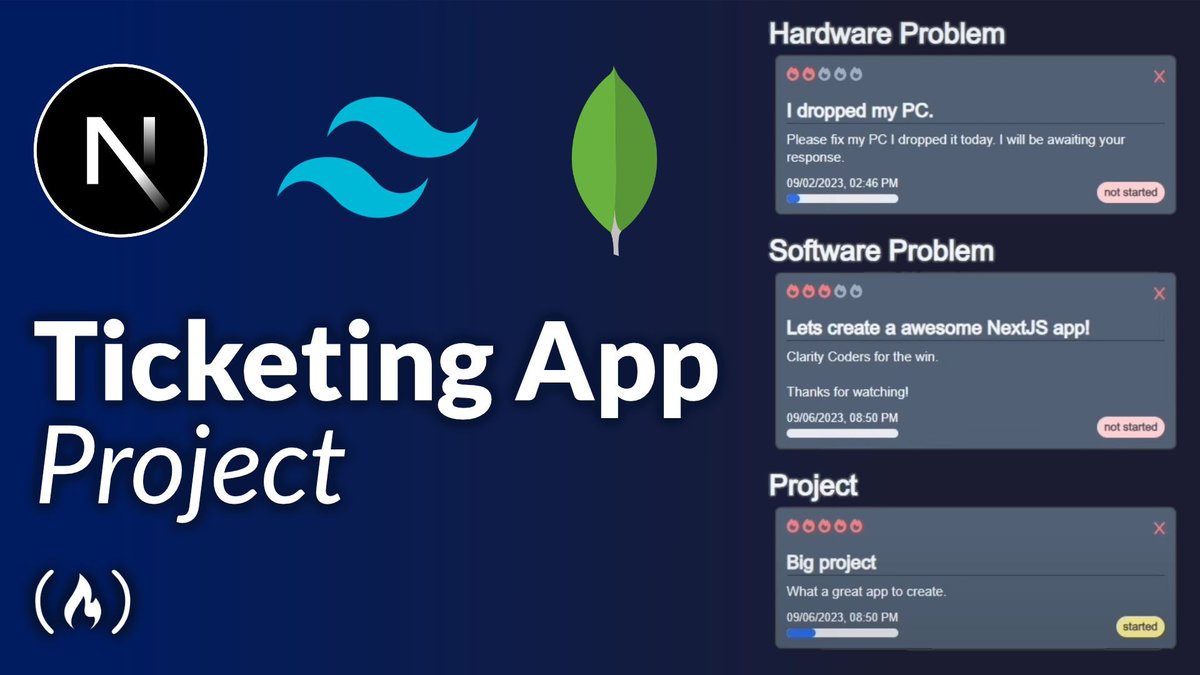
If you're looking for a fun project to help you practice your coding skills, this course is for you.
You'll use Next.js, Tailwind CSS, & MongoDB to build a ticketing app.
Your app will be able to assign and track issues, enable collaboration, and more.
https://t.co/NcIXTAW19J
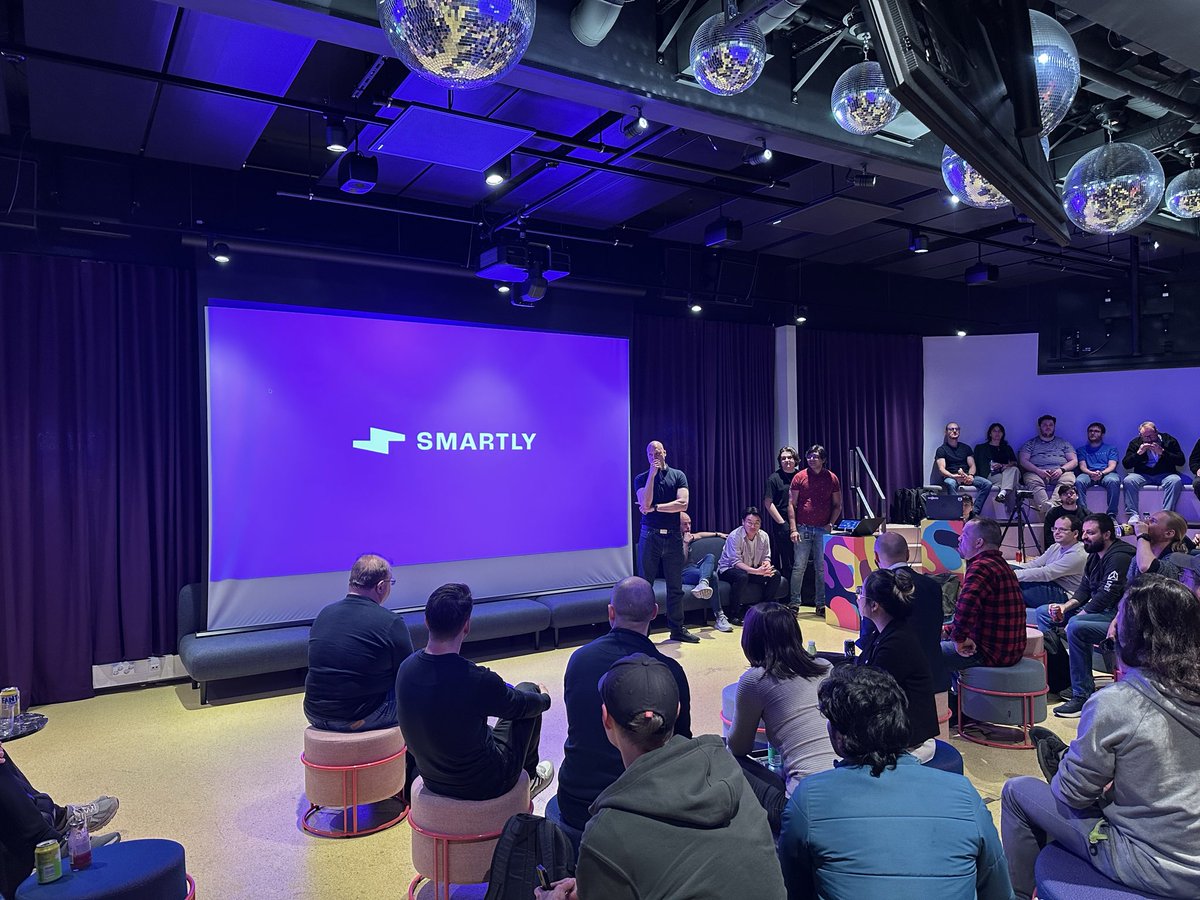
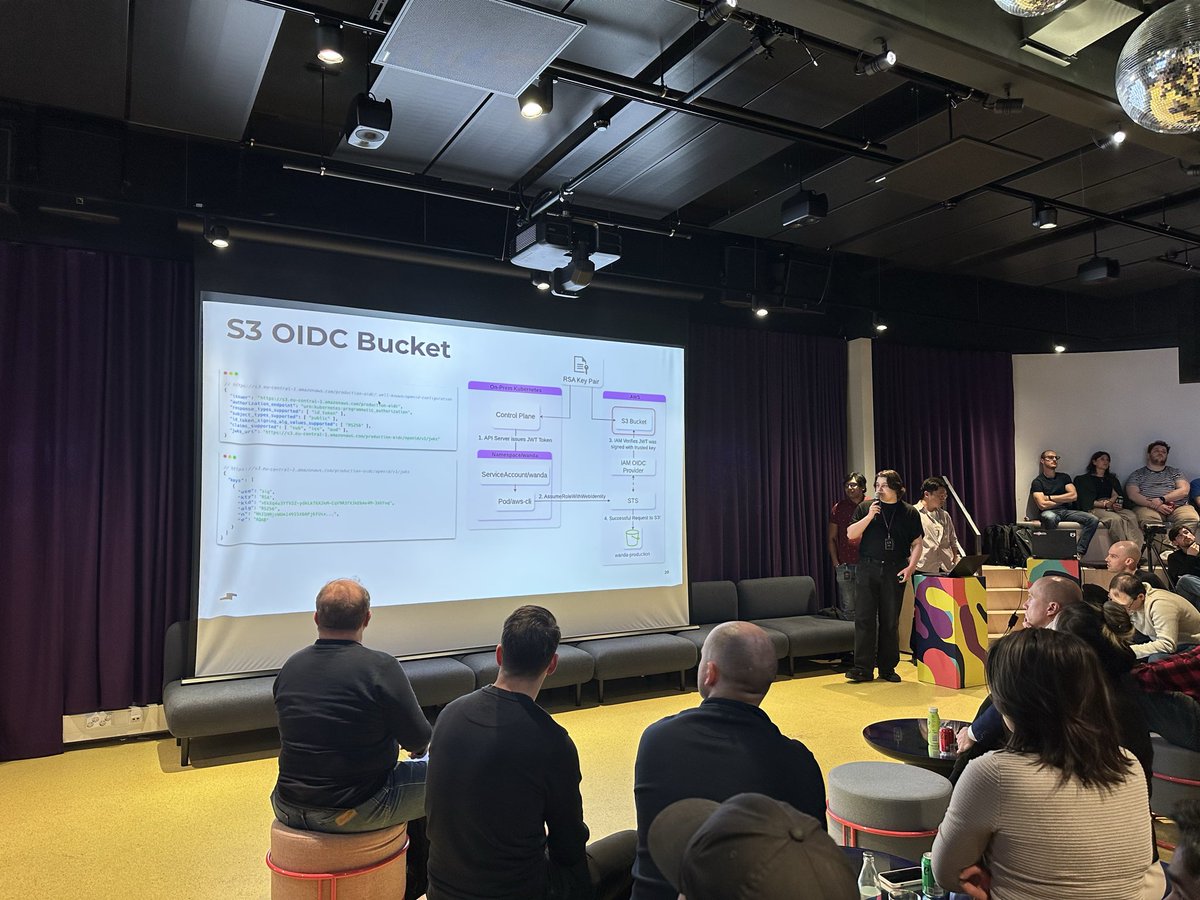
Attended the @DevOpsFinland meetup tonight hosted by @smartlyio , joint event with Kubernetes Finland.
Two talks
1. Secured AWS access from baremetal Kubernetes (Smartly)
2. Running and scaling vLLM on Kubernetes (ConfidentialMind)
Thanks @smartlyio for the hospitality!
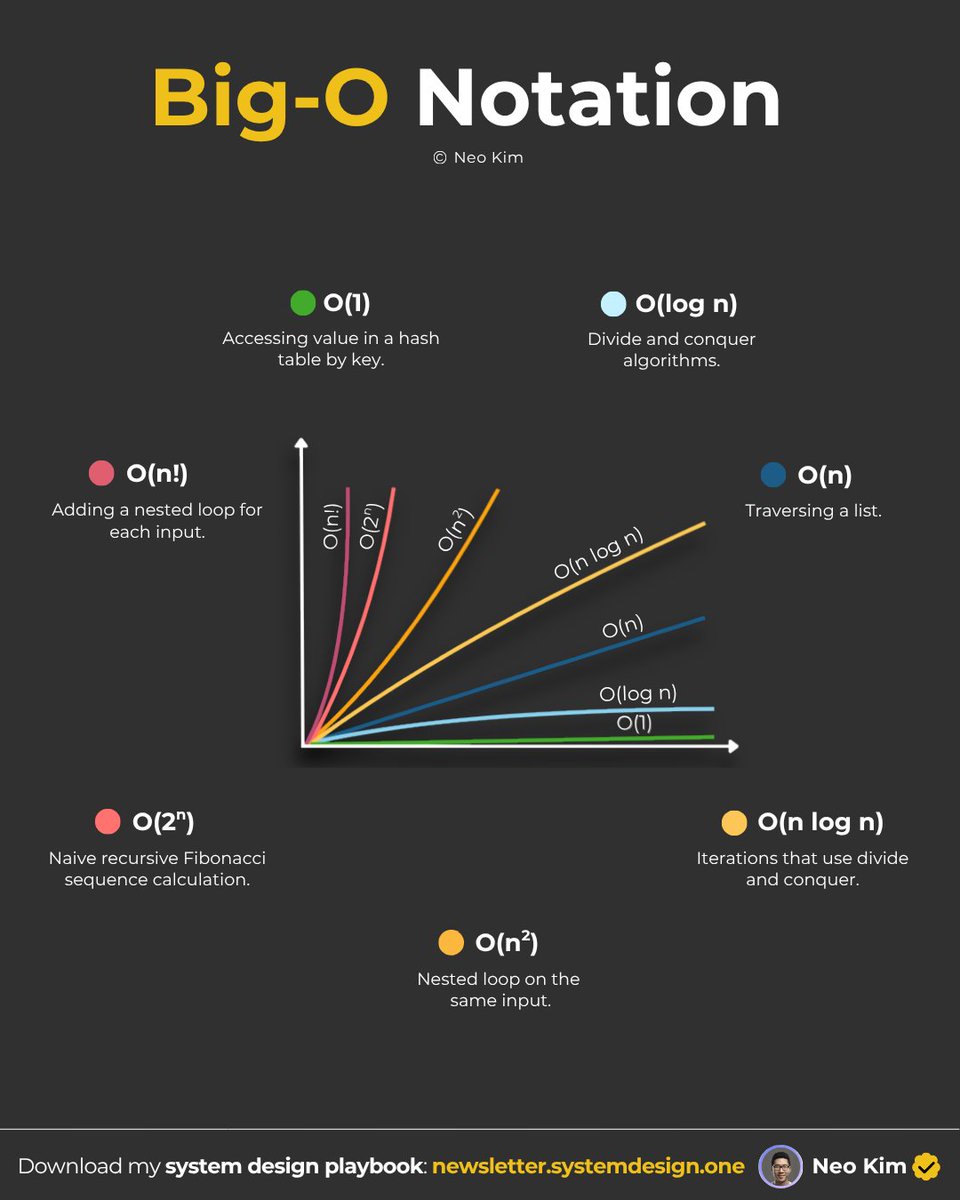
Big-O notation in 2 mins or less:
→ Big O tells how much slower the code gets as the input increases.
→ There are best, average, and worst cases for a specific algorithm.
→ Plus, there are Big Os for time, memory & storage efficiency.
→ Big O helps to understand which data structures or algorithms have better performance.
→ Big O shows the growth rate and not the actual speed, so it's crucial to test the input data.
What else would you add?
The job you'll have in two years doesn't exist yet — and that's the opportunity.
Matt Garman, CEO at AWS, on why AI agents are redefining how enterprises build, ship, and grow: the businesses that lean in now are the ones that will move faster, build better, and reach more customers.
PostgreSQL can do a lot more than store relational data.
In this article, Aaron shows you how to use it as a cache, job queue, search engine, and pub/sub layer using built-in features.
You’ll also learn when Postgres is enough and where specialized tools still win out.
https://t.co/D254wm92OB
Git Skills for DevOps 📂
The 9 core domains and the commands you need:
▶️ Branching & Flow Strategy:
→ Trunk-based Development: Merging small, frequent updates to main to avoid "merge hell."
→ Gitflow: Managing feature, develop, and release branches for strict release cycles.
→ Protected Branches: Enforcing PR reviews and passing CI checks before any merge.
▶️ History Management:
→ git rebase -i: Squash 10 messy "WIP" commits into 1 clean feature commit.
→ git cherry-pick: Pull a specific security patch from one branch to another without merging the whole history.
→ git commit --amend: Fix the last commit message or add forgotten files without a new commit.
▶️ Disaster Recovery:
→ git reflog: The "black box" recorder. Use it to recover "deleted" branches or lost commits.
→ git reset --hard: Return your local environment to a known good state when a rebase goes wrong.
→ git revert: Create a new commit that "undoes" a previous one—the safe way to rollback in production.
▶️ Advanced Collaboration:
→ Git Hooks: Scripts in .git/hooks that block commits if they contain secrets or fail linting.
→ Submodules: Linking specific versions of external repos inside your project to manage dependencies.
→ Bisect: Using binary search to find exactly which commit introduced a bug in a complex codebase.
▶️ Remote Operations:
→ git remote -v: List the remote repositories you are tracking.
→ git fetch --prune: Clean up local references to branches that were deleted on the remote.
→ git push --force-with-lease: The "safer" force push that won't overwrite someone else's work.
▶️ Stashing & Patching:
→ git stash pop: Bring back temporary work you moved aside to switch branches.
→ git diff --staged: See exactly what is about to be committed before you hit enter.
→ git show: View the specific changes and metadata of a single commit.
▶️ Tagging & Versioning:
→ git tag -a v1.0.0: Create a signed point in history for a production release.
→ Semantic Versioning: Using Major.Minor.Patch logic to communicate change impact.
→ git push --tags: Send your release markers to the remote server.
▶️ Logging & Auditing:
→ git log --graph --oneline: Visualize the branching and merging history of the project.
→ git blame: See who changed which line of code and in what commit.
→ git shortlog -sn: Summarize the number of commits per author to see contributions.
▶️ Optimization & Cleanup:
→ git gc: Manually trigger the "garbage collector" to optimize the local database.
→ .gitignore: Prevent heavy binaries or environment secrets from ever entering the repo.
→ git clean -fd: Remove untracked files and directories to reset your workspace.