💡 Explore insights of the SPFx Sample Organization Tree Chart!
Let @petkir_at show you how to leverage SharePoint Framework to create an interactive organization chart.
📺 Watch the demo here → https://t.co/wGBvAmpNDB
#sharepoint#spfx#microsoft365dev#intranet
Say goodbye to endless scrolling and hunting for files in #OneDrive. The enhanced search feature allows you to quickly locate exactly what you need with ease. Give it a try now!
https://t.co/5pszd9kxw8
Searching for files just got a whole lot better with the latest updates to #OneDrive. Enjoy a more intuitive and efficient search experience that saves you time and effort.
https://t.co/3kR2c7d59F
Learn about the risks and limitations of unlicensed OneDrive user accounts in our latest article. Stay informed and protect your data. #OneDrive
https://t.co/YoBZM2eGuQ
Discover the ease of comparing files in OneDrive using Copilot! Streamline your file management process with this helpful tool. #OneDrive
https://t.co/Yg2BZhmArP.
Fun Fact: You can download the complete SharePoint developer documentation as a pdf.
You end up with a 10339 pages in a 323,4 MB huge PDF file.
♻️ Save the environment and please don't print it. ♻️
Exciting announcement! Our new SharePoint design ideas feature offers AI-powered suggestions for optimizing your content structure. Check it out today! #SharePoint
https://t.co/kqzfcIonum
We're thrilled to share the new streamlined chat and channels experience in @MicrosoftTeams. It’s simple by default, powerful on demand - allowing you to organize information and communicate your way.
See and discover more: https://t.co/c0Q4pyFqu2 by @JeffTeper
Explore a few of our diverse third-party card integrations available in the dashboard experience of Viva Connections. Check this month's blog #MicrosoftViva https://t.co/4R6RNJx2Te
💡 Looking to enhance the look and feel of your SharePoint site? Check out the SharePoint Web UI Kit for templates and components to easily update and customize content, including the header. #SharePoint
Learn more --> https://t.co/TuIB3O80eG
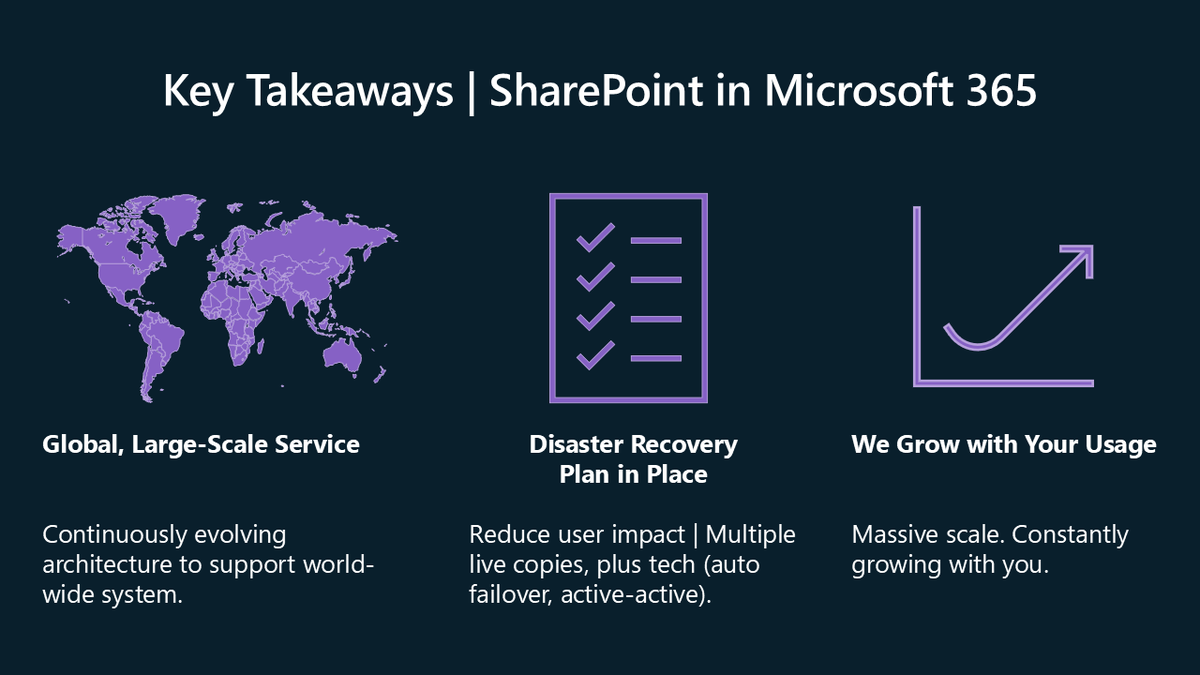
FULL ON-DEMAND SESSION 📺 "#SharePoint architecture: A look behind the scenes" presented by principal PMs from our platform team.
Learn about site design, throttling, disaster recovery, capacity balancing, and operating at scale.
Watch now ▶️ https://t.co/REw95LRJNA
💡 Did you know that you can create your List Formatting JSON definitions with HTML and style definition?
Join @theChrisKent for a demo about it and streamline your JSON definitions!
📺 Watch now → https://t.co/V4qOW2fkhj
#Microsoft365Dev#ListFormatting#MicrosoftLists
✨ Prepare content for Microsoft Copilot w/ SharePoint Content Governance
Manage your content lifecycle and keep your content fresh for Copilot by reducing oversharing and sprawl.
📺 Watch now → https://t.co/ykaTQcPpSA
#Microsoft365#Copilot#SharePoint
✨ Branding SharePoint Sites, Clipchamp Videos, Teams Meetings, & More
Join us to learn how to take control of your authoring experience, throughout your intranet, across apps
📺 Watch now → https://t.co/JlKQyWKiTX
#Microsoft365#SharePoint#ClipChamp#MicrosoftTeams
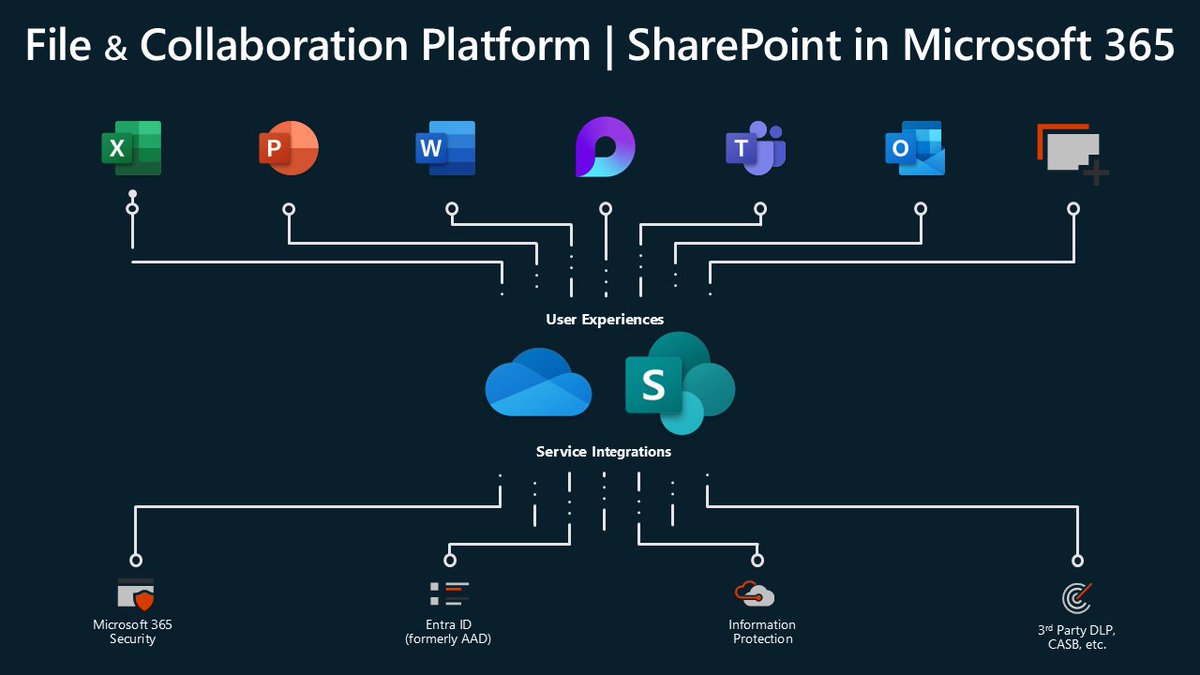
✨ Content Management and Collaboration for the AI Era
Enrich your content, get insights from your store of knowledge and transform document-driven solutions with experiences across Microsoft 365
📺 Watch now → https://t.co/qYw4v5Tx80
#Microsoft365#SharePoint#Copilot