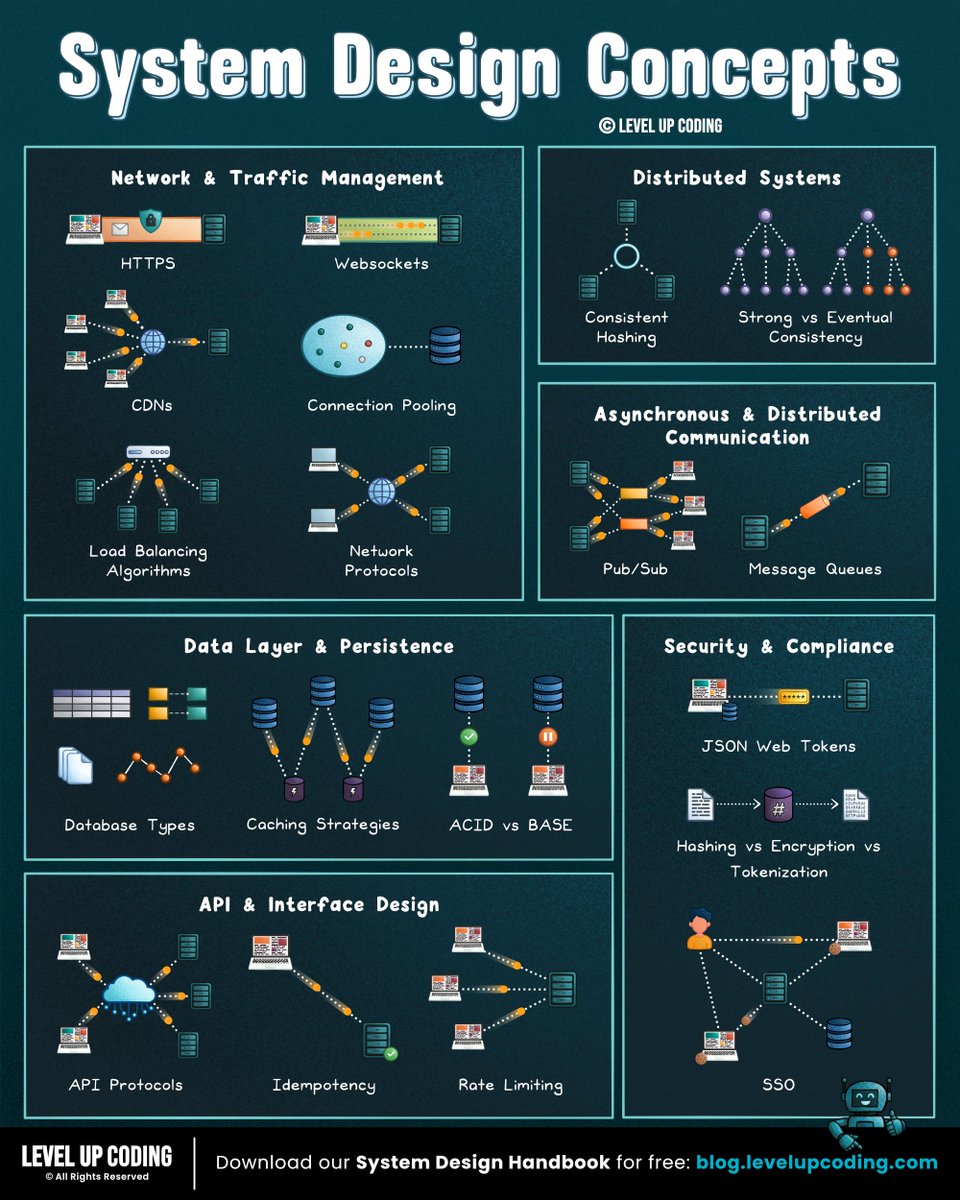
If I Had 6–12 Months to Master System Design in the AI Era, I’d Do This
Stage 1 — Computer Science Foundations
Build the fundamentals first
• How computers work
• Operating systems basics
• Networking fundamentals
• Databases fundamentals
• Data structures and algorithms
• Using AI to accelerate learning
Stage 2 — System Design Fundamentals
Learn the language of scalable systems
• What system design is
• Functional vs non-functional requirements
• Scalability basics
• Reliability and availability
• Latency and throughput
• Trade-offs in system design
Stage 3 — Networking & Communication
Understand how systems communicate
• HTTP and HTTPS
• TCP/IP fundamentals
• DNS
• Load balancers
• API communication
• WebSockets and real-time communication
Stage 4 — Databases & Storage Systems
Master data management
• SQL databases
• NoSQL databases
• Database indexing
• Replication
• Sharding
• CAP Theorem
• Data consistency models
Stage 5 — Caching & Performance
Improve speed and efficiency
• Caching fundamentals
• Redis and Memcached
• CDN concepts
• Cache invalidation strategies
• Query optimization
• Performance bottlenecks
Stage 6 — Distributed Systems
Learn how large-scale systems operate
• Distributed architecture
• Consensus basics
• Event-driven systems
• Service discovery
• Fault tolerance
• High availability systems
Stage 7 — Message Queues & Streaming
Handle large-scale communication
• Kafka fundamentals
• RabbitMQ basics
• Event streaming
• Asynchronous processing
• Background jobs
• Data pipelines
Stage 8 — Microservices Architecture
Design modern applications
• Monolith vs Microservices
• Service boundaries
• API gateways
• Service-to-service communication
• Distributed transactions
• Observability
Stage 9 — Cloud & Infrastructure
Deploy systems at scale
• AWS fundamentals
• Containers (Docker)
• Kubernetes basics
• CI/CD pipelines
• Infrastructure as Code
• Monitoring and logging
Stage 10 — Real-World System Design Problems
Learn by designing famous systems
• Design URL Shortener
• Design YouTube
• Design Netflix
• Design Uber
• Design WhatsApp
• Design Twitter/X
• Design Instagram
Stage 11 — Advanced System Design Topics
Think like a senior engineer
• Multi-region architecture
• Disaster recovery
• Rate limiting
• Data partitioning
• Security and authentication
• AI-assisted architecture analysis
Stage 12 — Interview & Career Preparation
Become system design interview ready
• System design interview framework
• Architecture diagrams
• Communicating trade-offs
• Scaling discussions
• Mock interviews
• Continuous learning and practice
System Design Ebook
Mastering System Design: From Fundamentals to Scalable Architectures
https://t.co/WIMretQFPE
LabelMe v6.1 is out.
- SAM3 AI-Box: drag one box, get multiple shapes
- AI toolbar: 4 tools collapsed into 2 (AI-Points, AI-Box)
- Progress bar for model downloads
- Open one image, the whole folder loads
Notes: https://t.co/aqMyE0MVJr
THE TOOL EVERY EMBEDDED DEV NEEDS TO KNOW ABOUT
no components. no wiring. no setup
→ https://t.co/XPnUBwGDec
wokwi is a browser simulator for arduino, esp32, and stm32 & it actually works
drop in sensors, hook up a display, add servos. run your code instantly...everything happens in the browser
1.7M+ projects built by the community, a simon says game, pong on a nano, a 32x32 LED tunnel... all simulated... all shareable
learning embedded systems or just need to prototype without touching hardware this is your shortcut
TLDR: it is a cron job dispatching tickets from Linear to workers, each of which is a Ralph loop using a Linear comment as draft pad for persisted state.
Yes it is all you need.
Beautifully designed and minimal.
https://t.co/g05ImsJIZh
You can now learn key cybersecurity concepts from Harvard professor Dr. David J. Malan right on the freeCodeCamp YouTube channel.
In this course, Dr. Malan teaches you how to secure your accounts, databases, software systems, and more.
You'll also learn how to protect your privacy and see examples of both high-level and low-level threats.
https://t.co/IHXleBiS3F
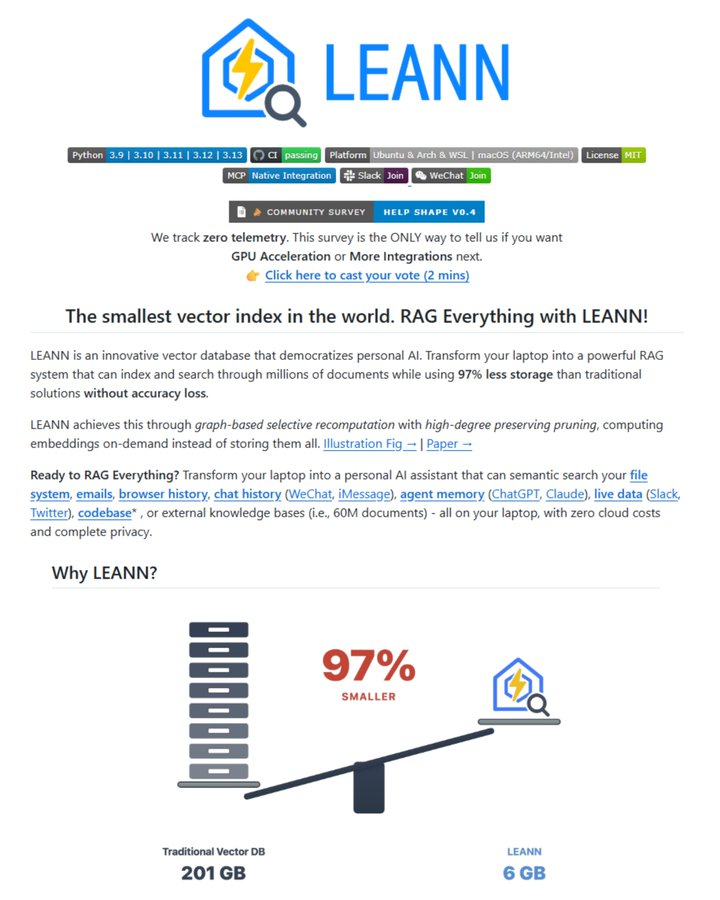
This repo just shrinks 60 million text chunks from 201 GB to just 6 GB without any loss in accuracy.
It’s a game-changer.
- 201 GB down to 6 GB (97% smaller).
- Zero cloud.
- Zero GPU. right on a standard laptop
100% private.
100% open-source
A graph-powered all-in-one RAG system!
RAG-Anything is a graph-driven, all-in-one multimodal document processing RAG system built on LightRAG.
It supports all content modalities within a single integrated framework.
100% open-source.
I still believe this is the best repo to learn about ai agents HANDS ON. it focuses on key applications, from basic to advanced and covers MCP, RAG, multi-agents and so much more.
if you want to learn by coding (and you hate books) this is the way.
51K stars on GitHub! ✨
Play-to-earn was never the end game.
Ownership is how Web3 makes gaming more immersive + helps build stronger communities 🎮
Take Pokémon as example - players could own their monsters, carrying them across generations, no restriction.
Learn more ↓
https://t.co/6WuGVuTrQZ