Pourquoi @zkSync est génial ? Peut-être pour augmenter votre vitesse de transaction Ethereum jusqu'à 100x et réduire considérablement vos gas fees ? Découvrez ce qu’il faut savoir dans ce thread ! 🚀 #zkSync#Ethereum
Discover the Rewards Assistant: Your new tool for seting up your reward policy
Our software is now even easier to use with the brand-new Rewards Assistant! This practical tool simplifies the configuration process and helps you design reward policies tailored to your project's goals. Here's how it works:
How can a Web3 project audit and refine its token metrics choices and financial variables ahead of the Token Generation Event (TGE) to ensure sustainable growth?
Thread Pre-TGE Token Audit Guide
Design your tokenomics with ease using our new software: The Tokenomics Builder
Explore how it works step by step 🧵
Beta now available 👉 https://t.co/CO00DOjC8k
@finfinlatutu@JoestarCrypto@Nomiks7 Nomiks n'a pas fait les "Tokenomics", ou tokenmetrics. Ils n'ont fait que la partie simulation, les tokenmetrics ayant été faites et validées par d'autres acteurs.
How do you generate a light paper presenting your tokenomics using Nomiks Builder?
LIGHT PAPER
First, you will need to enter the general information for your light paper. This includes a title, a subtitle, and a general description of your project.
Next, you will move on to the supply stage. For this step, and all the following ones, you can choose whether or not to include them in the light paper.
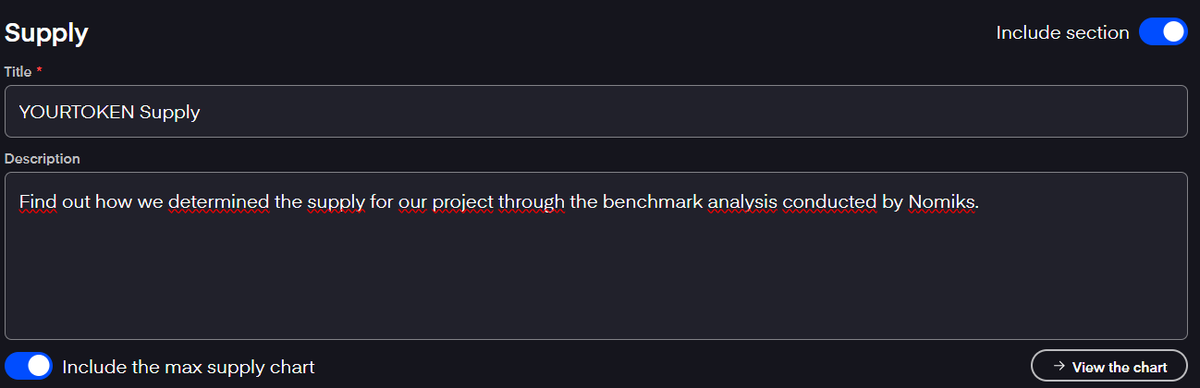
Write the title and description of the section, then choose to include the generated chart in the supply section.
The following sections (allocations, funding, rewards, vesting) are structured the same way.
You can customize the title, include a description, and generate charts and tables for each element of your tokenomics.
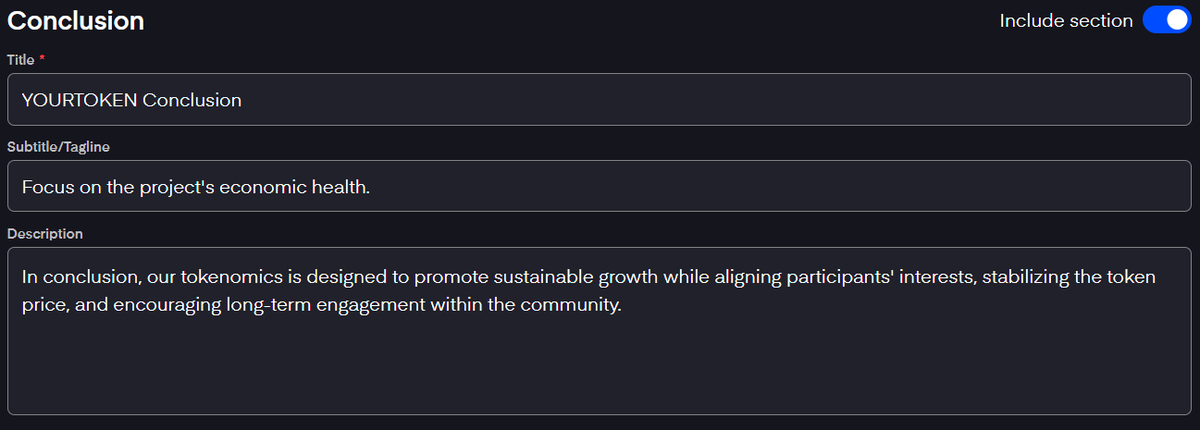
You can even write the conclusion of your light paper directly on Nomiks Builder.
After preparing your light paper, you can finalize your document by entering additional information in the "Sharing" section:
Company Information:
- Company name
- Country of Incorporation
- Website
Backers:
- Backers names
Representative:
- Representative name
- Role
- LinkedIn public link
- Email
Example of the generated light paper: https://t.co/jlJDcWUuvv
Understanding the dynamics of ve(3,3) bribe market, my first DeFi thread 🧵
A common idea of ve(3,3) is:
- token emissions are expenses
- voting rewards are revenue
And people want revenue > expenses.
I want to show here that this does not help the DEX sustain its flywheel.
How can you structure your funding thanks to Nomiks Builder?
With the Nomiks Builder, you can structure your funding with or without assistance.
WITH ASSISTANCE
First, specify your fundraising targets. This means initially setting up your total fundraising target, including the pre-seed fundraising target, which is the amount of capital you aim to raise during the initial funding phase (before developing your product or service).
Next, indicate the percentage of the public sale. It is the percentage of tokens that will be sold to the public during the fundraising.
The listing price tolerance indicates whether the participants' tolerance to funding is low, medium, or high. If the tolerance is low and the token price is very high at the TGE (Token Generation Event), participants will be highly encouraged to sell immediately to realize a profit.
The total funding allocation percentage you provided in the previous step will help determine the number of tokens allocated for funding.
You will obtain the total Fully Diluted Valuation (FDV) at the time of the TGE as well as the listing price.
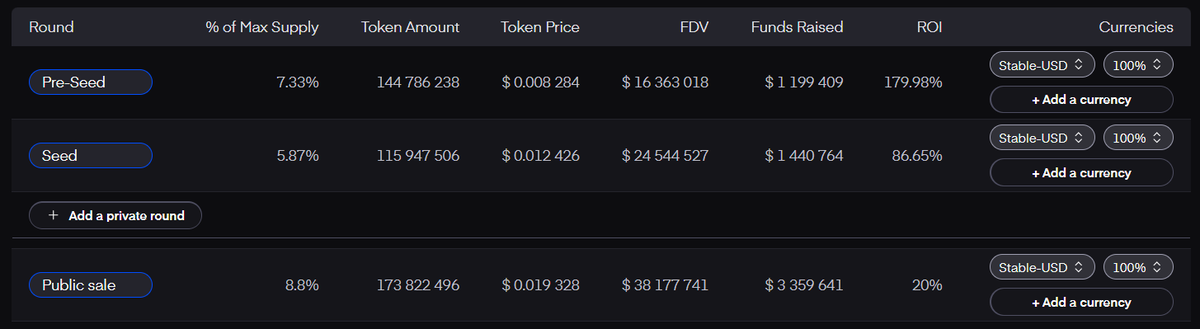
All this data will allow you to obtain the following details for each fundraising round. You can add as many rounds as you want.
The details obtained for each round are as follows:
The percentage of the max supply sold
- The amount of tokens allocated
- The token price
- The Fully Diluted Valuation
- The funds raised
- The ROI relative to the TGE
Bonus: for each round, you can indicate the different tokens (Stable-USD, BTC, ETH, EGLD, BNB, MATIC) used to raise money, and specify the percentage raised with each token.
WITHOUT ASSISTANCE
In the unassisted section, the only element already pre-filled is the total funding allocation. To structure your funding, you need to distribute it across the various fundraising rounds of your project. You must also specify the token price for each round and the listing price.
From this data, you will obtain the number of tokens for each round, along with the FDV and the funds raised. The ROI for each round relative to the listing price will also be provided.
As with the assisted mode, you can specify in which cryptocurrency the funds were raised.
From this information, you will receive advice on the listing price and the FDV.
You will also have access to the total tokens allocated for fundraising, as well as the total funds raised and the FDV at the time of the TGE.
How Nomiks Builder Will Help You Define Your Token Supply
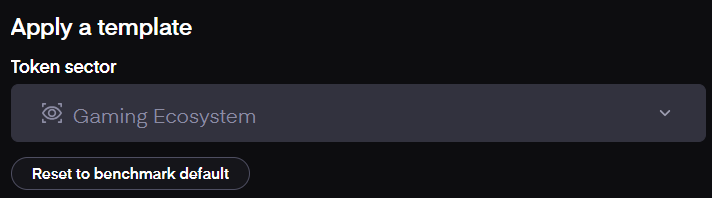
First, you will select the sector of your token to benefit from a benchmark template of the supply of analog projects.
Next, you can use either the assistance mode or the advanced mode.
ASSISTANCE MODE
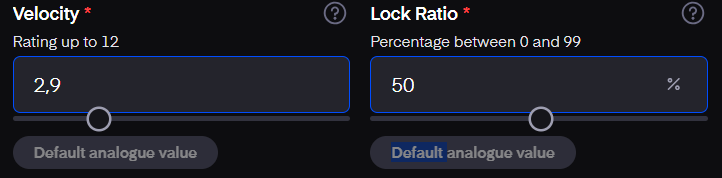
In the assistance mode, you can define the velocity and lock ratio of your token, leveraging benchmark data.
- Velocity: The velocity of a token indicates how many times a free unit of this token can potentially be exchanged per day. High velocity means tokens are frequently traded, increasing the active supply in the market. Consequently, high velocity can put downward pressure on the token's value.
- Lock Ratio: The lock ratio measures the likelihood that a unit of cryptocurrency will be retained in mechanisms such as staking or a DAO, rather than being freely traded on the market. A high lock ratio means a large portion of tokens is locked, reducing the available supply for trading. This can increase the token's value by creating scarcity, stabilize prices by reducing volatility, and strengthen investor confidence through active participation in the project’s ecosystem.
Using these two elements, you can determine the maximum supply of your token.
ADVANCED MODE
The advanced mode allows you to provide more information to the builder for a more precise calculation of your token's maximum supply.
The additional information you can input includes:
- Target Market Cap
- Estimated Growth Rate
- Company Maturity
For all these data points, you can obtain benchmark data specific to your sector.
After entering all this information, you will receive the ideal maximum token supply for your project.