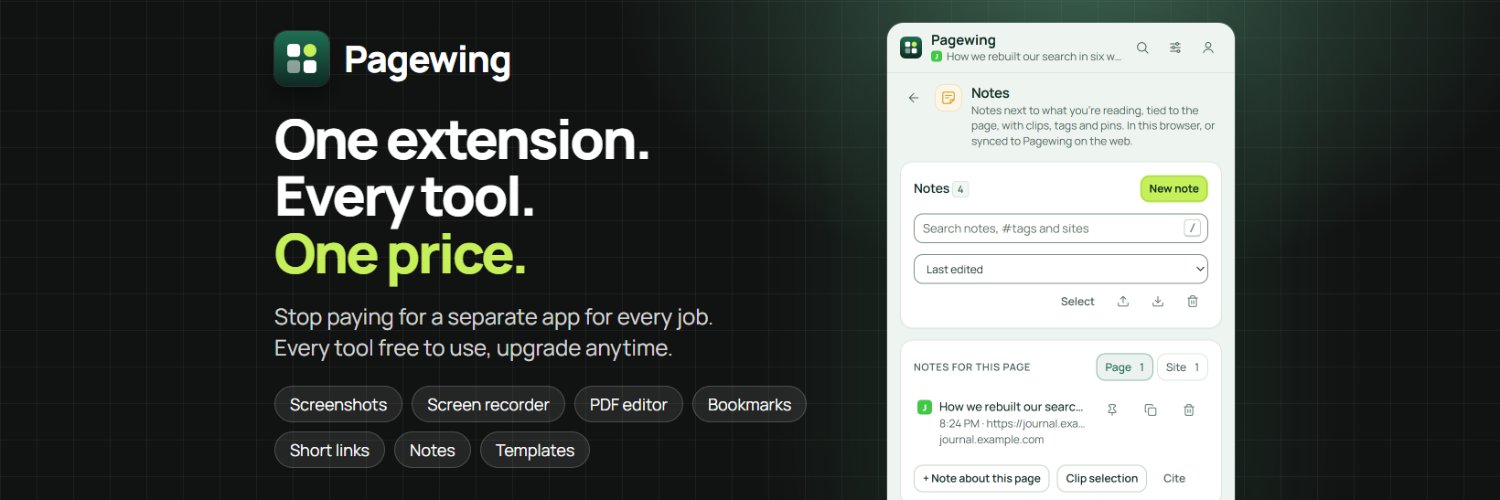
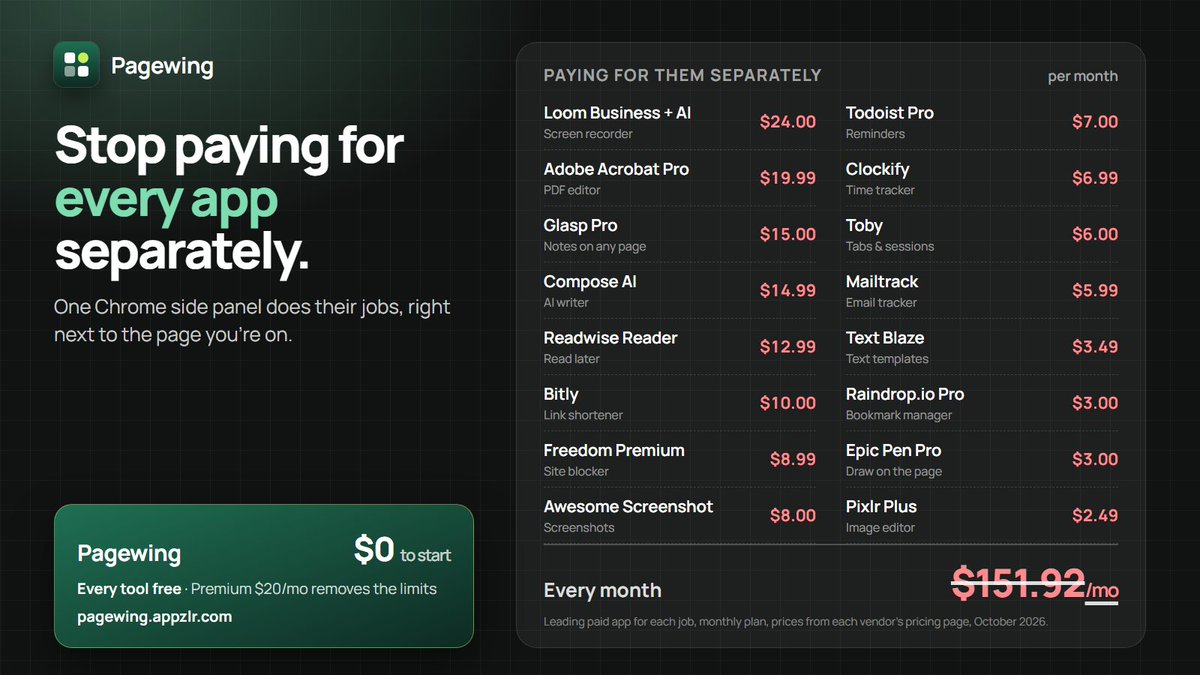
I was paying for a screen recorder, a PDF editor, a tab manager, a time tracker, a link shortener…
$150+/month in browser subscriptions.
So I built one side panel that does all of it.
Meet Pagewing 🪽 Free to start.
👉 https://t.co/jtpwdN9j0d
#productivity
@seo_bint_ejamil Chunk retrieval feels like the most testable one: write each section so it answers one question on its own. Which is easier to measure today, citation persistence or retrieval visibility?
@itsKamadh 4.3(a) usually means the app looks like many existing ones. Reply in Resolution Center with what's unique, plus a short demo video. What's your main differentiator?
@azamsharp Did the rejection cite a specific guideline number? A demo video usually means the reviewer couldn't reach a feature without login or setup. Which part did they flag?
Do you work in timed blocks, or until you stop? A Pomodoro timer that still rings with the panel closed is hard to ignore, but it only helps if you actually take the breaks. Which one do you stick to?
@frederickjames Agree that organic should come first. Paid spend tends to work best once retention is proven, otherwise you're buying installs you can't keep. How do you attribute organic installs without an MMP, or do you run one anyway?
Rewriting a long post into a short one often beats writing it short from the start. Cutting the second idea forces the first one to land. What do you cut first when a draft runs long?
@Denche2005 Agreed. Generating options is cheap, but judging which one fits the product, the users and the brand still takes a trained eye. Most of the work moved from making to choosing.
@samongaro_ Probably slower, but I think most of the work is design and debugging, which doesn't need AI. The hard part would be the parts I'd forgotten how to do without autocomplete, like reading docs and remembering APIs.
@timmymckeegan Curious what clicked most for you back then: the inline autocomplete, or being able to hand Cursor a whole change and review it? Fable 5 is new to me, so what did it change for you?
Pinned builds make sense for stable test suites, but for scrapers or agents visiting sites you don't control, the stable Chrome channel with the sandbox on is the safer default. Which setup are you running for your automation?
Playwright and browser security reminder.
We saw a post suggesting that you delete Playwright because it bundles browsers with CVEs. That is a misconception. Do not delete Playwright🙃. Here is how it works and what you should do.
No Playwright package bundles a browser. Agents on Playwright MCP or CLI run your stable Chrome, which gets Chrome's security updates, with the sandbox on.
🤖 If you use Playwright MCP or the Playwright CLI
They use the stable Chrome / Edge on your machine, so it gets its normal updates. No config edit is needed.
🧪 If you use the test runner
When you run npx playwright install, Playwright downloads Chrome for Testing, pinned to the build we tested that release against. The pin is on purpose. Your tests run on the same browser on every laptop and CI machine, and a browser
update cannot suddenly break your suite. You choose when to move by upgrading Playwright. New releases usually pin a build ahead of stable Chrome, so you see breakage before your users do.
We recommend this for full e2e test suites on your own trusted app. This build can miss Chrome security fixes until the next Playwright release, and by default it runs with the sandbox off. Do not use it on the hostile web.
📚 If you use the library API
chromium.launch() has the same defaults: the pinned build with the sandbox off. If your code visits pages you don't control (scrapers, agent scripts), max out protection:
chromium.launch({ channel: 'chrome', chromiumSandbox: true })
🔒 Always keep Chrome / Edge updated. Some bugs can escape a sandbox.
Happy testing!
@omkarships Both, depending on who's steering. It speeds up boilerplate and exploration, but without tests, code review and clear architecture decisions, the debt piles up faster than the features. The gain is real only if the reviewer still understands the code.
@asaio87 The real cost is maintenance, not the first version. Delivery, retries, bounces and auth are where bugs bite, so the question is who carries that on-call load. Buy for critical paths, build for low-stakes internal tools.
@rrmdp@jobboardsrch The approve/reject step is where I'd focus most. Generated job boards can look fine but end up with thin or duplicate content. How are you checking the feed fetcher's output against real listings before anything gets published?
Should a reminder be typed the way you'd say it, like "call mom tomorrow at 5pm", or set with a date picker? Plain words are faster, but they can misread a date. Which do you prefer?
@asaio87 Agree on backlinks. Engagement signals like time on page and scroll depth also tend to matter more once pages are indexed, and internal links help users find those interactive parts too.
@njcAllocates My guess is seat-based tools for simple workflows, like basic form builders, scheduling and template-driven doc tools. AI can rebuild those cheaply, so the value shifts to data, integrations and distribution.
@asaio87 Agreed for simple edits like copy tweaks or meta updates. The hard part is knowing when a change is safe to apply automatically, so the cheap model still needs clear guardrails and a diff to review.
@njcAllocates The hard part is usually picking tasks that are stable and low-stakes enough to hand off. Once a step is predictable, AI does it well. Would you automate those end to end or keep a human checkpoint?