https://t.co/adsF6OBbfu the Settings Editor, find an empty checkbox beside “Open Default Settings” and check it.
This might have reloaded or reinitialized the settings configuration, resolving any misconfiguration or issues that were causing the error.
https://t.co/MEL3CvIPvu VS Code
2.Go to Settings editor by clicking on the Settings from the menu.
https://t.co/sufrwRQvoZ the Settings editor, go to the Workspace tab.
Under the Workspace tab, open Workbench and then select Settings Editor.
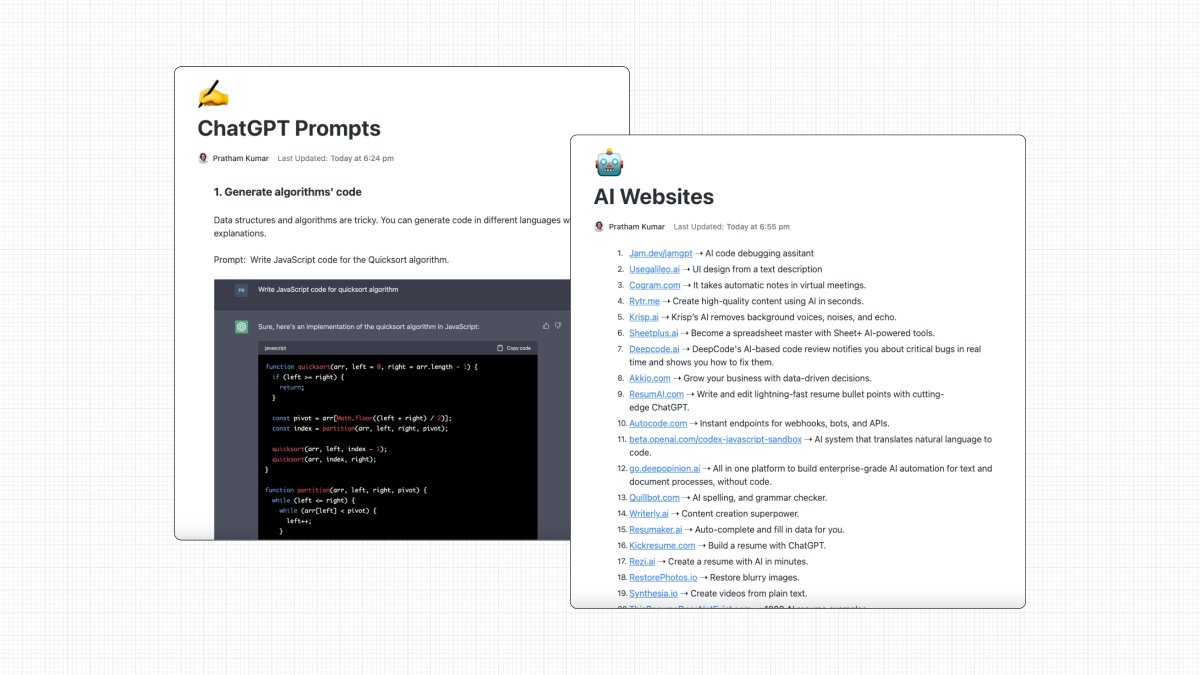
One must checkout this useful post about AI tools. Great resource for anyone looking to explore the latest AI tools and technologies. #AI#tools#technology#ChatGPT
You can stand out from 98% of the crowd by leveraging AI.
That's why I created a FREE document that has:
• 100+ AI tools
• Low-code / no-code
• ChatGPT Prompts
• Dev resources
To get it,
– Just like this tweet
– Reply "👋"
I'll DM you!
GPT-4 is phenomenal.
But you can't miss out these 5 AI tools:
1. AI Meeting Summrizer
https://t.co/52xHxMqNF7
2. AI resume builder
https://t.co/f6l8axBntM
3. AI images
https://t.co/ExyMSH4Cs7
4. AI assistent
https://t.co/8tjAcnJkxA
5. AI writer
https://t.co/S40i7V4iAk
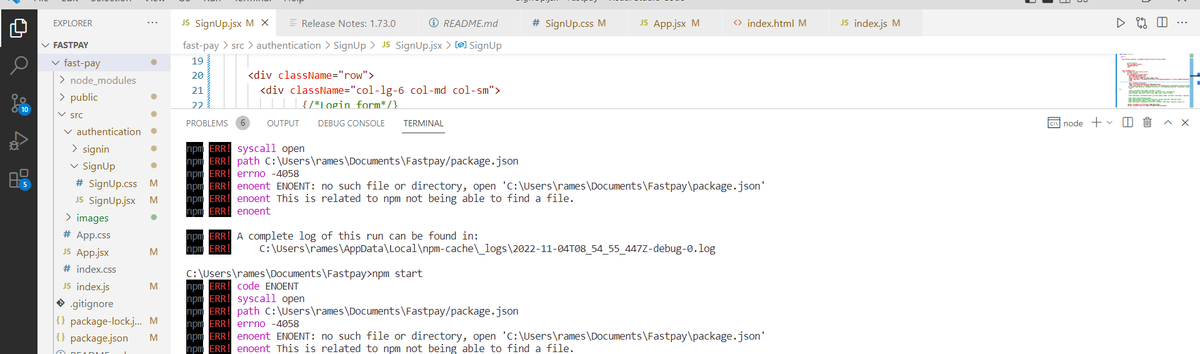
ERROR!!!!!!
ENOENT: no such file or directory error while running npm start script in vs code terminal.
why this error?
npm not able to find package.json file.
How to resolve it?
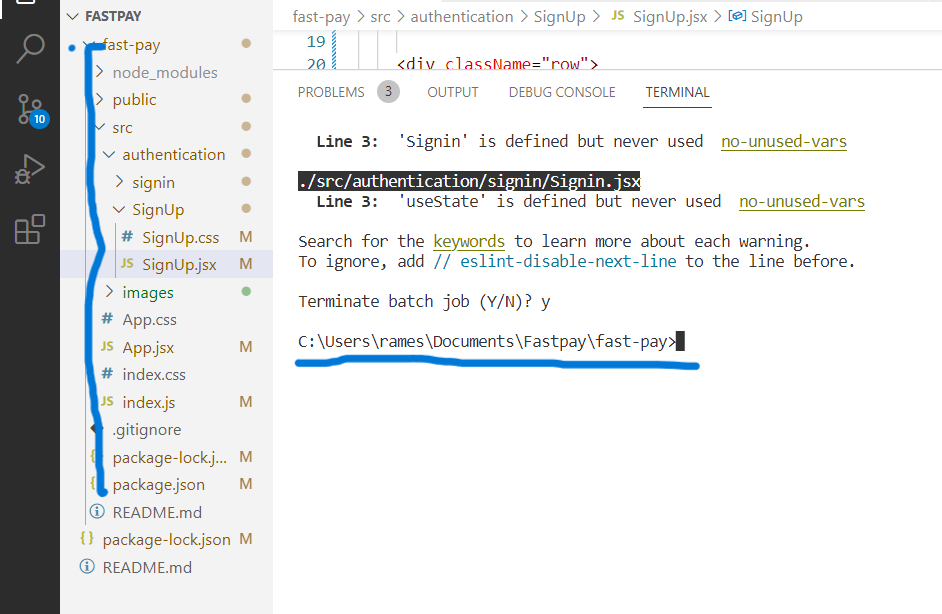
1. cd filepath(of the folder in which package.json file )
(2nd image)
2.npm start
#ReactJS#VSCode
I was struggling to understand the concept of destructuring of nested objects in #React.
its explained in a simple way in this website.
https://t.co/WAd8I0W3ah