you've seen that Pokemon and One Piece cards are going parabolic, but do you know how much of that demand is coming from crypto platforms and collectors?
the all time total gacha spending on Collector Crypt is almost $500,000,000
I sat down with @TuomHolmberg who is the CEO of @Collector_Crypt to discuss the landscape of the TCG economy and where we both think the market is going from here
the full podcast is available on my YouTube as well, the link is below this post ⬇️
-----------------------
timestamps:
0:00: Trailer
1:18: Intro
8:40: How Gacha platforms changed the market
20:40: Why use crypto RWA platforms for TCGs
24:00: Is TCG overall in a bubble
26:36: Are vintage cards in a bubble
32:30: What is the $CARDS token
39:30: Are people overlooking the $CARDS token
49:40: The issue with most tokens
posted a new video on the YT and on here 😏
my onboarding retail arc is continuing, but in a much bigger way
if you're already here, there is still SO much good info in this video
it only takes one second to support this content
you can find the link below ⬇️
🚨A 20-YEAR-OLD MAKES $11,000/MONTH BUILDING GAMES THROUGH CLAUDE, AND SHIPPED A POKEMON-STYLE 3D GAME WITH BETTER GRAPHICS THAN THE OFFICIAL ONES IN 12 HOURS.
the Pokemon themselves came out a little cursed. the engine underneath didn't.
he never learned to hand-code a game engine. he learned to run Claude Code like a system, not a chat window.
> Claude Code plans the game systems in plan mode before touching a single file: 20 min
> subagents build assets, mechanics, and UI in isolated context: 3 hours
> hooks run tests automatically on every change, not just when he remembers to ask: automatic
> a CLAUDE.md file locks in the project's rules once, for every session after: 10 min
$100/month in tools. $11,000/month in revenue. 1 chat window replaced by a system, 0 engines hand-coded from scratch.
most people still open Claude to ask a question. he opens it to run a build.
the full roadmap is in the article below.
HERMES AGENT HAS 5 PROMPTS
THAT BUILD ENTIRE WORKFLOWS IN ONE MESSAGE.
COPY. PASTE. AGENT DOES THE REST.
EACH ONE TESTED AND WORKING.
PROMPT 1: MORNING BRIEF IN 60 SECONDS
paste this into Hermes:
"create a cron job that runs daily at 7:30am.
check my Google Calendar for today's events.
check my Gmail for unread emails from the last 12 hours.
flag anything urgent.
list my top 3 priorities for the day
based on deadlines and calendar.
deliver to Telegram.
if nothing urgent, keep the brief under 5 lines.
every Friday ask me one question
about how to improve the brief."
the agent creates the cron, connects to your MCPs,
and delivers the first brief tomorrow morning.
every week it gets sharper from your Friday feedback.
PROMPT 2: TOKEN COST AUDIT
paste this:
"run hermes insights.
analyze my token usage for the last 30 days.
find my 3 most expensive skills.
find my 3 most expensive cron jobs.
check if my auxiliary models are set
or defaulting to my main model.
check if tool_search is set to auto.
give me a cost reduction plan
with exact config changes and estimated savings."
the agent reads your own usage data
and tells you exactly where money is wasted.
most users save 30-50% after this audit.
PROMPT 3: CONTENT PIPELINE FROM SCRATCH
paste this:
"create a content-machine profile.
set the model to grok-4.5 for X search
and claude-sonnet-4.6 as auxiliary for writing.
write a SOUL.md that monitors X for AI agent news,
drafts posts in a direct conversational tone,
and never uses em-dashes or corporate language.
create a cron job every 2 hours:
search X for posts about AI agents
with 1,000+ views in the last 2 hours.
if something is worth posting about,
draft a post and send to Telegram
with approve and regenerate buttons.
if nothing passes the filter, stay silent."
one message. full content pipeline.
profile, SOUL.md, model config, cron, approval flow.
PROMPT 4: LEARN YOUR WORKFLOW
do a task manually in Hermes first.
(deploy your app, onboard a client, process invoices,
whatever you repeat monthly.)
when the task is done, paste:
"/learn
turn what we walked through into a permanent skill.
name it [your-task-name].
include every step, every tool used,
every flag and parameter.
add a verification step at the end
so I can confirm it worked.
add common pitfalls to avoid."
next time: "run [your-task-name]"
the agent follows the exact procedure.
no re-explaining. no missed steps.
PROMPT 5: ZERO-COST SERVER MONITORING
paste this:
"create a cron job every 5 minutes
in no_agent mode.
script checks: HTTP 200 on https://[YOUR-SITE],
disk usage under 85%, RAM usage under 90%.
if all checks pass, stay silent.
if any check fails, wake the agent
and send an alert to Telegram
with the failure details and a suggested fix.
name it server-watchdog."
288 health checks per day. zero tokens.
the agent only wakes when something breaks.
when it does wake, it diagnoses and suggests a fix.
WHY THESE 5:
prompt 1 organizes your mornings.
prompt 2 cuts your costs.
prompt 3 builds your content presence.
prompt 4 makes your agent learn from you.
prompt 5 keeps your servers alive for $0.
paste one today. the agent builds the workflow.
paste all five and your Hermes does more
by the end of the week than most agents
do in a month.
comment HERMES and I'll send you
5 more advanced prompts for profiles,
kanban orchestration, and MoA presets.
Microsoft is now literally telling businesses exactly how to get traffic from AI Search.
Yes, directly inside webmaster tools.
This is probably one of the most important marketing updates of 2026.
Let’s go through it.
By the way, you can see whether your business is appearing across Google AI, ChatGPT, Claude, Perplexity and Grok here (it's free):
https://t.co/Pn764BHwyL
Earlier this year, Microsoft launched its AI Performance report so businesses could see how often their content was cited across Microsoft Copilot and partner AI experiences.
Now they are expanding it with four new AI Insights: Intents, Topics, Citation Share and Compare.
Let’s go through what changed.
Microsoft’s AI Performance report already showed: Total AI citations, Which pages were cited, Citation trends over time, the Average number of cited, Grounding queries associated with those citations, and now they' adding even more context.
The first update is Intents, thanks to which grounding queries are now classified into categories like: Informational, Commercial, Research, Learn & Solve and Local.
This goes without saying, but every AI citation is not equally valuable - a core principle that every SEO Stuff (https://t.co/wKpf0EILTx) package starts with.
A citation from an informational query may mean your content is being used to answer broad education-stage questions.
A citation from a commercial query may mean your business is being considered closer to the buying decision.
Imagine a payroll company sees Microsoft associating its site with:
Payroll software for contractors
Multi-state payroll compliance
Construction payroll pricing
ADP alternatives for small businesses
Now the business can see whether those queries are informational, commercial, research-driven or local.
That changes the content strategy.
If the site is getting cited mostly for informational queries, the company may need stronger pricing pages, comparison pages, industry pages and bottom-of-funnel content.
If it is getting cited for commercial queries but not winning much citation share, the issue may be authority, specificity or third-party validation.
The second update is Topics.
Microsoft is now grouping related queries into broader thematic clusters, and this is important because modern AI search organizes information around subjects, entities, intent, relationships and coverage depth.
That means a business should ask: “Does Microsoft understand us as a strong source for this topic?”
A payroll company may discover that Microsoft connects it strongly to: Contractor payroll, Small-business payroll, Payroll compliance, and Payroll pricing, as opposed to: Enterprise payroll, Global payroll, Healthcare payroll and Construction workforce management.
That tells the company where its topical authority is strong and where it is thin.
The third update is Citation Share.
Microsoft says businesses can now see how much of the citation space their site holds for a given grounding query.
Basically, you can start to see whether your site is one of many sources being cited, or whether you are earning a meaningful share of the AI answer ecosystem around a subject.
That is a very different metric from raw citations, because a site may get 100 citations for a topic, but if competitors are getting 5,000, the business may still be underrepresented.
Another site may only get 40 citations for a niche commercial query, but own a large share of the citation space.
This starts to move AI search reporting closer to share-of-voice analysis.
So less “Did we appear?” and more “How much of the available visibility did we capture?”
The fourth update is Compare.
Businesses can now overlay one time period against another.
For example:
Last 30 days vs. previous 30 days
Before a content update vs. after a content update
Before a backlink campaign vs. after a backlink campaign
Current season vs. prior season
This makes AI search optimization much easier to evaluate, because if a business publishes a new comparison page, strengthens an existing pricing guide and earns a few relevant authority placements, it can now look for citation movement afterward.
You don't have full attribution here yet, but even directionally this is still a big improvement.
This is where SEO Stuff’s done-for-you package becomes relevant:
https://t.co/yEFyM0Ze7W
The package combines 10 AI-search-optimized articles with three DR50+ authority placements.
The content helps build deeper coverage around topics AI systems already associate with your business.
The authority placements help reinforce your company’s identity, category and expertise across the wider web.
That combination matters because AI visibility usually comes from two things working together:
Useful, specific content on your own site.
Trusted external signals confirming who you are and what you should be recommended for.
Microsoft says these new features are still in early preview, so occasional inaccuracies are possible, but the direction is obvious.
AI search is beginning to provide its own version of keyword, topic, intent and share-of-voice data.
This is the system SEO Stuff was built around:
https://t.co/eh1auroJF7
And if you want to see whether your business is already being cited, understood and recommended across Google AI, ChatGPT, Claude, Perplexity and Grok, check here:
https://t.co/Pn764BHwyL
I built a crypto trading bot with Claude that made me +$8,262 in 7 days.
I can't believe more people aren't doing the same - it's stupidly easy.
How to build a crypto trading bot with Claude (three simple steps):
1. Tool stack setup
You need three things talking to each other for this to work:
• Claude Code on desktop installed and running
• A Bybit MCP Server - this will be the bridge between Claude and
your exchange (works with other exchange MCPs too)
• Your exchange API key
Tell Claude Code to connect these three things in a new project.
Once connected, Claude can read market data, place orders, check positions, and manage risk from plain English.
Step 2. Write your strategy
Open a CLAUDE.md file and describe your market strategy:
• Entry/exit rules
• Risk caps and position sizing
• Allowed pairs
• Execution protocol
Write this file like you'd explain your strategy to another trader.
Step 3. Add a risk gate (non-negotiable)
Before going live, ask Claude Code to set these up:
• Kill switch - halts all trading instantly if triggered
• Daily loss cap
• Notional cap - no single order above [x]% NAV
• Leverage cap -no single order above [x] leverage
So simple a 10-year-old could set it up - full architecture in the image below:
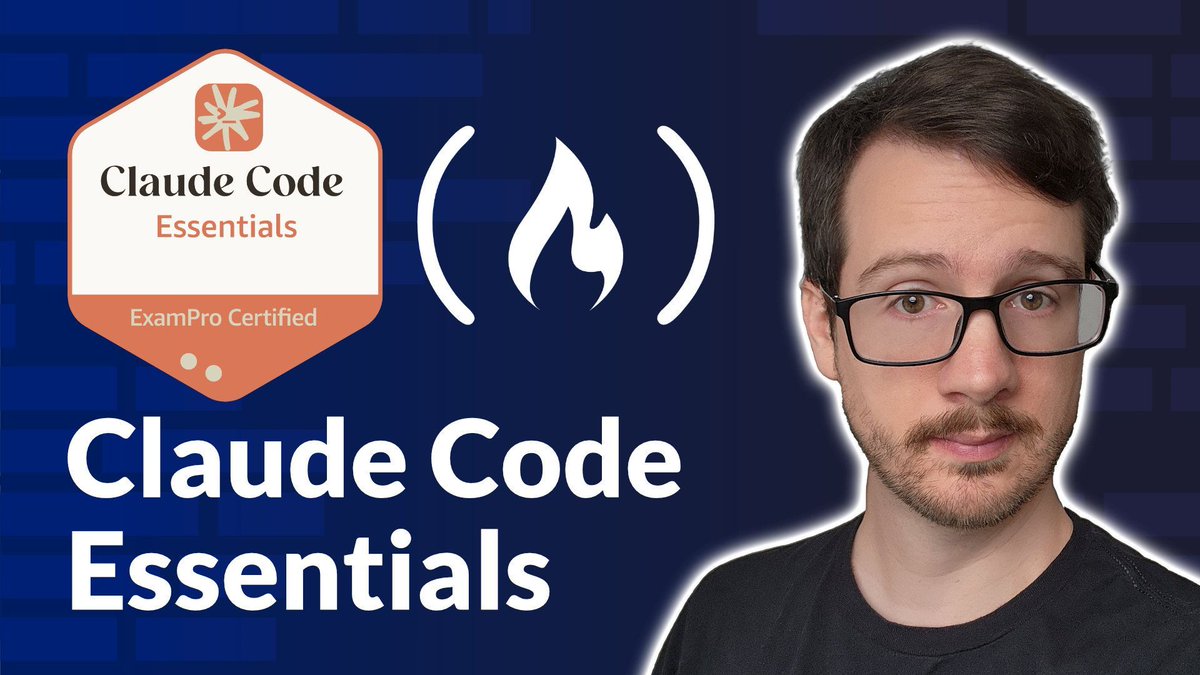
Claude Code can do more than chat. It can read files, run terminal commands, and help you build agentic workflows from the terminal.
In this course, @andrewbrown teaches you how to install and use Claude Code on Windows, Linux, and Mac, and how the agentic loop works.
You'll also learn session management, how to track API usage and costs across providers, and more.
https://t.co/XeVVRGAQm8
I ran Codex, Claude Code, Cursor, Hermes Agent, OpenCode, ZCode, and Grok Build through the same real development workflow.
There isn’t one universal winner.
The useful question is which agent earns each job:
• Planning
• Coding
• Debugging
• Autonomous execution
• Daily use
Here’s where each one won:
https://t.co/ejlkQ40cim
40 tricks to level up claude code in 20 mins
been using it since launch
this will change how you ship code for clients and yourself:
📁 claude-code-mastery
┃
┣📁 setup & config
┃ ┣ /init - auto-generate project config from your codebase
┃ ┣ /model - switch models mid-session without restarting
┃ ┣ /config - tune settings on the fly
┃ ┣ /cd - change directory without breaking prompt cache
┃ ┗ --safe-mode - disable all customizations to isolate problems
┃
┣📁 CLAUDE.md
┃ ┣ root CLAUDE.md as the agent's constitution for every session
┃ ┣ nested per-directory CLAUDE.md for scoped rules
┃ ┣ negative constraints ("don't modify database schema")
┃ ┣ architecture decisions + coding conventions + tech stack
┃ ┗ /team-onboarding to auto-generate ramp-up guides
┃
┣📁 commands
┃ ┣ /compact - compress context when the window fills up
┃ ┣ /review - instant code review on current changes
┃ ┣ /security-review - full security audit
┃ ┣ /context - see exactly what claude can see
┃ ┗ /run + /verify - launch app and confirm changes work
┃
┣📁 subagents
┃ ┣ Task tool for isolated parallel work in separate contexts
┃ ┣ Explore agent for codebase onboarding in minutes
┃ ┣ agent teams where teammates challenge each other's work
┃ ┣ background agents that auto-commit and open draft PRs
┃ ┗ claude agents --json for scripting session management
┃
┣📁 skills & plugins
┃ ┣ custom skills in .claude/skills/<name>/SKILL.md
┃ ┣ /plugin marketplace for discovery and install
┃ ┣ --plugin-dir for local plugin development and testing
┃ ┣ bundled skills: /run, /verify, /run-skill-generator
┃ ┗ plugins bundle skills + agents + hooks + MCP in one install
┃
┣📁 hooks
┃ ┣ PreToolUse - validate before every tool execution
┃ ┣ post-file-write - auto-format with Prettier on save
┃ ┣ Notification hook - desktop alert when tasks finish
┃ ┣ PreCompact hook - run logic before context compression
┃ ┗ Stop hooks - enforce safety boundaries and cap retries
┃
┣📁 context & models
┃ ┣ /compact with custom focus instructions to keep what matters
┃ ┣ MAX_THINKING_TOKENS for extended reasoning depth
┃ ┣ 1M token native context window
┃ ┣ ENABLE_PROMPT_CACHING_1H for 1-hour cache TTL
┃ ┗ effort level: low / medium / high / max / auto
┃
┗📁 workflow patterns
┣ plan mode - think before acting on complex tasks
┣ --worktree for git-isolated parallel branches
┣ Opus for architecture, Sonnet for execution
┣ "analyze first" prompting - read codebase before writing
┗ pipe input: cat https://t.co/AJYte6xnpt | claude "review this"
most users are using maybe 6 of these
comment "TUTORIAL" if you want the full guide with examples for each FREE
trading is the greatest mmorpg on the internet, & on-chain is one of the only places you can spin up generational wealth from a very small starting balance
pair this with ai accelerating how easy it is for talented developers to build & it's easy to see where this trend is going
Anthropic just published their playbook for rolling Claude out across a company:
the rule that decides everything: a demo dies, a plugin spreads.
the reframe: you're not shipping a tool, you're cloning your best person. bundle how your one great forecaster actually works, and it becomes the floor for everyone.
in 45 minutes - it now pushes back on every engineer's draft: "that's an okay example, go deeper."
watch it, then save ↓
How to understand every Claude feature in 5 mins:
(even if you've only ever used the basic chat)
Chat = texting a stranger who forgets you.
Features = hiring a team that already knows the job.
Full Setup = training Claude that runs without you.
Layer 1: The basics you already know
✦ Chat: Open Claude. You type. You get an answer.
✦ High Effort: It reasons deeper.
✦ Fable 5: The smartest model (for complex tasks).
✦ That's where 95% of people stop.
✦ Claude 101: https://t.co/jw2qdIbLxJ.
Layer 2: The features that remember you
✦ Projects: Upload file & instructions. It remembers.
✦ Scoped Memory. Prompt "do like & it knows it.
✦ Context Files: Drop everything you know into files
✦ about-me .md: A Skill with what you do & think.
✦ Download my Skills at https://t.co/psB7XxAv8w (for free).
✦ Don't pay anything. It's free in the welcome email.
Layer 3: The features that work for you
✦ Skills: Long instructions living inside the AI.
✦ Skill Creator: It interviews you to build the Skills.
✦ SKILL .md: Trigger file, description & instructions.
✦ Negative Triggers: The "Do NOT use for..." lines.
✦ Claude Skills 101: https://t.co/9d5stC5IBO
Layer 4: The features that replace your workflow
✦ Cowork: It reads, creates, and executes.
✦ Cowork Projects: Memory that persists.
✦ Global Instructions (I personally left it empty).
✦ Scheduled Tasks: Claude runs tasks automatically
✦ Dispatch: Control Claude from your phone.
✦ Claude Cowork 101: https://t.co/uWTpOI3oyE
Layer 5: The features that connect everything
✦ Connectors: Plug into Granola, Calendar & Gmail.
✦ Plugins: Build and upload your own app.
✦ Claude Computer: Clicks, browse & operates Mac
✦ Claude Code: English is the new code to ship fast
✦ AskUserQuestion: Interactive form to prompt you.
✦ Gamma: Claude for brief. Gamma for slides.
✦ CLAUDE .md: A memory file for Claude Code.
✦ Claude Code 101: https://t.co/WYZd5ltnXo
That's all 25 features. On one page.
I turned this into a full visual infographic you can save, print, or send to your team.
To download all of my Claude infographics:
Step 1. Go to https://t.co/psB7XxAv8w.
Step 2. Subscribe for free. Don't pay anything.
Step 3. Open my welcome email (most skip this).
Step 4. Hit the automatic reply button inside.
Step 5. Download my infographics from my Notion.
♻️ Repost this to help someone use Claude in 2026.
Anthropic engineer:
"At Anthropic, we don’t write prompts anymore. We build loops."
In 45 minutes she shows how the Claude team builds loops that prompt themselves.
If this cost $300, people would call it the best agents course of the year. It's free.
Watch it, then build your first loop with the step-by-step guide below.





![IBuzovskyi's tweet photo. HERMES AGENT HAS 5 PROMPTS
THAT BUILD ENTIRE WORKFLOWS IN ONE MESSAGE.
COPY. PASTE. AGENT DOES THE REST.
EACH ONE TESTED AND WORKING.
PROMPT 1: MORNING BRIEF IN 60 SECONDS
paste this into Hermes:
"create a cron job that runs daily at 7:30am.
check my Google Calendar for today's events.
check my Gmail for unread emails from the last 12 hours.
flag anything urgent.
list my top 3 priorities for the day
based on deadlines and calendar.
deliver to Telegram.
if nothing urgent, keep the brief under 5 lines.
every Friday ask me one question
about how to improve the brief."
the agent creates the cron, connects to your MCPs,
and delivers the first brief tomorrow morning.
every week it gets sharper from your Friday feedback.
PROMPT 2: TOKEN COST AUDIT
paste this:
"run hermes insights.
analyze my token usage for the last 30 days.
find my 3 most expensive skills.
find my 3 most expensive cron jobs.
check if my auxiliary models are set
or defaulting to my main model.
check if tool_search is set to auto.
give me a cost reduction plan
with exact config changes and estimated savings."
the agent reads your own usage data
and tells you exactly where money is wasted.
most users save 30-50% after this audit.
PROMPT 3: CONTENT PIPELINE FROM SCRATCH
paste this:
"create a content-machine profile.
set the model to grok-4.5 for X search
and claude-sonnet-4.6 as auxiliary for writing.
write a SOUL.md that monitors X for AI agent news,
drafts posts in a direct conversational tone,
and never uses em-dashes or corporate language.
create a cron job every 2 hours:
search X for posts about AI agents
with 1,000+ views in the last 2 hours.
if something is worth posting about,
draft a post and send to Telegram
with approve and regenerate buttons.
if nothing passes the filter, stay silent."
one message. full content pipeline.
profile, SOUL.md, model config, cron, approval flow.
PROMPT 4: LEARN YOUR WORKFLOW
do a task manually in Hermes first.
(deploy your app, onboard a client, process invoices,
whatever you repeat monthly.)
when the task is done, paste:
"/learn
turn what we walked through into a permanent skill.
name it [your-task-name].
include every step, every tool used,
every flag and parameter.
add a verification step at the end
so I can confirm it worked.
add common pitfalls to avoid."
next time: "run [your-task-name]"
the agent follows the exact procedure.
no re-explaining. no missed steps.
PROMPT 5: ZERO-COST SERVER MONITORING
paste this:
"create a cron job every 5 minutes
in no_agent mode.
script checks: HTTP 200 on https://[YOUR-SITE],
disk usage under 85%, RAM usage under 90%.
if all checks pass, stay silent.
if any check fails, wake the agent
and send an alert to Telegram
with the failure details and a suggested fix.
name it server-watchdog."
288 health checks per day. zero tokens.
the agent only wakes when something breaks.
when it does wake, it diagnoses and suggests a fix.
WHY THESE 5:
prompt 1 organizes your mornings.
prompt 2 cuts your costs.
prompt 3 builds your content presence.
prompt 4 makes your agent learn from you.
prompt 5 keeps your servers alive for $0.
paste one today. the agent builds the workflow.
paste all five and your Hermes does more
by the end of the week than most agents
do in a month.
comment HERMES and I'll send you
5 more advanced prompts for profiles,
kanban orchestration, and MoA presets.](https://pbs.twimg.com/media/HOUTLIYXgAA8GL_.jpg)

![milesdeutscher's tweet photo. I built a crypto trading bot with Claude that made me +$8,262 in 7 days.
I can't believe more people aren't doing the same - it's stupidly easy.
How to build a crypto trading bot with Claude (three simple steps):
1. Tool stack setup
You need three things talking to each other for this to work:
• Claude Code on desktop installed and running
• A Bybit MCP Server - this will be the bridge between Claude and
your exchange (works with other exchange MCPs too)
• Your exchange API key
Tell Claude Code to connect these three things in a new project.
Once connected, Claude can read market data, place orders, check positions, and manage risk from plain English.
Step 2. Write your strategy
Open a CLAUDE.md file and describe your market strategy:
• Entry/exit rules
• Risk caps and position sizing
• Allowed pairs
• Execution protocol
Write this file like you'd explain your strategy to another trader.
Step 3. Add a risk gate (non-negotiable)
Before going live, ask Claude Code to set these up:
• Kill switch - halts all trading instantly if triggered
• Daily loss cap
• Notional cap - no single order above [x]% NAV
• Leverage cap -no single order above [x] leverage
So simple a 10-year-old could set it up - full architecture in the image below:](https://pbs.twimg.com/media/HJwwPh6bIAAfrBA.jpg)