Manage and monitor your HTTPS certificates the easy way. Find malicious and expiring certs with Cert Spotter. Issue certs from the sslmate command line.
Our Certificate Transparency Search API now includes a boolean field `revoked` indicating if a certificate is revoked.
You can also include `expand=revocation` in the query string to get additional details (revocation time, reason) in the response.
https://t.co/erlv4q3xW4
Cert Spotter now automatically monitors your domains for MTA-STS problems, and can automate the publication of correct MTA-STS policies. Read more on our blog: https://t.co/Zplo9bvpIa
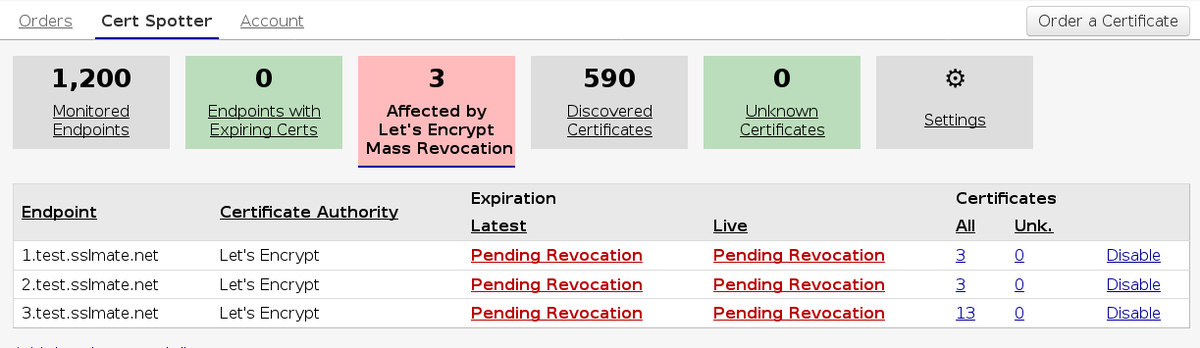
Cert Spotter now detects certificates which are affected by the Let's Encrypt Mass Revocation incident (https://t.co/WrKiPYKDsH).
Visit https://t.co/iyRS96LsFm to see if you need to replace any certs.
Introducing Cert Spotter API 1.0 - the easiest way to programmatically list a domain's certificates, powered by #CertificateTransparency: https://t.co/ap29LS7UxQ
New Blog Post: Yes, it's OK if GitHub Requests Certificates for Sub-Domains Delegated to Them (and you can now exclude delegated sub-domains from Cert Spotter monitoring)
https://t.co/BIml8eXh9J
All certificates issued through @SSLMate are already in compliance with the upcoming #CertificateTransparency deadline. There is no need for you to take action. https://t.co/ihfqGCEa2m
@TheDaveCA@letsencrypt Directly using LE (or any CA's API) requires doing your own key management, expiration tracking, monitoring, and challenge responses. Doable if you want, but a lot of engineering work, esp. for multi-server deployments. We have a comparison here: https://t.co/eDRwroun08
@maxnystrom@FiloSottile@Cloudflare comodo[.]com is also valid, see: https://t.co/OkWXWNbLhQ
This is causing so much confusion I may need to special case comodoca[.]com.