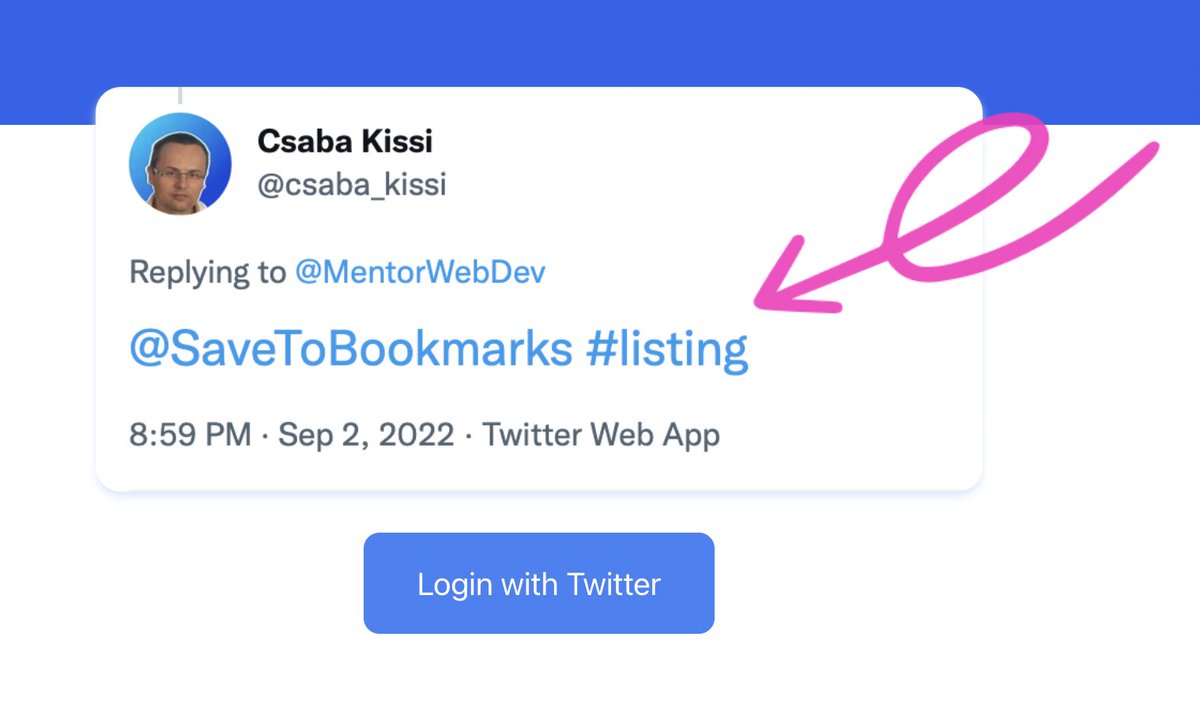
If you don't know how to use the SaveToBookmarks bot please take a look at the picture below.
Just reply with @SaveToBookmarks.
You can even use tags.👇👇
System Design Basics Explained 🏗️⚙️
Ever wondered what happens when you open a website or make an API request?
Here's a common architecture for scalable web applications 👇
💻 1. Client - Browser or mobile app sends a request.
🌍 2. CDN - Delivers cached static content from servers closer to users.
⚖️ 3. Load Balancer - Distributes incoming traffic across backend servers.
⚙️ 4. API - Processes requests, validates input, and runs business logic.
⚡ 5. Cache - Stores frequently accessed data to reduce database queries.
🗄️ 6. Database - Stores persistent application data and handles queries.
How it works together:
Client → CDN → Load Balancer → API → Cache → Database
If the data is cached, the API can respond without querying the database. 🚀
✅ Faster response times
✅ Better scalability
✅ Higher availability
✅ Reduced backend load
A simple but powerful foundation for building scalable web applications.
A supercomputer, AirPods Max, half a cow, and a flamethrower? 😂
This might be the most random hackathon prize list I've ever seen.
Love the idea of turning a weekend of vibe coding into something fun.
Really curious to see what people build! 👀
One of the biggest challenges when building with open AI models is having enough compute to experiment and turn ideas into real projects.
The Nebius AI Builder Program is expanding to Europe, with $10M across compute grants, capital, and community.
Nice to see more support for European builders! 👀
https://t.co/AKUQB2c07J - Hacker News, but every story is a video explainer
https://t.co/5Nk7YvucJ9 - 45 free AI diagram types
https://t.co/wwW5lU04fu - Open-source AI reverse engineering
https://t.co/x5Pr4XmBKW - 86 free animated React components
https://t.co/ccuJCujn9p - 98% AI agent context savings
@sevalla_hosting I like how this breaks API security into simple choices instead of making it sound more confusing than it needs to be.
I especially agree that authentication and authorization are different, since proving who someone is doesn't mean they should access everything.
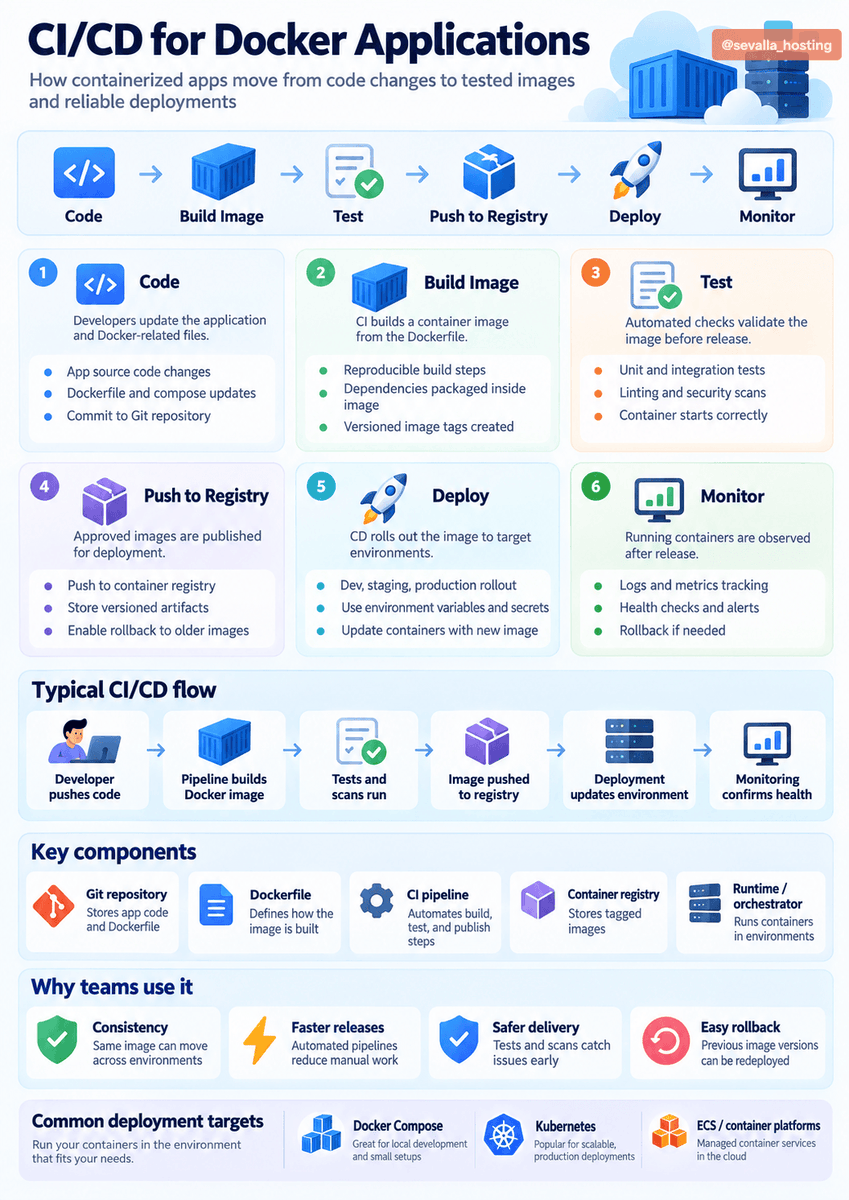
CI/CD for Docker applications 🐳⚙️
A typical pipeline takes your code to a running container.
The flow usually looks like this 👇
1️⃣ Code
Developers update the app and Docker-related files.
2️⃣ Build image
CI creates a reproducible Docker image from the Dockerfile.
3️⃣ Test
Run unit tests, integration tests, linting, and security scans.
4️⃣ Push to registry
Approved, versioned images are stored for deployment.
5️⃣ Deploy
The image is rolled out to development, staging, or production. 🚀
6️⃣ Monitor
Track logs, metrics, health checks, and roll back if needed.
The result: more consistent environments, faster releases, safer deployments, and easier rollbacks. ✅
https://t.co/OA1UGi7hRv - UI libraries for AI agents
https://t.co/mvuh1TbQTN - Community of active builders
https://t.co/IzjxLP8Mma - 36 Free CSS toggles ready to copy
https://t.co/EqL6KOKel5 - Open-source design system for React
https://t.co/ZSquqJQ3qg - Agentic design patterns guide
https://t.co/yQ0Tc6Iv94 - Turns AI into a scientific agent
https://t.co/BbJMTObWHm - 24 free modern circle loaders
https://t.co/YqOg3GPLUW - The Open Standard for Generative UI
https://t.co/3C4x4SErpW - 257 design inspirations, ready to build
https://t.co/a1fNaY01om - Open-source liquid glass effect for the web