An attacker installed ScreenConnect, then hid it from Programs and Features with one registry value.
SystemComponent = 1 on its Uninstall key.
- Service: running
- Programs and Features: no ScreenConnect
Sweep both HKLM Uninstall hives (incl. WOW6432Node) for SystemComponent = 1 and read the DisplayName. Installers hide sub-components this way too. A hidden RMM client is not one of them.
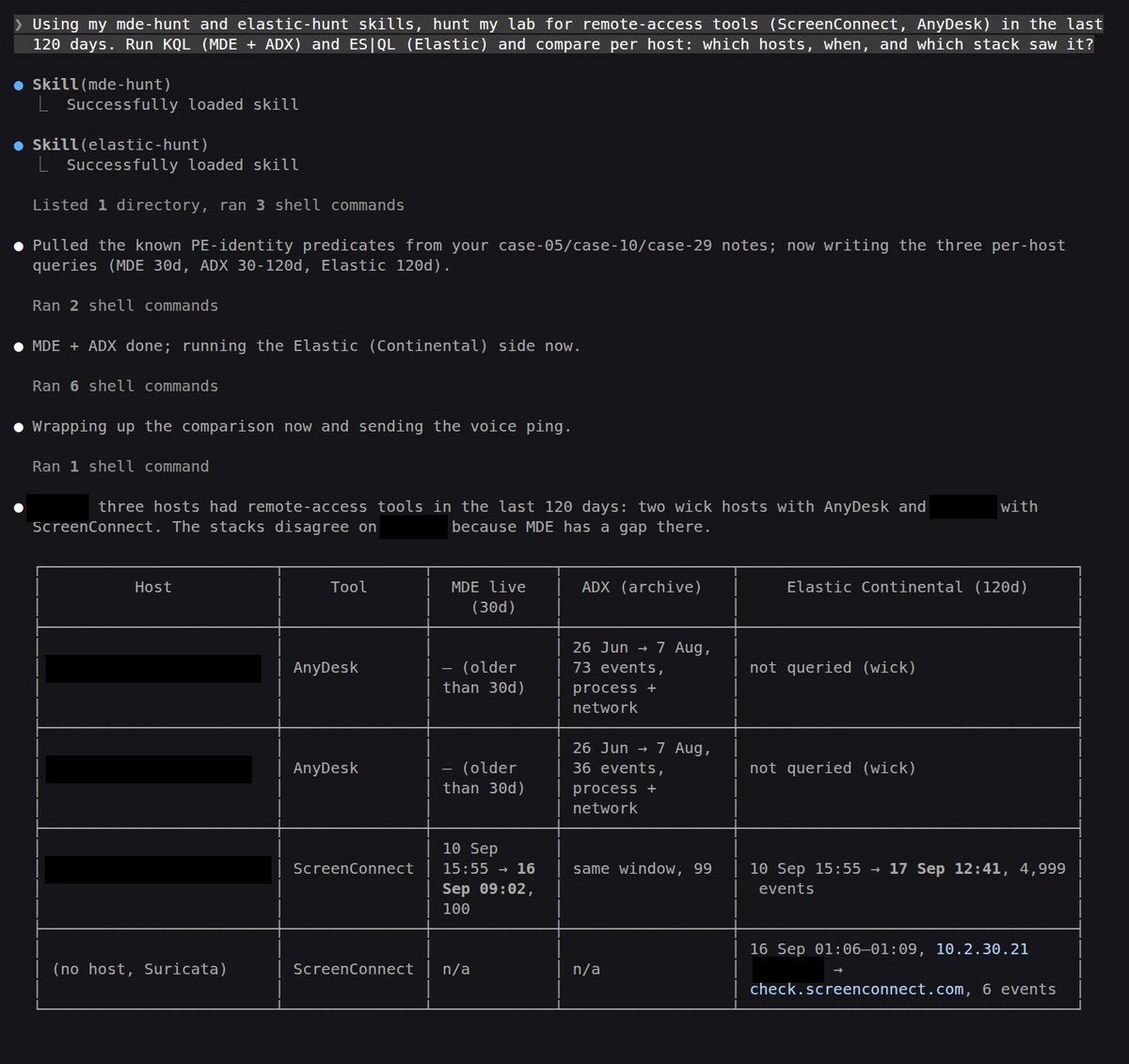
My lab runs MDE and Elastic side by side, so I gave Claude Code a skill for each:
- mde-hunt: KQL on MDE + my ADX archive
- elastic-hunt: ES|QL on Elastic
One question, both stacks searched, one table back.
Most SOCs run one of these. Whichever is yours, want the skill? I can share it on GitHub.
An attacker installed ScreenConnect, then hid it from Programs and Features with one registry value.
SystemComponent = 1 on its Uninstall key.
- Service: running
- Programs and Features: no ScreenConnect
Sweep both HKLM Uninstall hives (incl. WOW6432Node) for SystemComponent = 1 and read the DisplayName. Installers hide sub-components this way too. A hidden RMM client is not one of them.
My lab runs MDE and Elastic side by side, so I gave Claude Code a skill for each:
- mde-hunt: KQL on MDE + my ADX archive
- elastic-hunt: ES|QL on Elastic
One question, both stacks searched, one table back.
Most SOCs run one of these. Whichever is yours, want the skill? I can share it on GitHub.
Got tired of pasting KQL into the Defender portal, so I built an mde-hunt skill with Claude Code.
- I ask in plain English
- Claude writes the KQL
- a Python script runs it on live MDE (last 30 days) or my ADX archive (older)
First test: remote-access tools over 120 days. 3 hosts, one running AnyDesk renamed Invoice_Viewer.exe.
Interested? I can share it on GitHub.
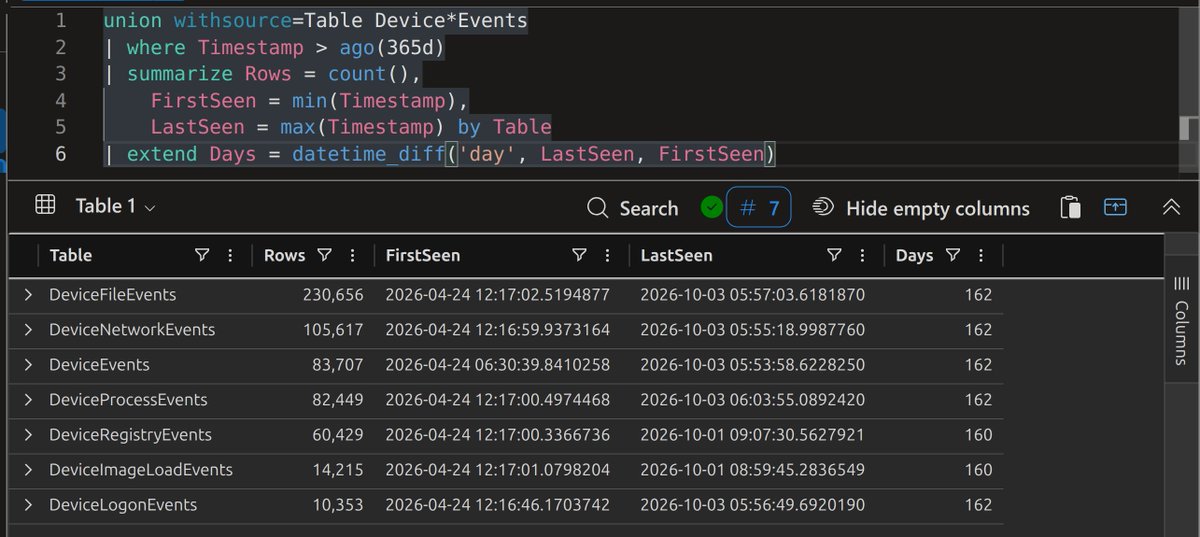
MDE Advanced Hunting only looks back 30 days.
For my lab I wanted to keep my own copy, so:
- Streaming API -> Azure Storage
- LightIngest -> free ADX cluster
- same KQL, now 162 days deep (587k events)
How do you keep MDE data past 30 days? Sentinel, data lake, ADX, or something better?
Two ScreenConnect implants on one host, 9 minutes apart. A signed cloud client to get in, then a self-hosted one on port 8041, pushed through the first, with the tray icon and banner turned off.
Ayush Anand (@Securityinbits) detonated it in a lab:
https://t.co/Jj768wOcbg
I ran my detection lab in VMware on my laptop for a long time.
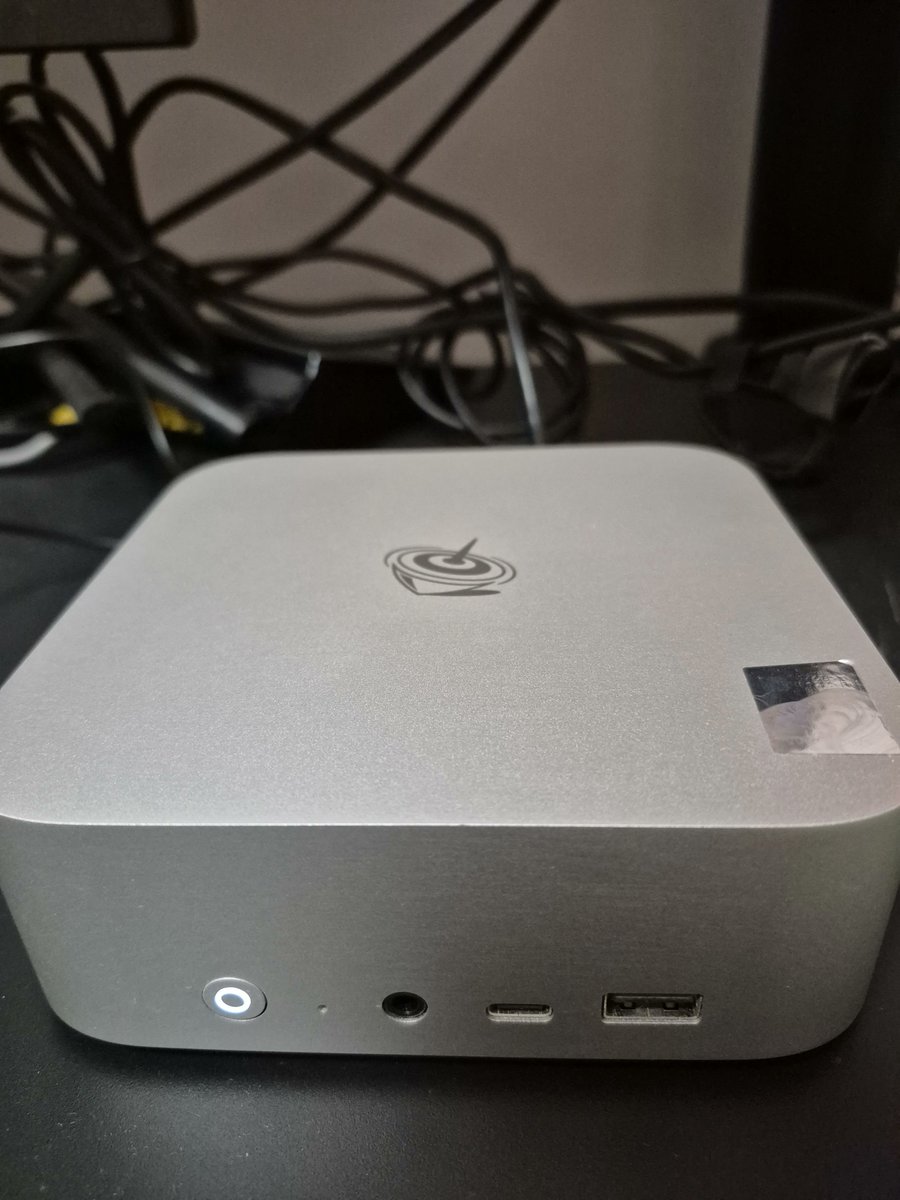
But I wanted Proxmox on bare metal, plus room for real monitoring. So I moved the lab to a Beelink SER10 MAX:
- 12 cores / 24 threads, 64 GB, 1 TB
- 11 VMs: DC, workstations, servers, Kali, router
- Elastic, MDE, Suricata and Velociraptor deployed
One of those VMs runs Claude, and it controls the rest of the lab.
Two different scanners. Same detection.
Advanced IP Scanner hit 254 IPs. Advanced Port Scanner hit 190.
Both across 5 ports, both one process, both in one time window.
dcount on DeviceNetworkEvents catches the fan-out, not the tool name.
Behavior gives it away, not the binary. 🎯
@_josehelps Thanks for the mention, Jose! & @M_haggis.
So far I've covered AnyDesk and ScreenConnect. FleetDeck is next.
LOLRMM has been a great resource for this series. Thanks for maintaining it.
AnyDesk is in 32 ransomware groups' toolsets in the Ransomware Tool Matrix, more than any other RMM. It's signed and legit, so the alert reads "probably IT" and gets closed.
Ayush Anand (@Securityinbits) ran it in a lab the way crews do:
https://t.co/9o8k0ZAEhS
@techspence Yeah, that's impressive! During my test, I excluded one of the devices from attack disruption, and it then started containing the user associated with the attack 😀