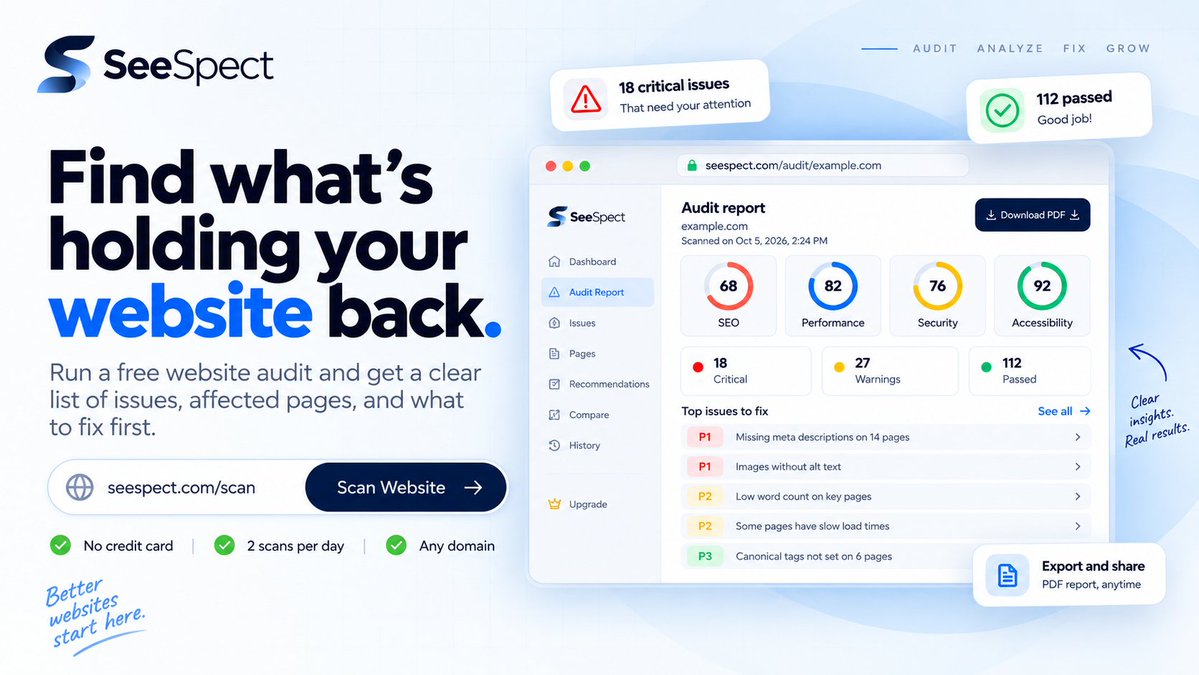
Website checks for freelance web developers. Find and prioritize technical issues, then verify fixes before client handover. Run a free check on a client site ↓
Web developers: before you hand off a client site, run one more check.
SeeSpect scans for technical issues and shows the affected pages so you can see what needs attention before launch.
Run a free scan →
https://t.co/7UnwkYGH2Y
I saw your update about the coding-bootcamp portal and landing page you’re shipping for a client—getting the UI done in under a day is a fast build. For the public landing page before handoff, what do you use to check the technical basics across its pages? I work on SeeSpect; if a second pass would help, you can run the free check yourself on up to five public pages, and I can help interpret one finding.
I saw your WordPress client-site post—nice to see the design and functionality decisions stayed yours even with AI helping with implementation. What does your final check look like before handoff: a page-by-page manual pass, or something automated too? I work on SeeSpect; if useful, you can run the free check yourself on up to five public pages, and I can help interpret one finding.
@itsZekoX Good point. I’d add a named owner and a clear “what proves this is closed?” note for each manual check; that keeps the handoff clear even when a scan can’t verify the change itself.
Client-site handoff tip: tie every finding to its URL, note the fix, and list what still needs a manual check. SeeSpect’s free check surfaces technical findings on up to five public pages; you choose what to fix. Try it: https://t.co/7DCAM69A5H
@MadeByEWD Your new-site offer bundles WordPress, hosting, a UK domain and SSL. How do you check technical basics across the pages before handover? I work on SeeSpect, a free check for up to five public pages; you can run it yourself, and I can help interpret one finding.
@the234saint With the seven-page build moving to express delivery, how are you handling final QA before handoff—manual checklist, a tool, or both? I work on SeeSpect; if useful, you can run the free check yourself on up to five public pages, and I can help interpret one finding.
@webmonterey@astrodotbuild@github@Cloudflare@claudeai That branch-preview setup makes sense. Do you check before merge, after deploy, or both? SeeSpect’s free check covers up to five public pages. You can try it on a site you control; I’m happy to help interpret one finding.
Find out what’s holding your website back.
Run a free SeeSpect audit to see affected pages, prioritized issues, and what to fix first.
No credit card required.
Web developers: before you hand off a client site, run one more check.
SeeSpect scans for technical issues and shows the affected pages so you can see what needs attention before launch.
Run a free scan →
https://t.co/7UnwkYGH2Y
Freelance web developers: check more than how a client site looks.
SeeSpect shows technical findings and affected pages to help you choose the next fix.
Owned-site demo, captured Sept 27. Run a free check on a site you’re working on:
https://t.co/oLeTTzHpQp
Web developers: before you hand off a client site, run one more check.
SeeSpect scans for technical issues and shows the affected pages so you can see what needs attention before launch.
Run a free scan →
https://t.co/7UnwkYGH2Y
@Shahporan_Razu The server requirement is the first preflight I’d check on an older client install. I’d update a staging clone, test the key plugins and forms, then push with a tested rollback ready; that catches compatibility trouble before the client sees it.
@janm_uiux A post-publish smoke test catches the handoff gaps Figma can’t show: keyboard tab order, real form delivery, broken links, mobile menu, and title/robots on the production URL. Those are easy to miss in the prototype but become the client’s first experience.
@josephmiclaus The partial-restore detail is the real lesson: a backup is not proven until it is restored and key pages/forms are checked. For client updates, a staging test plus a before/after URL list catches what “backup exists” can miss.
@yuvrajkhavad@7sync_tech Your map covers infrastructure; after DNS/SSL settles, add a production pass for canonical host, staging noindex, sitemap and a real form-delivery test. I’m testing SeeSpect for the scan→fix→rescan step; would you try a free check on one client URL? https://t.co/vkXly4ZxJf
Freelance web developers: check more than how a client site looks.
SeeSpect shows technical findings and affected pages to help you choose the next fix.
Owned-site demo, captured Sept 27. Run a free check on a site you’re working on:
https://t.co/oLeTTzHpQp
Freelance web developers: check more than how a client site looks.
SeeSpect shows technical findings and affected pages to help you choose the next fix.
Owned-site demo, captured Sept 27. Run a free check on a site you’re working on:
https://t.co/oLeTTzHpQp
@ChrisSimpson Your homepage → hub → 11 area pages structure is clear. Before handoff I’d check each area URL’s links and canonical. I’m testing SeeSpect with solo site builders. Open to a 10–15 minute preview on a site you control and candid feedback? No obligation to buy.