Backend engineers,
https://t.co/vBnMOFn9dB adds 24+ new backend jobs you can apply for now.
What are you waiting for?
Send out your resume.
What if today is your day?
Backend engineers,
@getbackendjobs adds 24+ new backend jobs you can apply for now.
What are you waiting for?
Send out your resume.
What if today is your day?
The most annoying part of academic writing is knowing the thing, but looking for some other paper to say it for you. You can't just say bread is soft, you have to say it according to Baker (2001) that bread is soft.
At the same time, you can't quote Baker 2001 because it's outdated. Although bread did not stop being soft, you have to find another Baker who said it in 2023.
Weeeeeeeeeeee aiy kuningi! Ngeke singahlanyi makunjena
Thank you @ossia for writing this helpful article. I look forward to your newsletter every week. In fact, it's usually the highlight of my Fridays.
Quincy's 5 freeCodeCamp Resources Worth Your Time Email – You Need to Re-subscribe Real Quick
https://t.co/0YpxhLDTiP
How did Singapore go from a third world country…
To becoming one of the most financially successful countries in the world?
The answer may surprise you:
If you want a cool project to help you practice your coding skills, this course is for you.
You'll use Next.js, Tailwind CSS, & MongoDB to build a ticketing application.
Your app will be able to assign and track issues, enable collaboration, and more.
https://t.co/78HdxBvN0I
How to take your portfolio live
I always procrastinated deploying my portfolio, I never really thought I had the time and somehow I always thought it’s going to cost me quite a bit of money without bringing any noticeable return.
Most of my freelance work is from referrals but every once in a while I get a client who asks “Can you send your portfolio/past work” and I usually start running around putting my past projects together to show them.
Recently I found that it’s quite easy to have your portfolio website and even a blog up and running in no time at all, for close to nothing.
These are the steps and the relevant information you need to know.
1. Getting a domain.
Getting a domain is usually the “stressful” part because you start thinking about email hosting, websites hosting etc. well not even.
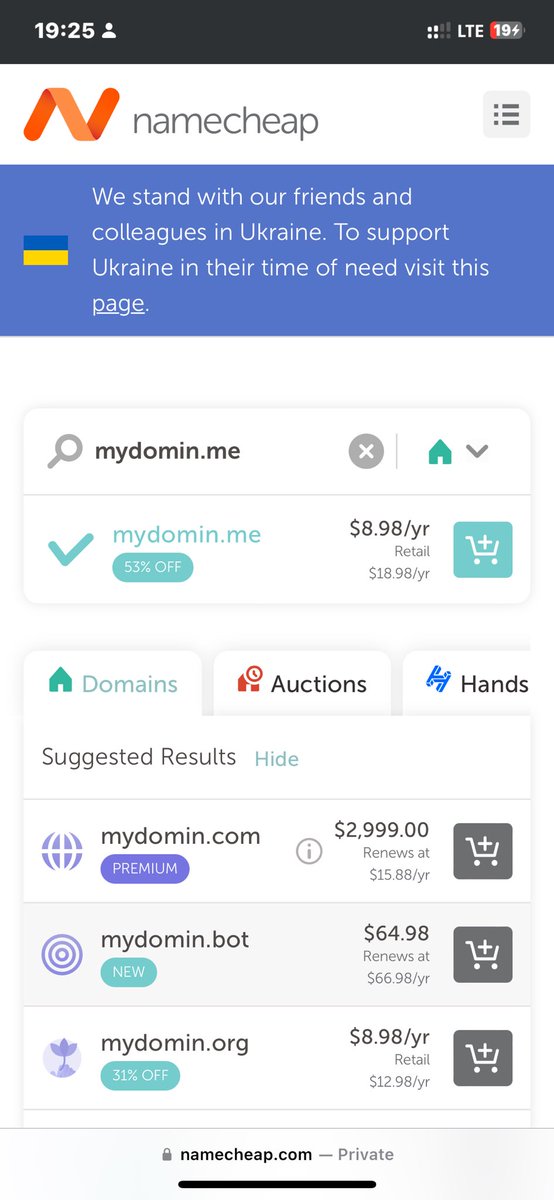
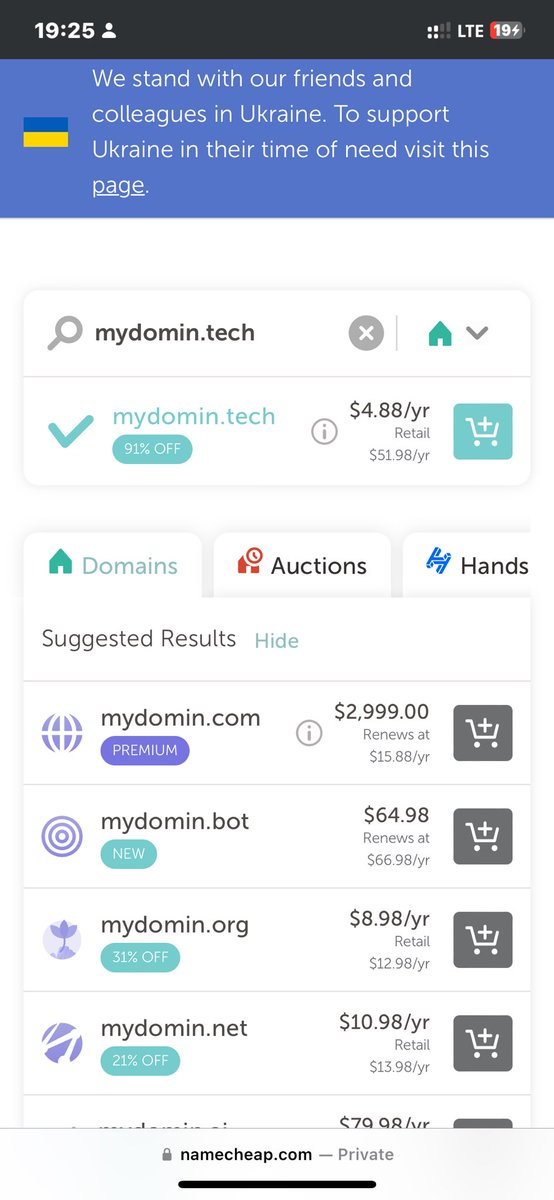
So head over to your favorite domain registrar ( I use https://t.co/KbVfnmBr2X ) and type in your desired domain name. If you want value for money, I recommend going for a .me domain or for a .tech domain. Naturally you’d want a .com domain and if you really want it that’s owkay, but it’s a bit more expensive and this article aims to keep it cheap and affordable. If you’re a university student you can actually get 1 year free on https://t.co/KbVfnmBr2X for a domain and ssl certificate.
2. Picking webhosting.
https://t.co/KbVfnmBr2X offers affordable shared hosting starting from as little as $1.98 (on offer), which is actually quite affordable. If you’re working on a very strict budget you can head over to GitHub and host your portfolio using GitHub pages.
GitHub free tier allows you to host one personal website and unlimited project sites using GitHub pages.
Head over to GitHub and create a repository with the format https://t.co/dkFIfiIKgK afterwards navigate to the settings of the repository, under Code and Automation click on pages and type your domain name under Custom Domain.
🔗 https://t.co/GSxLPDPV65
Now all you have to do is add your code to this repository and push it. If you’re deploying through a branch your site should be up in under 2 minutes.
3. Custom email
Another important piece of your online presence is a custom email ie your_name@your_domain.com .
Email hosting can be quite pricey, but luckily I’ve done the research for you and found you the bestest offer😅.
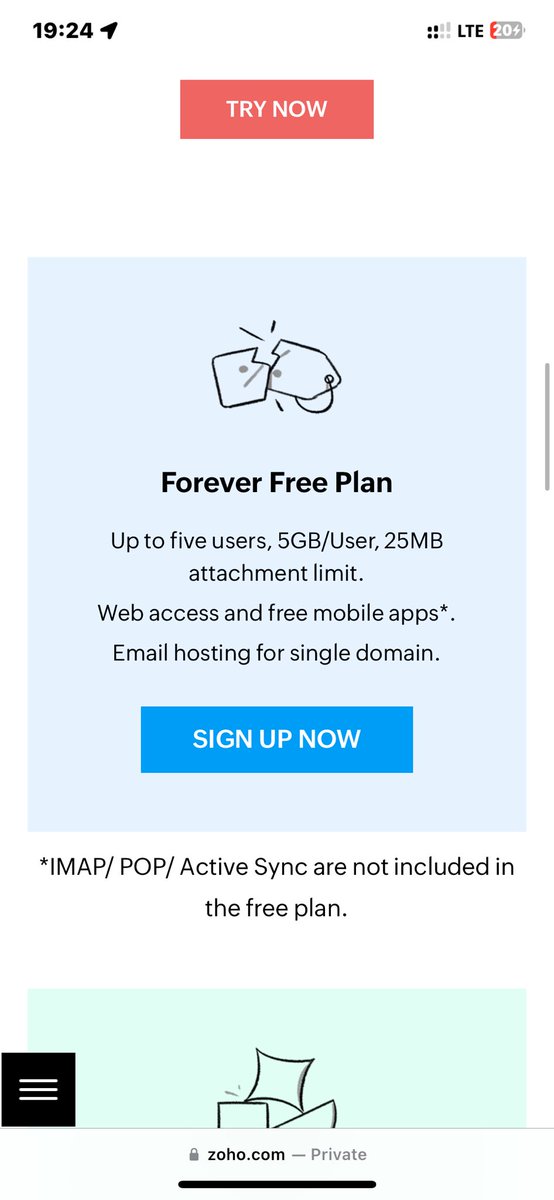
Heard over to Zoho Mail ( 🔗 https://t.co/Jrurbf1r5v) pricing page and check out the packages, affordable right? Now scroll down to the bottom where there’s the Forever Free plan. This plan offers you 5 Users each with 5Gb storage space (a lot for emails) and the great part is it has a great and clear walkthrough of how to add your own custom domain.
If you’re an iPhone user and already subscribe to iCloud+ you can also add your custom domain and use your iCloud hosting, however the instructions from iCloud weren’t very clear and I gave up midway.
This should be enough to get you started with taking your portfolio out of http://localhost to the WorldWideWeb.
Thank you.
Credit to:
1. @GitHubEducation for the GitHub Student Pack
2. @Namecheap for amazingly priced domains
3. @github for GitHub pages.
4. @iamngoni_ for introducing me to Zoho Mail.
5. @ZohoMail for the Forever Free Package.
@ZimDevelopers@gdscuz #techtwitter #TechEnthusiast