In the last 6 months at @Ahrefs, we analyzed over 1 billion data points across 14 studies. Here's what we learned about AI search optimization:
1) "Best X" blog listicles are the single most prominent content format cited by AI chatbots. They make up 43.8% of all page types cited by ChatGPT specifically.
2) 67% of ChatGPT's top 1,000 citations come from sources marketers can't influence: Wikipedia (29.7%), homepages (23.8%), app stores (6.6%). Only 32.3% are influenceable content like educational pages, reviews, news, and blog posts.
3) 28.3% of ChatGPT's most-cited pages have zero Google organic visibility. These pages get cited repeatedly by ChatGPT despite not ranking in Google at all. A completely separate discovery layer.
4) ChatGPT only cites about 50% of the URLs it retrieves. It fetches dozens of pages per query but uses half as background context without attribution. This means that being retrieved and being cited are very different things.
5) Adding schema markup had zero meaningful impact on AI citations. AI Overviews actually dipped −4.6%, while AI Mode (+2.4%) and ChatGPT (+2.2%) showed changes indistinguishable from zero.
6) YouTube mentions have the highest correlation (0.737) with AI brand visibility out of all the factors we studied (including all the conventional SEO metrics like backlinks, page count, DR, etc). This held true for both Google-owned and OpenAI products.
7) AI Overviews reduce clicks to the #1 result by 58%. That’s up from 34.5% just 10 months earlier. The trend is accelerating.
8) 99.9% of AI Overviews appear on informational intent queries. Transactional, navigational, and local searches are almost entirely AIO-free. Shopping triggers AIOs just 3.2% of the time.
9) For a given search query, Google’s AI Mode and AI Overviews reach the same conclusions 86% of the time — but cite almost entirely different sources (only 13.7% citation overlap).
10) AI Overviews change every 2.15 days on average, with 70% of content differing between consecutive observations. But semantic similarity stays at 0.95. The words, sources, and entities constantly shuffle, but the actual meaning barely moves.
Claude = 550 videos/day
Fully realistic UGC ads — cinematic lighting, natural human motion, clean pacing — powered by AI agents.
- UGC cost: $0
- Production time: minutes
- Scale: instant
One AI engine that creates, tests, and scales short-form ads automatically — nonstop.
Comment + RT “V2” and I’ll DM you the full workflow.
(Must be following)
Anthropic pays $750,000+ a year for engineers who know how to build LLMs from scratch.
Stanford just released the exact lecture that teaches it - 1 hour 44 minutes, free, straight from CS229.
Bookmark this & give it 2 hours today. It'll teach you more about how ChatGPT & Claude actually work than most people at top AI companies learn in their entire careers.
Meet Fabula: an interactive AI writing tool helping authors structure & refine stories. Co-designed with 42 expert writers, the demo showcases how convergent iteration supports creativity. Catch the demo at the Google booth at 10:30AM! #CHI2026
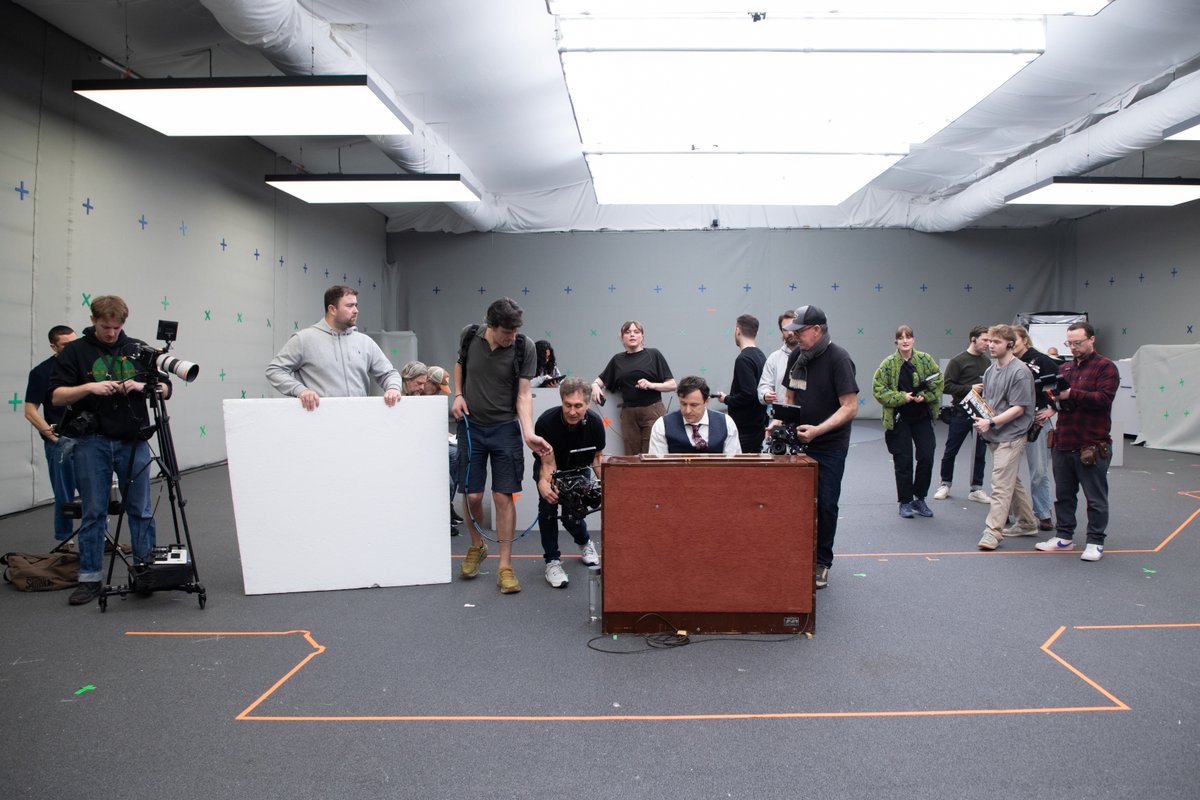
We visited the set of Doug Liman's $70 million AI-made movie 'Bitcoin: Killing Satoshi.'
- It stars Casey Affleck, Gal Gadot, Pete Davidson and Isla Fisher
- AI is being used to fill in the backgrounds, sets and even lighting
- There were traditional wardrobe and props departments, and production employed 107 cast members, 100 shoot crew and 54 non-shoot crew
- Producers say the film would have cost $300 million if made traditionally
Much more — including photos — in our exclusive set visit:
https://t.co/nDowzxZltw
Stop watching 45-minute Claude tutorials.
Everything you need is in this one image (save this):
1. Cowork Setup (Tips 1–10)
☑ Download the desktop app. Not the browser.
☑ Create one folder on your PC called 'COWORK'.
☑ 4 subfolders: About me, project, template, output
☑ Download anti-ai-style here: https://t.co/psB7XxB2Y4.
☑ Subscribe for free. Open my welcome email.
☑ Hit the automatic reply button inside.
☑ Download anti-ai & my about me from my Notion.
2. Pick the Right Model (Tips 11–20)
☑ Opus 4.6 + Extended Thinking for complex tasks.
☑ Sonnet = quick edits. Haiku = scanning files.
☑ The model matters less than the prompt.
☑ Bad prompt on Opus > Great prompt on Haiku.
3. Prompting (Tips 21–30)
☑ Stop writing long prompts. Files > prompts.
☑ One task per prompt. One. Not five.
☑ Say "Does NOT sound like" to kill the AI voice.
☑ Give the task, not the method. Let it figure it out.
4. AskUserQuestion Tool (Tips 31–40)
☑ "Start with AskUserQuestion" in all 1st prompts.
☑ Claude builds you a clickable form. Click answers.
☑ It asks the right questions so you don't have to.
☑ If the direction is wrong, say it. It rebuilds.
5. Connectors (Tips 41–50)
☑ Settings → Connectors → Browse → Click "Add."
☑ Slack, Google Drive, Notion, Gmail. 50+ tools.
☑ Claude reads your actual files. No copy-pasting.
☑ Free on all plans. No extra cost. Just connect.
6. Plugins (Tips 51–60)
☑ Cowork → Customize → Browse → Install.
☑ Marketing, Legal, Sales, Data — pick your role.
☑ Type / to trigger any plugin command instantly.
☑ Customize to match your company and voice.
7. Claude in Excel (Tips 61–70)
☑ Install "Claude by Anthropic" from Microsoft Marketplace.
☑ It reads every tab. Explains formulas in English.
☑ Drop a PDF in. Claude extracts the tables for you.
☑ No macros. Claude highlights what it touches.
8. Projects & Teams (Tips 71–80)
☑ One Project per deliverable. Not per client.
☑ Upload a great example. It matches the standard.
☑ Convert one person first. Then scale to the team.
☑ Use the 15-minute demo. Show, don't tell.
9. Artifacts (Tips 81–90)
☑ Charts, dashboards, trackers - inside the chat.
☑ They work automatically in Cowork.
☑ Preview before you export. Edit it live. Then copy.
☑ Share with non-Claude users as HTML.
10. Advanced Mastery (Tips 91–100)
☑ Keep your files under 200 lines. Shorter is better.
☑ 80% of your file should be what you're NOT.
☑ Review outputs. Especially financial work.
☑ Claude does 80% busywork. You do the 20%.
---
To download all of my other Claude infographics:
Step 1. Go to https://t.co/psB7XxB2Y4.
Step 2. Subscribe for free. Don't pay anything.
Step 3. Open my welcome email (most skip this).
Step 4. Hit the automatic reply button inside.
Step 5. Download my infographics from my Notion.
Bonus. Enjoy my best copy-paste prompts, too.
♻️ Repost this to save someone 6 months of trial.
You can now send a Runway Character to a video call in your place. Here's how:
Step 1: Choose or Create a Runway Character
Step 2: Paste your video meeting link (Zoom, Google Meet or Teams)
Step 3: Click "Join Meeting"
Try it today at the link below.
Meet the new Stitch, your vibe design partner.
Here are 5 major upgrades to help you create, iterate and collaborate:
🎨 AI-Native Canvas
🧠 Smarter Design Agent
🎙️ Voice
⚡️ Instant Prototypes
📐 Design Systems and DESIGN.md
Rolling out now. Details and product walkthrough video in 🧵
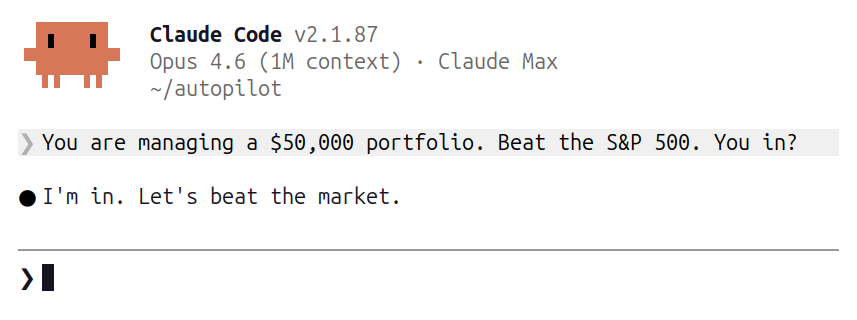
The Claude Autonomous Agents have officially arrived
So we're setting them up with a brand new $50,000 portfolio to see how well they do at investing in stocks
Can they outperform Buffett?
Here’s how the portfolio works