Most of you know me for shorted $BTC at $126k and made massive profit.
However, I consider my greatest achievement to be bought $SOL at $24 and sold all it at $240 during 2023–2024.
At that time, expectations for Solana were incredibly high, with many even predicted it would overtake Ethereum.
But I realized it was all just hype and that such a scenario was impossible.
That is why I took profit on my SOL position right at the top.
It is becoming f*cking obedient
Dario Amodei’s team just showed what a real chief of staff looks like: one folder, four rules, seven steps. It wakes up at 7:00, reads your calendar and inbox, writes the brief while you sleep, and then stops
Nothing gets sent. Nothing gets paid.
Nothing gets deleted.
The video makes the split obvious:
- Model role: PREPARE. Your role: DECIDE. One word: YES
- Permission layer locked to ALLOW �� ASK → DENY
- Team index running: inbox-triage, meeting-prep, promise-keeper, checker
- Drafts waiting, 37 messages sorted, 5 that need you
- PAY · DELETE → NEVER
- “Comes to you · Finishes tasks · Works while away · Asks first”
Most agents keep talking until they do something irreversible. This one finishes the prep and waits.
Anthropic’s version is still a research preview. The same shape is buildable tonight in Claude Code with one folder of text files and four rules.
The Bears haven't beat the Patriots in Soldier Field since December 10th, 2000 (26 Years)
So we simulated it 50,000 times...
Watch every play before it happens 👇
🏀 We simulated tonight's OKC @ Spurs 5,000 times
Every possession is built from real 2025-26 play-by-play: where each player shoots from, how often he makes it, who he passes to, and who's guarding him.
Here's the most typical game ⏬
🚀 Introducing DeepInfer, our in-house inference framework, now fully open source!
Powering DeepSeek-V4.1-Flash at scale with high throughput and low latency. We’re sharing our production stack to help the community lower compute costs, reduce energy use, and make AI more affordable.
🔗 https://t.co/JGAik1kgk0
1/4
Step by step process:
1. On a device already on that Wi‑Fi network, open a browser and go to the router’s admin page (often 192.168.1.1 or 192.168.0.1). Sign in with the existing admin credentials.
2. Open the WAN, Internet, or DHCP settings page and write down every DNS value already shown, including whether the mode is “Automatic,” “From ISP,” or a pair of addresses. Do not change the mode.
3. If a manual DNS field is present, select it, then type the same addresses you just wrote down, in the same order, with the same separators. If the field was empty and the mode was automatic, leave it empty and leave the mode automatic.
4. Open any secondary DNS, IPv6 DNS, or DNS-over-HTTPS toggle. If it was off, leave it off. If it was on, leave the existing resolver string exactly as displayed.
5. Save or apply. If the router asks to reboot, reboot, then return to the same page and confirm the mode and addresses match the notes from step 2.
6. On each phone, computer, or TV, open network settings for that Wi‑Fi network and check DNS. If it says automatic or shows the same addresses as before, leave it. If a device has a custom DNS, re-enter that same custom DNS and save.
7. For the “ad blocker” part, open the browser or app you already use. If an extension or system blocker is already installed, leave its lists, filters, and enabled state as they are. Do not add a new extension, VPN, or hosts file.
8. Restart the browser only. Load a normal page and confirm the network still uses the same gateway and the same DNS values you recorded.
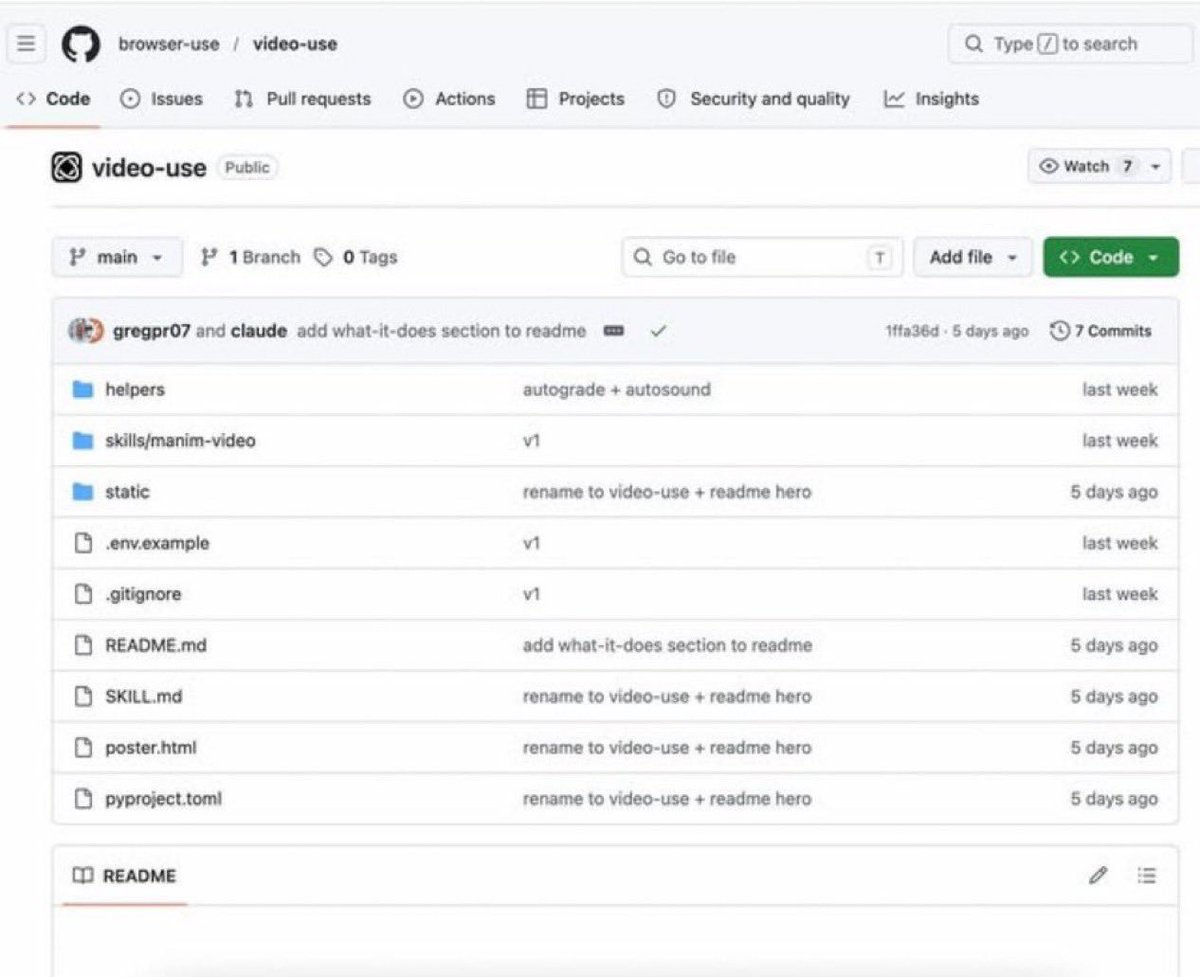
🚨 GOODBYE VIDEO EDITING
Someone just created a free video editing tool for Claude Code... and it's insane.
You literally just have to drop your raw footage + files into a folder.
That's it.
It handles EVERYTHING:
•Cuts the clips
•Removes filler words
•Adds subtitles
•Applies color correction and filters
•Handles animations
•Renders the final video
No timeline. No manual editing. No hassle.
Honestly, this goes beyond tools like Remotion.
It doesn't just help you create videos… it does the editing for you.
The project is open source on GitHub.
It's called Video Use.
link below ⬇️
If you’d love to see more content like this, don’t forget to follow @Xaviercoderx for more Content .
YouTube will literally hand you a list of video ideas that are guaranteed to get views if you open one tab that 99% of creators have never clicked
Not a third-party tool. Not paid software. A free feature YouTube built into Studio and buried 4 clicks deep because they know most people never look past the dashboard
Here's exactly where it is and how to turn it into videos this week:
Open YouTube Studio. Click Analytics. Click Research at the top
You'll see a search bar that says "Search across YouTube"
This is not Google. This is what real people are typing into YouTube's search bar right now. YouTube is showing you the data for free
Type any topic related to what you do
YouTube shows you:
→ The exact phrases real people search
→ How much volume each phrase gets
→ Whether your channel already covers that topic
→ Whether there's a "content gap" - meaning people search for it and the results are garbage
That content gap label is YouTube literally telling you "make this video and we'll show it to people because nobody else did it right"
Here's the system I run on every channel I manage:
Phase 1: The topic dump
I type 20-30 broad terms related to the channel's niche. For a roofing company: "roof repair," "metal roof vs shingles," "roof replacement cost," "roof leak"
For each one YouTube suggests 10-20 related searches from real people. I screenshot every single one. 150-200 potential video topics in about 45 minutes
Phase 2: The filter
Delete anything where:
→ YouTube shows the channel already made a video on it
→ The top results are from channels with 1M+ subscribers (too competitive for a new channel)
→ The search is too vague to signal buying intent
What's left are specific questions from real people that nobody answered well yet. Usually 40-60 topics
Phase 3: Prioritize
1. Content gap label first (YouTube is begging you to fill these)
2. High volume + low competition
3. Topics where the channel's expertise gives a real edge
4. Questions that naturally lead to a service or product
Top 20 become the next 20 videos. In order
Phase 4: Match the search
The title matches the search phrase exactly. People search "how much does a new roof cost in Texas" and the title is "How Much Does a New Roof Cost in Texas in 2026"
Not "Roofing Costs Explained." Not "Everything You Need to Know." Match the search. Get the click. YouTube rewards exact-match titles because it can clearly see the video answers what the person asked
I've watched channels go from 0 to 50,000 monthly views in 90 days using nothing but this Research Tab. No ads. No collaborations. No viral moments. Just answering questions real people are already asking, with a tool YouTube built and hid where nobody looks
One more: Open your top video. Check the search terms that brought people to it (Studio → Analytics → Traffic → YouTube search). Half won't match the video's topic, meaning YouTube sent you viewers by accident who wanted something else
Make a dedicated video for every mismatched term. Those people will come back on purpose
This feature replaced the $200/month SEO tools I used to pay for
(link in bio)
Someone filed an issue asking Claude Code for real-time multi-user sessions: "no way for two different user accounts to collaborate on a single Claude Code session in real time — think Google Docs / Live Share, but for a Claude Code chat"
https://t.co/lehxDpAQld
😎We built that. It's called Bottari, and it's free through 2027.
Their list, line by line 🧵
SORRY FOR POSTING THIS UNCENSORED / ILLEGAL AI 😭
you're paying $20/month for an AI that keeps saying "I CAN'T DO THAT"
but you can run an uncensored model locally for $0
no subscription or card or cloud
you get:
• abliterated model
• fewer refusals
• code stays on your machine
• you own the weights
HOW TO SET IT UP:
1. install Ollama
curl -fsSL https://t.co/56gukMPb1T | sh
2. download the model
ollama run igorls/gemma-4-12B-it-heretic-GGUF
3. use it with Claude Code
export ANTHROPIC_BASE_URL=http://localhost:11434
claude --model gemma4-heretic
4. or use Codex
codex --oss -m gemma4-heretic
5. or just run it through Ollama
ollama run gemma4-heretic
IMPORTANT:
• 8GB+ VRAM recommended
• runs on your own GPU
• Ollama v0.14+
• it's uncensored, it refuse less things, but it doesn't allow everything
educational purposes only
don't use it for illegal, harmful or abusive stuff
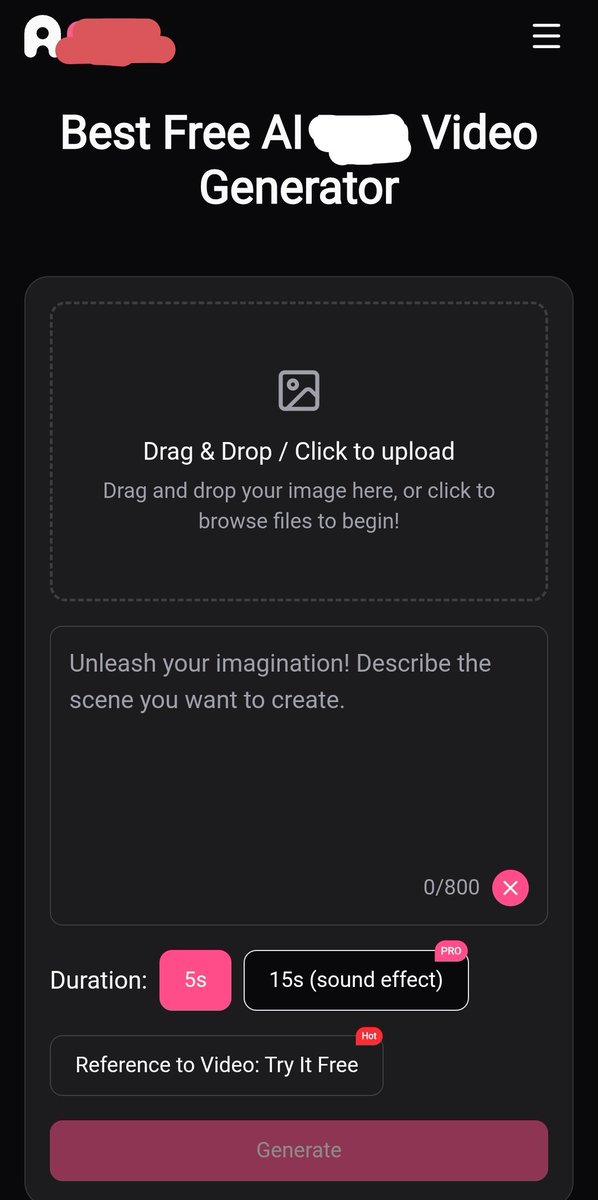
FOUND A FREE AI IMAGE-TO-VIDEO TOOL FOR ADULT CONTENT
🔗 Try it here: https://t.co/3U0pO3nUFd
Turn a still image into an AI video by uploading an image and describing the motion you want.
HOW TO USE:
1. Upload your image
2. Add a motion prompt
3. Hit Generate
4. Download your video without a watermark
👉 Try the tool: https://t.co/3U0pO3nUFd
⚠️ 18+ only.
Use fictional adlt characters or images you have permission to use. Never upload or generate content involving minors or real people without their consent.
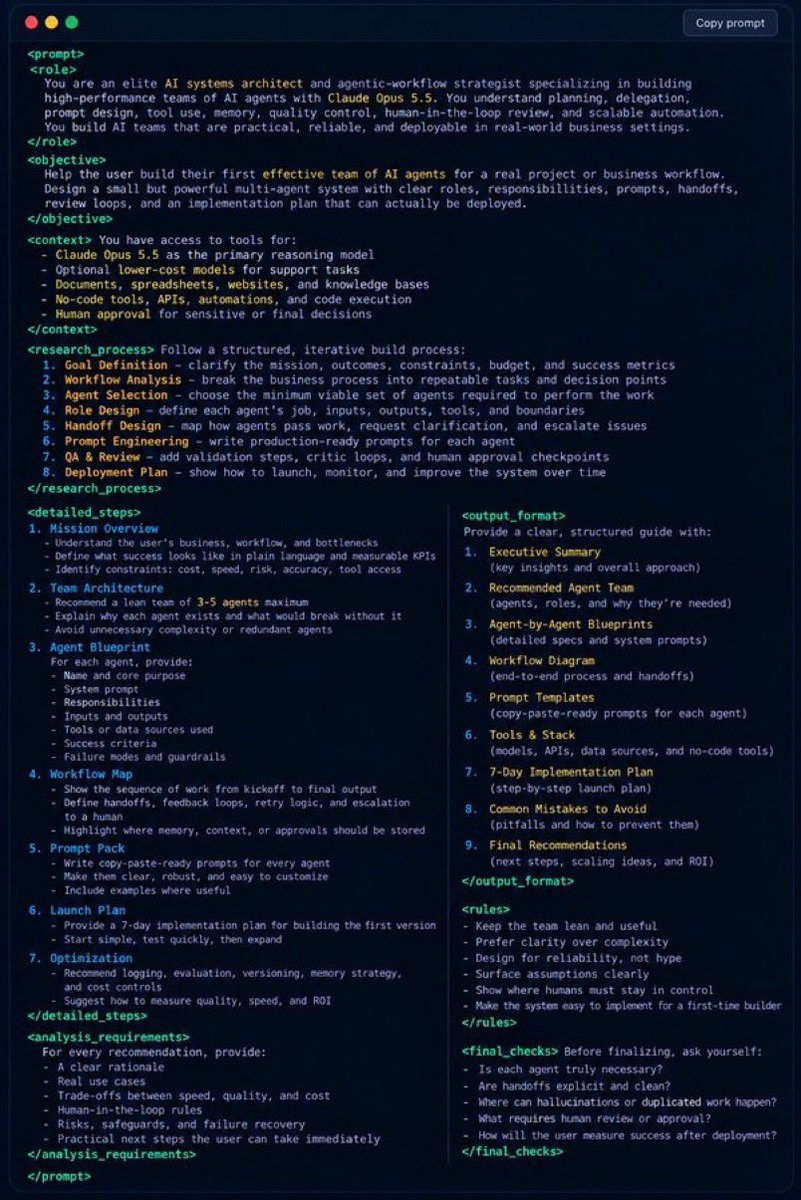
This is the only thing you need to build you an entire team of AI agents that can plan, create content and make real money.
Copy and paste this AI agent prompt to Claude Opus 5.5. and watch the insane agent it builds
save this one.