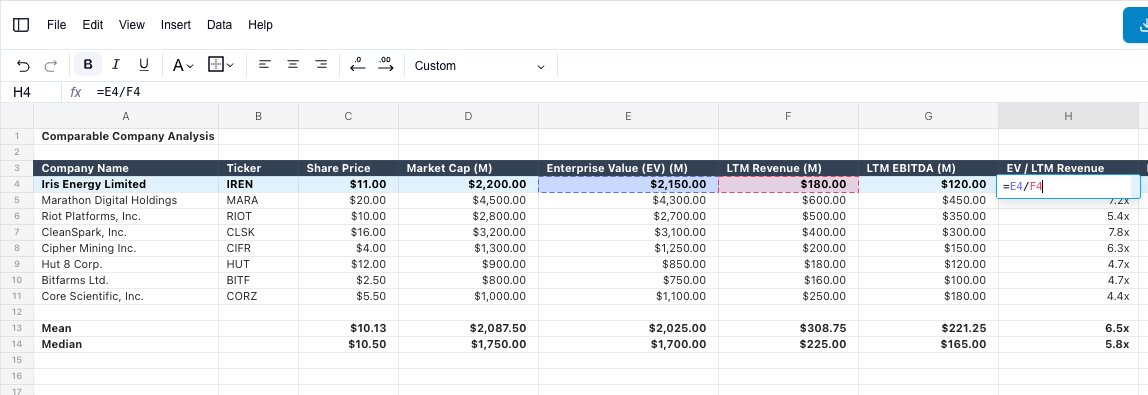
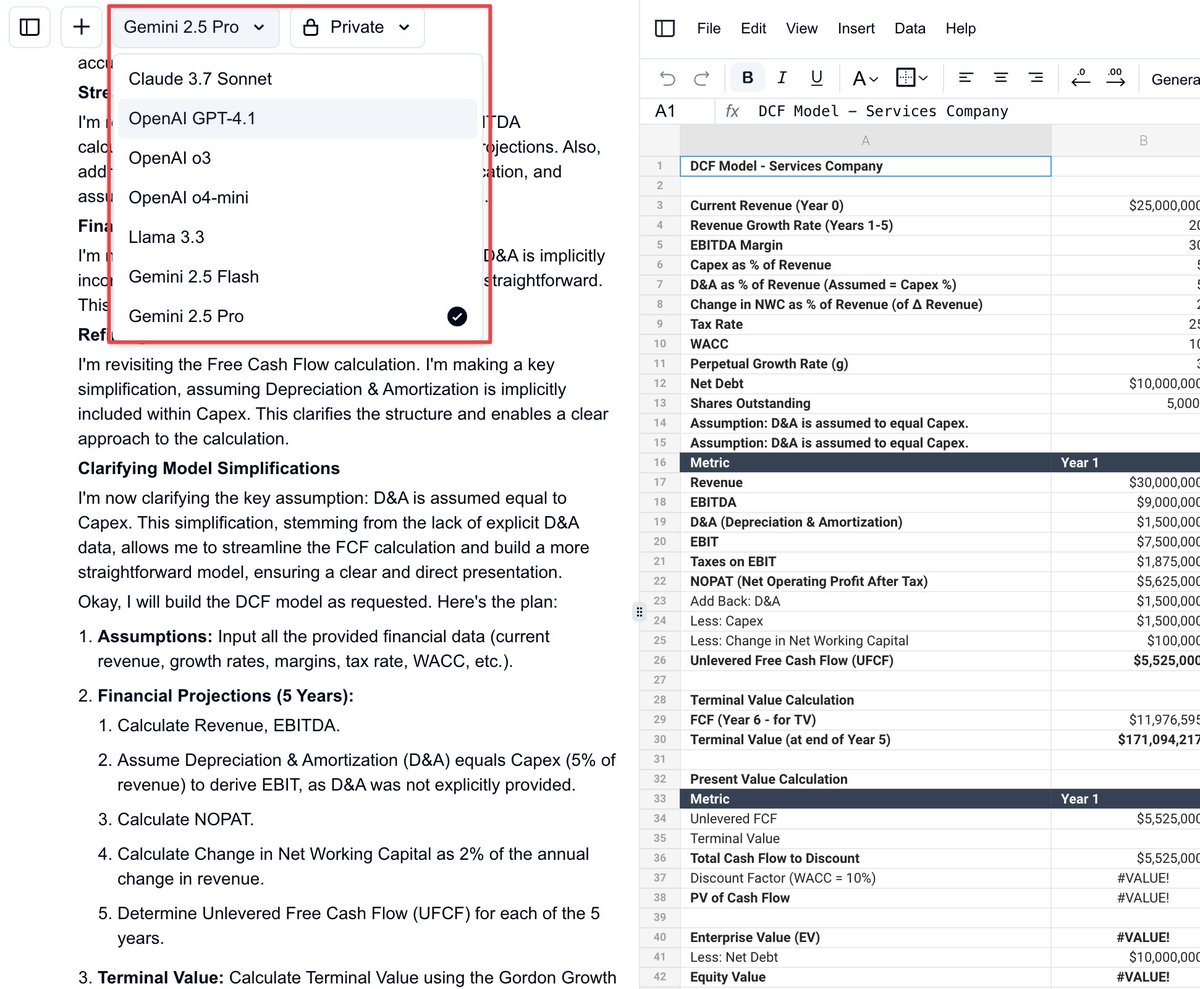
Asked @SubsetHQ to build comps for $IREN
Funny enough, the comps table and spreadsheet was perfectly built with formulas and formatting. But the data was stale...
I even asked Gemini 2.5 if it was sure of the market cap figure, which is tried correcting itself. Unsuccessfully.
With updated data, this is going to be overpowered.
@SubsetHQ is being acquired by @RogoAI!!!
There’s so much I want to share that it’s hard to put into a single post, but here are some thoughts and feelings.
@thejasonchan@Lifeinvestmoney No, 9% on $2m is $180k a year, which is $15k a month. User claims $35k a month so it's about $20k off.
That said...can still live off of $15k a month easily
@money_cruncher Warren Buffett's party trick was to do this calculation in his head, and then tell someone who was showing off his boat how much he just lost:
I took a college level finance test using an AI Spreadsheet @SubsetHQ . Here's my unedited video without cheating.
It got 5/10 questions correct. 😭
The silver-lining is that the AI actually performs really well. The AI builds the spreadsheet out perfectly basically everything. 4 of the wrong answers are actually because we don't support the FV, PV and StDev formulas yet, but that's an easy add.
Also I did this entire thing in 6 minutes. This would take at least an hour for a real student.
Will fix and re-take the test!
By far the best day at @SubsetHQ for
- New signups
- Number of messages in a day (our main KPI)
- New chats opened
Not exactly sure why, but here are a few new things:
1. Improved UX to make it easier to iterate on the spreadsheet. Now you can highlight parts of the spreadsheet and then ask the AI to fix just that part. Before it would only make edits to the entire spreadsheet.
2. A few of my replies to tweets had good engagement (this could have affected new signups)
3. Sent an update to our discord channel about new improvements we've made (this could have affected new messages and chats)
4. Still WIP and shipped a couple things here, but updating our docs and landing page to show more of our features.
3/3 Fixing generated formula errors
- Select the cells with the errors and send it to the chat Cmd+J
- Then simply ask to fix the error
- Try selecting the entire section or region for best results
- The more info the AI has, the better it can fix the errors or make changes
Some new tips on how to use Subset.
1/3 You can accept or reject edits before they are applied to the spreadsheet
If you don't like the result, reject it and try again
Accept edits with Cmd + Enter, and jump to and from editor or chat with Cmd + /
2/3 Tips for Building large spreadsheets
- Ask the AI to split up edits into individual parts
- Tell the AI where to build (i.e. "Build the balance sheet on row 54")
- More details = better results
- If you don't know, ask the AI before building
introducing subset.
a web app i made for myself.
one simple, clean place to build spreadsheets with AI
all in react.
no subscription.
all synced. free. enjoy.
Currently working on the ability to infinitely build upon your spreadsheet
The new branch will include the ability to:
- accept or reject the changes
- add entirely new analysis to the spreadsheet without regenerating from scratch