@cmckin90610@Allegiant Are you kidding me, @Allegiant ! Now we are waiting while a new flight plan is filed when you had an hour to do that while you counted us five times! We have now waited over 90 minutes on a plane on the tarmac in Concord.
NEW! Introducing THIS WEEK’S FREE group activity from StickTogether - Color Sudoku - October 30th, 2022: https://t.co/hb3bdrL9uv. How long did it take you to complete the puzzle? Post your time in the comments and be sure to share with your friends. #TLChat#EdChat
The built-in #accessibility tools available in Microsoft 365 empower learners of all kinds to do their best work.
Which one are you excited to try next? 🤔 💭 🛠
#edtech#edchat#mieexpert
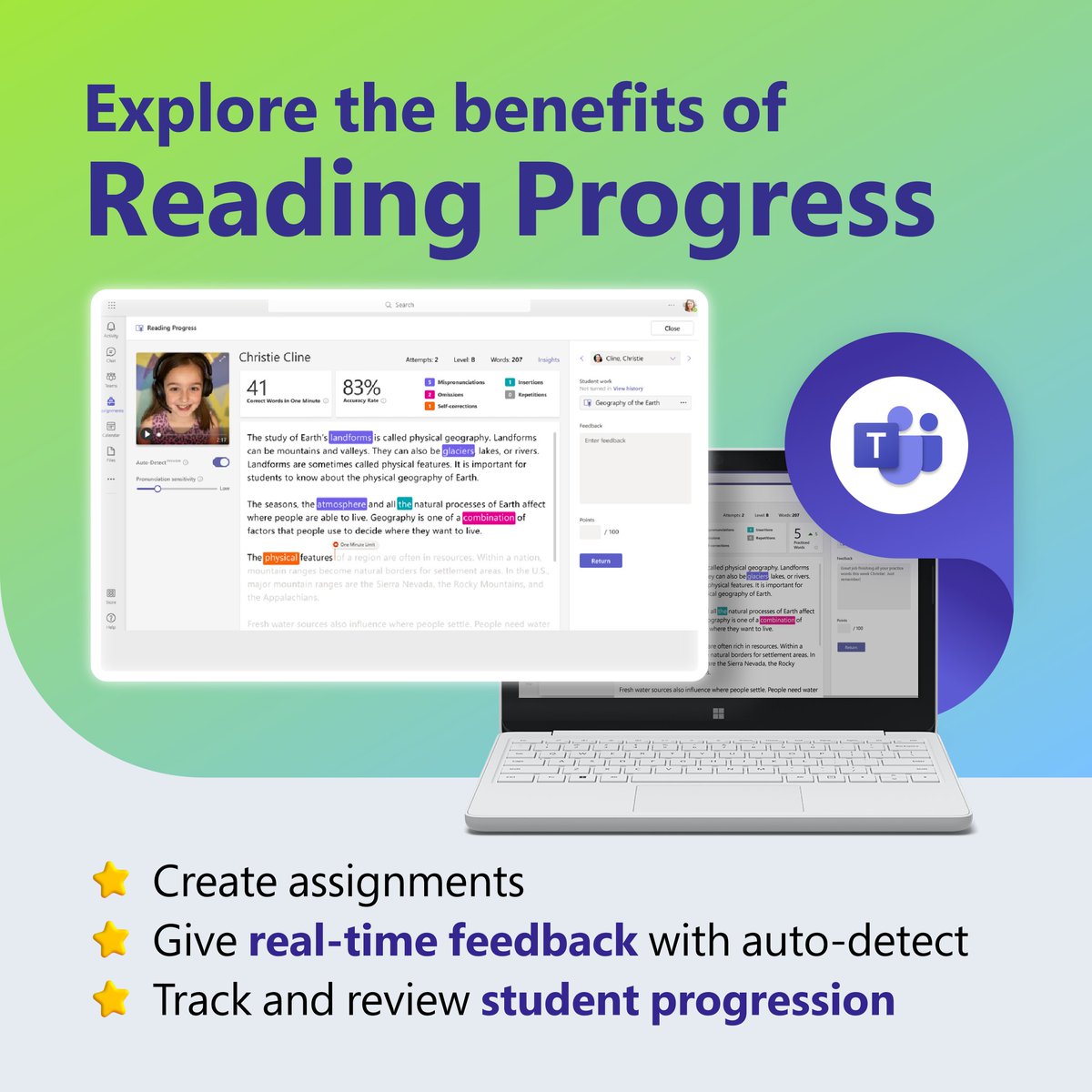
Reading Progress provides support for all kinds of learners through personalized assignments, analytics, and more.
Learn how to get started with this free, built-in tool: https://t.co/kqvFJJmI8G
#MicrosoftEDU
Making learning accessible is all about supporting students’ unique needs and abilities 💯
Take a deep dive into these five #MicrosoftEDU tools and discover how they help create a more inclusive classroom.
👉 https://t.co/Cuk1Nk0Tbp
#accessibility#mieexpert#edchat
🤩 Introducing a fresh new design for your Wakelet home area!
⚡ We’ve improved accessibility, enhanced navigation, and, of course, made the platform look a whole lot prettier!
🔥 Head to your home area at https://t.co/W0NYDDQW4X to give it a go!
These four features are great ways to create and share all your upcoming quizzes!
What’s your favorite way to use Microsoft Forms?
#edtech#mieexpert#MicrosoftEDU
Did you know #MicrosoftEDU Learning Tools go beyond just reading comprehension? 🧐
Find the support you need to elevate your classroom with tools for writing, math, and communication: https://t.co/EbbZ49uce9
🎉The Student Certified Course is THE BEST way to help your students learn how to make the most of Wakelet!🎉
Share it with your class today and your students can quickly become Wakelet superstars!🦹🦸
https://t.co/DfWKu2BZlp
Have you tried out Reading Progress and Reading Coach yet? This reading fluency tool is FREE, built-in to #MicrosoftTeams Assignments & works on any platform. Give it a spin this school year 📖
Learn more 🔗 https://t.co/e7RVcpuwCM
#edtech#cpchat#suptchat#dyslexia#MIEExpert
Whoa ... have you seen all of these FREE PowerPoint templates???
In TRUE #TechLAP style, make learning feel like Snapchat, Instagram, Twitter, game shows. There's even an interactive notebook template!
Download for FREE: https://t.co/riUvWqCWbo
#DitchBook
NEW! My top 25 tips & tricks for #MicrosoftTeams Assignments 📝 This is the ultimate guide and covers:
🐣 The basics
🆕 New updates
⚙️ Advanced features
💎 Hidden gems
➕ Lots more
YouTube 📺 https://t.co/3gu9PmQIm5
#edtech#edchat#MIEExpert#MicrosoftEDU
NEW! The ability to create a Timed Quiz in Forms or #MicrosoftTeams is rolling out globally 🚀 This is now in Quiz Settings, and the educator view and student view are both shown below 👇
#edtech#edchat#MIEExpert#MicrosoftEDU
For this week’s back-to-school tool, we’re looking at #MicrosoftTeams! 🎒📚🛠
These five features are designed to help you make the most of this school year.
Learn more about how they can enhance your classroom: https://t.co/M08VgMDVnN
#MicrosoftEDU