Using plain English to help you keep up with Microsoft 365 & Copilot news.
Family man, then an adoption specialist, trainer, blogger, podcaster & YouTuber.
October was a busy month for Microsoft 365 and Copilot. Did you catch all the updates that matter to end users?
I’ve rounded them up in plain English, so you don’t have to dig through Microsoft’s announcements yourself. A few highlights:
🧠 Copilot Notebooks is now Copilot Workspaces, with a new team-first focus
📧 Outlook rules can now reply with a saved template
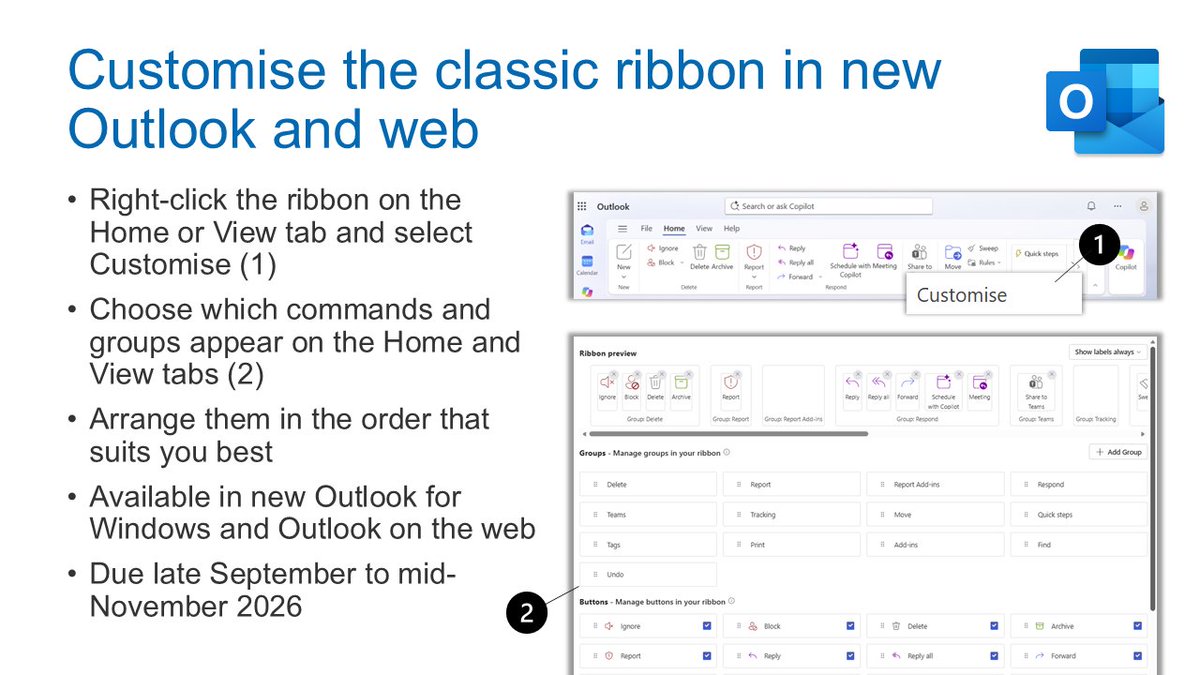
🎛️ Customise the ribbon in new Outlook and Outlook on the web
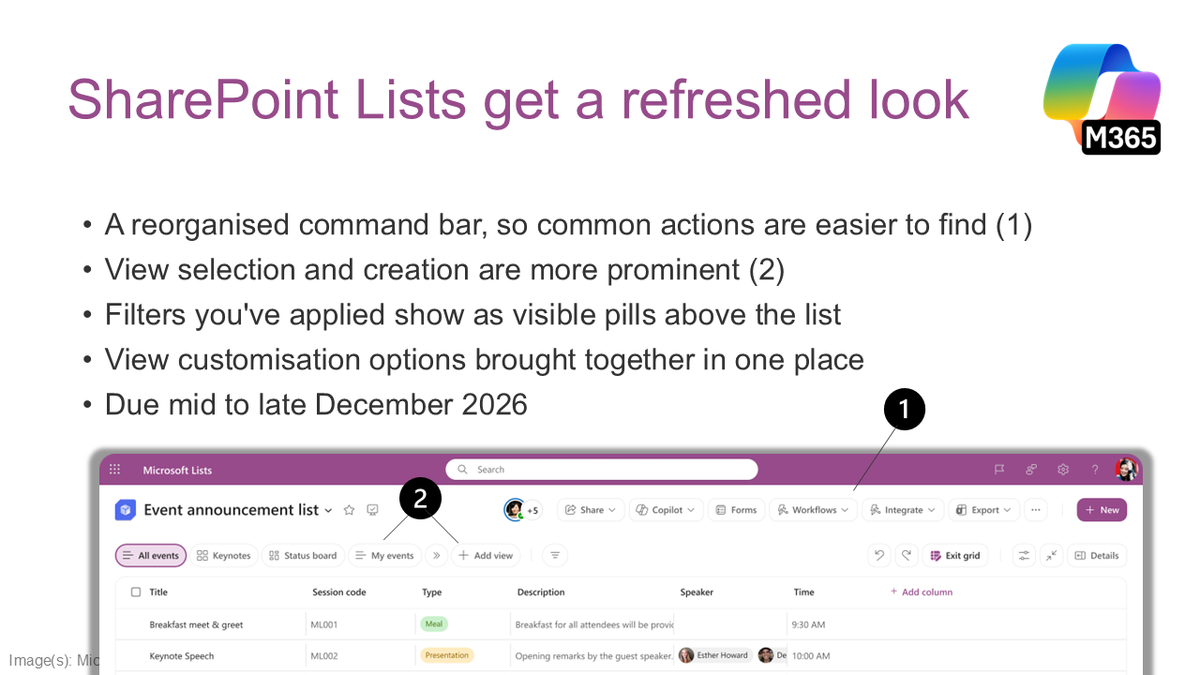
📋 SharePoint Lists get a refreshed look
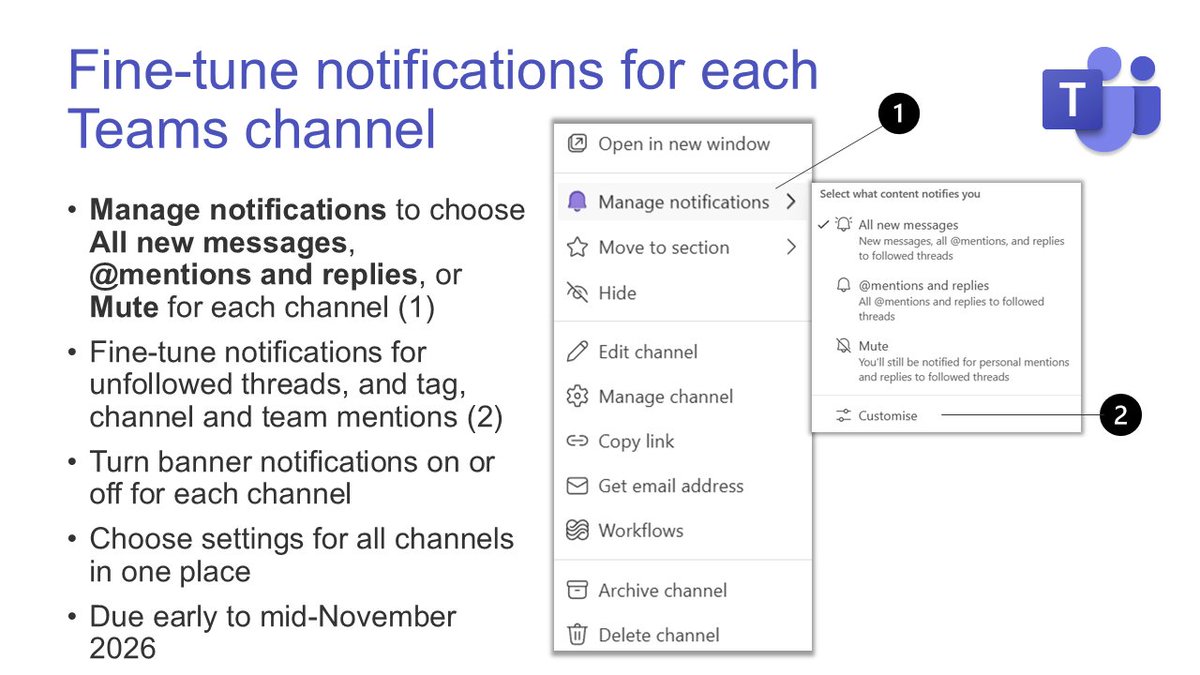
🔔 Fine-tune notifications for each Teams channel
It’s all in one place, for super users and trainers or for anyone who just wants to know what’s about to change on their screen.
👉 Read the full October round-up: https://t.co/UEOm0qUnzx
🗓️ Join the free webinar on 11th November: https://t.co/xSd9sCAJH0
#Microsoft365 #Copilot #MSTeams #Outlook #SharePoint
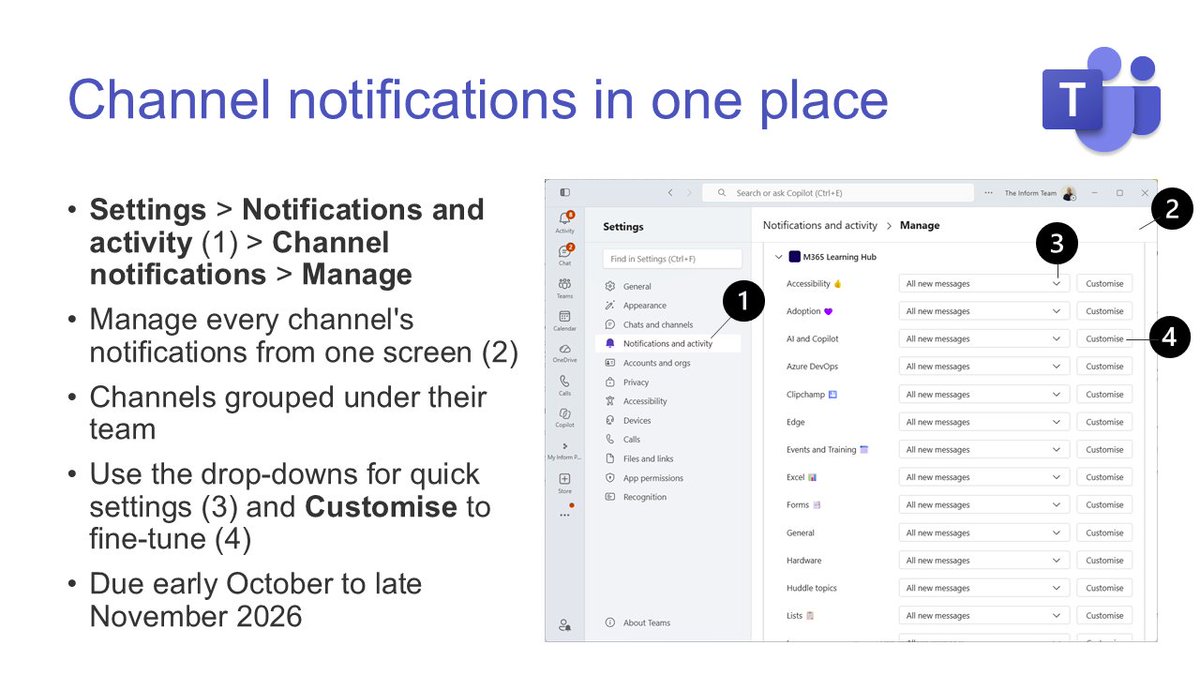
🔜 #MSTeams channel notifications: manage them all in one place.
📢 Channels you tweaked months ago and forgot? Now one screen shows them all, grouped by team.
📆 Due early October to late November 2026.
🔗 https://t.co/TvIxQ5b9zo
A tutorial video showing 7 new features in Copilot that will save you serious time. These new updates include:
🧹 Clean Data Skill in Excel
💡 Clarify My Thinking Skill in PowerPoint
🖼️ Arrange and Modify Images in Word
🌐 Create SharePoint HTML Pages
➕ Lots more
https://t.co/Ai6qITMSDk
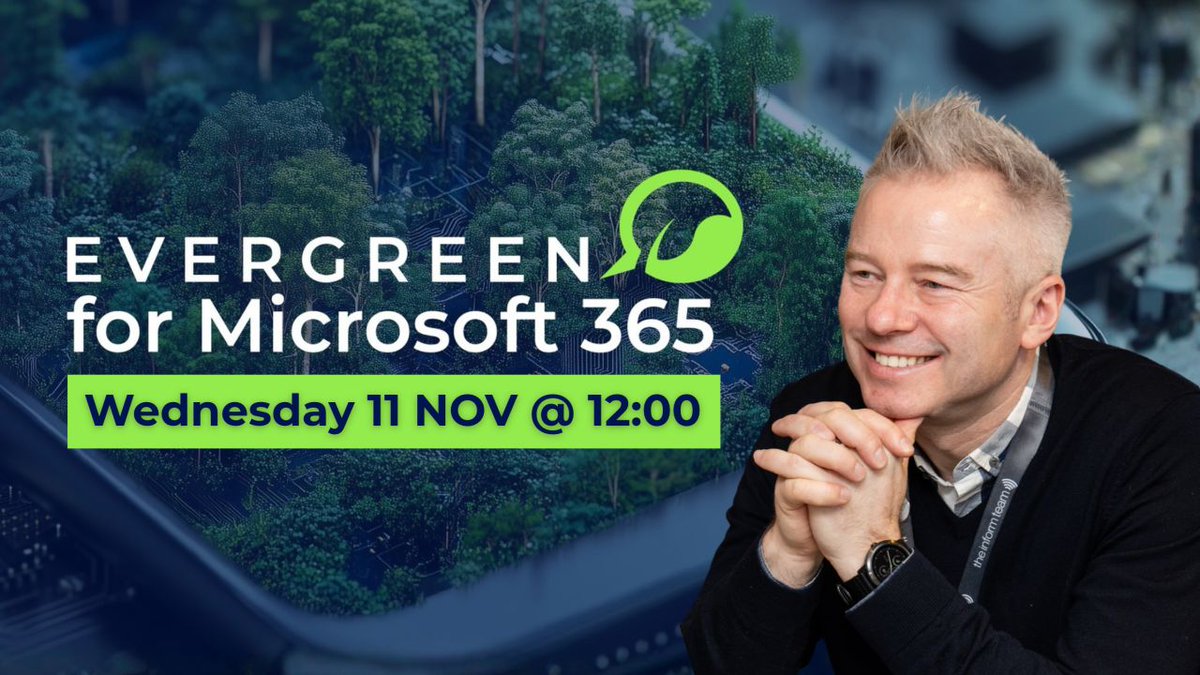
🌱 There's still time to sign up for today's free M365 Evergreen webinar! One update is getting 50% of my Update of the Month votes, and it's not Copilot. Plus a live SharePoint HTML dashboard demo.
🗓️ Today, 12:00 - 13:00 UK
👉 https://t.co/l7SSiAeys0
🌱 Join me tomorrow for the free M365 Evergreen webinar! One update is getting 50% of my Update of the Month votes, and it's not Copilot. Plus a live SharePoint HTML dashboard demo.
🗓️ Wed 11th Nov, 12:00 - 13:00 UK
👉 https://t.co/l7SSiAeys0
✅ #Copilot Chat memory: see what shaped your response.
📢 Ever wondered where Copilot got that from? See which memories and past chats shaped a response.
📆 Rolled out in late October 2026.
🔗 https://t.co/E1LZOmo8cK
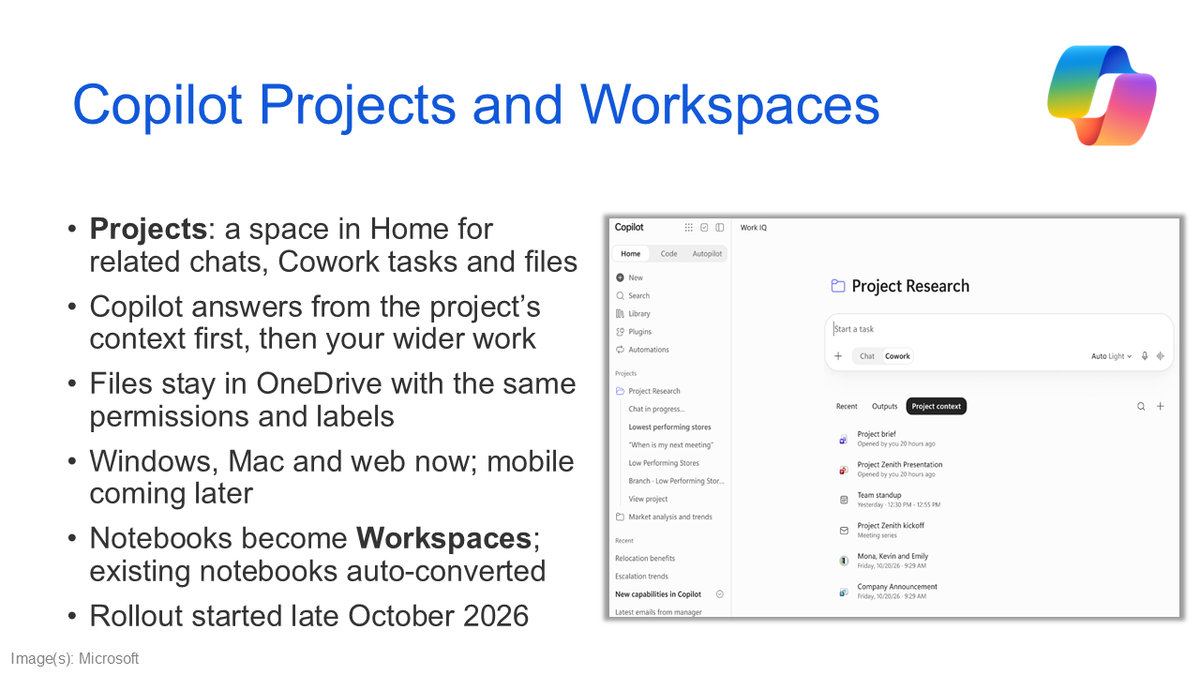
🔜 #Copilot Projects: keep related chats, tasks and files together.
📢 Projects for your own work, Workspaces for the team's. A clean split on paper.
📆 Rolling out from late October 2026.
🔗 https://t.co/287uNu8I5D
🔜 #Copilot Notebooks is now Copilot Workspaces.
📢 Lots of change lately. I hope team Workspaces keeps what made notebooks so useful for individual work.
📆 Rolling out from late October 2026.
🔗 https://t.co/qdqLCW2yN1
🔜 #Outlook rules can reply with a saved template.
📢 Moved roles? Set a rule and Outlook replies with a template that points people to the right help.
📆 Due early to late December 2026.
🔗 https://t.co/7i5xus2i6N
🔜 #MSTeams phishing detection flags suspicious external chats.
📢 Not every scam has a dodgy link, so Teams will now read what a message is asking for.
📆 Due early to mid-December 2026.
🔗 https://t.co/ydQHwNGL2x
🔜 #SharePoint Lists get a refreshed look.
📢 Lists is one of the most underused tools in Microsoft 365. This refresh is a pleasant tidy-up, and a good excuse to look at it properly.
📆 Due mid to late December 2026.
🔗 https://t.co/rO0RNVibtX
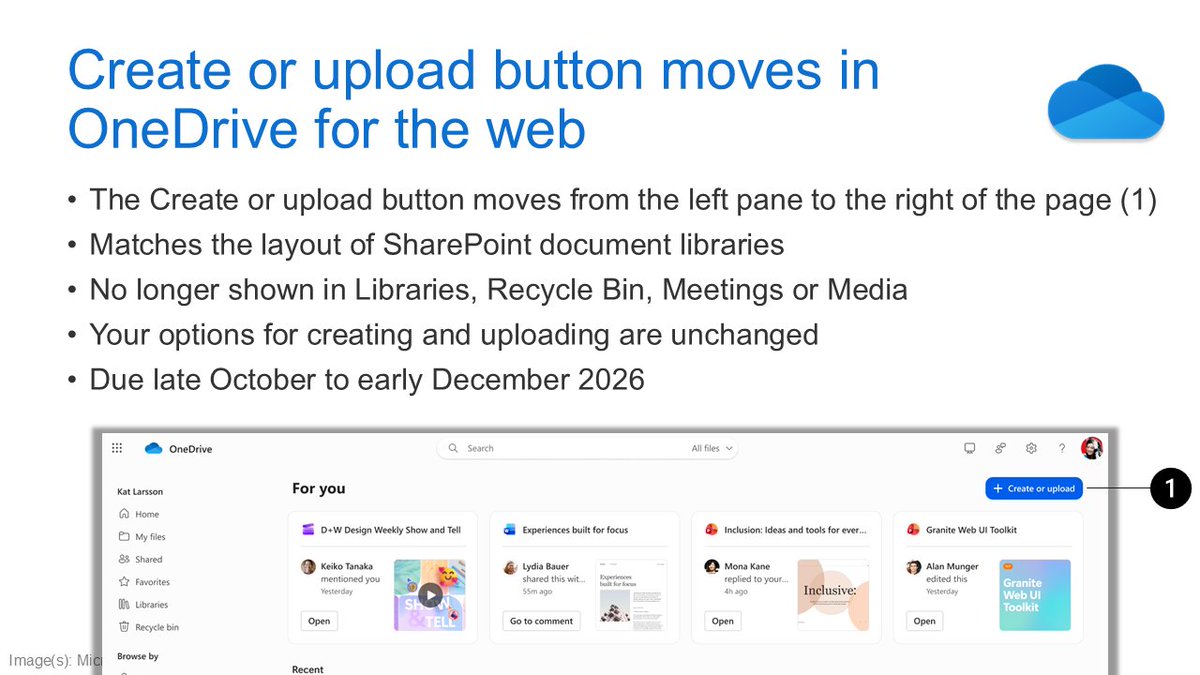
🔜 Create or upload button moves in #OneDrive for the web.
📢 A small move, but OneDrive and SharePoint keep getting more alike, so you learn it once. Muscle memory will take a while to catch up, though. Worth giving your colleagues a quick heads-up?
📆 Due late October to early December 2026.
🔗 Read more: https://t.co/Sk0vtgPr3K.
🔜 Fine-tune notifications for each #MSTeams channel.
📢 A fantastic update: fine-tune notifications channel by channel, so each one behaves exactly the way you want. Set them up while you're in a channel, or see all your channels in one place in Settings.
📆 Due early to mid-November 2026.
🔗 Read more: https://t.co/eElu3GJRts.
🔜 #Planner Agent creates status reports from your plans.
📢 Planner Agent can now create status reports for you, so you can focus on the never-ending job of pestering colleagues to update their tasks!
📆 Due late October to mid-November 2026.
🔗 Read more: https://t.co/Ecy7ysM55k.
🔜 Clarify my thinking with Copilot in #PowerPoint.
📢 Think your presentation is ready? Better to face the awkward questions about gaps in your presentation at your desk than in front of your audience. Test yourself with this new skill.
📆 Rolling out from 8th October 2026.
🔗 Read more: https://t.co/yZGyT2Ye7o.
🔜 #Copilot Memory now uses insights from your work.
📢 Less context to type in every time you ask for something. If it feels a bit much, it's easy to control: ask what it knows, ask it to forget, or switch it off.
🤔 Have you asked Copilot what it knows about you yet?
📆 Due early to late October 2026.
🔗 Read more: https://t.co/Gu5SYClN5b.
🔜 Create interactive slides in #PowerPoint with Copilot.
📢 Timelines, dashboards and comparisons people can actually click through, and viewers don't need a Copilot licence.
First impressions? Amazing! But the real test will come when I want consistent results with the content, look and feel that I need.
📆 Due mid to late October 2026.
🔗 Read more: https://t.co/CUuUbtiN3t.
✅ Record a skill with Copilot in #PowerPoint.
📢 The easiest way yet to create a Copilot skill: do the task once, and Copilot writes it up for you.
📆 Rolled out early October 2026.
🔗 Read more: https://t.co/bdBXDxMtrW.
🔜 Customise the classic ribbon in new #Outlook and web.
📢 Outlook on the web and new Outlook continue to get better and better. Putting the commands you use most within easy reach saves a few clicks every day, and as it's tucked away behind a right-click, it's worth sharing with your colleagues.
📆 Due late September to mid-November 2026.
🔗 Read more: https://t.co/A4GtVT0YM0.
🔜 #Copilot in Edge gets a refreshed, simpler design.
📢 Seem familiar? It's the same refresh as Copilot in Outlook and Teams. Sure, it's another interface change, but it's part of standardising Copilot across Microsoft 365, and it's a nice, clean look.
📆 Due mid-October 2026.
🔗 Read more: https://t.co/Cy1zyZlmxt.