@StartupBix From a company's perspective, this reduces fixed costs and increases flexibility. From an employee's perspective, it could limit future salary growth. Interesting trade-off. 🤔
Accenture's new 50-50 salary hike model:
💰 50% added to base salary
💸 50% paid as a one-time bonus
Sounds attractive today.
But a lower base salary could mean slower salary growth in the future
Would you take the cash or prefer a higher base salary?
#Accenture#SalaryHike
@StartupBix A landmark case for India's digital future. The court's decision could influence how social media platforms are regulated for years to come. 🚀
Telegram has challenged India's 1-week ban in the Delhi High Court.
Govt says it's needed to stop NEET 2026 paper leak scams. Telegram argues banning the entire platform affects millions of users' free speech rights.
Free Speech vs Exam Integrity
What's your take?
#Telegram
Companies are charging $500/month for tools
that already exist for free on GitHub.
Here's 10 open source repos
that replace expensive paid tools:
1. ollama
↳ Run LLMs on your own machine
↳ Replaces: ChatGPT Plus
↳ 72.6k stars
2. open-webui
↳ Self-hosted interface for LLMs
↳ Replaces: ChatGPT Web Interface
↳ 23.4k stars
3. n8n
↳ Automations without closed platforms
↳ Replaces: Zapier
↳ 72.1k stars
4. dify
↳ Build and deploy AI apps locally
↳ Replaces: Bubble + AI Platforms
↳ 14.6k stars
5. langflow
↳ Visual drag-and-drop AI agent builder
↳ Replaces: No-code AI Builders
↳ 10.2k stars
6. affine
↳ Notes, docs, whiteboards, planning
↳ Replaces: Notion
↳ 22.6k stars
7. penpot
↳ Open-source design and prototyping
↳ Replaces: Figma
↳ 16.8k stars
8. baserow
↳ Databases and internal tools
↳ Replaces: Airtable
↳ 14.3k stars
9. tooljet
↳ Internal tools and dashboards
↳ Replaces: Retool
↳ 18.7k stars
10. openclaw
↳ Personal AI agent on your own device
↳ Replaces: Paid Personal AI Agents
↳ 6.3k stars
You don't need a $500/month SaaS stack.
You need a GitHub account.
Which one are you self-hosting first?
__
- Follow @coder_surya For More Free Courses and Opportunities.
- Save the post.
- Repost to your network.
- Join AI Community: https://t.co/ioQEJKhjbS
...............
🚨 Most people use AI like a chatbot.
The top 1% use it like an operating system.
This framework for Claude Cowork is a perfect example of why some people get 10x better results while others keep complaining that AI outputs are generic.
Here's what stands out:
✅ Create a dedicated workspace
Instead of starting from scratch every time, build a system with:
• About Me file
• Outputs folder
• Templates folder
This gives AI context and consistency.
✅ Let AI interview you
Most people give AI one-line prompts.
A smarter approach is to let AI ask questions first, then use those answers to create:
• Personal profile files
• Company knowledge files
• Writing style guides
• Goals and constraints
The better the context, the better the output.
✅ Define what you DON'T want
Tell AI:
• Words you hate
• Writing styles to avoid
• Paragraph length limits
• Formatting preferences
Removing bad outputs is often more powerful than asking for good ones.
✅ Treat AI like a teammate
Instead of:
❌ "Write a post."
Try:
✅ "Ask me questions until you have enough information to write the best post possible."
The quality difference is massive.
✅ Build reusable templates
Every great output should become a template for future work.
This compounds over time and saves hundreds of hours.
✅ Start fresh regularly
New sessions prevent context overload and help maintain quality.
The biggest lesson?
AI doesn't reward better prompts.
AI rewards better systems.
The people winning with AI aren't spending more time prompting.
They're spending more time building workflows.
What's the #1 AI workflow that saves you the most time every week?
👇 Share below.
🔄 Repost if you're using AI daily.
📌 Save this for your next AI setup.
- Follow @coder_surya for more AI updates, workflows, and productivity hacks.
#AI #ClaudeAI #ArtificialIntelligence #Productivity #AIAutomation #PromptEngineering #Tech #FutureOfWork #ClaudeCowork #AIWorkflows
Claude can build apps, control your PC, and automate your files.
Most people are still just using it to answer questions.
Here's the full breakdown of what it can actually do:
1. https://t.co/k8lpvzsPfB (Chat)
↳ The starting point for everything. Ask questions, write drafts, research topics. Works in your browser or desktop. No setup needed.
2. AI Deep Thinking (Reasoning)
↳ Claude thinks before it speaks. Breaks down complex prompts, catches logic errors, and fact-checks itself behind the scenes. Way fewer hallucinations.
3. Artifacts (Build)
↳ Real working files built inside the chat. Dashboards, trackers, calculators, landing page mockups. Edit and download instantly.
4. Plan Mode
↳ Think first, build second. Maps every step before acting. You approve the strategy before it starts building.
5. Claude Code
↳ Not just a chatbot. It takes action. Reads your actual files, edits them, runs code & commands, renames folders. All from plain English.
6. Connectors + MCP (Integrations)
↳ Connects Claude to Gmail, Notion, Slack, Google Drive, and 50+ tools or build your own custom connections. No code needed.
7. Cowork (Automations)
↳ A desktop app that reads your real files and creates finished Word docs, Excel sheets, and PDFs directly into your folder. Zero copy-pasting.
8. Skills
↳ Write your process once as instructions. Claude follows it the same way every session. Like an assistant who never forgets your SOPs or brand voice.
9. Projects (Context)
↳ Store your files, instructions, and preferences once. Every new chat starts already knowing your business, your tone, and where you left off.
10. Dispatch
↳ Control your PC from your phone. Pull files, check emails, build a presentation, all while away from your desk.
Most people stop at number 1.
The ones getting the most out of Claude are using all 10.
- Follow @coder_surya
- Save the post.
- Repost to your network.
- Join AI Community: https://t.co/ioQEJKhR1q
____________________________
#Perplexity has reportedly raised $500M at a massive $14B valuation.
The AI search challenger is rapidly scaling and intensifying the race against Google & OpenAI.
AI Search is becoming one of the most competitive sectors in tech right now. 🔥
#Perplexity#AI#StartupNews
@StartupBix Interesting move by OpenAI. As more companies connect AI to internal databases and workflows, protecting sensitive information becomes non-negotiable.
🔐 OpenAI launches Lockdown Mode.
As AI agents gain access to more sensitive information, protecting them from prompt injection attacks is becoming critical.
The future belongs to AI that is not only smart—but secure.
#OpenAI#ArtificialIntelligence#AISecurity#Technology
Talent gets attention.
Consistency builds careers. 🚀
I’ve seen average people become exceptional just because they refused to stop showing up.
One application.
One project.
One late-night learning session at a time.
#Nxthiring#TechTwitter#Careers
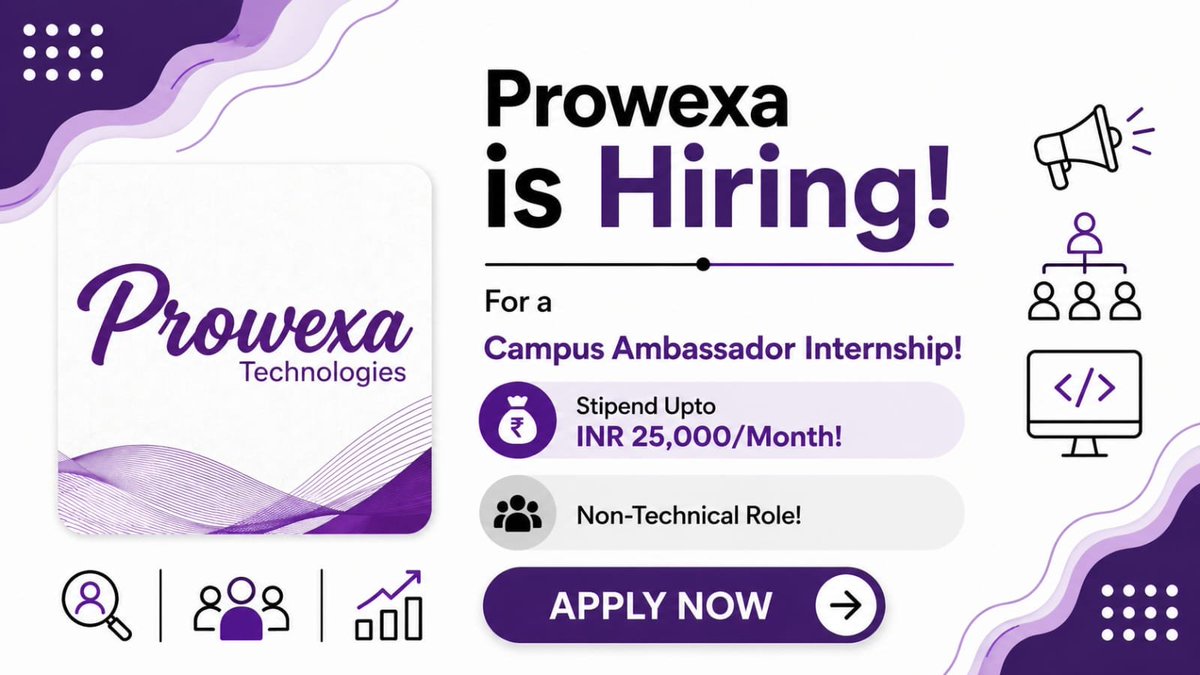
Prowexa Technologies is hiring for the role of Campus Ambassador Internship!
Expected Stipend: upto INR 25,000/Month
Application Link : https://t.co/k95qM1tByb
Join our Whatsapp Community: https://t.co/XrNEtCx1AD
Share Now!!
Microsoft just dropped a FREE path to become AI certified
all the training materials, study guides, and practice exams are completely free on Microsoft Learn
you don't need to pay $5,000 for a bootcamp
you don't need a $2,000 udemy bundle
you just need Microsoft Learn and discipline
the certification path has 3 levels:
LEVEL 1: Azure AI Fundamentals (AI-900)
your entry point. no prior knowledge needed. no coding required
what it covers:
- how AI and machine learning work on Azure
- computer vision and NLP basics
- generative AI workloads
- responsible AI principles
prep time: 2-4 weeks
passing score: 700/1000
training: FREE on Microsoft Learn
this cert never expires. once you pass, it's yours forever
IMPORTANT: this exam retires June 30, 2026 and gets replaced by AI-901
if you want the current version, MOVE NOW
LEVEL 2: Azure AI Engineer Associate (AI-102)
this is where it gets real. you're building actual AI solutions
what it covers:
- Azure OpenAI integration
- RAG (retrieval-augmented generation)
- AI agents and agentic solutions
- computer vision and NLP pipelines
- document intelligence
- building with Python or C# SDKs
Microsoft updated this in 2025 to focus on generative AI and agents
(exactly what companies are hiring for right now)
prep time: 1-3 months
passing score: 700/1000
renewal: every 12 months, FREE online
training: FREE on Microsoft Learn
this cert alone qualifies you for Azure AI Engineer roles
ALSO RETIRES JUNE 30, 2026. the window is closing
LEVEL 3: Azure Solutions Architect Expert (AZ-305)
the expert tier. you're not just building AI, you're designing entire cloud architectures
PRIOR KNOWLEDGE: you need Azure Administrator Associate (AZ-104) first
what it covers:
- identity and governance solutions
- data storage architecture
- business continuity planning
- full infrastructure design
prep time: 2-4 months
passing score: 700/1000
renewal: annually, FREE online
training: FREE on Microsoft Learn
this isn't AI-specific but it's the cert that gets you into the room where AI architecture decisions happen
median salary for Azure Solutions Architects: $170k+
the full roadmap:
> month 1-2: study and pass AI-900
> month 2-4: study and pass AI-102
> month 4-8: get AZ-104 then AZ-305
total time: 6-8 months
all training materials: $0
DISCLAIMER: "but the exams AREN'T free"
you're right. they cost $99-$165 each
but Microsoft Virtual Training Days give free vouchers for AI-900
students with .edu emails get exams for $0-15
Microsoft Ignite challenges give 50% off
and even full price is UNDER $600 for all 3 levels
no bootcamp needed
no overpriced course needed
3 certs. 6-8 months. and you're certified by the company that powers half the enterprise AI infrastructure on the planet
the June 2026 deadline makes this urgent, AI-900 and AI-102 both retire after that
START TODAY ❤️
Recommendation: at least complete all free materials, and as you will have this knowledge, buy the exams to get certified
if you don't have money to pass them, just get a free knowledge which is confirmed with TOP universities of this world
win-win situation anyway
1000 Powerful Claude Prompts🤯
For builders, developers & creators.
I spent weeks compiling the most practical prompts for:
• Coding & debugging
• AI workflows
• Research & analysis
• Automation
• Content creation
• Productivity systems
These prompts can replace hours of manual work.
To celebrate finishing this prompt book,
I’m giving it away to a few people here.
How to get access:
Follow MUST (so I can dm)
Repost + Like
Comment 'Prompt'
Microsoft just dropped the best Gen AI course for free.
Here are all the courses with links:
00 – Course Setup
Learn: How to Setup Your Development Environment
https://t.co/8rejNJjrG9
01 – Introduction to Generative AI and LLMs
Learn: Understanding what Generative AI is and how Large Language Models (LLMs) work.
https://t.co/g6iv1kcgKC
02 – Exploring and comparing different LLMs
Learn: How to select the right model for your use case
https://t.co/dOFqi0nUZF
03 – Using Generative AI Responsibly
Learn: How to build Generative AI Applications responsibly
https://t.co/1KnigWYJu7
04 – Understanding Prompt Engineering Fundamentals
Learn: Hands-on Prompt Engineering Best Practices
https://t.co/7bhi349xHl
05 – Creating Advanced Prompts
Learn: How to apply prompt engineering techniques that improve the outcome of your prompts.
https://t.co/Gyta9e8EH8
06 – Building Text Generation Applications
Build: A text generation app using Azure OpenAI / OpenAI API
https://t.co/dP8TrGLuwZ
07 – Building Chat Applications
Build: Techniques for efficiently building and integrating chat applications.
https://t.co/mMsqiG2Luu
08 – Building Search Apps with Vector Databases
Build: A search application that uses Embeddings to search for data.
https://t.co/TfOR1qJAke
09 – Building Image Generation Applications
Build: An image generation application
https://t.co/Q3GjGobha0
10 – Building Low-Code AI Applications
Build: A Generative AI application using Low Code tools
https://t.co/AgqBvur7Km
-- Want to master ChatGPT?
Don't know where to start?
Get my Bestseller Prompts Book and ChatGPT Bible.
You can use it for your job, daily life, and in your business.
👉 Get here: https://t.co/CbKtWddloK
-----
Follow @coder_surya for more AI content
-----
🎁 Bonus Alert
Learn AI in 3 minutes a day for FREE!
Subscribe now and receive:
* 50+ AI courses
* 1000+ Advanced Prompts
* 30+ ChatGPT Cheatsheets and more
100% FREE
https://t.co/CbKtWddloK
No replies. No interviews. Just silence for 90 days.
Then, I ran my resume through @ChatGPT.
Got 5 callbacks in less than a week-using just 8 prompts.
[Save for later]
1. Spot the Flaws
Prompt: Act as a recruiter for [your industry/role]. Review my resume below and highlight weak areas, overused buzzwords, and missing metrics. Be brutally honest.
2. Rewrite for Impact
Prompt: Rewrite this resume to sound more results-driven, quantifiable, and compelling for [target role]. Focus on achievements, not just duties.
3. ATS Boost
Prompt: Update this resume to be fully optimized for Applicant Tracking Systems (ATS) for the role of [specific role/title]. Use industry-specific keywords naturally.
4. Craft My Hook
Prompt: Write a powerful, 3-line professional summary that hooks a recruiter in under 10 seconds. Prioritize impact, clarity, and value.
5. Upgrade Experience
Prompt: Rephrase the experience section to highlight impact, results, and transferable skills using action verbs and quantifiable outcomes.
6. Format Fix
Prompt: Suggest a clean, modern resume format that works for both humans and ATS. No graphics, no columns. Just structured and effective.
7. Tailor for the Role
Prompt: Tailor this resume to fit this specific job description [paste JD]. Highlight matching experience and reword sections to match the language used.
8. Standout Cover Letter
Prompt: Write a compelling cover letter based on this resume and job description. Keep it personal, enthusiastic, and under 200 words.
𝗖𝗼𝘂𝗿𝘀𝗲𝘀 𝘆𝗼𝘂 𝘄𝗶𝗹𝗹 𝗿𝗲𝗴𝗿𝗲𝘁 𝗻𝗼𝘁 𝘁𝗮𝗸𝗶𝗻𝗴 𝗶𝗻 2026.
1. Microsoft Azure Data Scientist Associate
🔗https://t.co/r2rkm6O0h0
2. Microsoft Cybersecurity Analyst Professional
🔗https://t.co/csJiibd1RT
3. Microsoft Power BI Data Analyst Professional
🔗https://t.co/EAE5nEPtNL
4. Microsoft Azure Data Engineering Associate (DP-203) Professional
🔗https://t.co/E5ybwERvob
5. Microsoft Azure Developer Associate (AZ-204) Professional
🔗 https://t.co/Q89ahrXjNS
6. Microsoft Azure Security Engineer Associate (AZ-500) Professional
🔗https://t.co/u9t8bMoTJv
7. Advanced Google Analytics
🔗https://t.co/OPV2hG4b9s
8. Google Project Management
🔗https://t.co/bZiwpqvjth
9. Agile Project Management
🔗https://t.co/9nM5co9iQ8
10. Project Execution: Running the Project
🔗https://t.co/wXqR6NzNIW
11. Foundations of Project Management
🔗https://t.co/Lm4PayDNO8
12. Project Initiation: Starting a Successful Project
🔗https://t.co/0p29cHXKWa
13. Project Planning: Putting It All Together
🔗https://t.co/rkAKVD3jii
14. Google Data Analytics:
🔗https://t.co/Y01RAne7jY
15. Get Started with Python
🔗https://t.co/WyQBt4T5nA
16. Crash Course on Python
🔗 https://t.co/7tIXIa6HBi
Activate to view larger image,
-----
Follow @coder_surya for more AI content
-----




![heyitsurya's tweet photo. No replies. No interviews. Just silence for 90 days.
Then, I ran my resume through @ChatGPT.
Got 5 callbacks in less than a week-using just 8 prompts.
[Save for later]
1. Spot the Flaws
Prompt: Act as a recruiter for [your industry/role]. Review my resume below and highlight weak areas, overused buzzwords, and missing metrics. Be brutally honest.
2. Rewrite for Impact
Prompt: Rewrite this resume to sound more results-driven, quantifiable, and compelling for [target role]. Focus on achievements, not just duties.
3. ATS Boost
Prompt: Update this resume to be fully optimized for Applicant Tracking Systems (ATS) for the role of [specific role/title]. Use industry-specific keywords naturally.
4. Craft My Hook
Prompt: Write a powerful, 3-line professional summary that hooks a recruiter in under 10 seconds. Prioritize impact, clarity, and value.
5. Upgrade Experience
Prompt: Rephrase the experience section to highlight impact, results, and transferable skills using action verbs and quantifiable outcomes.
6. Format Fix
Prompt: Suggest a clean, modern resume format that works for both humans and ATS. No graphics, no columns. Just structured and effective.
7. Tailor for the Role
Prompt: Tailor this resume to fit this specific job description [paste JD]. Highlight matching experience and reword sections to match the language used.
8. Standout Cover Letter
Prompt: Write a compelling cover letter based on this resume and job description. Keep it personal, enthusiastic, and under 200 words.
𝗖𝗼𝘂𝗿𝘀𝗲𝘀 𝘆𝗼𝘂 𝘄𝗶𝗹𝗹 𝗿𝗲𝗴𝗿𝗲𝘁 𝗻𝗼𝘁 𝘁𝗮𝗸𝗶𝗻𝗴 𝗶𝗻 2026.
1. Microsoft Azure Data Scientist Associate
🔗https://t.co/r2rkm6O0h0
2. Microsoft Cybersecurity Analyst Professional
🔗https://t.co/csJiibd1RT
3. Microsoft Power BI Data Analyst Professional
🔗https://t.co/EAE5nEPtNL
4. Microsoft Azure Data Engineering Associate (DP-203) Professional
🔗https://t.co/E5ybwERvob
5. Microsoft Azure Developer Associate (AZ-204) Professional
🔗 https://t.co/Q89ahrXjNS
6. Microsoft Azure Security Engineer Associate (AZ-500) Professional
🔗https://t.co/u9t8bMoTJv
7. Advanced Google Analytics
🔗https://t.co/OPV2hG4b9s
8. Google Project Management
🔗https://t.co/bZiwpqvjth
9. Agile Project Management
🔗https://t.co/9nM5co9iQ8
10. Project Execution: Running the Project
🔗https://t.co/wXqR6NzNIW
11. Foundations of Project Management
🔗https://t.co/Lm4PayDNO8
12. Project Initiation: Starting a Successful Project
🔗https://t.co/0p29cHXKWa
13. Project Planning: Putting It All Together
🔗https://t.co/rkAKVD3jii
14. Google Data Analytics:
🔗https://t.co/Y01RAne7jY
15. Get Started with Python
🔗https://t.co/WyQBt4T5nA
16. Crash Course on Python
🔗 https://t.co/7tIXIa6HBi
Activate to view larger image,
-----
Follow @coder_surya for more AI content
-----](https://pbs.twimg.com/media/HFc3qXvbUAA1Il0.jpg)


