@marcorus@AgulloBernat@NetoJimenezB@FerrariAlberto Using the template is a piece of cake.
- Select the template from a repository
- Fill in parameter values with pickers (color, column, measure, table, calculation group, ... pickers)
- Generate DAX expression
- Create/update DAX expression within a model
First public live talk about #PowerBI TMDL with @mthierba , @JamesDBartlett3 and Artur König today on Linkedin
https://t.co/9VDQbH9tBY
After recording, you will find it on YouTube:
https://t.co/efTtAibPKW
How can it be that I am only learning about @TheBIPower's DAX Generator just now? How the hell did I somehow miss @Mike_R_Carlo talking about this in the community? I only found this now via interacting with Mike as part of the Microsoft DataVis Community Group we are both in.
@InsightsMachine@Mike_R_Carlo Thanks Jeff. I tweeted at the end of last year about some new features like copy several measures, calc columns, calc tables, calc group into one template with few clicks. Then you can replicate all of this in one click into another report.
Save multiple DAX expressions (measures, calculated tables, calculated columns, calculation group) in a file and duplicate these expressions in another report. DAX generator allows this with few clicks
#PowerBI
Copy/paste #PowerBI calculation group from one report to another one. Here is the fastest method :
- Save a calculation group to a template file
- Store template files in shared or private folders
- Use your template in different reports
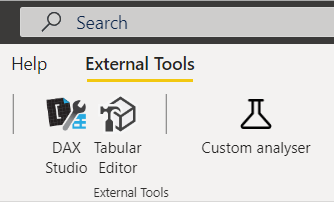
Power BI Sidetools V1.3.0, gives immediate access to popular external tools. Try the amazing Data God Auto Docs from @KratosBi with just one click
#PowerBI
Thanks Imke for your Power BI Cleaner! After several years using it, I'm still impressed how fast it is to reduce #PowerBI reports size drastically. And it's so easy to use
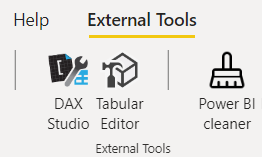
Power BI Sidetools V1.3.0, gives immediate access to popular external tools. Try the fantastic Power BI cleaner from @TheBIccountant with just one click
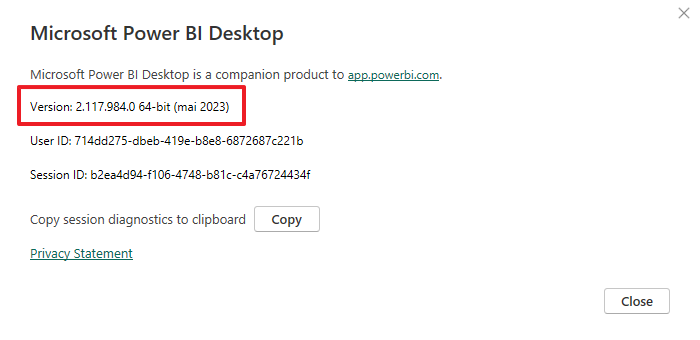
Compare your #PowerBI desktop version with the latest one available for download. That's one of the many features the fantastic PBI Tools from @mthierba brings to custom analysers in Power BI Sidetools. Thank you Mathias
Custom analysers in Power BI Sidetools can be built with Excel so a user friendly report can be generated and printed. Try to modify the provided example
#PowerBI
How many visuals by page your #PowerBI report contains ? How many automatic date tables and what's their size ? How many calculated columns and their size ? What's the size of embedded files like custom visuals or images ? All of this is available with all the details and more
Power BI Sidetools custom analyser, gives immediate access to hidden data from your #PowerBI report. Model, visuals, bookmarks, theme, custom visuals, embedded images, DMVs and more are exposed in files
https://t.co/BBdxaQMuz5