🆕 Microsoft empieza a cumplir su promesa de mejorar el rendimiento y la fiabilidad de Windows 11.
La actualización de mayo mejorará el rendimiento de:
- Explorador de archivos
- Panel de emojis
- Portapapeles
- System Tray (bandeja del sistema)
- Windows Hello
- Vista de discos/volúmenes en Configuración
- Aplicaciones que se lanzan al iniciarse el sistema
- Procesos asociados a explorer.exe
Microsoft está cumpliendo 👏🏼
Microsoft to force updates to Windows 11 25H2 for PCs with older OS versions
The rollout will be handled by an “intelligent” update system that leverages machine learning to determine when a device is ready to receive the update.
Microsoft has released another Windows 11 update to fix installation issues caused by the previous update, which was itself released to fix problems in recent updates.
That update was KB5079391, the March 2026 optional release, but Microsoft pulled it after some PCs ran into installation failures with error 0x80073712.
Now, KB5086672 is rolling out as an out-of-band replacement.
It fixes the installation issues caused by KB5079391 and also includes the improvements that were supposed to ship in the earlier optional update.
Microsoft is moving to 100% native apps for Windows 11. They are stepping away from web-based wrappers.
A new team at Microsoft will rebuild apps using native tools like WinUI. Engineer Rudy Huyn is involved in this shift.
Apps like File Explorer should launch quicker. The Start menu and context menus will feel more responsive.
Breaking: Microsoft says it has pulled Windows 11’s March 2026 optional update after it failed to install on some PCs
The update (KB5079391) began rolling out on March 26 but was taken down within a few hours without any explanation.
Two days later, Microsoft confirmed it had identified an issue causing installation failures.
KB5079391 is an optional update and does not install automatically.
"To prevent additional impact while the issue is investigated, Microsoft has temporarily limited the availability of this update. As a result, the update temporarily might not be offered through Windows Update," Microsoft said.
This update failure comes just a week after Microsoft promised to make Windows 11 a better operating system.
🛡️ Microsoft Releases Out-of-Band Patch For Critical RRAS RCE Vulnerabilities in Windows 11
Source: https://t.co/XYsf5fg2k1
Microsoft released an out-of-band hotpatch update on March 13, 2026, addressing serious security vulnerabilities in Windows 11 versions 24H2 and 25H2.
Tracked as KB5084597 and targeting OS Builds 26200.7982 and 26100.7982, this update patches three actively concerning flaws in the Windows Routing and Remote Access Service (RRAS) management tool, and notably, it does so without requiring a device restart.
The core focus of this hotpatch is a trio of vulnerabilities in the Windows RRAS component, a service that manages remote connectivity and VPN functionality in enterprise and consumer environments.
The common attack scenario across all three CVEs involves an attacker setting up a rogue server and waiting for a user or administrator running the RRAS management tool to initiate a connection.
#cybersecuritynews #windows11
Microsoft just dropped an emergency security hotpatch (KB5084597) for Windows 11 24H2 and 25H2. 🚨
It fixes a critical RCE flaw in the RRAS management tool that could let attackers execute code over a network.
Check Windows Update now. 💻
Details: https://t.co/in4ZzwLuLs
Microsoft confirmed it received reports of users losing access to the C: drive and experiencing app failures after installing the Windows 11 March 2026 Update.
However, it turns out the symptoms were caused by an issue in the Samsung Galaxy Connect app, not Windows Updates.
“While the reports coincided with the timing of the March Patch Tuesday updates, our investigation confirmed the issue is not caused by the current or previous Windows monthly updates,” Microsoft said.
Moreover, some AI-generated reports on the internet claim that the March 2026 Update causes BSODs and reboot loops on certain PCs.
However, it appears those publications relied on AI summaries of a handful of forum posts, and the update itself appears to be safe.
Microsoft says it is not aware of any major issues with the March 2026 Update, and we have not encountered any significant bugs in our own tests either.
Do not uninstall the Windows update due to false reports. It contains important security fixes.
Security isn't just defense; it's a strategic advantage.
With Windows 11, businesses are seeing up to a 62% drop in security incidents and significant cost savings.
Learn more about proactive security, including future-ready post-quantum cryptography algorithms: https://t.co/aEf7otwf1s
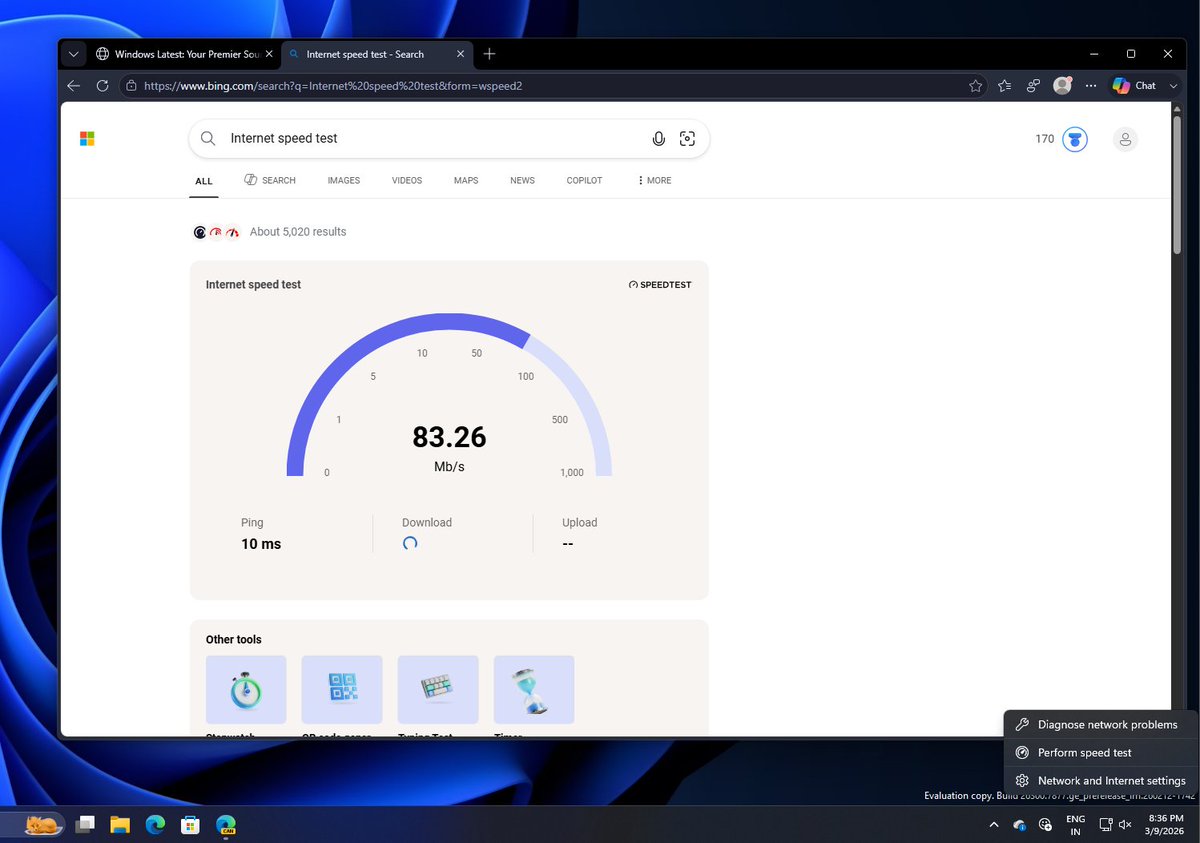
Microsoft is rolling out an Internet Speed Test tool in Windows 11, but it literally sends you to Bing in your default browser.
The taskbar’s “Perform speed test” button doesn’t open any built-in internet speed test tool.
You’d expect a multi-trillion-dollar company to build a native feature for something as basic as an internet speed test.
But apparently, building a native internet speed test is rocket science, so Windows just sends users to Bing instead (which also helps increase Bing usage!) 🤷
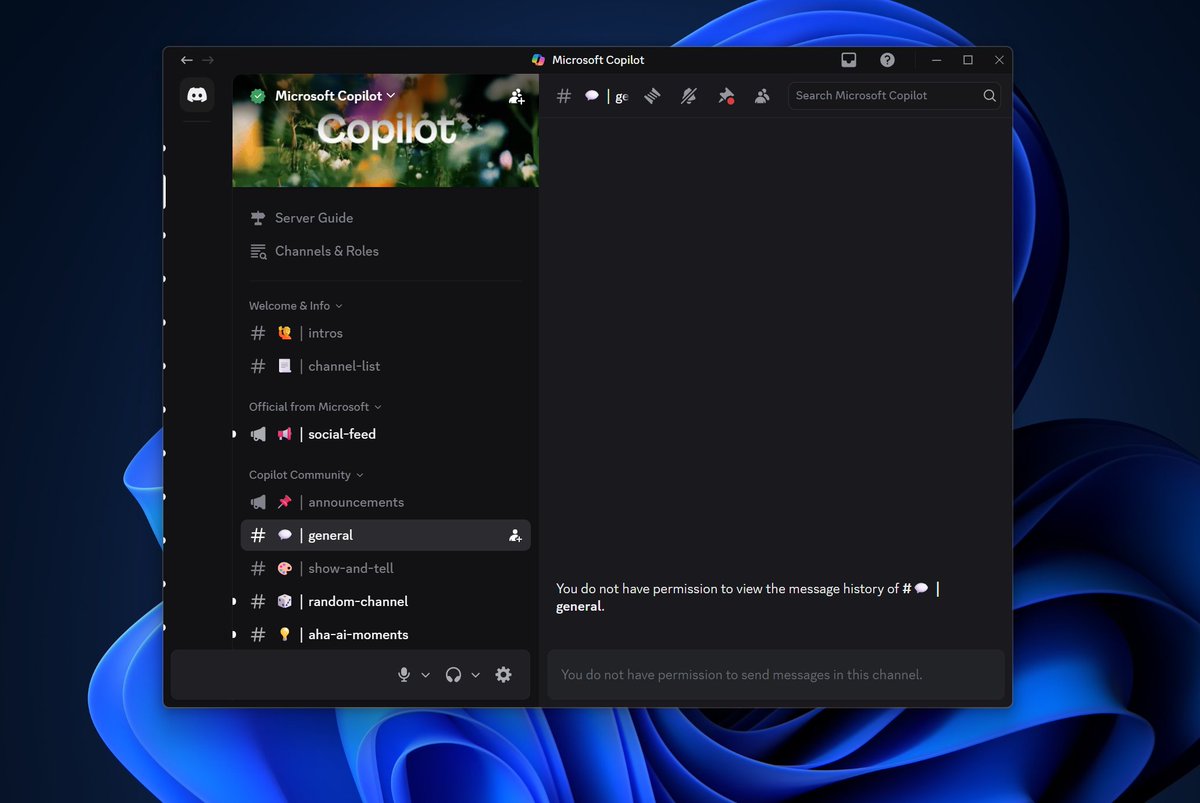
Microsoft moderators have now locked the Copilot Discord server after more users started posting 'Microslop' in different ways 🙃
The chat history is now also hidden. Ironically, the Discord server was not really active, and it was pointless to blocklist 'Microslop' in the first place.
The censorship backfired.....
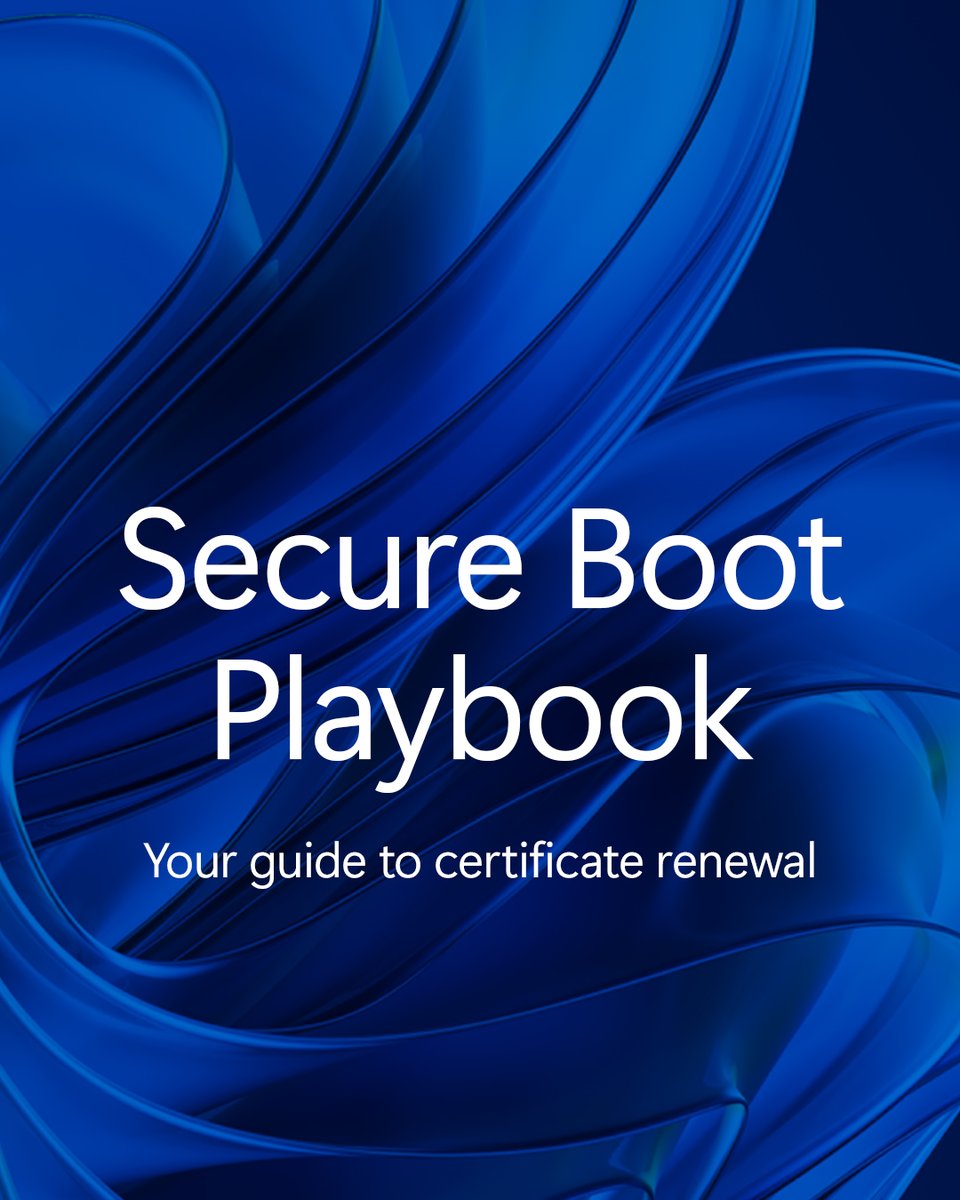
Secure Boot certificates start expiring in June 2026.
Stay protected. Deploy your way:
- Deploy certificates using Intune
- Deploy certificates with registry keys
- Deploy certificates via WinCS
- Deploy certificates using Group Policy
Read the playbook: https://t.co/AF5zVvCHHI
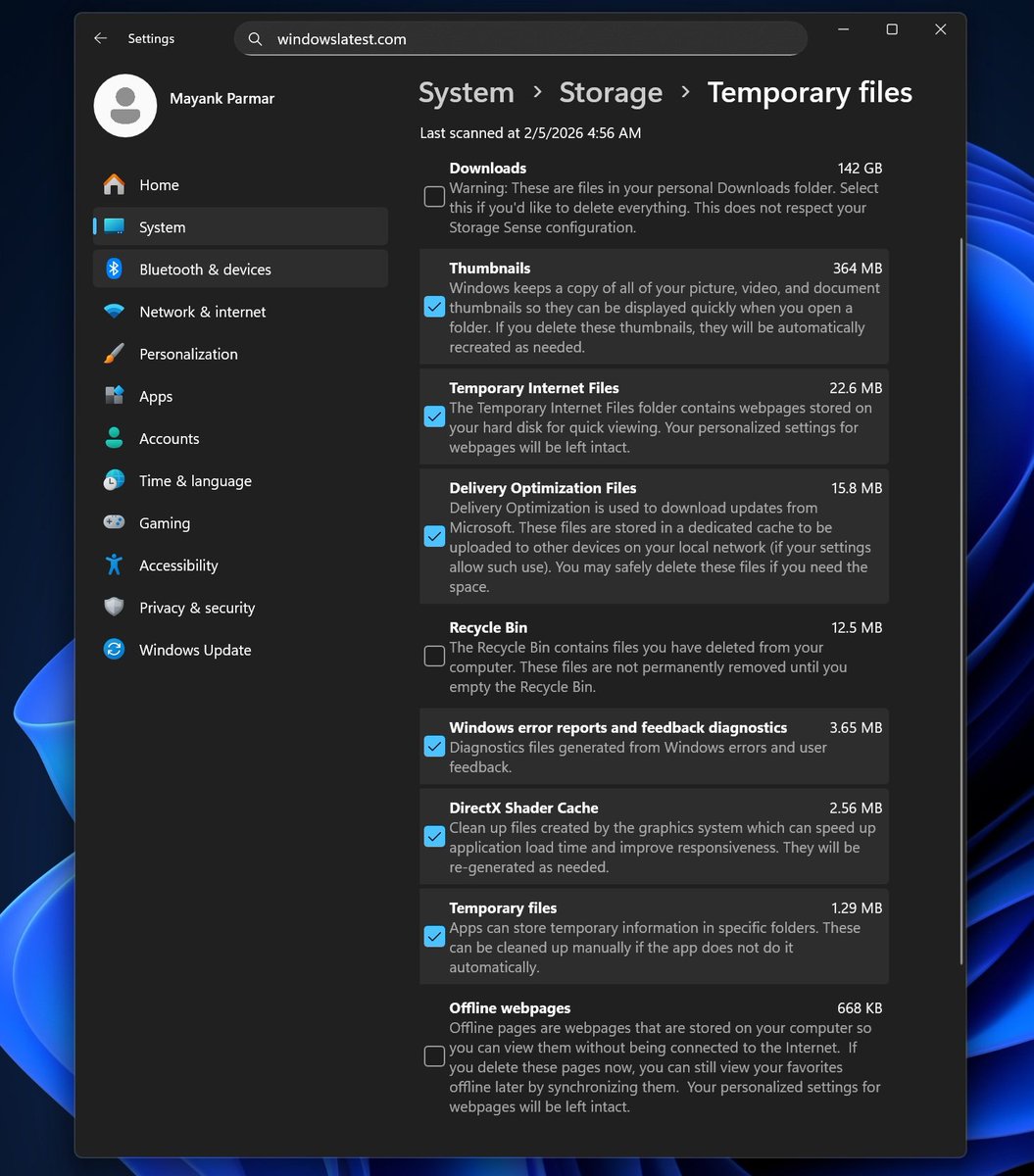
Windows 11 update adds a UAC prompt (admin permission dialog) for Storage settings, but Settings can’t clean Windows Update files anymore
1 Step Forward, 3 Steps Back!
After Windows 11 KB507105, Windows 11 shows an admin (UAC) prompt when you open Storage settings. This change is a security improvement, according to Microsoft.
But the Temporary files page now scans like a non-admin, so it hides options like Windows Update cleanup and driver cleanup.
Disk Cleanup still shows those options when run as admin, so this looks like a Settings bug or a broken elevation handoff.
Windows 11’s new Start menu is now showing up on more PCs after several weeks of a slow, staged rollout.
The new Start menu is not dramatically different, but it introduces a single, unified page that combines pinned apps, an optional Recommended feed, and your installed apps in either a grid or categories view.
Yes, you can now remove the Recommended feed!
However, depending on your device’s resolution and scaling settings, the new Start menu can take up a lot of screen space.
Overall, this new Start menu is noticeably larger than the original Windows 11 Start menu.