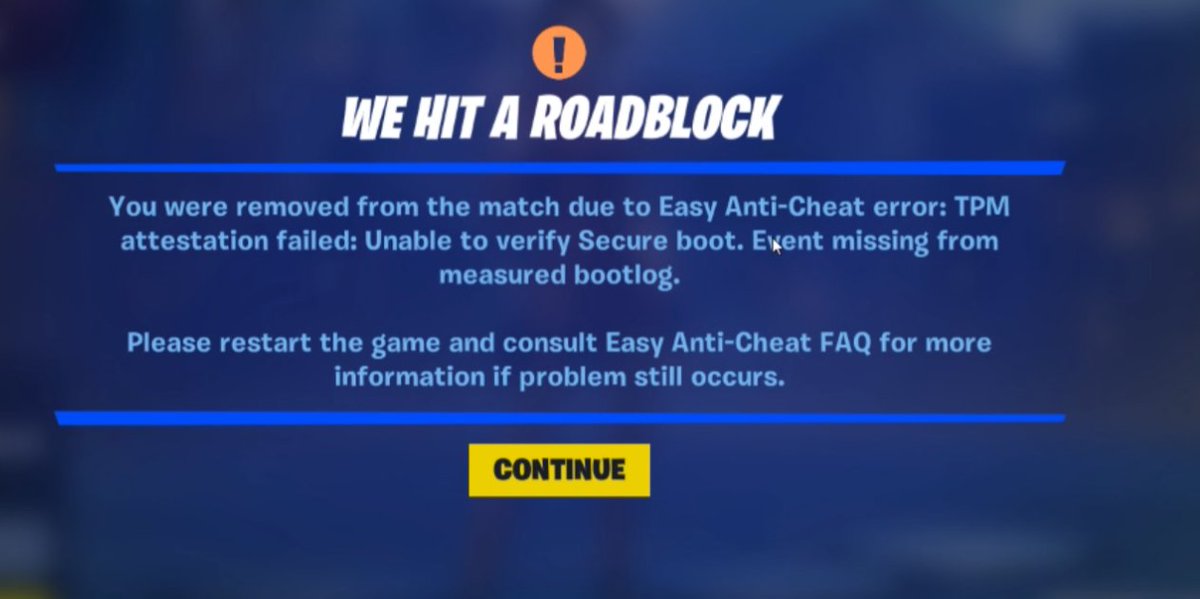
@FortniteStatus@Fortnite@FNCompetitive For anyone getting the stupid Secure Boot/TPM bug in Fortnite tourneys — here’s exactly how I fixed it (with help from ChatGPT):
1️⃣ Check your BIOS
Reboot PC → Spam DEL or F2 to enter BIOS.
Make sure Secure Boot is ON (Standard or Custom, doesn’t matter) & TPM/Trusted Computing is Enabled.
2️⃣ Grab a USB Drive
Needs at least 1GB free.
Plug into PC and format it to FAT32.
3️⃣ Download BIOS Update
Go to your motherboard brand’s support page (Google your model + "BIOS update").
Download the latest BIOS .zip file.
4️⃣ Prep the USB
Extract the .zip.
Move the BIOS update file to the USB root (don’t put it inside a folder).
5️⃣ Flash the BIOS
Reboot → Enter BIOS.
Look for EZ Flash / M-Flash / Q-Flash (depends on brand).
Select the update file from your USB → Confirm → Let it run (PC will restart).
6️⃣ Re-check Settings
After update, go back in BIOS.
Make sure Secure Boot is enabled + TPM is enabled.
Save & Exit.
✅ Launch Fortnite → Bug should be gone.
@kyrenfnx @skyyfv7@coopkbm@cyvarezz So proud of you goat. From 40pr to div 1. Remember when you asked me "you think I can be good at comp" in the big April of 2025.
cant q ive been sitting in a 30 min que
also tm8 crashed 2 times back to back and i crashed once.
please reschedule for tmr the 13th of may
@FNCompetitive@Fortnite@FortniteStatus
@arCtyC@rezonayy@FNCompetitive@Hogman Add Sentinel pump, buff spawn rates of both Sentinel and spaz, change it to slurp rush, and you basically fixed it