We open-sourced OhMyGame 48 hours ago. Today we have an amazing partner. 🤯
Say hi to Hyper3d 👋 Their 3D model is now built right into OhMyGame, and it's **FREE** for everyone, sponsored by @DeemosTech 🎁
This is the power of open source ❤️
https://t.co/OVFaPowG1y
here's how to build a game in Unreal Engine with Claude Opus 5.5...
the trick is letting Opus work inside the live editor, but there's a smart way to set it up:
- step 1: Unreal Engine 5 + the Third Person template, so you can walk and jump from minute one
- step 2: enable Unreal MCP and AllToolsets in the editor, start the server
- step 3: install Epic's plugin in Claude Code and have Opus read the project before it changes anything
- step 4: one prompt builds a playable base level: a valley, a dirt path, a town at the end, 3 glowing collectibles
- step 5: test the whole route with the default mannequin before any custom art
- step 6: bring in a rigged character on the UE5 Mannequin skeleton, Opus swaps it in and wires walk, run and jump
- step 7: import your forest and town assets, Opus places them along the route
- step 8: refine in small batches: vegetation, lighting, a minimap, the town entrance
and the rule that saves the project...
a successful tool call doesn't mean the level is right
check the editor after every batch, and never change terrain, lighting and character in one prompt
Before you build another Hermes cron job from scratch, type /blueprint.
@HermesWatcher surfaced 16 built-in automation blueprints.
The useful part isn’t the number. It’s how quickly a recurring idea becomes a real Hermes job.
My first 5 to try:
→ Morning brief
→ Important mail
→ News digest
→ Competitor watch
→ Weekly review
Run:
/blueprint
Or jump straight in:
/blueprint morning-brief
Hermes asks for the missing details, then you confirm before the job is created.
That’s the bridge from:
“I should automate this”
→ “Hermes runs it for me.”
Which blueprint should I test first?
I'm sharing with you one of the best papers I've read on Harness Engineering
it takes apart Claude Code (Opus 5.5), Codex, Gemini CLI and more, and boils all of them down to one line:
agent = model + harness
what you walk away with:
> what a harness actually is
> how today's coding agents are built under the hood
> the patterns every one of them repeats
> where the whole category is heading
> their checklist for building your own
the model gets the headlines. the harness decides whether the agent works
loop and graph engineering on top of it - in my article below
3D artists won’t like the math here.
I gave Opus 5.5 about 2 minutes inside Cinema 4D and got this.
Now imagine a scene you’d normally quote at $500.
If AI removes even a few hours of production, the client still sees a $500 result - but your margin looks very different.
That’s the real conflict.
But it might destroy the economics of charging for every hour spent clicking around.
i built a small playable game in Unreal Engine with Claude Opus 5.5...
no blueprints by hand, Claude worked inside the running editor
the trick is the live connection, but there's a smart way to set it up:
- step 1: Unreal Engine 5.8 + a Third Person project, under source control
- step 2: enable Unreal MCP and AllToolsets, start the server
- step 3: install Epic's free plugin for Claude Code and start Claude in the project folder
- step 4: build a greybox level first: a path, a walled village, a tower you can see from the start
- step 5: add the rules: 3 orbs, a locked gate, "You made it", R to restart
- step 6: add one enemy, then health, then your attack, one feature per prompt
- step 7: only then make it look good: your character, real assets, lighting
and every prompt follows the same 4 rules...
- say what "done" means
- say what must not change
- ask for a list of everything it touched
- no silent workarounds: if it can't do it, it stops and says so
the full course is in the article 👇🏻
I built 9 opensource cinematic spells that run live in your browser with @threejs that you can use in your games or demons !
Live demo & source code :👇
https://t.co/3Og6GVGENT
- hand-written GLSL, GPU particles, real ragdolls that spells pin, tear, slice and corrode (no canned death animations), cast with your bare hands through your webcam
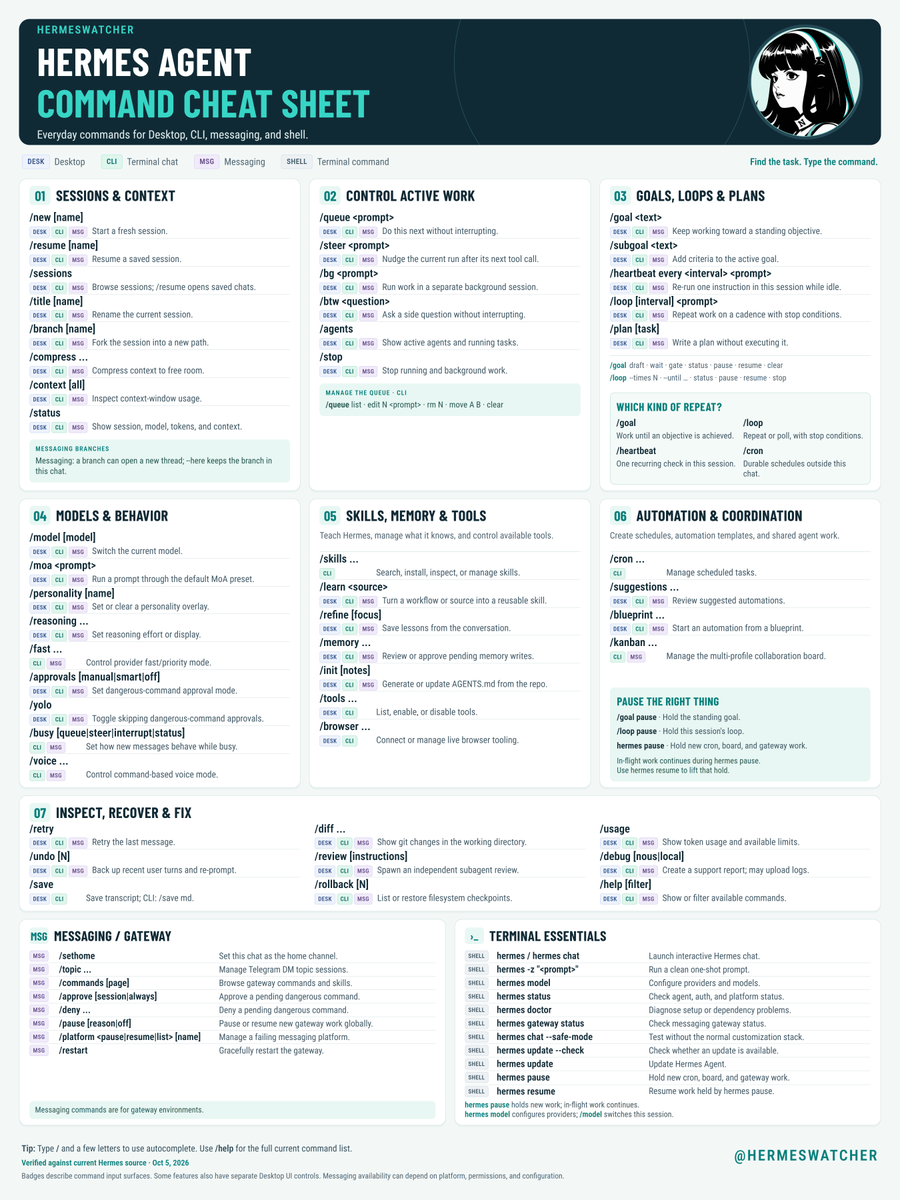
Bookmark this Hermes command cheat sheet for your next session.🔖
The new edition has a fresh layout, updated command guidance, and badges showing where commands work across Desktop, CLI, messaging, and the shell.
It covers useful controls like:
- /goal
- /loop
- /heartbeat
- /bg
- /btw
- /plan
- /review
- /refine
- /moa
- /busy
This edition also adds hermes pause and hermes resume to Terminal Essentials, expands the CLI queue guidance, and clarifies branching and saved sessions.
The sheet is organized around what you’re trying to do:
- Sessions & context
- Active work
- Goals, loops & plans
- Models & behavior
- Skills, memory & tools
- Automation & coordination
- Inspection, recovery & troubleshooting
Messaging/Gateway commands and Terminal Essentials are included, too.
Command names, syntax, and availability checked against Hermes source.
Keep it nearby when you need to queue the next task, steer a running job, or figure out what went wrong.
oyun yapmak istiyorsunuz ma 3D ortam modellemeyi hiç bilmiyorsunuz, buraya bakın
image-blaster diye bir Claude skill'i var, bir fotoğraf veriyorsun, gezilebilir 3D ortam çıkarıyor hem de ses efektleriyle birlikte
gpt 2.5 ile görseli oluştur > at buraya oyun ortamını oluştursun
blender öğrenmek için günlerini aylarını harcayanlar için üzgünüm
repoyu aşağıda paylaşıyorum
China f*cked the world again
DeepSeek just dropped a killer library that saves up to 98% on tokens ur GPT Astra and Opus 5.5
it's DeepGEMM, the engine DeepSeek trains and runs its own models on
faster GPU math -> more tokens per GPU -> cheaper tokens
> plug the engine DeepSeek uses into your own models
> squeeze more tokens per second out of the GPUs you already pay for
> match or beat expert-tuned GPU libraries on speed
u will pay $1.6 instead of $50
its sitting in one public repo, link below
10 GITHUB REPOS BRINGING AI INTO CYBERSECURITY
AI isn't just changing how we build software.
It's also changing how security teams find, test and fix vulnerabilities.
1. PentestGPT
AI assistant for reasoning through penetration testing workflows and findings.
https://t.co/9ZcItviCti
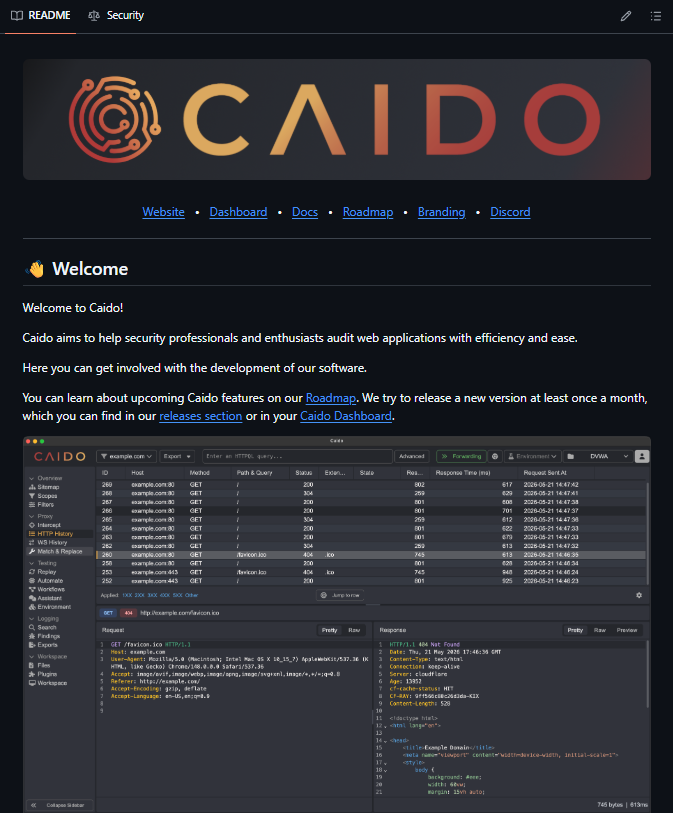
2. Caido
Modern toolkit for intercepting and analyzing web traffic during security research.
https://t.co/E2yv2L2Jge
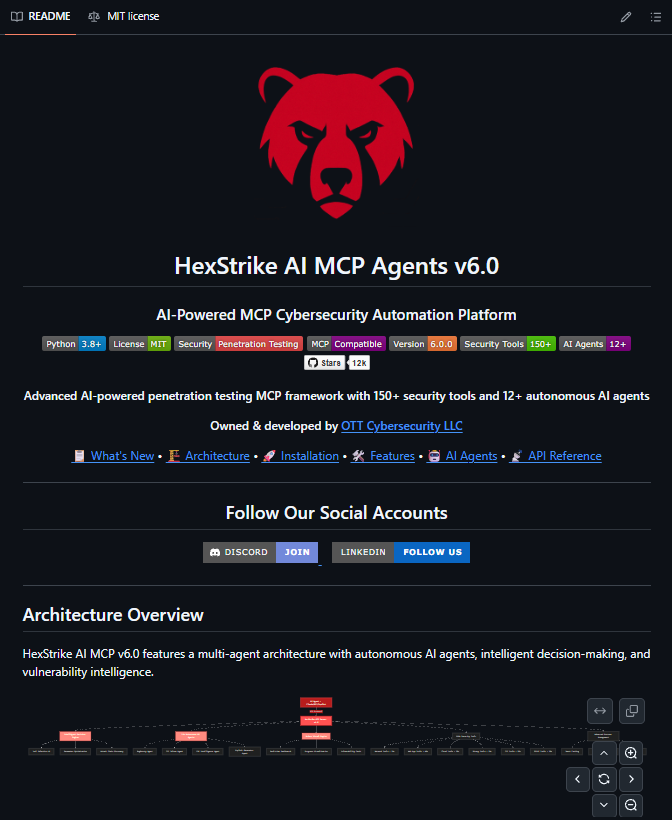
3. HexStrike AI
Connect AI agents with cybersecurity tools through an MCP-based framework.
https://t.co/wVj3W9dqJ2
4. Strix
AI-powered security testing for investigating applications and finding vulnerabilities.
https://t.co/xlYhXK5975
5. Nuclei
Fast, template-based vulnerability scanner for applications and infrastructure.
https://t.co/Vr7yol06Oq
6. Semgrep
Code-aware security scanning that helps catch vulnerabilities before deployment.
https://t.co/UXshu3HJIF
7. Gitleaks
Find exposed API keys, passwords, tokens and other secrets in Git repositories.
https://t.co/gzbcvI0c3R
8. OWASP Amass
Discover domains, subdomains and infrastructure to understand external attack surfaces.
https://t.co/xpX7sLwzf2
9. Wazuh
Open-source platform for security monitoring, detection, vulnerability management and log analysis.
https://t.co/KzY46IlhYq
10. Prowler
Assess cloud environments against security best practices and compliance frameworks.
https://t.co/JYRDnoAogJ
Save these repos if you're exploring AI-powered cybersecurity.
AI security stack is getting f...cking important
10 open-source GitHub projects for letting agents use real tools without giving them the keys to EVERYTHING
01 E2B
▸ https://t.co/DrzCf9dj69
→ isolated sandboxes for agent execution
02 gVisor
▸ https://t.co/nuwxaXyQd3
→ sandbox untrusted workloads
ISOLATE THE AGENT
03 Firecracker
▸ https://t.co/M5EyDiSyPb
→ lightweight microVM isolation
04 Kata Containers
▸ https://t.co/1z6kgws9aX
→ containers with VM-level isolation
CONTROL THE TOOLS
05 Open Policy Agent
▸ https://t.co/852OIL1z5C
→ policy checks before actions execute
06 Casbin
▸ https://t.co/zjncieEueO
→ permissions + access control
PROTECT THE SECRETS
07 Infisical
▸ https://t.co/Wt9v5hKOro
→ secrets management for AI infrastructure
08 SOPS
▸ https://t.co/WDWZjquEgp
→ encrypted secrets inside repos
WATCH WHAT HAPPENS
09 Falco
▸ https://t.co/BXQUlwne2c
→ detect suspicious runtime behavior
10 Trivy
▸ https://t.co/S8LWn7YH88
→ scan code + containers + infrastructure
the security loop:
request → permission → sandbox → tool → execute → inspect → allow / block → log
3 layers I'd actually build:
agent:
E2B → OPA → Casbin
runtime:
Firecracker → Falco → Trivy
secrets:
Infisical → SOPS
and this is where it gets interesting:
giving an AI agent more tools makes it more useful
it also gives it more ways to break something
the next agent stack isn't just memory + tools + reasoning
it needs permissions ⭣
Holy sh*t, I wish I’d found this earlier.
someone put 300+ AI agent projects into one free GitHub repo
because half the time you think you need to build something new…
someone already built it.
agent memory? there.
browser control? there.
coding agents, sandboxes, evals, voice, multi-agent teams, local models?
all there.
so I went through the list and started connecting the pieces:
> RUN - Ollama runs the model locally
> BUILD - LangChain connects everything
> CODE - Aider + Continue work inside your codebase
> ORCHESTRATE - CrewAI + AutoGen manage the agent team
> ACT - E2B + Composio give agents tools and somewhere safe to run
> REMEMBER - Mem0 keeps memory between sessions
> WATCH - AgentOps shows what your agents actually did
> SHIP - Vercel AI SDK helps turn it into a real product
but here’s what clicked for me:
the list isn’t really a list. it’s a build-your-own-agent menu.
model -> framework -> tools -> sandbox -> memory -> evals -> product
missing something?
don’t spend the weekend rebuilding it.
find the category -> see what already exists -> grab 3 options -> check which one’s still alive -> start there.
and if you want to build on top of the list itself, they even give you the ecosystem data in JSON + YAML.
> no signup.
> no paywall.
> MIT licensed.
> 300+ projects in one place.
basically, before I build anything agent-related now, I’d check this repo first.
I pulled out the projects I’d actually start with + the best stuff from each category below
this is ultimate f*cking treasure.
20 open-source projects that basically give you the entire AI agent stack for free.
not just another “top AI tools” list.
together they cover the whole agentic loop:
BUILD
01 Ollama - run models locally ▸ https://t.co/bbPvy1btKB
02 LangChain - wire LLM workflows ▸ https://t.co/w2AdRxxPGg
03 Open Interpreter - let AI use your computer ▸ https://t.co/m42rPX3UMB
04 AutoGen - build multi-agent systems ▸ https://t.co/5leQUbSdBE
05 Aider - code with AI ▸ https://t.co/UjLV3aq4YZ
ORCHESTRATE
06 AutoGPT - autonomous workflows ▸ https://t.co/mK2fbGHB6Q
07 MetaGPT - software teams made of agents ▸ https://t.co/FEvhxdjPjN
08 CrewAI - coordinate specialized agents ▸ https://t.co/tVukPP8BMm
09 DSPy - optimize LLM pipelines ▸ https://t.co/yTxej7HI5Z
10 CAMEL - multi-agent collaboration ▸ https://t.co/15vpxKBpjy
ACT
11 Flowise - visual agent workflows ▸ https://t.co/yHqz6eKPoP
12 Continue - AI inside your IDE ▸ https://t.co/nPVsDDOJiE
13 Vercel AI SDK - ship AI apps ▸ https://t.co/ngeqtPP3jE
14 E2B - give agents a sandbox ▸ https://t.co/peIqKgWyKg
15 Composio - connect agents to real tools ▸ https://t.co/z0WxBpwlXN
REMEMBER · TEST · SHIP
16 PrivateGPT - private knowledge ▸ https://t.co/jQeb6RcggL
17 Mem0 - agent memory ▸ https://t.co/2AzDvOZElw
18 AgentOps - monitor agents ▸ https://t.co/seBG6fCh5C
19 AgentBench - evaluate them ▸ https://t.co/BfSngb42sG
20 ElevenLabs + Deepgram - voice in + voice out ▸ https://t.co/v1ZqYu3PEE▸ https://t.co/DsGanIwElC
the interesting part isn’t any single repo.
it’s what happens when you connect them:
model -> agent -> crew -> tools -> sandbox -> memory -> eval -> product
you don’t need to build an AI employee from zero anymore.
the pieces are already open source. you just have to assemble them.
save this before you build your next agent.