On my way home from Chipotle, I noticed FSD was approaching this light slower than normal. A few seconds later, BAM!!!
If I had been driving manually, I would've already been right behind this car and probably would have been hit. Glad I was using FSD. STOP TEXTING AND DRIVING!!!
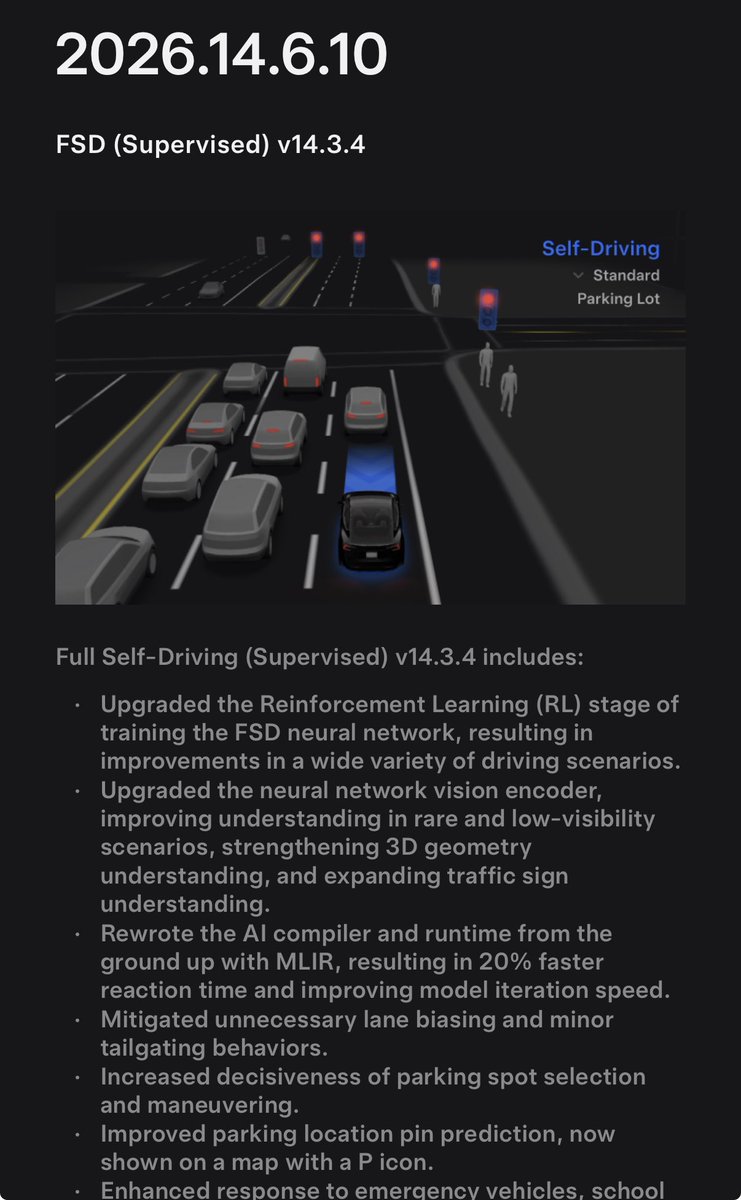
8 drives and 5 hours in with FSD v14.3.4 and here are my thoughts:
FSD v14.3.4 brought noticeably improved driving with some great UI changes and additions.
Mad Max is mad again! In heavy LA traffic today, Mad Max is making these epic lane changes again, similar to when it first came out, and especially on city streets the change is noticeable. The lane changes are very calculated and confident too.
The “Curbside” Arrival Option wording has been replaced with “Pull Over” and I think this is way better. You don’t always pull up along a curb or street so it just pulls over right at the destination and it’s way more clear.
UI changes: FSD now displays the arrival options as you’re approaching the destination and tells you on the screen how it will park- this is helpful if you want to change anything. It pops up about 0.2 miles away from the destination, I think it might be helpful for some destinations but it feels too early at times if that 0.2 miles is in traffic or a turn before.
After you type in a destination or ask Grok to navigate somewhere, it now pops up as a message on the screen where it is heading to. This actually feels more like a Robotaxi experience.
With the new UI changes, you can really feel Tesla is gearing FSD towards everyone having a more Robotaxi-like experience without users having to think about what it will do next or where will it go, and so they know what to expect. I think this was a nice addition and big change once you use it. This will be especially helpful for newer FSD users.
It’s actually quite nice to see ahead of time in bigger letters where it will go/how it will park as sometimes I change between driveway or street at home so I know where it’s headed, so if I have a car in the driveway I can make sure street is selected and I don’t forget.
The nag seems the same usually, except in some cases driving into sun and traffic it felt more sensitive twice. Lane changes with this build are confident and in some cases, earlier than before on city streets which is good. Had only one almost late lane change before a turn, but Mad Max got around them no problem.
Recently, before this update, in Mad Max and Hurry profiles on city streets it would get comfortable in its lane and not get around slow cars quick enough- that’s now improved and great to see especially in rush hour! Made some awesome moves today.
Leaving stop signs, Mad Max still has a smooth and linear acceleration curve, it wasn’t jerky or choppy. Mad Max is now my favorite profile again for city streets and its speed control has been great. Lane choices are better before staging/getting over for upcoming turns but I did have a twitchy steering wheel at one turn tonight. Hurry profile seems to have also gotten a bit more assertive again, which is great!
Parking: some parking jobs were good tonight, and some it didn’t one shot. Twice it didn’t back up as far as I would, probably needed another 4 inches. Spot selection might be slightly better than v14.3.3, but still needs to pick them quicker especially in parking garages so it doesn’t loop or take too long. It really needs to pick the first good spot it sees always in garages. The speed it drives in empty parking lots are quicker than before and it’s awesome.
Actually Smart Summon reaction time when you start it is still phenomenal and so quick, so fun to have your car drive you around parking lots while in the back seat.
Overall, FSD v14.3.4 brings some huge UI additions and some improved driving behavior, and it definitely feels like a more major update than just a point release.
Thanks @Tesla_AI for another banger update!