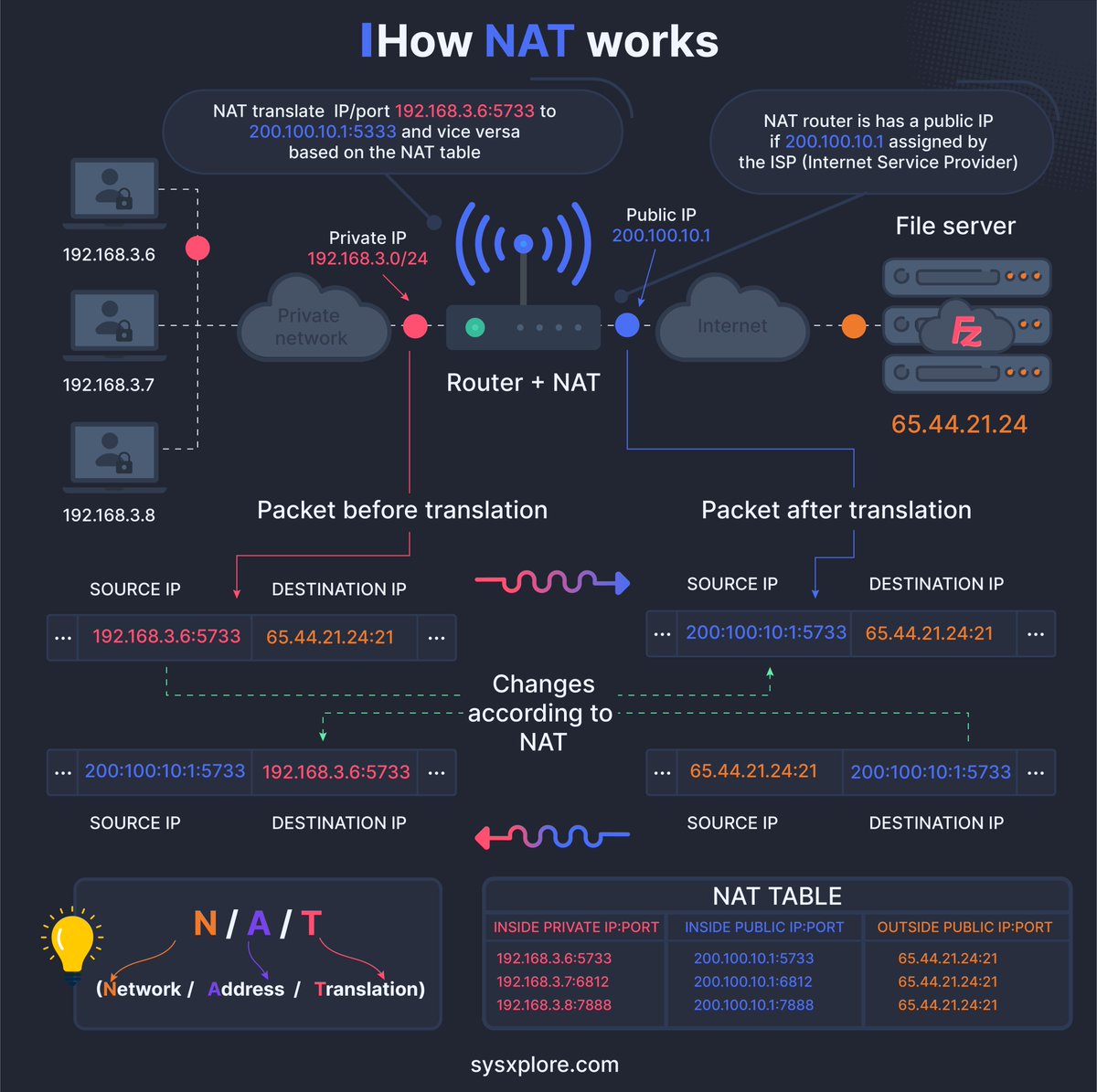
How is data sent over the internet? What does that have to do with the OSI model? How does TCP/IP fit into this?
7 Layers in the OSI model are:
1. Physical Layer
2. Data Link Layer
3. Network Layer
4. Transport Layer
5. Session Layer
6. Presentation Layer
7. Application Layer
–
Subscribe to our weekly newsletter to get a Free System Design PDF (158 pages): https://t.co/FIzCeaWsZV
GET, POST, PUT... Common HTTP “verbs” in one figure
1. HTTP GET
This retrieves a resource from the server. It is idempotent. Multiple identical requests return the same result.
2. HTTP PUT
This updates or Creates a resource. It is idempotent. Multiple identical requests will update the same resource.
3. HTTP POST
This is used to create new resources. It is not idempotent, making two identical POST will duplicate the resource creation.
4. HTTP DELETE
This is used to delete a resource. It is idempotent. Multiple identical requests will delete the same resource.
5. HTTP PATCH
The PATCH method applies partial modifications to a resource.
6. HTTP HEAD
The HEAD method asks for a response identical to a GET request but without the response body.
7. HTTP CONNECT
The CONNECT method establishes a tunnel to the server identified by the target resource.
8. HTTP OPTIONS
This describes the communication options for the target resource.
9. HTTP TRACE
This performs a message loop-back test along the path to the target resource.
Over to you: What other HTTP verbs have you used?
–
Subscribe to our weekly newsletter to get a Free System Design PDF (158 pages): https://t.co/uc5M7CdXXC
Linux file system explained.
The Linux file system used to resemble an unorganized town where individuals constructed their houses wherever they pleased. However, in 1994, the Filesystem Hierarchy Standard (FHS) was introduced to bring order to the Linux file system.
By implementing a standard like the FHS, software can ensure a consistent layout across various Linux distributions. Nonetheless, not all Linux distributions strictly adhere to this standard. They often incorporate their own unique elements or cater to specific requirements.
To become proficient in this standard, you can begin by exploring. Utilize commands such as "cd" for navigation and "ls" for listing directory contents. Imagine the file system as a tree, starting from the root (/). With time, it will become second nature to you, transforming you into a skilled Linux administrator.
Have fun exploring!
Over to you: which directory did you use most frequently?
–
Subscribe to our weekly newsletter to get a Free System Design PDF (158 pages): https://t.co/uc5M7CdXXC