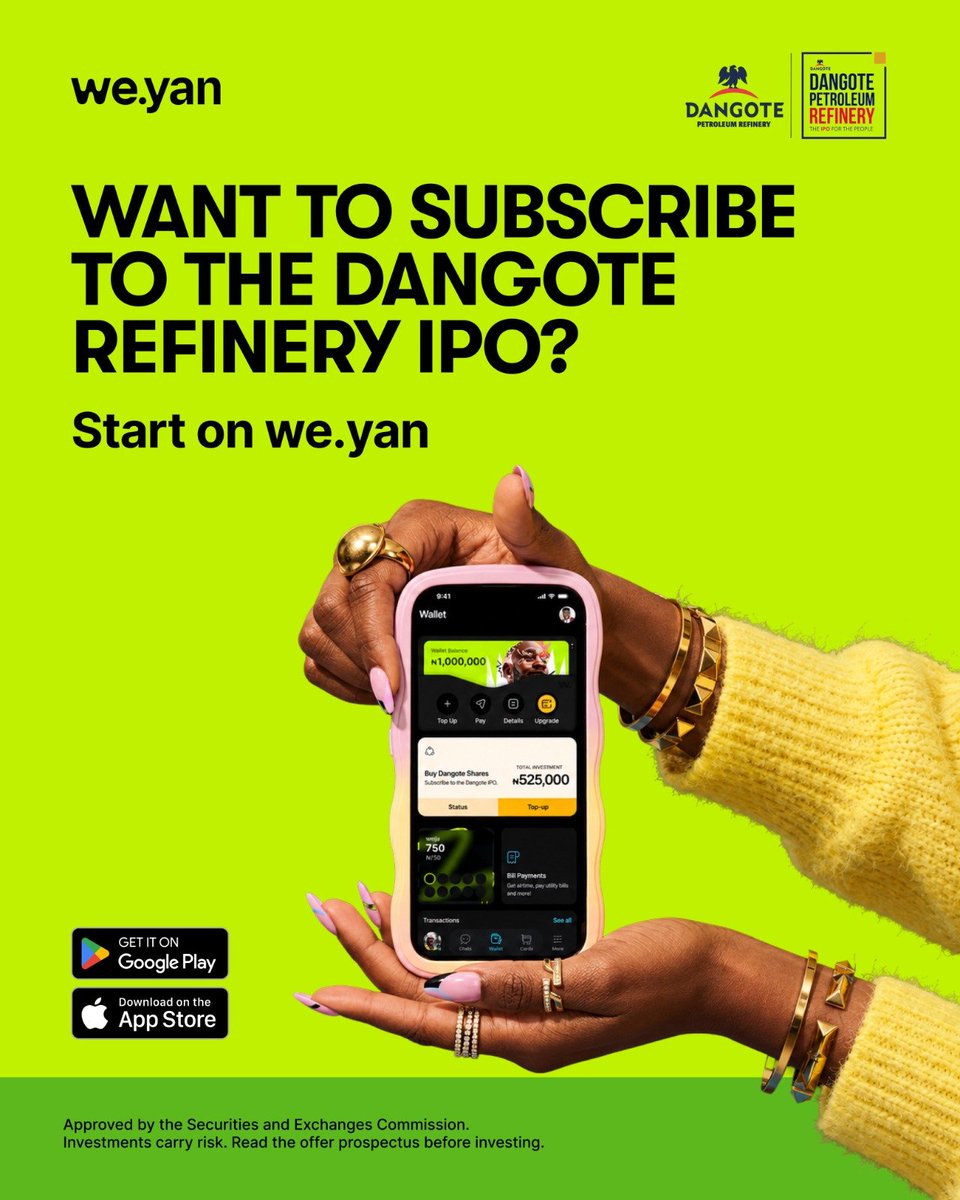
Every investment journey starts somewhere.
Times may be rough, but you can still take small steps today toward your financial future. With Weyan, you can start with 1 free share worth ₦525 and gradually build your holdings. Consistency compounds into great rewards.
🎁 GET FREE ₦750 FROM WEYAN! 💸
Weyan is currently giving new users a ₦750 welcome bonus to encourage your participation in the Dangote IPO — don’t miss out! 🚀
📲 Download the app: ⬇️
🔗iOS: https://t.co/2ESWdSuhDU
🔗Android: https://t.co/TMiTyG3lIQ
⚠️ Referral code :WBCTZZ
How to claim 👇
1️⃣ Sign up with your email
2️⃣ Complete your phone verification
3️⃣ Enter the referral code during wallet creation 👉 WBCTZZ
4️⃣ Claim your ₦500 bonus 💰
5️⃣ Create a CHN account & receive your ₦250 bonus 💰
🔥 Secure your bonus;
🫡& verify with the code WBCTZZ
🎁 GET FREE ₦750 FROM WEYAN! 💸
Weyan is currently giving new users a ₦750 welcome bonus to encourage your participation in the Dangote IPO — don’t miss out! 🚀
📲 Download the app: ⬇️
🔗iOS: https://t.co/2ESWdSuhDU
🔗Android: https://t.co/TMiTyG3lIQ
⚠️ Referral code :WBCTZZ
Put a finger down if,
YOU’RE NEW TO INVESTING?
YOU’VE CREATED YOUR CHN?
YOU CAUGHT THE IPO BUG AND SUBSCRIBED ALREADY?
YOU HAVEN’T SUBSCRIBED YET, BUT WILL?
YOU WILL TELL PEOPLE TO SUBSCRIBE TO THE IPO ON WE.YAN?
Subscribe to the IPO on we.yan
Everyone is talking about the Dangote Refinery IPO, we're sure you want to buy shares.
Before you tap “subscribe”, here are a few things you should know.
A thread.
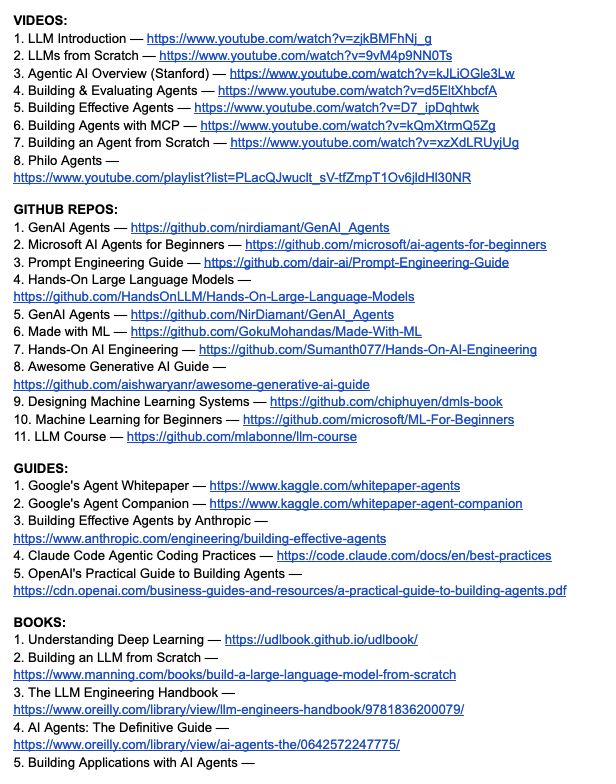
STOP WASTING HOURS TRYING TO FIGURE OUT WHAT TO LEARN IN AI.
I put together one practical roadmap with videos, GitHub repos, guides, books, research papers, and courses.
VIDEOS:
1. LLM Introduction — https://t.co/DilUVzd4KA
2. LLMs from Scratch — https://t.co/q0HSKUIwc6
3. Agentic AI Overview (Stanford) — https://t.co/eyLuA3k3mG
4. Building & Evaluating Agents — https://t.co/EYmiatzvlb
5. Building Effective Agents — https://t.co/k7QauZIBup
6. Building Agents with MCP — https://t.co/JeHUisjzm8
7. Building an Agent from Scratch — https://t.co/LBZyB7wVoy
8. Philo Agents — https://t.co/WL3Rfqv0sq
GITHUB REPOS:
1. GenAI Agents — https://t.co/tfUPjPalJz
2. Microsoft AI Agents for Beginners — https://t.co/z5AAk7O0Rs
3. Prompt Engineering Guide — https://t.co/uNyjnIklFB
4. Hands-On Large Language Models — https://t.co/bLCCamemAM
5. GenAI Agents — https://t.co/iBrLpJJ7Lo
6. Made with ML — https://t.co/ORmiE8Gjo4
7. Hands-On AI Engineering — https://t.co/8BkLqwd7uZ
8. Awesome Generative AI Guide — https://t.co/i0yzp1QO0o
9. Designing Machine Learning Systems — https://t.co/YCM5PsnNJ8
10. Machine Learning for Beginners — https://t.co/dwFLv0V8wt
11. LLM Course — https://t.co/yp9aup3OSL
GUIDES:
1. Google's Agent Whitepaper — https://t.co/3SzXLeTUuV
2. Google's Agent Companion — https://t.co/9ctzJoi5H5
3. Building Effective Agents by Anthropic — https://t.co/9g8exTxXND
4. Claude Code Agentic Coding Practices — https://t.co/gRYW3HXjOL
5. OpenAI's Practical Guide to Building Agents — https://t.co/0wszx4OeJM
BOOKS:
1. Understanding Deep Learning — https://t.co/V809a4HLmn
2. Building an LLM from Scratch — https://t.co/KaNjx4q3J3
3. The LLM Engineering Handbook — https://t.co/PH1U8Jtksf
4. AI Agents: The Definitive Guide — https://t.co/7NLjpAMsZg
5. Building Applications with AI Agents — https://t.co/0NLZCiqgfP
6. AI Agents with MCP — https://t.co/mUPjkTnXJb
7. AI Engineering — https://t.co/DiFJkzLbNs
RESEARCH PAPERS:
1. ReAct — https://t.co/cwkezXZiiv
2. Generative Agents — https://t.co/xj2rzRUVsa
3. Toolformer — https://t.co/N3QTcTEiH7
4. Chain-of-Thought Prompting — https://t.co/5c35Yetrv2
COURSES:
1. Hugging Face Agent Course — https://t.co/FY0k2INNLp
2. MCP with Anthropic — https://t.co/FIkFIvz5ar
3. Building Vector Databases with Pinecone — https://t.co/rLMLsXH1dZ
4. Vector Databases: Embeddings to Apps — https://t.co/gNpscSP5mx
5. Agent Memory — https://t.co/pbHPXpOUO2
No endless searching.
No information overload.
Just resources you can actually use. 🔖
Your future AI skill set will come from consistent building, experimenting, and learning.
Repost so someone else can find this roadmap, and pls consider following
@amisha_explains for more content around AI, Beauty, and businesses.
THE MARKET STRUCTURE SHIFT EXPLAINED. 🔥
One of the most important components of ICT’s 2022 Model.
ICT breaks down what makes a Market Structure Shift significant and how to properly understand it.
If knowledge is power, this video is basically a 9,000+ KW power plant. ⚡️⚡️
Your laptop can have 16GB RAM, Core i7 and still be a very bad purchase.
Before buying a laptop, take not of these 10 things:
1.🔹Go for SSD instead of HDD.
SSD makes the laptop significantly faster when booting, opening apps and transferring files. It also doesn't make the spinning noise HDDs make.
You can check by pressing Ctrl + Shift + Esc → then Performance → then Disk.
2.🔹Having a high RAM isn't enough.
A laptop with 16GB RAM and a weak or old processor can still perform poorly. So it's important to check the processor.
3.🔹 Focus more on the generation of the processor rather than just “Core i5” or “Core i7.”
Never assume an i7 is automatically better than an i5. A newer-generation i5 can outperform an older-generation i7, depending on the specific processors.
When you check the model number for most Intel Core processors, the number immediately after the hyphen tells you the generation.
For example:
i7-6500U = 6th Gen
i5-8250U = 8th Gen
i7-1165G7 = 11th Gen
i5-1235U = 12th Gen
i7-13700H = 13th Gen
4.🔹Don't ignore battery health, especially when buying a used laptop.
To check on a Windows laptop, open Command Prompt and type: powercfg /batteryreport
This will generate a battery report showing the design capacity and full charge capacity. The bigger the gap, the more the battery has degraded.
5.🔹Check the screen quality, not just the size.
A 15.6-inch screen isn't automatically better than a 14-inch one. To confirm, go to Settings → System → Display → Advanced display to check the resolution and refresh rate.
6.🔹Check whether the RAM and SSD can be upgraded.
Some newer laptops have their RAM already soldered, meaning you may not be able to increase it later.
7.🔹Check the ports you need.
USB-A, USB-C, HDMI, SD card slot, headphone jack and other ports can make a difference depending on what you use the laptop for.
8.🔹For a used laptop, test everything.
Don't just open the laptop, see that it boots.
Test the keyboard, trackpad, speakers, microphone, webcam, Wi-Fi, Bluetooth, charging port, USB ports, HDMI, hinges and screen.
Open a document and test every key. Play audio through the speakers. Connect to Wi-Fi and Bluetooth. Plug in a USB device and test the charger.
9.🔹Buy according to your needs.
For browsing, Microsoft Office, online classes and basic work, you don't necessarily need a high-end laptop.
For programming, heavy multitasking or professional software, you need a strong processor and sufficient RAM.
For video editing, 3D work and serious graphics work, you have to pay attention to the GPU, processor, RAM and display.
For gaming, don't focus on RAM alone. The dedicated GPU, processor, cooling system and display matter a lot.
Stay informed
And
Stay sharp! 🪒
If I lost my entire trading portfolio overnight and had to restart with $500 in 2026…
Here are the 3 mistakes I’d run from & the 5 non-negotiable rules I'd use to make my first $10k: 🧵